

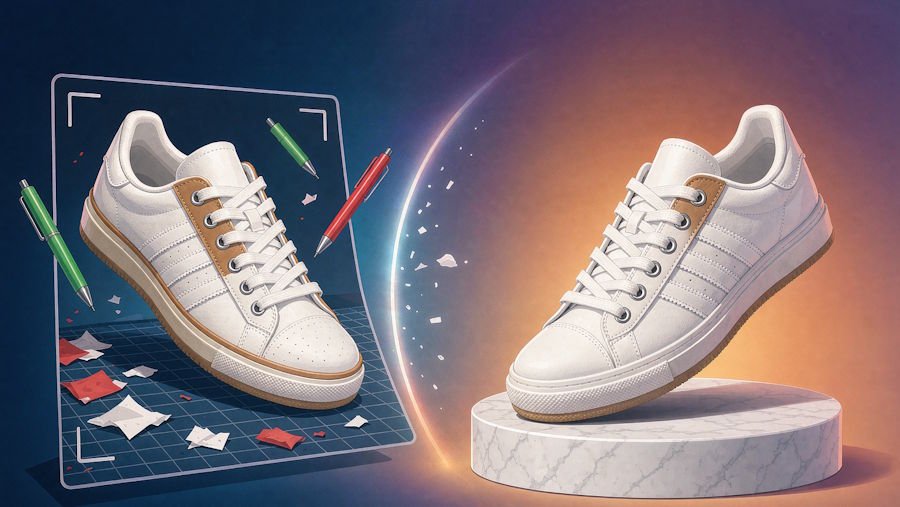
Ask anyone who runs an online store where the real bottleneck sits between a product arriving at the warehouse and its listing going live. The answer is almost never the photoshoot itself. It is everything that happens afterward: background swaps, color corrections, marketplace resizes, seasonal variants, and the revision loop between brand and retoucher. A single hero image can pass through five sets of hands before it earns a place on a category page. For a team shipping hundreds of SKUs a season, that loop becomes the most expensive part of running a catalog.
Image models have promised to fix this for a couple of years, but most early tools treated editing as a novelty. Filters were fun, output was unreliable, and the product never quite looked like itself after a change. The GPT Image 2.5 API is a different proposition. It reads plain-language instructions, preserves the subject of a photo, and returns studio-grade results in seconds. That shift changes what a small catalog team can realistically ship in a week.
Why product photo editing eats your margin
The visible cost of product imagery is the shooting day, but the invisible cost is the tail work that follows it. Marketplaces want their own aspect ratios. Regional stores want localized packaging shots. A seasonal campaign wants the same hero product against three different backdrops. Each request lands on the desk of a retoucher, and each round of feedback adds a day. Multiply that across a catalog of four hundred SKUs and the editing queue stops being a task and becomes a dependency. When the retoucher is booked, launches slip. When they are not, marketers settle for whatever is already finished, and the store starts to look generic. The economics of e-commerce imagery have been broken in this specific way for a long time.
What changes when an edit becomes a sentence
Natural-language editing removes the middle layer between intent and result. Instead of writing a brief that a retoucher interprets, you write the outcome: replace the background with a warm kitchen scene, keep the bottle and its label exactly as they are, add soft morning light from the left. Models in this family read that instruction and hold the product steady while the world around it changes. Identity preservation is the part that matters commercially. The logo stays sharp, the shape stays true, and the color stays honest, which is what separates a usable edit from a fun demo. Iteration changes shape too. A revision that used to mean another round of feedback is now a second sentence typed before the first result has cooled.
Flare or Sunburst: two tiers with different jobs
The collection splits into two tiers, and picking between them is mostly a question of what the image is for. Flare is the fast, balanced tier, tuned for everyday generation and editing at low latency. It suits catalog volume, drafts, and marketplace variants where speed and consistency matter more than the final fraction of detail. Sunburst spends more time on each image in exchange for higher fidelity, richer texture, and more refined output. That makes it the tier for hero visuals: a campaign lead image, a jewelry close-up, or a cosmetics shot where material texture carries the sale. Both tiers support the same core text-to-image and editing workflows, so switching between them costs nothing but a decision.
Five quality levels, one practical rule
Both tiers offer five quality settings, from low through medium and high to xhigh and max, with output up to 4K. A practical rule that works for most teams: draft low, present high, print max. Lower settings are for layout exploration and prompt tuning, where you might burn through twenty variations to find one direction. High settings are for stakeholder review, when the image needs to look finished. Max belongs to deliverables: print collateral, oversized hero banners, and anything a customer will study closely. Matching the setting to the stage keeps the cost line flat, because you stop paying premium prices for images that exist only to be discarded.
A repeatable editing workflow for catalog work
- Shoot once, lit neutrally. A clean source photo makes every later edit easier and keeps the product recognizable across variants.
- Batch the variants by scene type rather than by SKU, so one well-tuned prompt produces a whole family of images.
- Write each edit as a single sentence that describes the outcome, not the method.
- Review at low quality first, because composition problems show up the same way at every setting.
- Re-run only the finalists at the quality level that matches where the image will actually live.
- Archive the winning prompt next to the source photo, so the next product inherits a proven recipe instead of starting from zero.
Teams that work this way treat prompt libraries the way studios treat shot lists: as reusable assets, not disposable notes.
When the text inside the image matters
Packaging shots, promotional overlays, and seasonal labels need readable in-image text, and this has historically been where image models fell apart. GPT Image 2.5 renders legible text with enough accuracy for posters, packaging concepts, and social promos, which unlocks work that used to require a designer layering type by hand. The habit worth building is proofreading anyway. Automated text rendering is strong, but a misspelled flavor name on a real label is an expensive kind of typo to discover after a campaign ships. Treat in-image text the way you treat any printed proof, and the feature turns from a risk into a genuine time saver for promo work.
What it costs next to a reshoot
Per-call pricing for the collection runs from roughly 0.024 to 0.039 dollars per generation depending on the model and workflow, with no subscription and no minimum. Against that, a single reshoot day with a photographer, a studio, and retouching often lands in the hundreds or thousands of dollars before a single revision is requested. The point is not to replace photography entirely; source photos still matter. It is about what happens after the shoot, where the marginal cost of a new backdrop, a new season, or a new market drops from a booked session to a few cents of compute. For teams that refresh imagery often, the tail work dominates the budget, and that is exactly the part this workflow compresses.
Where teams get it wrong
Three mistakes show up repeatedly. The first is treating the first output as final. Models reward iteration, and the difference between an average edit and an excellent one is usually two follow-up sentences. The second is mixing quality tiers in the middle of a campaign, which produces textures that do not match across a product line; pick a tier per campaign and hold it. The third, and the most serious, is editing product truth: shifting a shade until it no longer matches what arrives in the box. Returns and reviews punish that kind of drift. Keep the edits to scene, light, and context, and let the product itself stay honest.
Fitting it into the calendar
A weekly rhythm makes the change concrete. Monday: pull the SKUs flagged for refresh. Tuesday: batch-edit scenes on the fast tier at low quality and build a shortlist. Wednesday: re-run the shortlist at the presentation tier and proof any in-image text. By Thursday afternoon the refreshed imagery is in the content system, where the same exercise used to consume two weeks of retoucher time. That cadence is the real product of moving editing out of a specialist queue and into a sentence.
Catalog imagery has always rewarded whoever iterates fastest. The tooling has finally caught up to that fact, and the teams that reorganize around it first will look sharper than their budgets suggest.

