

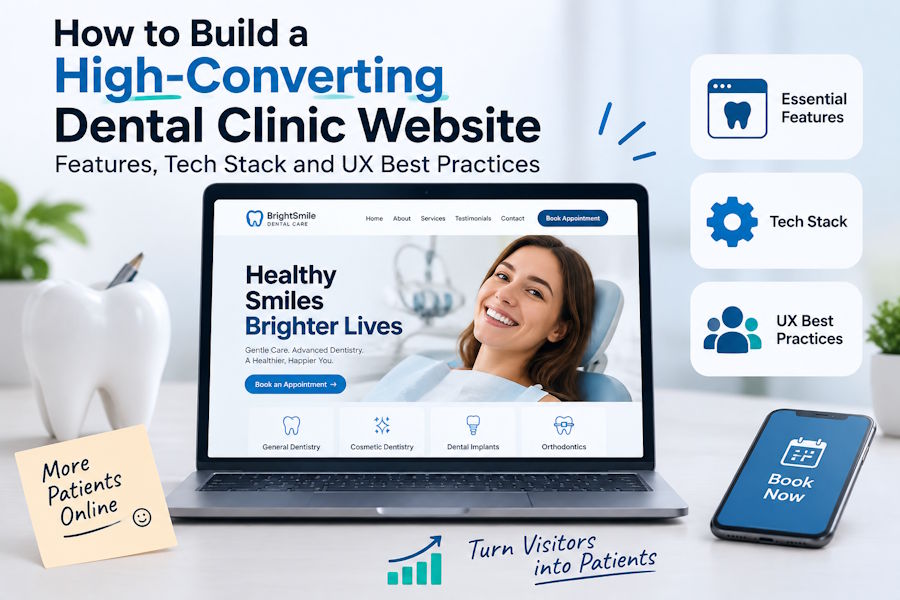
A dental clinic website is often the first place a new patient decides whether to book or keep scrolling. Most people compare two or three practices on their phone and choose the one that loads fast, looks trustworthy and makes booking effortless. That is why clinics that invest in professional dental website design and SEO usually see more calls and appointments than those running on an outdated template, even when the quality of care is the same.
This guide covers the features, tech stack and UX decisions that turn a dental clinic website into a steady source of new patients.
What Makes a Dental Clinic Website High-Converting?
A high-converting site does three things well:
- Builds trust quickly through real photos, credentials and reviews.
- Answers patient questions about treatments, costs and insurance.
- Removes friction so that booking or calling takes seconds.
Every feature below supports one of these goals.
Must-Have Pages and Features
1. Individual Treatment Pages
Instead of a single "Services" page, create a separate page for each treatment: implants, Invisalign, teeth whitening, root canals, emergency dentistry and so on. Each page should explain the procedure, who it suits and the expected recovery time, plus a price range where possible. These pages convert better, and they also rank for specific searches like "dental implants in [city]".
2. Dentist and Team Bios
Patients want to know who will treat them. For each dentist, add a photo, qualifications, years of experience and a short personal note. On healthcare sites, visible expertise is also a strong trust signal for Google.
3. Reviews and Before-and-After Gallery
Embed recent Google reviews and add a gallery of real cases, shared with patient consent. Social proof placed near the booking buttons can noticeably lift conversions.
4. Insurance and Payment Information
"Do you accept my insurance?" is one of the most common questions dental offices get. A clear page listing accepted insurers, financing options and membership plans cuts down on phone calls and hesitation.
5. Online Booking
Patients now expect to book online. Integrate a booking tool that syncs with the practice management software, sends reminders and lets patients pick a time without calling.
6. Click-to-Call and Location Details
On mobile, put a tap-to-call phone number in the header. Every location page should also show the address, a map, parking notes and opening hours.
Choosing the Right Tech Stack
There is no single right stack, but these options cover most dental clinic website projects:
| Option | Best for | Pros | Watch out for |
|---|---|---|---|
| WordPress + lightweight theme | Most single and multi-location clinics | Easy content editing, huge plugin ecosystem, strong SEO tools | Plugin bloat and heavy page builders slowing the site |
| Headless CMS + Next.js / Astro | Larger groups needing top performance | Very fast, secure, flexible design | Higher build cost; staff need a CMS they can use |
| Webflow | Design-led single practices | Clean output, visual editing | Integrations and pricing at scale |
Whatever you choose, prioritize:
- Server-side or static rendering, so content loads instantly and is easy for search engines to read.
- Managed hosting with a CDN, plus daily backups.
- SSL everywhere and regular security updates.
Handling Patient Data Safely
Contact and booking forms often collect health details. In the US, any form that gathers protected health information should run on a HIPAA-compliant form or booking provider that will sign a Business Associate Agreement. Don't send medical details through basic contact form plugins or plain email. Clinics in other countries should follow their local data protection rules, such as GDPR in the UK and EU.
UX Best Practices for a Dental Clinic Website
Design Mobile-First
Most patients browse on their phones, so design for small screens first. That means large tap targets, readable font sizes (16px minimum for body text) and sticky "Call" and "Book" buttons.
Make It Fast
Aim for good Core Web Vitals:
- Compress and lazy-load images, and serve them in WebP or AVIF format
- Limit third-party scripts such as chat widgets and trackers
- Preload the main font and the hero image
A slow site loses patients before they read a single word.
Use Clear, Repeated Calls to Action
Every page should answer the question "what do I do next?" Choose one primary action, usually "Book an Appointment", and repeat it after key sections. Specific wording beats generic wording: "Book Your Free Implant Consultation" works better than "Submit".
Reduce Dental Anxiety
Many patients are nervous about visiting a dentist. Use warm, real photography instead of stock images, explain what happens during each visit, and highlight comfort options such as sedation. Calm, reassuring design converts better than flashy animations.
Keep Accessibility in Mind
Good colour contrast, alt text on images, keyboard-friendly navigation and labelled form fields make the site usable for everyone. They help with SEO too.
Build SEO Into the Website From Day One
Design and SEO work best together. During the build, make sure you:
- Set up a logical URL structure (/treatments/dental-implants/)
- Add Dentist and LocalBusiness schema markup
- Create separate location pages for multi-location practices
- Connect Google Analytics 4 and track bookings and calls as conversions
- Link the site to a fully optimized Google Business Profile
Adding these after launch always costs more than planning them upfront.
Launch Checklist
- One page per treatment, with pricing guidance
- Dentist bios with credentials and photos
- Reviews and a before-and-after gallery
- Online booking with reminders
- Tap-to-call header and sticky mobile CTA
- Insurance and financing page
- HIPAA-compliant or GDPR-compliant forms
- Fast load times and passing Core Web Vitals
- Schema markup, analytics and conversion tracking live
Final Thoughts
A high-converting dental clinic website is not about flashy design. It's about trust, clarity and speed: showing patients who you are, answering their questions and making booking easy. Build on a solid tech stack, follow mobile-first UX principles and bake SEO in from the start. Do that, and the website becomes the clinic's most reliable way to attract new patients.

