


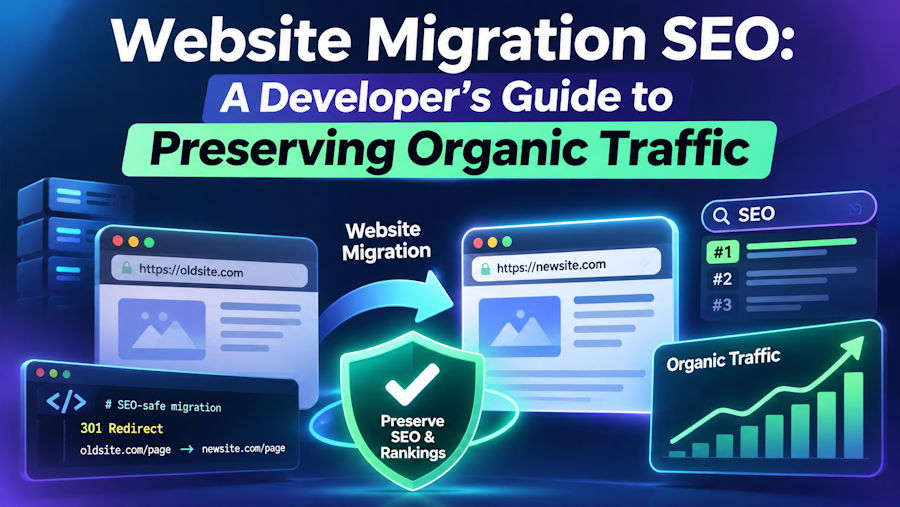
Website migration is often necessary when businesses upgrade their technology, redesign their websites, change content management systems, or move to a new domain. While these changes can improve website performance, usability, and scalability, a poorly planned migration can also affect organic search visibility, website traffic, and existing search rankings.
For developers, website migration involves more than transferring files, databases, and website content. It also requires preserving important SEO signals, maintaining URL relationships, managing redirects, and ensuring search engines can discover and index the new website correctly.
A structured approach to Website Migration SEO helps reduce avoidable technical problems and provides a smoother transition for users and search engines.
This guide explains the essential technical SEO considerations developers should address before, during, and after a website migration.
What Is Website Migration SEO?
Website migration SEO refers to the technical planning and optimisation required to maintain organic search visibility when significant changes are made to a website.
These changes may include:
- Moving to a new domain name.
- Switching from HTTP to HTTPS.
- Changing website hosting infrastructure.
- Migrating to a different CMS or eCommerce platform.
- Redesigning website architecture and URL structures.
- Consolidating multiple websites or domains.
- Moving content to a new framework or technology.
Not every migration involves changes to URLs. For example, changing hosting providers without changing the website's URLs requires a different technical approach from moving to a new domain.
Understanding the type and scope of migration is the first step towards developing an effective SEO migration strategy.
1. Conduct a Comprehensive Pre-Migration SEO Audit
Before making changes, developers and SEO professionals should understand the existing website's technical condition and organic search performance.
A pre-migration audit establishes a baseline against which the new website can be evaluated.
Important areas to examine include:
- Organic traffic and landing page performance.
- Indexed URLs and search visibility.
- Existing URL structures and internal links.
- Page titles, meta descriptions, and heading structures.
- Canonical tags and XML sitemaps.
- Robots.txt directives and indexing settings.
- Backlinks pointing to important website pages.
- Structured data and multilingual annotations.
Google Search Console provides useful information about search performance, indexing, and technical issues. Google Analytics 4 can help identify important landing pages, traffic sources, and conversion patterns.
A website crawler can also help export existing URLs, identify broken links, and document the current website architecture.
Practical tip: Save a complete list of existing URLs before migration. This list becomes the foundation for URL mapping, redirect planning, and post-launch validation.
2. Create an Accurate URL Mapping Strategy
URL mapping is one of the most important stages of a website migration involving URL changes.
Each existing URL should be mapped to its corresponding destination on the new website. This helps preserve user access and provides search engines with clear signals about where content has moved.
For example:
| Old URL | New URL | Redirect |
|---|---|---|
| example.com/services.php | example.com/services/ | 301 |
| example.com/blog?id=25 | example.com/blog/seo-guide/ | 301 |
| example.com/about-us.html | example.com/about/ | 301 |
Developers should avoid redirecting every old URL to the homepage. Each redirect should point to the most relevant replacement page.
If content has been permanently removed without a suitable replacement, the correct response may be an HTTP 404 or 410 status rather than an irrelevant redirect.
A properly maintained URL mapping spreadsheet also makes it easier to identify missing pages, redirect conflicts, and migration errors before launch.
3. Implement Proper 301 Redirects
Permanent redirects help users and search engines reach the new location of migrated content.
Google recognises server-side HTTP 301 and 308 redirects as permanent redirects and uses them as signals that the destination should become the canonical URL.
For most permanent URL migrations, server-side 301 redirects are a practical choice.
Developers should verify that:
- Every important old URL redirects to the correct new URL.
- Redirect chains are avoided.
- Redirect loops do not occur.
- Redirect destinations return successful HTTP responses.
- Internal links point directly to the new URLs.
- Redirects are not unnecessarily applied to unrelated pages.
Google advises keeping redirects for as long as possible, generally at least one year following a site move. Maintaining them longer can also help users accessing old links.
Importantly, Google states that permanent redirects do not cause a loss of PageRank by themselves. The greater risks usually come from incorrect mapping, missing redirects, inaccessible content, or other technical migration problems.
4. Review Canonical Tags, Internal Links and Website Architecture
A new website should communicate its preferred URL structure consistently.
Canonical tags help search engines understand which version of a page should be treated as the preferred version when duplicate or similar URLs exist.
After migration, developers should review:
- Self-referencing canonical tags on preferred pages.
- Internal links pointing to the new URLs.
- Breadcrumb navigation.
- Category and product page relationships.
- Pagination and parameter-based URLs.
- Hreflang annotations for international websites.
- Duplicate URLs created by the new CMS.
For example, if a website moves from:
https://example.com/services.php
to:
https://example.com/services/
the new page should have a canonical reference pointing to its preferred URL.
Google treats redirects and canonical annotations as strong canonicalisation signals, while sitemap inclusion provides a weaker signal. Consistency between these signals is important.
5. Protect Crawlability and Indexability During Migration
One common migration problem occurs when development-stage restrictions accidentally remain active after launch.
Developers sometimes prevent search engines from accessing staging websites through robots.txt rules or noindex directives. These restrictions must be reviewed before the production website goes live.
Check the following:
- The production robots.txt file allows crawling of intended public content.
- Important pages do not contain unintended noindex directives.
- XML sitemaps contain the new canonical URLs.
- Important pages return successful HTTP 200 responses.
- JavaScript-dependent content can be accessed and rendered appropriately.
- Search engines can discover important pages through internal links.
A technically accessible website is not automatically guaranteed to be indexed. Search engines determine indexing based on multiple factors, including content quality, canonicalisation, and their own crawling and indexing processes.
6. Test the New Website Before Launch
A migration should never rely entirely on post-launch troubleshooting.
Before switching the live website, test the new environment using a staging website or development server.
A practical pre-launch testing checklist includes:
- Crawl the new website and identify broken internal links.
- Test URL mappings and redirect rules.
- Verify page titles and meta descriptions.
- Check canonical tags and structured data.
- Review robots.txt and sitemap configuration.
- Test mobile usability and page performance.
- Check important forms, navigation, and conversion functionality.
- Confirm that staging restrictions will be removed at launch.
For larger websites, consider migrating a smaller section first when technically practical. This allows the team to identify potential problems before applying the same approach across the entire website.
7. Monitor SEO Performance After Migration
The migration process does not end when the new website becomes accessible.
Post-launch monitoring helps developers and SEO professionals identify problems that may not have appeared during testing.
Use Google Search Console to monitor indexing, search performance, sitemap processing, and URL inspection results.
Also monitor:
- Organic clicks and impressions.
- Important landing page performance.
- Redirect failures and 404 errors.
- Server response times and availability.
- Crawl activity and indexing changes.
- Organic conversions and enquiries.
- Performance of previously important URLs.
Temporary ranking and visibility fluctuations can occur while Google recrawls and processes migrated URLs. Google's documentation notes that medium-sized websites may take a few weeks or longer for most URLs to transition in search results. Larger websites may take longer.
Avoid making multiple unnecessary structural changes immediately after migration. First identify the cause of any performance changes and prioritise technical corrections.
Common Website Migration SEO Mistakes to Avoid
Some of the most frequent migration problems include:
- Launching without a complete URL mapping document.
- Forgetting to implement permanent redirects.
- Redirecting unrelated pages to the homepage.
- Leaving staging noindex directives on production pages.
- Using incorrect canonical URLs.
- Forgetting to update XML sitemaps.
- Blocking important pages through robots.txt.
- Ignoring mobile usability and performance.
- Failing to monitor Search Console after launch.
- Changing the domain, CMS, design, and URL structure simultaneously without a clear migration plan.
Avoiding these mistakes can significantly improve migration management and reduce preventable technical SEO problems.
Key Takeaways: Building a Successful Website Migration Strategy
A successful migration requires collaboration between developers, SEO professionals, content teams, and website administrators.
The most important considerations are:
- Audit existing website performance before migration.
- Maintain a complete inventory of important URLs.
- Create accurate one-to-one URL mappings wherever possible.
- Implement and test appropriate permanent redirects.
- Review canonical tags, internal links, and hreflang annotations.
- Ensure the production website is crawlable and indexable.
- Test the new environment before launch.
- Submit updated XML sitemaps and monitor Search Console.
- Track organic performance and resolve issues continuously.
The objective is not simply to launch a technically improved website. It is to ensure that the new platform maintains access to valuable content, supports search engine discovery, and provides a strong foundation for future organic growth.
Frequently Asked Questions
1. Does website migration affect SEO rankings?
It can. Changes to URLs, website architecture, content, redirects, and technical configurations can affect how search engines crawl and index a website. Proper planning and implementation help reduce avoidable disruption.
2. How long does SEO recovery take after a website migration?
There is no universal recovery timeline. Small and medium-sized websites may see most URL transitions within a few weeks, while larger websites can take longer. The outcome depends on website size, server performance, URL changes, and implementation quality.
3. Are 301 redirects necessary during a website migration?
When existing URLs are permanently replaced, appropriate 301 redirects help users and search engines reach the corresponding new pages. They are particularly important for domain changes and URL restructuring.
4. Should I submit a new XML sitemap after migration?
Yes. Submit an updated sitemap containing the new canonical URLs through Google Search Console. This helps Google discover the new URLs, although sitemap submission does not guarantee indexing.
5. Can I migrate my website without losing organic traffic?
A carefully planned migration can minimise the risk of organic traffic loss, but no migration can guarantee that rankings and traffic will remain unchanged. Technical testing, accurate redirects, and continuous monitoring are essential.
6. What is the difference between website migration and hosting migration?
Website migration can involve changes to domains, URLs, content management systems, and website architecture. Hosting migration specifically involves moving website infrastructure to another hosting provider or CDN, potentially without changing the visible URLs.
Final Thoughts
Website migration is a technical project that requires careful coordination between development and SEO teams. Even a well-designed new website can experience unnecessary search visibility problems if important technical details are overlooked.
By combining pre-migration audits, accurate URL mapping, appropriate redirects, technical validation, and post-launch monitoring, businesses can make website transitions more predictable and protect the value of their existing organic search presence.
For organisations planning a migration or improving their technical search performance, working with an experienced SEO professional can help identify risks, prioritise technical improvements, and establish a sustainable optimisation strategy. Businesses looking for professional support can explore SEO Migration Services to understand how a structured migration strategy can help protect organic search visibility during website transitions.
About the Author
Manoj Negi is an SEO Expert and Consultant in India with over 14 years of experience in Technical SEO, International SEO, website migrations, content strategy, and AI Search Optimisation. He helps businesses improve organic search visibility, resolve complex website challenges, and develop sustainable SEO strategies.

