

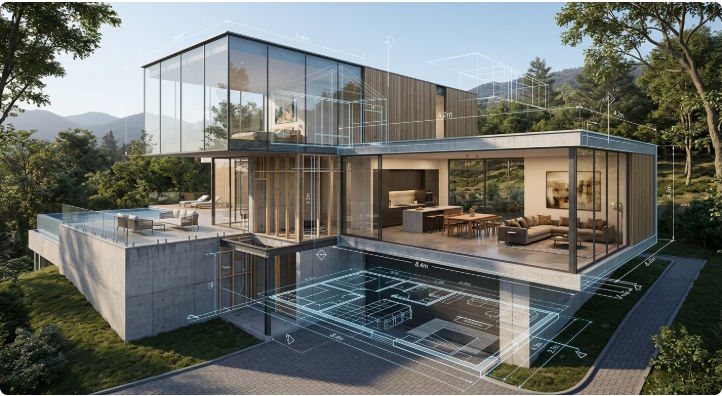
Artificial intelligence is increasingly being used in visual workflows where users need to transform one type of information into another.
One example is architectural and floor plan visualization. A floor plan may start as a simple image or drawing, but users often need several different representations of the same information.
For users looking for a straightforward floor plan generator, AI can reduce some of the manual work involved in creating an initial layout.
The process can then continue from a 2D layout toward a more visual representation. For example, Floor plan to 3d online workflows allow users to explore the same spatial information in another format.
The Problem With Manual Visual Conversion
Converting visual information manually is often repetitive.
Suppose a user receives a scanned floor plan from an old property document. The image may contain walls, doors, room labels, furniture symbols, and dimensions. Recreating that information in another application can take a significant amount of time.
The same problem appears in many other areas of software and design.
Developers often build automation because repetitive operations are good candidates for machines. The principle is similar with AI-powered visual tools: instead of manually reproducing every element, users can provide an input and let the system handle part of the transformation.
The result does not eliminate the need for verification, but it can reduce the amount of initial work.

From 2D Geometry to 3D Visualization
A floor plan is essentially a two-dimensional representation of a space.
Walls define boundaries. Doors indicate openings. Rooms define areas. Windows and other symbols provide additional information.
A 3D model adds another dimension to this information.
When a 2D floor plan is transformed into a 3D representation, the purpose is not simply to make the image look more impressive. The 3D representation can make spatial relationships easier to understand.
For example, a person looking at a 2D plan may understand that two rooms are connected, but a 3D view can make the height, proportions, furniture arrangement, and overall volume more obvious.
This is why conversion between 2D and 3D is becoming an interesting application area for AI.
Where AI Fits Into the Workflow
AI can be useful at several stages of a visual workflow.
1. Image Understanding
The first challenge is understanding what is contained in an image.
An AI system can analyze visual patterns and identify elements such as lines, rooms, openings, and other objects.
2. Structural Interpretation
Recognizing individual objects is not enough. The system also needs to understand relationships.
For a floor plan, a wall is not just a line. It defines a boundary between spaces. A door is not simply a symbol; it represents an opening that connects areas.
Understanding these relationships is what makes the output useful.
3. Transformation
Once the system has interpreted the source image, the next step is generating another representation.
In a floor plan workflow, this could mean turning a 2D layout into a visual 3D model.
4. Human Review
The final stage remains important.
AI-generated outputs can contain mistakes, particularly when the original image is low resolution, incomplete, or unusual. Users should be able to review and adjust the result rather than treating the generated output as automatically correct.
Why This Matters for Software Development
AI-powered visual applications also demonstrate an important software development trend: complex processing is increasingly being hidden behind simple interfaces.
A user does not necessarily need to know how computer vision, image segmentation, geometry processing, or 3D rendering works.
They only need to understand the workflow:
Input → Processing → Output → Review
This is similar to many modern developer tools. A complicated backend can provide a simple interface that exposes only the operations users actually need.
The challenge for developers is therefore not just implementing the AI model. It is designing the entire workflow around it.
Good Interfaces Matter as Much as Good Models
A technically impressive AI model can still produce a poor product if the interface is confusing.
Visual tools need to answer several questions quickly:
- What should I upload?
- What does the tool recognize?
- What will the output look like?
- Can I edit the result?
- How long will processing take?
- Can I export the result?
Clear interfaces reduce uncertainty.
This is particularly important for users who are not professional designers or developers. They should be able to understand the workflow without learning the technical details behind the system.
AI Does Not Remove the Need for Traditional Tools
It is tempting to think that AI will replace conventional software completely. In practice, AI often works best as another layer in the workflow.
A user might use AI to create an initial structure, then use traditional editing tools to make precise adjustments.
This hybrid approach has several advantages.
AI provides speed and automation, while conventional tools provide control and predictability. Combining both can be more useful than relying entirely on either one.
What Comes Next?
The same idea can be applied beyond floor plans.
Images could be transformed into editable diagrams. Screenshots could become structured interfaces. Scanned documents could become organized data. Sketches could become more polished digital assets.
The common pattern is the same: AI interprets unstructured visual information and converts it into something more useful.
For developers, this creates an interesting area for experimentation. The most useful applications may not be the ones with the most complicated AI models, but the ones that solve a specific workflow with fewer steps.
As AI becomes better at understanding images and spatial relationships, visual conversion tools will become another practical category of everyday software rather than something reserved for specialized professionals.

