

A software demo has two clocks. One belongs to the person explaining the feature. The other belongs to the viewer finding the button. When those clocks drift apart, a perfectly clear sentence can become an unhelpful instruction.
Adding British narration starts with a small editing decision: choose one task the viewer should understand by the end. “Everything our dashboard does” is too much for a minute. “Turn three urgent tickets into a shared update” gives the recording, script and voice track a common purpose.
The workflow below uses a fictional support dashboard called Triage Desk. Its interface, numbers and script are illustrative, rather than a customer example or a measured voice test.
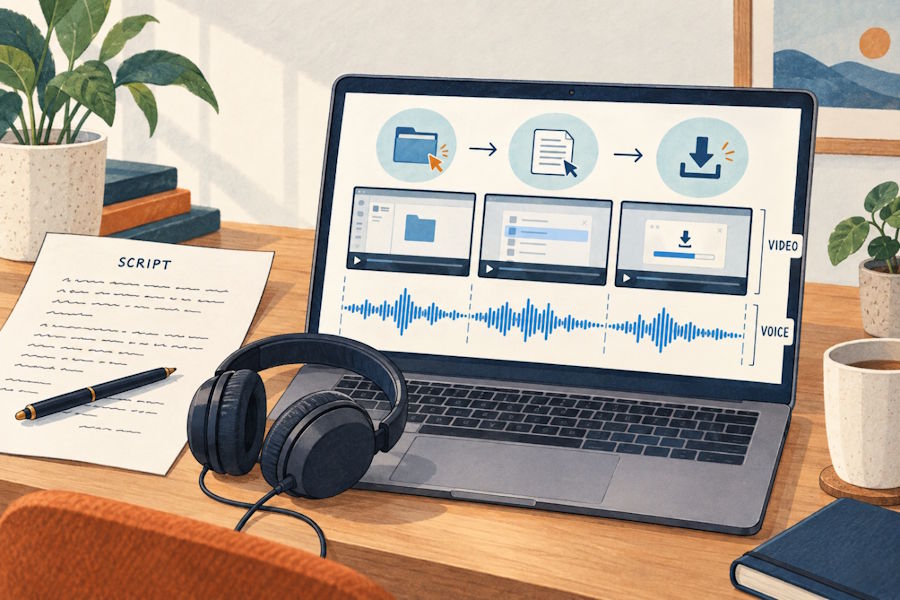
Plan the screen sequence and spoken instructions together before aligning the recorded audio in a video editor. AI-generated illustration.
Build the screen sequence before polishing the voice
Record a rough walkthrough with dummy data. Leave out login, loading screens and incidental mouse movement. Keep the pointer still while the viewer reads an important label. Those quiet moments belong in the timing plan, even if they contain no speech.
Here is a starting storyboard. The time ranges are editing targets; an actual generated read may need a different allocation.
| Target time | Picture | Narration draft |
|---|---|---|
| 0–8 seconds | Open ticket dashboard | “Three urgent tickets need attention. Here's how to turn them into a short update for your team.” |
| 8–19 seconds | Select priority filter | “Open Filters and choose High priority. The list now shows the tickets that need a response first.” |
| 19–30 seconds | Open a ticket | “Select a ticket to check its owner, latest reply and deadline. Keep this view open while you review the details.” |
| 30–42 seconds | Select three tickets | “Return to the list, select the three tickets and choose Create update. Add one sentence explaining what should happen next.” |
| 42–54 seconds | Preview update | “Check the names and deadlines in the preview. When the wording is ready, copy the update into your team's chat.” |
| 54–60 seconds | Hold finished update | “The team now has a clear starting point for the next response.” |
This draft leaves room to show a result. If the first recording is too long, remove a feature or shorten a sentence before asking the voice to hurry. Cutting a spoken instruction while keeping its corresponding click can also create confusion, so revise both tracks together.
Keep interface text separate from spoken text
The label on the screen and the line in the script serve different purposes. A button may say “Create update”, while the narration needs a complete instruction: “Choose Create update.” Match the label exactly so a viewer can find it.
Dates, currencies and abbreviations often need a spoken version. Keep a small pronunciation sheet beside the script:
| Display text | Intended spoken form | Check |
|---|---|---|
| SLA | “S L A” | Separate letters, if that is how the team uses it |
| £24.50 | “Twenty-four pounds fifty” | Price audible without rushing |
| 03/10/2026 | “The third of October, twenty twenty-six” | Confirm the intended date before expanding it |
| Triage Desk | An approved reference recording | Same product-name reading throughout |
Do not paste that whole sheet into the generator. It is a production note. Put the intended spoken wording into the narration script, then check the result. Text spelling can help direct a read, but it does not guarantee pronunciation. A product owner should approve unfamiliar names and specialist terms.
Audition the difficult line with identical wording
Choose a delivery brief before browsing voices: “Conversational British English, clear menu labels, enough space to follow each action.” British English includes different regional directions; there is no need to turn an accent label into a rule about which voice sounds competent.
BritishAccent is an AI text-to-speech tool that converts written scripts into British English audio. Its catalogue includes RP and standard British, young British, Scottish, Welsh and Northern Irish collections. Voice previews help narrow the choice; completed generations can be played in the browser and downloaded. It creates spoken audio, with video editing, captions and mixing handled separately.
Shortlist two or three voices, then give each the same representative passage. Include a menu label and a detail that could go wrong, such as: “Choose Create update. The next response is due on the third of October.” Compare emphasis, intelligibility and sentence endings. Do this within the current account limits; a full demo may require splitting the script at natural boundaries.
Keep notes that lead to an edit: “deadline unclear”, “pause before the button name”, or “opening too emphatic”. “Sounds good” is hard to act on later. The British voice-over generator offers a smaller curated selection if the full catalogue feels cumbersome.
Fit the approved read to the actual clicks
Import the downloaded audio into your video editor and align each instruction with its action. The viewer should see the relevant control when the voice names it. Give the resulting state a moment on screen before moving on.
Watch once without touching the timeline. Mark where the cursor arrives late, where a panel closes too early, and where the narration explains something the picture already makes obvious. Then edit those specific moments. A line such as “You can now go ahead and open Filters” can simply become “Open Filters”.
If you regenerate a sentence, include enough surrounding text to check how it joins the existing track. Compare volume and rhythm at the edit point. Avoid assuming that a replacement sentence will fit because its word count stayed the same.
Package the demo so the next revision is easy
Save the approved script, selected voice, pronunciation notes and audio together. Use descriptive filenames such as triage-demo-en-GB-v03, keeping the downloaded file's actual extension. If the dashboard changes, those files show which line and screen need updating.
Before release, review the complete video with captions and the final music level. Check it on ordinary phone speakers as well as headphones. Ask someone unfamiliar with the feature to describe the task after watching. If they cannot locate the action, revisit the wording or screen hold before changing the accent.
Also confirm that the current service terms and your rights to the script and other materials cover the intended publication. A useful finished demo is one the viewer can follow, and one the team can revise without rebuilding every production decision.

