

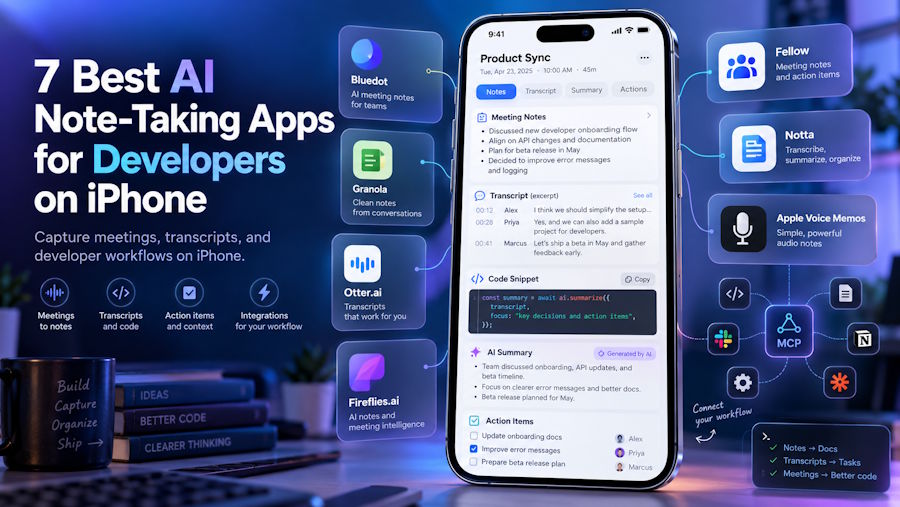
Standups, whiteboard sessions, and requirements calls
Some of the best engineering decisions happen away from a keyboard: a whiteboard session that settles an architecture question, a requirements call where a client finally explains what they need, a hallway chat that changes the sprint. An AI note taker for iPhone lets you tap record, stay in the conversation, and get a transcript, decisions, and action items afterward.
The alternative is familiar. You scribble half a sentence, promise to write it up later, and three days on you are arguing about what was agreed. Good notes turn spoken decisions into tickets, ADRs, and specs while they are still accurate.
This guide compares seven iPhone options on how they capture meetings, what they cost, and what developers care about: MCP and API access, integrations, offline behavior, and privacy. Prices were checked in September 2026 and can change, so confirm them on each vendor’s site.
What Developers Should Look For
- In-person capture. Whiteboard sessions and desk-side design chats do not happen on Zoom. You need a phone app that records well in a room.
- Offline behavior. Some tools record locally and sync later. Others need a connection to transcribe.
- MCP and API access. Model Context Protocol connectors let assistants like Claude, ChatGPT, and Cursor query your notes, for example to draft a ticket from a discussion.
- Integrations. Slack, Notion, Jira-style project tools, and Zapier save copy-pasting.
- Vocabulary. Transcription that gets framework names and acronyms right saves cleanup.
- Privacy. Check training policy, retention, and certifications before recording anything under NDA.
- Bot or bot-free. For virtual standups, a visible bot may be fine internally but awkward with clients.
Quick Comparison
| App | Best for | iPhone capture | Developer hooks | Starting price |
|---|---|---|---|---|
| Bluedot | Multi-device capture, in person and online | In-person, works offline | MCP connector (Claude, ChatGPT), Slack, Notion, Zapier | Free (5 recorded meetings); $14/mo annual |
| Granola | Typed notes plus AI | In-person meetings | Official MCP server; Notion, Slack, Zapier | Free; Business $14/mo |
| Otter.ai | Live transcripts | Real-time transcription (needs a connection) | Official MCP connector (read-only) | Free; Pro $8.33/mo annual |
| Fireflies.ai | Automation for virtual standups | iOS app for review and search | Official MCP server, integrations | Free; Pro $10/mo annual |
| Fellow | Recurring engineering meetings | In-person via mobile app | MCP server (admin-gated), PM tools, API on Team | Free (5 lifetime); Team $7/mo annual |
| Notta | Multilingual teams, custom vocabulary | Real-time transcription | Zapier on Business | Free (120 min); Pro $8.17/mo annual |
| Apple Voice Memos | Free baseline | Records offline | None built in | Free |
Starting prices are per user and billed annually unless noted.
1. Bluedot: Best for Multi-Device Capture, In Person and Online
Bluedot’s iPhone app is built for the meetings that happen away from a laptop. Tap the big record button, keep talking, and you get an AI summary, action items, and a searchable transcript afterward. It works offline, which helps in a basement conference room or on a site visit, and it supports 100+ languages, speaker separation, and imports of voice memos, videos, and other audio files from your phone.
The same account covers the rest of your setup. There is an Apple Watch app, Mac and Windows apps, and a Chrome extension. For virtual standups and planning sessions, the desktop and browser apps record without a bot joining the call, and you can switch a bot on if your policy calls for visible disclosure. You can customize note templates on your phone, ask questions across all your meetings with AI chat, and send notes to your docs and CRM without opening a laptop. Bluedot also offers an MCP connector for Claude and ChatGPT, plus Slack, Notion, Zapier, and Make integrations.
On privacy, Bluedot says your meetings are never used to train AI models, recordings are private by default, and data is protected with AES-256 encryption and TLS. It lists SOC 2 Type II and GDPR compliance. One limit applies to every iPhone app, not just this one: Apple does not let apps record phone call audio. Bluedot suggests putting the call on speaker and recording with its desktop app instead.
Pricing: Free plan (5 recorded meetings), Basic $14/user/month, Pro $20 (adds video recording), Business $32, all billed annually.
Pros:
- Works offline and covers iPhone, Apple Watch, desktop, and browser with one account
- Bot-free recording for virtual meetings
- MCP connector and common developer integrations
- Privacy-first design with no AI training on your data
Cons:
- The free plan covers only 5 recorded meetings
- Cannot record phone call audio directly on iPhone (an Apple restriction)
- Video recording starts on the Pro plan
2. Granola: Best for Typing Your Own Notes and Feeding Them to Your AI Tools
Granola suits developers who already jot bullets during a call. It listens through your device instead of joining the meeting, and afterward it blends your typed notes with the transcript into a single summary. It supports Zoom, Google Meet, Microsoft Teams, Slack Huddles, and in-person conversations, and it says audio is transcribed in real time and then deleted rather than stored.
The developer appeal is the official MCP server. It connects your meeting notes to Claude, ChatGPT, Cursor, and other MCP clients, so you can ask an assistant to draft a follow-up or create tickets from what was discussed. On the free Basic plan the connector reaches your last 30 days of notes. Business adds unlimited history, advanced AI models, API access, and integrations such as Notion, Slack, HubSpot, and Zapier. Granola lists SOC 2 Type II and GDPR programs.
Pricing: Free (Basic). Business $14/user/month. Enterprise from $35/user/month.
Pros:
- Your own notes steer the summary
- Official MCP server for Claude, ChatGPT, and Cursor
- No bot joins the call
Cons:
- No stored audio or video to replay later
- Free plan limits how far back you can search
- On Enterprise, MCP access is off by default until an admin enables it
3. Otter.ai: Best for Live Transcripts and Quick Search
Otter is the one to pick if you want to watch the transcript appear while people talk, which is useful when a client rattles off requirements and you want to check what they just said. It supports Zoom, Google Meet, and Microsoft Teams and includes live transcription, speaker identification, summaries, and mobile apps.
The free plan gives you 300 minutes a month with a 30-minute cap per conversation, so a long planning session will be cut off. Pro raises the allowance to 1,200 minutes and 90-minute meetings and adds unlimited history and advanced search. Otter publishes an official MCP connector for Claude, which is read-only, so an assistant can search and summarize your meetings but not change them. Roundups of voice apps also note that Otter needs an internet connection to transcribe.
If you work under strict NDAs, look at its privacy settings first. A proposed class action filed in 2025 alleges that Otter’s notetaker recorded participants without consent and used recordings to train its models. Those are allegations in an ongoing case.
Pricing: Free (Basic). Pro $8.33/user/month billed annually. Business $19.99/user/month billed annually. Enterprise on request.
Pros:
- Live transcription with speaker labels
- Searchable history and low-cost Pro plan
- Read-only MCP connector for Claude
Cons:
- Free plan caps each conversation at 30 minutes
- Needs an internet connection to transcribe
- Privacy questions deserve a careful read for confidential work
4. Fireflies.ai: Best for Automation on Virtual Standups
Fireflies fits teams whose standups, sprint planning, and retros happen on Zoom, Google Meet, or Microsoft Teams. By default it sends a bot to the call, and its iOS app is mainly a way to review, search, and share what was captured. Its Chrome extension and desktop tools offer bot-free capture if you prefer.
For developers, the draw is the plumbing. Fireflies runs an official remote MCP server that connects to Claude, ChatGPT, Cursor, and Devin, and it integrates with CRMs, project tools, and automation platforms. The free plan includes unlimited transcription with limited AI summaries and 400 minutes of storage. Pro adds unlimited AI summaries, 8,000 minutes of storage per seat, and transcript downloads. Some AI features run on credits, so heavy use can push you into a higher tier.
Pricing: Free. Pro $10/seat/month billed annually ($18 monthly). Business $19/seat/month billed annually ($29 monthly). Enterprise $39/seat/month billed annually.
Pros:
- Official MCP server and broad integrations
- Unlimited transcription, even on the free plan
- Works across more than 10 meeting platforms
Cons:
- Bot is visible by default
- AI credits make real cost harder to predict
- iPhone app is more for review than for in-person capture
5. Fellow: Best for Recurring Engineering Meetings
If you run a lot of recurring meetings, such as one-on-ones, sprint planning, and design reviews, Fellow adds structure that pure recorders lack. You build a shared agenda ahead of time, take collaborative notes, and track action items afterward. Its mobile apps can record in-person meetings, and it supports Zoom, Google Meet, Microsoft Teams, and Slack Huddles, with either a bot or botless desktop capture.
Action items can flow into project management tools, and Team adds Notion, Confluence, and API access. Fellow also has an MCP server, gated by workspace admins, that lets Claude, ChatGPT, or Cursor query meeting summaries, action items, and decisions. Fellow lists SOC 2 Type II and GDPR compliance on every plan, including free.
Pricing: Free (5 AI notes and recordings per user, lifetime). Team $7/user/month billed annually ($11 monthly). Business $15/user/month. Enterprise from $25/user/month with a 10-user minimum.
Pros:
- Agendas, notes, and follow-ups in one place
- MCP server and project-tool integrations
- Security certifications on every plan
Cons:
- The free plan is a short trial
- Team plan caps AI notes at 10 per user each month
- More process than a solo developer may want
6. Notta: Best for Multilingual Teams and Technical Vocabulary
Notta is worth a look if your team or clients speak several languages, or if generic transcription keeps mangling your stack. Its mobile apps transcribe in real time in 50+ languages, and Pro adds custom vocabulary, which helps with framework names, acronyms, and internal project codenames. Paid plans also add translation.
Do not judge it by the free plan: 120 minutes a month and only three minutes per conversation is enough to test, not to capture a whiteboard session. Pro raises the allowance to 1,800 minutes a month with recordings up to five hours. Business adds CRM and Zapier integrations. Like Otter, it needs a connection for transcription.
Pricing: Free. Pro $8.17/month billed annually. Business $16.67/user/month billed annually. Enterprise from 51 seats.
Pros:
- Real-time transcription in many languages
- Custom vocabulary for technical terms
- Long recordings on Pro
Cons:
- The free plan cannot handle a real meeting
- Needs an internet connection
- Fewer developer-facing hooks than the tools above
7. Apple Voice Memos: Best Free Baseline
You already have it, and it is a solid fallback. Voice Memos records on your iPhone without a connection, and transcripts are available on supported iPhones and languages. It does not summarize meetings or extract action items, but it pairs well with a simple workflow: record the discussion, copy the transcript, and run it through your own prompt to pull out decisions and tasks.
If you do that, remember that pasting a transcript into an outside AI tool sends that content to a third party. Follow your company policy, and never paste anything covered by an NDA into a tool you have not approved.
Pricing: Free with your iPhone.
Pros:
- Free and already installed
- Records offline
- Simple and fast to start
Cons:
- No AI summaries or action items
- Transcription depends on device and language
- No integrations or team features
How to Choose
- You want the most complete setup across phone, watch, desktop, and browser: Bluedot.
- You like typing your own bullets and want MCP into your AI tools: Granola.
- You want live transcripts and cheap search: Otter.ai.
- Your standups and planning live on Zoom, Meet, or Teams: Fireflies.ai.
- You run recurring meetings and want agendas plus action items: Fellow.
- Your team is multilingual or your stack has odd names: Notta.
- You want free and simple: Apple Voice Memos.
Note Templates for Developer Meetings
A consistent template makes AI summaries more useful. Most of the apps above let you customize the note format, or you can paste a template into your own prompt. Here are three starting points.
Standup summary
|
Date: Attendees: Yesterday: Today: Blockers (owner): Decisions: Follow-ups (owner, due date): |
Requirements call
|
Client / project: Goal (one sentence): Users and use cases: Must-have requirements: Nice-to-have: Constraints (budget, deadline, stack, compliance): Integrations and data sources: Open questions: Risks and assumptions: Next steps (owner, due date): |
Whiteboard session (ADR-lite)
|
Problem: Options considered: Decision: Reasons and trade-offs: Consequences and risks: Follow-ups (owner, due date): Diagram: photo of whiteboard attached |
A prompt for turning a transcript into tickets
If you run transcripts through an approved AI assistant, a strict prompt keeps the output honest:
|
From the transcript below, extract: 1. Decisions made 2. Open questions 3. Action items Format action items as Markdown checkboxes with an owner and due date if one was mentioned. Do not invent details. Mark anything unclear as "unclear". |
Privacy, NDAs, and Consent
- Check the training policy. Ask whether the vendor trains models on your recordings, and get the answer in writing or in the contract.
- Check retention and deletion. Know how long recordings and transcripts are kept, and whether you can delete them.
- Ask for evidence. SOC 2 Type II reports and data processing agreements say more than badges on a website.
- Read your NDAs and customer contracts. Some restrict third-party processing of confidential information.
- Get consent. Recording laws differ by country and region, and some places require everyone’s consent. Tell colleagues and clients before you record. This is general information, not legal advice.
- Watch what you say out loud. Transcripts capture API keys, passwords, and vulnerability details if someone reads them out. Avoid recording security-sensitive discussions without approval.
- Understand MCP data flows. When you connect notes to an AI assistant, that assistant’s terms and retention policies govern how the data is handled.
FAQ
Can an iPhone app record my phone calls?
Not directly. Apple does not let third-party apps record call audio on iPhone. A common workaround is to put the call on speaker and record it with another device or a desktop app.
Which apps work offline?
Apple Voice Memos records offline, and Bluedot says its iPhone app works offline. Voice app roundups note that Otter and Notta need an internet connection to transcribe, so check your setup before relying on them in a basement or on a train.
What is MCP and why should developers care?
Model Context Protocol is an open standard that lets AI assistants such as Claude, ChatGPT, and Cursor connect to other tools. With a meeting-notes connector, you can ask an assistant to search past discussions or draft tickets from them. Many connectors are read-only, so check what each one can do.
Should we record standups?
It depends on your team. Many teams prefer short written standups. If you record, tell everyone, set a retention period, and avoid capturing sensitive information.
What is the best free option?
Apple Voice Memos is free and built in. Granola and Fireflies also have free plans, with limits on history or AI summaries, and Bluedot’s free plan covers five recorded meetings.

