


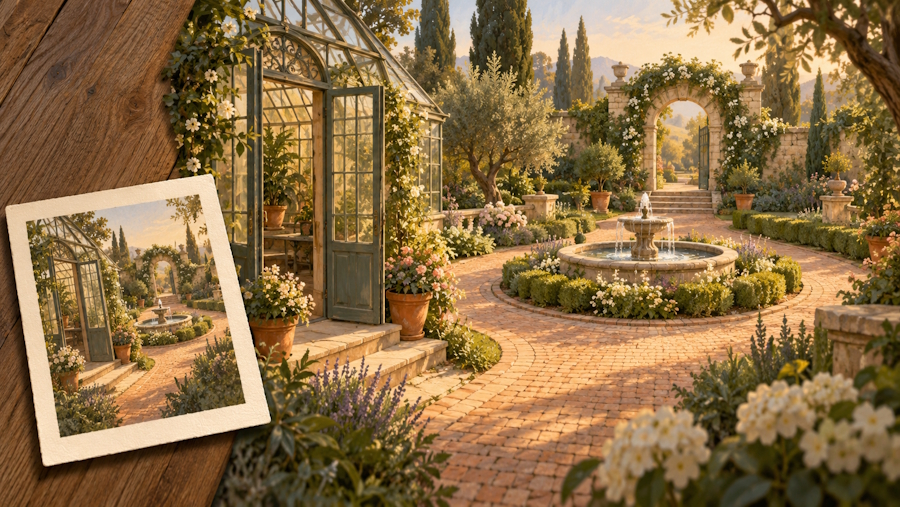
A single image can suggest an entire world. A greenhouse door opens toward a fountain, a stone arch hints at another garden, and afternoon light gives everything a story. Turning that image into an explorable scene introduces questions the picture leaves unanswered. What stands behind the camera? Where does the side path lead? Would the fountain still help someone find their way back?
AI World Generator offers a starting point for looking at this kind of spatial imagery through a gallery of existing 3D worlds. Its public creation form is currently a preview and explicitly states that it does not generate a new world. The broader workflow below explains how to prepare a scene brief and review explorable environments, with any actual generation or production work handled in a tool that supports it.
The illustrations in this article explain the planning method. They are not product screenshots or evidence of a generation test.
What an Image-to-World Brief Needs to Explain
A reference image supplies visible evidence: the front of a building, the color of a path, the relative position of objects within the frame. It leaves other details open. A world-building process must decide what to preserve, what to invent, and what the eventual viewer needs to understand.
Start with three categories. Visible facts are things the reference clearly shows. Creative decisions define the unseen parts you want to add. Open questions are details you have not resolved. Keep these categories in a short document rather than hiding them inside a long descriptive prompt.
A reference image can establish a scene's appearance without fully specifying its spatial layout.
This distinction matters across different technologies. Some systems construct a persistent 3D representation that a viewer can move around. Others generate successive views in response to actions. Their editing options and continuity limits differ. A navigable result alone does not tell you whether you have an editable mesh, a visual representation, or a sequence produced during exploration.
For a creative brief, the practical question is straightforward: what do you need to learn by moving through this scene? Choose that purpose before choosing the tool.
A Five-Step Workflow for Planning and Reviewing an Explorable Scene
This process turns an appealing reference into a small set of spatial decisions that you can inspect and communicate clearly.
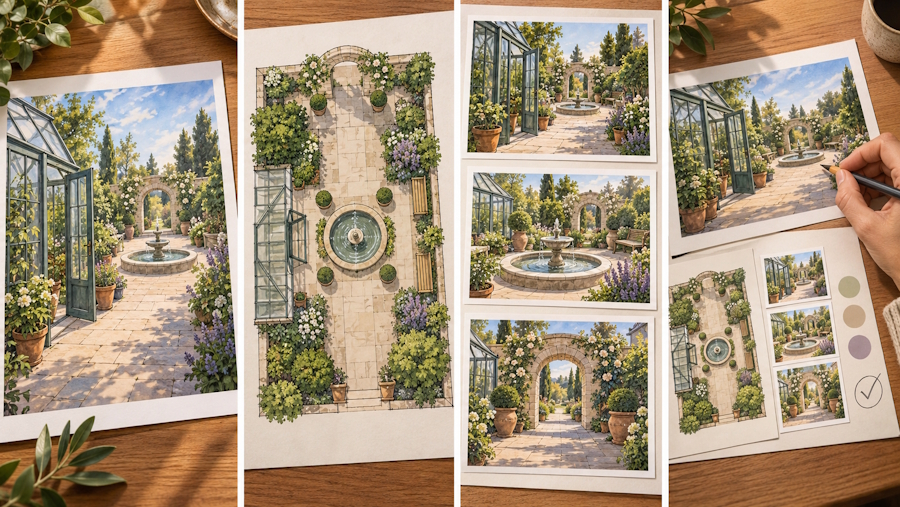
Step 1: Choose a Reference with a Readable Structure
Start with an image you own or have permission to use. Look for a clear foreground, a recognizable destination, and enough visible ground or interior space to suggest depth. A beautiful close-up of foliage may communicate atmosphere while providing little information about how a garden connects.
Write one sentence about the scene's purpose: “Explore how a visitor discovers the hidden garden beyond the greenhouse.” Then identify the features that make that purpose possible. If the reference hides the entrance entirely, choose another image or explicitly describe the missing entrance in the brief.
Step 2: Describe Relationships Beyond the Frame
Name a few landmarks and describe their relationship from a fixed starting position. For the greenhouse example, the fountain sits in the central courtyard, the greenhouse door faces it, and the stone arch stands beyond it along the main path.
Avoid relying only on “left” and “right,” which change when the viewer turns. A phrase such as “the bench beside the greenhouse wall” gives the bench a stable relationship to another feature. Sketch those connections on a simple overhead plan. Exact measurements are optional for an imaginative study; any required dimensions should be recorded separately and checked with appropriate tools.
Judge the brief by whether someone else could explain the route back to you without seeing the original picture.
Step 3: Choose the Right Review Material
Use an existing explorable example to practice observing space, or create a new scene in a service that currently supports your intended inputs and outputs. If you are still choosing a service, check its actual creation, navigation, and saving controls before committing a production task to it.
For a new scene, preserve the original reference and the exact brief you used. For an existing example, record its title and the question you are examining. An example can teach you about sightlines or atmosphere without being a version of your own design.
If the material only provides a still image or fixed video, use it for composition review and leave navigation questions open.
Step 4: Review a Short Route and Return
Choose a manageable sequence: begin at the entrance, move beside the central landmark, approach a secondary opening, then return. At each stop, ask which features tell you where you are and what becomes visible as you move.
In a persistent 3D scene, inspect hidden surfaces, gaps, distorted details, and places where the representation becomes unclear. In a system that generates views during exploration, also check whether recognizable landmarks change after leaving and returning. These are different failure modes, so describe the observed problem instead of labeling everything “bad consistency.”
Compare matching viewpoints when possible. A fountain appearing to shift behind a pillar as the camera moves can be normal perspective, not a broken scene. Keep the starting view available for reference.
Step 5: Turn Observations into a Revised Brief
Write concrete revision requests: reveal more of the arch from the entrance, keep the bench beside the same wall, or define what should exist beyond the side passage. Separate essential relationships from decorative preferences.
Save the reference, the route description, available review captures, and your unresolved questions together. Use whatever capture or sharing options the chosen tool actually provides. If a teammate must rebuild the location, include the overhead sketch and explain which details were invented during exploration.
The useful output of a scene review is a clearer set of spatial decisions, even when the environment itself is only an early creative study.
A Hypothetical Greenhouse Scene
Imagine a short film about someone returning to a childhood garden. The opening image shows a greenhouse doorway, a fountain, and an arch partly covered by vines. This is a planning example, not a tested project or a claim about a particular generator's output.
The story requires the visitor to notice the arch only after passing the fountain. The brief therefore makes one relationship essential: the fountain interrupts the first view of the arch, while a later viewpoint reveals the opening. Flower colors and bench details remain flexible.
A review would inspect the entrance view, the position beside the fountain, and the approach to the arch. If the arch is visible immediately, the intended reveal may need a different viewpoint or another obstruction. If the path disappears behind an unclear patch of vegetation, the brief needs a better account of how the spaces connect.
The next version should change the relevant relationship, not merely add words such as “cinematic” or “immersive.” Once the reveal reads clearly, the team can discuss mood and decoration with a shared understanding of the scene.
Three Creative Uses for Spatial Exploration
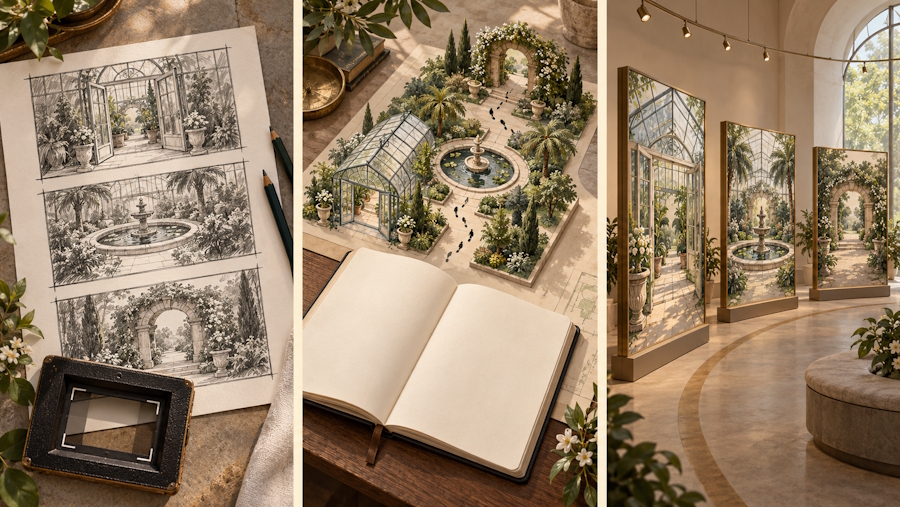
Planning a Film Sequence
Explore how a location supports an establishing view, a closer view, and a reveal. Record where the camera needs to be for each idea. A visual scene study can guide a storyboard, while an actual shoot still needs confirmed dimensions, access, lighting, and practical camera arrangements.
Clarifying a Fictional Location
A writer can use spatial exploration to question how rooms, paths, and landmarks relate. Could a character see the gate from the upstairs window? Where would another person disappear from view? Keep a written map as the authority for the story, and revise it deliberately when a useful new idea emerges.
Developing an Exhibition Story
An explorable concept can help a team discuss the order in which visitors discover themes or objects. Focus on the intended sequence and visual emphasis. Any real exhibition layout needs separate checks for measurements, access requirements, circulation, and the facts represented in its content.
Choose a Review Method That Fits the Decision
The table compares three ways to investigate a scene, focusing on what each method can clarify and what still needs separate work.
| Criteria | AI World Generator gallery review | Still-image mood board | Editable 3D scene |
|---|---|---|---|
| Starting Point | An existing world example | Selected images and written notes | A modeled or imported environment |
| Primary Use | Observe spatial imagery through exploration | Establish appearance and visual tone | Define and revise spatial relationships |
| Control | Navigate within the available viewer | Select, crop, and annotate images | Change supported scene elements directly |
| Useful Record | Observations about viewpoints and landmarks | Agreed palette and visual references | Scene files and documented decisions |
| Best Stage | Familiarization and early creative discussion | Initial direction and mood selection | Detailed planning and production preparation |
| Main Limitation | Existing examples are not custom output | Unseen areas remain largely unspecified | Requires modeling skills and setup |
These methods can support the same project at different stages. A mood board may settle the atmosphere, an explorable example may expose a useful spatial question, and an editable scene may provide the control needed to resolve it.
Keep Visual Possibility Separate from Production Readiness
A scene can look convincing from several viewpoints while still containing incomplete surfaces or awkward transitions. Returning to a landmark helps examine continuity, but it does not prove accurate dimensions, dependable collision, or realistic physical behavior. Check those requirements in the actual production system if the project needs them.
Be equally specific about delivery. Verify supported file formats, editing options, usage terms, and access to saved work before promising a reusable asset to someone else. A browser viewer and a downloadable production asset serve different needs.
This approach is useful for creators who have a strong visual starting point and want to understand the space around it. Begin with one reference, a few landmarks, and a short route. The aim is to finish with a scene you can describe more clearly and a precise next step for developing it.

