

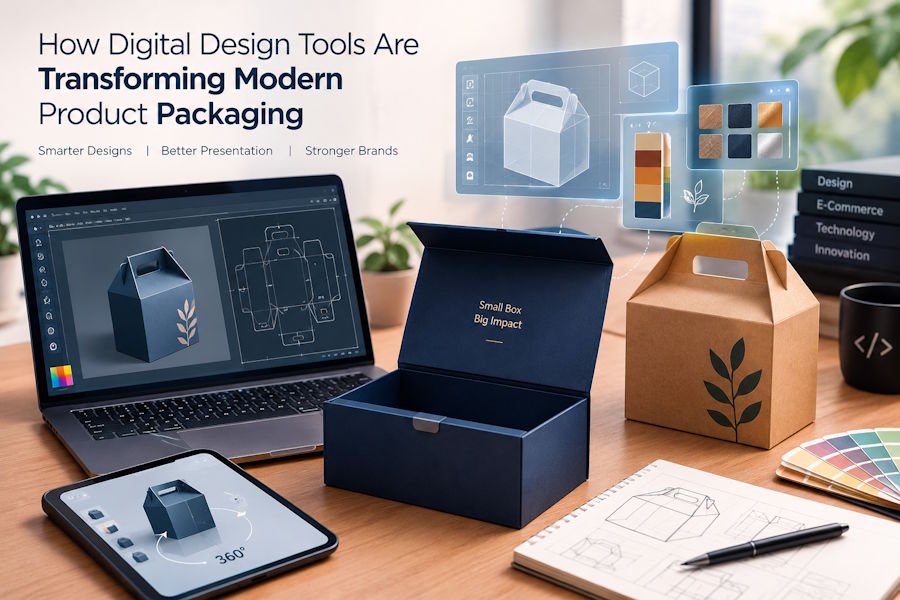
Digital technology has changed how businesses design, present, and sell products online. From automated design software to three-dimensional product previews, modern tools help companies develop packaging concepts with greater accuracy and efficiency. Custom Packaging Boxes are a useful example of how product presentation, digital workflows, and customer experience can work together to support modern e-commerce businesses. Understanding these technologies helps designers, developers, and online retailers create packaging that meets both functional and visual requirements.
1. The Role of Digital Technology in Packaging Design
Traditional packaging development often involves manual sketches, physical samples, and several rounds of revisions. Although these methods remain useful, digital tools can simplify many stages of the process.
Graphic design applications allow designers to experiment with colors, typography, illustrations, patterns, and brand elements before producing a physical sample. Three-dimensional modeling software can also display how a package might look from different angles.
These tools help teams identify design problems earlier. For example, a logo that appears balanced on a flat layout might look poorly positioned after the design is folded into a box. A digital mockup can reveal this issue before printing begins.
Digital workflows are especially useful when businesses manage multiple products, packaging sizes, or seasonal designs. Instead of rebuilding every design from scratch, teams can modify existing templates and maintain a consistent visual identity.
2. How 3D Modeling Improves Packaging Prototypes
Three-dimensional modeling is an important part of modern product visualization. It allows designers to create a virtual representation of a package using its dimensions, material appearance, structural components, and surface graphics.
A typical workflow begins with a structural template. The designer defines the package's length, width, height, folds, flaps, and closure mechanism. Artwork is then applied to the relevant surfaces.
The resulting model can be rotated, enlarged, and examined from different viewpoints. This makes it easier to evaluate how the package might appear on a product page, in a presentation, or within a digital catalog.
However, a digital model should not automatically be treated as proof that a package will work physically. Material thickness, folding allowances, adhesive areas, and manufacturing tolerances can affect the final result. Physical samples remain valuable when structural strength, assembly, or product fit must be verified.
3. Choosing the Right Software for Packaging Projects
Different applications support different stages of packaging development. Choosing appropriate software depends on the project's complexity, the team's technical skills, and the required output.
Vector Design Applications
Vector graphics applications are useful for creating logos, illustrations, icons, and print-ready artwork. Because vector graphics can scale without losing sharpness, they are suitable for designs that must work across multiple package sizes.
Designers can organize artwork into layers, separate printing elements, and prepare files for further production work. Correct document setup is important because print suppliers may require specific color modes, bleed areas, and export formats.
3D Modeling Software
Three-dimensional applications help designers examine package structures and create realistic previews. They can be particularly useful for products with unusual shapes, multiple components, or complex opening mechanisms.
Some tools focus on engineering accuracy, while others prioritize visual presentation. A technical model may be appropriate for checking dimensions, whereas a rendered model may be more useful for a marketing presentation.
Browser-Based Design Tools
Web-based applications make collaboration easier because team members can access designs through a browser. Depending on the platform, users may comment on layouts, compare revisions, or share previews without installing specialized software.
These tools are helpful for distributed teams, agencies, and businesses that work with external suppliers. Nevertheless, access permissions and version control should be managed carefully to prevent outdated artwork from reaching production.
4. Using Digital Mockups to Evaluate Packaging Materials
Material selection affects appearance, protection, durability, cost, and environmental impact. Digital visualization can help compare possible finishes before physical samples are ordered.
For example, designers can create alternative previews showing matte surfaces, glossy coatings, textured paper, metallic details, or different exterior colors. Comparing these versions makes it easier for stakeholders to discuss the intended appearance.
Gift packaging provides a useful example. Magnetic Closure Gift Boxes often feature a structured shape and a concealed closing mechanism, so designers need to consider how the lid aligns with the base and how the exterior graphics continue across the package.
A digital preview can communicate the intended look, but it cannot fully reproduce the physical feel of a surface or the actual strength of a closure. Samples should therefore be tested whenever tactile quality, repeated opening, or product protection is important.
Material decisions should also account for shipping conditions, product weight, moisture exposure, storage requirements, and recycling considerations. A visually attractive package is not necessarily suitable for every product or delivery environment.
5. Integrating Packaging Design With E-Commerce Platforms
Online stores depend heavily on product images because customers cannot physically examine items before purchasing them. Consistent packaging visuals can help customers understand what they are buying and what to expect when the order arrives.
Digital assets can be integrated into product information management systems, online storefronts, and content management platforms. A business may store approved packaging images alongside product descriptions, dimensions, stock information, and other product attributes.
Developers can improve this workflow by establishing consistent file naming conventions and image specifications. For example, each product could have separate assets for its front view, side view, open configuration, and packaging details.
An organized asset library reduces confusion when product designs change. It also helps marketing teams avoid publishing outdated images.
For larger catalogs, automation can reduce repetitive work. Scripts or image-processing tools may resize approved images, generate thumbnails, convert supported formats, and validate file dimensions. These tasks can be integrated into a content workflow, provided that the original assets remain available and automated changes are reviewed.
6. Improving Website Performance With Optimized Packaging Images
High-quality product images can improve presentation, but unnecessarily large files may slow down a website. Slow-loading pages can frustrate customers, particularly those browsing on mobile devices or slower internet connections.
Several techniques can help maintain visual quality while reducing loading times.
- Choose suitable formats: WebP and AVIF can reduce image sizes in many situations, depending on image content and browser support.
- Resize images appropriately: Avoid serving extremely large files when the displayed image is relatively small.
- Use responsive images: Provide different image sizes so browsers can select suitable assets for different screen dimensions.
- Apply lazy loading: Images below the initial visible area can load as users approach them.
- Specify image dimensions: Reserving space for images helps reduce unexpected page movement while content loads.
- Use descriptive alternative text: Explain meaningful product details for people using assistive technologies.
These improvements are useful when a store contains many product variations or detailed packaging galleries. Image optimization should preserve important visual information, including printed text, colors, textures, and small design details.
7. Using Automation to Manage Design Revisions
Packaging projects often involve several stakeholders, including designers, marketing teams, manufacturers, and business owners. Without a clear revision process, teams may accidentally approve different versions of the same artwork.
A structured digital workflow can reduce this risk. Each design should have a recognizable version identifier, an approval status, and a record of important changes.
For example, a project might move through the following stages:
- Initial concept and design requirements.
- Digital layout and structural review.
- Stakeholder feedback and revisions.
- Approval of the final artwork.
- Physical sampling and production verification.
- Release of approved assets for marketing and manufacturing.
Project management software can help track these stages, assign responsibilities, and document outstanding issues. Where automation is available, notifications can alert the relevant team when a design is ready for review.
Automation should not remove essential human checks. Color accuracy, legal labeling, barcode readability, dimensions, and production specifications may require specialized verification before manufacturing begins.
8. Evaluating the Customer Experience
Packaging design should support the customer's experience beyond the moment of purchase. A package may need to protect an item during transportation, communicate product information, and provide an opening experience that matches the product's purpose.
Digital prototypes help teams examine these goals before production. Designers can consider how customers will open the package, remove the product, store the packaging, or dispose of its materials.
User feedback can also guide improvements. Businesses may compare customer comments, product returns, damage reports, and packaging-related complaints to identify recurring issues.
For example, repeated reports of damaged corners could indicate a need to review structural design or shipping protection. Confusing opening instructions may suggest that the package needs clearer visual guidance.
The most useful improvements are based on measurable problems rather than appearance alone. Packaging should balance presentation with practical requirements such as protection, usability, manufacturing efficiency, and responsible material selection.
9. Best Practices for a Reliable Digital Packaging Workflow
A dependable process combines design software, technical specifications, and physical testing.
Start by documenting the product's dimensions, weight, protection requirements, and intended shipping conditions. Select a suitable structure before investing heavily in decorative details.
Next, prepare artwork using consistent templates and clearly defined production specifications. Review digital mockups with relevant stakeholders, and record revisions in a shared system.
Before final approval, confirm that important details are accurate. These may include logos, product information, colors, dimensions, folds, and closure positions. Coordinate with the manufacturer to confirm the required file formats and production tolerances.
Finally, inspect a physical sample when appropriate. Digital previews are valuable for communication and planning, but the manufactured package remains the best way to evaluate actual fit, strength, material quality, and usability.
Conclusion
Digital design tools have made packaging development more collaborative, flexible, and efficient. Three-dimensional modeling, vector graphics, web-based collaboration, image optimization, and workflow automation can help businesses manage designs from the initial concept through online presentation and production.
The best results come from combining these technologies with accurate specifications, thoughtful material selection, and practical testing. By treating packaging as both a physical product and a digital asset, businesses can create a more consistent experience for customers while reducing avoidable errors throughout the development process.

