

A bicycle mechanic sets a finished wheel beside a workbench, then reaches for a laptop to check the next booking. For a proposed product film about a small workshop scheduling application, I would use that moment to introduce the reason the software exists. The video would begin with the work around the screen before showing the actual interface.
The imagined deliverable would combine a short illustrative workshop scene with a real screen recording of a fictional demo application. The generated footage would provide setting and mood. The recording would show the software's real behaviour using sample data. Keeping those roles clear would let a developer make a more engaging film without asking a video model to invent a convincing user interface.
I would first decide which action connects the two parts. In this example, the mechanic has finished one repair and needs to see the next appointment. A wheel beside the bench signals the completed work, while a neutral laptop gives the scene a natural transition point. The opening does not need a customer, a crowded shop or several simultaneous repairs to communicate that idea.
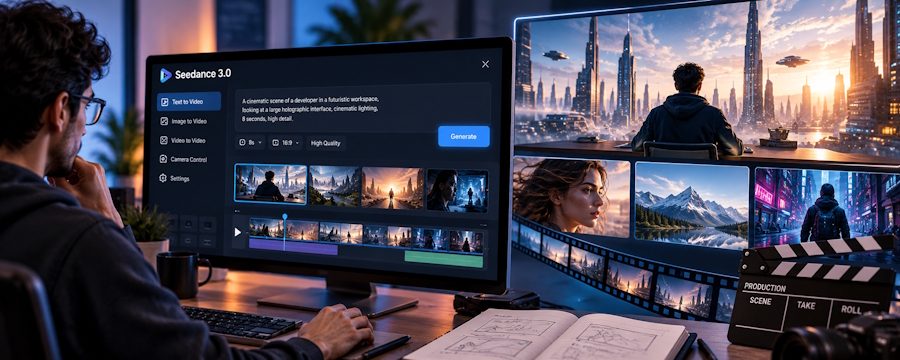
For the illustrative footage, I would explore Seedance 3.0 AI Video Generator. Its website describes text-to-video, image-to-video and multi-reference video generation with text, image, video and audio inputs. Those capabilities would help me direct a moving workshop scene. They would not create the scheduling application, implement its booking logic or verify the software shown later in the film.
Prepare references for the scene, not the interface
I would use an original workshop photograph to establish the bench, wall colour and lighting. A second permitted image could define the wheel's appearance. If I wanted a particular camera move, I would record a simple example myself and explain that it should guide movement only. None of these references would need to contain customer names, real appointments or private business information.
In Seedance 3.0 AI Video Generator, I would describe a laptop with an indistinct screen. Exact interface text would belong in the separately captured demonstration. This choice also simplifies the opening: the viewer should notice the mechanic finishing a task and turning towards the computer, rather than try to read a tiny calendar inside a moving scene.
The workshop would have a limited palette of dark metal, pale timber and a restrained blue accent. I would choose the accent to sit comfortably beside the application's design, without pretending the generator knows its brand system. The real logo and interface colours would be handled in the final edit. The generated scene only needs to create a compatible visual atmosphere.
Direct a transition that can be edited cleanly
My opening angle would show the bench from the side, with the wheel in the foreground and the laptop farther back. The mechanic could place the wheel down and turn slightly towards the computer. The camera would make a modest forward move. I would keep the physical action simple enough that the viewer can follow it before the film cuts to the screen.
A possible brief would read: “Illustrative bicycle workshop scene for a software product film. A mechanic places a completed bicycle wheel beside a tidy timber bench, then turns towards a laptop. Soft side lighting, restrained camera movement, natural pace. Preserve the workshop and wheel references. The laptop screen remains indistinct. No readable interface text, no logos, no additional people.”
If Seedance 3.0 AI Video Generator produced an awkward wheel placement, I would revise the action rather than keep regenerating the same complicated gesture. The wheel could already be standing beside the bench when the shot begins. The mechanic would then only turn towards the laptop. That still communicates the transition from physical work to scheduling and gives the edit a cleaner point to cut.
Let the real demonstration carry the product claim
The next section would be an actual screen recording of the demo application. I would capture one narrow flow: opening the schedule, selecting the next sample appointment and viewing its details. This is the part that demonstrates software behaviour. Generated workshop footage should not be used as evidence that an application supports a feature it does not have.
I would cut from the mechanic looking towards the laptop to the screen recording at a readable scale. A brief pause before the first cursor movement would help viewers orient themselves. The interface could fill the frame, avoiding a difficult attempt to place a precise recording inside a moving generated screen. The simpler transition would be easier to understand and easier to maintain when the interface changes.
Seedance 3.0 AI Video Generator would return for a closing workshop shot after the screen demonstration. I would reuse the same room and subject references, with the wheel still visible beside the bench. The mechanic could step back towards the work area. This would complete the small story without implying that the model understands or operates the application itself.
Budget for the two shots that matter
Before producing variations, I would consult Seedance 3.0 Pricing to compare current subscription and credit-pack options for video creation. I would then check the displayed credit estimate for the chosen generation settings. The production budget would cover the workshop clips and their revisions, separately from the development costs of the scheduling application.
My first revision allowance would go to the opening turn towards the laptop. That action joins the visual scene to the software recording, so it has a specific job. A second allowance could improve continuity in the closing shot. I would avoid spending the budget on unrelated shop interiors that look attractive but do not connect to the same mechanic and bench.
Make sound bridge the two kinds of footage
The opening could contain quiet workshop ambience and a small sound as the wheel settles. The site describes audio-video generation and audio references, so I would give Seedance 3.0 AI Video Generator a restrained sound direction using permitted source material. I would avoid loud tools or conversations that compete with the explanatory voiceover added during editing.
That voiceover would continue across the transition into the screen recording, giving the film one narrative thread. I would lower the ambience under the spoken explanation and leave the interface section free from unnecessary cinematic effects. Exact captions, product names and any call to action would be prepared in the editor, where they can remain readable and match the actual demonstration.
The finished video would have a practical structure: a workshop moment, a clear software flow and a return to the workbench. Seedance 3.0 AI Video Generator would supply the illustrative moving scenes, while screen capture would supply the product evidence. For a developer presenting an application, that division of creative work can produce a film with a recognisable human setting and a demonstration that still shows exactly what the software does.

