

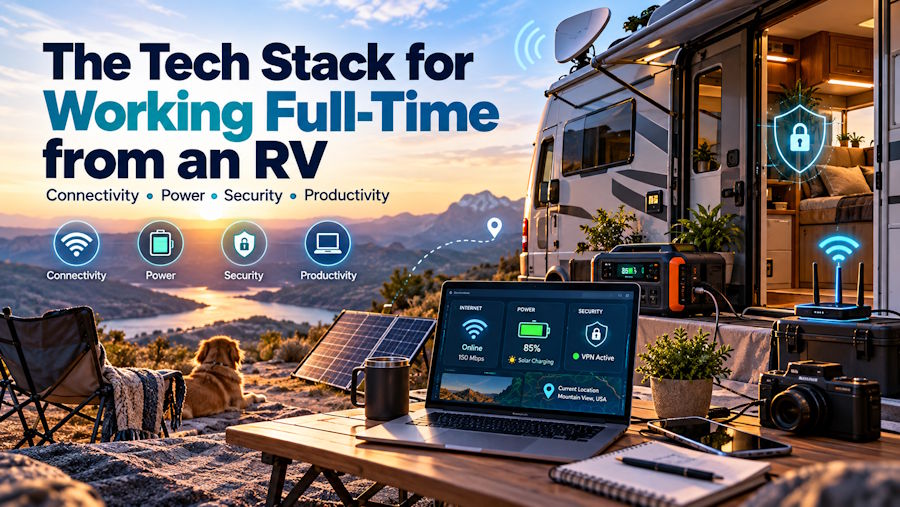
Your standup starts in ten minutes. The campground WiFi shows four bars and loads nothing. Your laptop sits at 18 percent because the shore power pedestal tripped overnight. Most people blame the RV life for days like this, but the real culprit is a tech stack built for vacations instead of a career on the road.
TL;DR: A reliable tech stack for working full-time from an RV rests on four layers: redundant internet, enough battery power to run a full workday off-grid, network security that assumes every connection is hostile, and a compact workspace you can use for eight hours straight. Pair satellite with cellular, size your lithium bank to your actual draw, run a VPN by default, and treat your rig like a branch office, not a camper.
Why Your Tech Setup Matters More Than Your Floor Plan
Working from the road is no longer a fringe experiment. KOA's North American Camping Report found that 46 percent of campers worked during at least some of their trips in 2021, up from 41 percent the year before. That shift turned campgrounds into satellite offices almost overnight.
New RVers often spend months comparing floor plans and almost no time planning connectivity. Flip that priority. Plenty of remote workers start with used RVs precisely because the savings fund a better internet and power setup, which is what actually determines whether you can hold a full-time job from a state park in Utah.
A rig with a perfect dinette and no reliable signal is just an expensive tent.
Connectivity: Build Redundancy, Not a Single Pipe
What happens when your only internet source fails during a client call? You lose the call, and possibly the client. Full-time RV workers solve this with at least two independent connections.
Satellite as your backbone. Starlink changed the math for rural work. The compact Starlink Mini runs on 12 volt power and fits in a storage bay, and the Roam plans let you move freely across the country. Pricing shifts often, so check current rates; as of mid 2026, Starlink added a Roam 300GB tier at $80 per month, a sweet spot for most remote workers. Trees and canyon walls still block it, so it can't stand alone.
Cellular as your failover. A dedicated 5G hotspot or a cellular router from Peplink or GL.iNet gives you a second path. Carry plans from at least two carriers, such as Verizon and T-Mobile, since coverage maps rarely overlap perfectly in the rural West. A roof mounted MIMO antenna or a weBoost cell booster pulls usable signal out of weak areas.
A router that ties it together. Multi WAN routers combine both connections and switch automatically when one drops. Your video call keeps running while the router fails over in the background.
Campground WiFi belongs at the bottom of this list. Use it for software updates, never for anything that pays your bills.
Power: Run a Full Workday Without Hookups
Electricity decides how far off the grid you can go. A laptop, external monitor, Starlink dish, and router together can draw 150 to 250 watts during work hours, and that adds up fast across an eight hour day.
Here's the setup most working RVers settle on:
| Component | What It Does | Practical Starting Point |
|---|---|---|
| LiFePO4 battery bank | Stores energy for daytime use | 300 to 600 amp hours |
| Pure sine wave inverter | Converts DC to clean AC for electronics | 2,000 watts or more |
| Rooftop solar | Recharges batteries during the day | 400 to 800 watts |
| Battery monitor (Victron or similar) | Tracks real consumption | Bluetooth shunt |
| Small UPS | Keeps the router alive during switchovers | 300 to 600 VA |
Lithium iron phosphate batteries outperform old lead acid banks because you can drain them deeper without damage. Run your work gear on 12 volt DC wherever possible, since every trip through the inverter wastes energy as heat.
Security: Assume Every Network Is Hostile
Shared campground networks put you on the same subnet as hundreds of strangers. That alone should change how you work.
Use a VPN by default. WireGuard based services or a mesh tool like Tailscale encrypt traffic before it leaves your laptop. Many employers require a corporate VPN anyway, so configure it to connect automatically on any untrusted network.
Lock down the devices themselves. Turn on full disk encryption through FileVault or BitLocker. Enable multifactor authentication on every account, and consider a hardware key like a YubiKey. RVs get broken into, and a stolen laptop shouldn't become a data breach.
Match your setup to your industry's compliance rules. Some remote roles carry legal obligations that follow you into the rig. Teams that provide virtual medical assistant services handle scheduling, intake, and records for clinics, which means protected health information under HIPAA. A remote worker in that field needs encrypted connections, a privacy screen, a private workspace where nobody can overhear patient details, and a strict policy against public WiFi. Developers working with financial or customer data face similar expectations under SOC 2 and PCI DSS.
Ask your employer for their remote work security policy before you hit the road. Finding out after an audit is far more painful.
Hardware and Workspace Essentials
Space is the scarcest resource in any RV, so every device has to justify its footprint. A modern laptop with strong battery life, such as an Apple Silicon MacBook, forms the core because it sips power compared to older x86 machines.
Add a portable USB C monitor, a noise cancelling headset to block generators and barking dogs, and a laptop stand to protect your neck. A dinette conversion or a removed couch can give you a real desk, and good lighting keeps video calls looking professional from any national forest.
Mistakes That Sink Remote Workers on the Road
A few patterns show up again and again among new full timers:
- Booking sites without checking coverage. Apps like Campendium and Coverage? show crowdsourced signal reports before you commit.
- Skipping the test run. Spend a long weekend working from your rig before you sell the house.
- Underbuying data. Video calls burn through several gigabytes per day. Budget for more than you expect.
Building an RV Office That Works in Any Zip Code
The best tech stack for working full-time from an RV doesn't chase the newest gadget. It removes single points of failure. Two internet paths, a battery bank that outlasts your workday, and security habits that hold up on any network let you choose campsites for the view instead of the signal strength.
Treat each upgrade as an investment in your income, not a camping accessory. Once the stack works, the road stops being a risk to your career and starts feeling like a benefit of it.
FAQs
Can you work full time from an RV with Starlink alone?
You can in open terrain, but tree cover, canyons, and storms will interrupt service. Most full time workers pair Starlink with at least one cellular plan for backup.
How much battery power do you need to work remotely from an RV?
A typical remote work setup needs roughly 1.5 to 2.5 kilowatt hours per workday. A 300 to 600 amp hour lithium bank with solar charging covers most people comfortably.

