

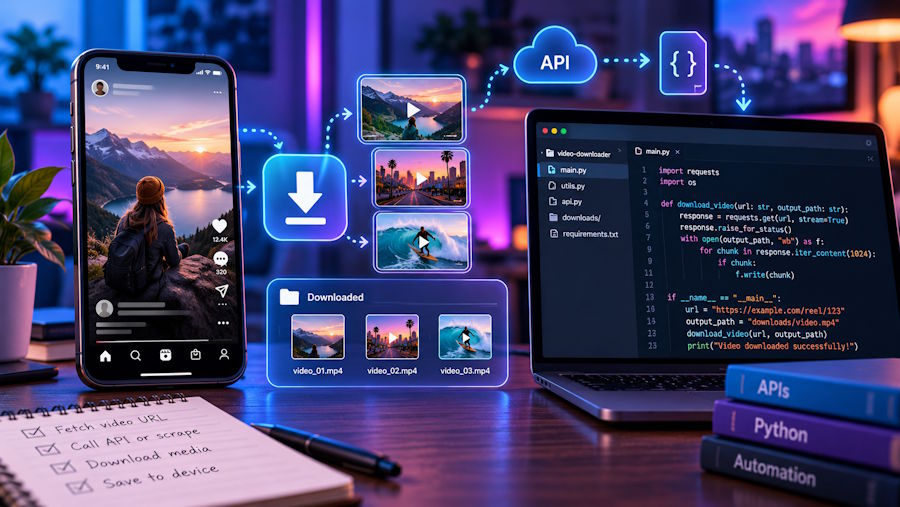
A teammate drops an Instagram link into the sprint channel and asks for the MP4 by the afternoon, maybe for a bug report or an archive of a Reel your own company posted. You can open devtools and hunt for the media request, clone a scraper from GitHub, or use a web tool built to download instagram videos from a pasted link, and the right pick depends less on skill than on how often you will repeat the task.
Short answer first. A web downloader such as iGram (igram.world) saves public Reels, feed videos, carousel videos, IGTV and video Stories that are still live, as MP4 files with the original sound and no added watermark. It will not open private accounts, deleted posts or Stories older than 24 hours. The file can never be sharper than what the creator uploaded: the free plan gives a lower, non-HD version, and HD up to 1080p and 4K sits behind iGram Premium.
What the tool does with your link
An Instagram URL is mostly an identifier. The /reel/ or /p/ path ends in a shortcode, and a downloader's backend uses it to ask Instagram for the post the same way a logged-out visitor would. If the post is public, the response points to the media files, and the tool hands you the video as a normal download. No Instagram login is involved, so you never give a third party your password.
That logged-out view explains most of the behaviour people report as bugs. The service sees exactly what an anonymous browser sees, nothing more.
Private accounts fail even when you personally follow them. Following is a permission attached to your account, and the downloader never acts as your account, so a private profile looks closed to it. There is no workaround worth trying, and you should not look for one.
Expired Stories fail because there is nothing left to fetch. Instagram removes a Story from the profile after 24 hours. The only Stories that survive are the ones the owner pinned to a Highlight, and those can still be saved from the Highlight itself.
Some Reels download silently, and this one confuses developers the most because the file plays fine otherwise. When a Reel uses licensed music from Instagram's library, Instagram strips that soundtrack from the downloadable media and keeps audio only on Reels with original sound. Your pipeline is not broken. Check whether the Reel shows original audio before you blame the muxer.
Quality has a ceiling. If the creator uploaded a 720p clip, no tool returns 1080p. Paying for HD gets you the best version Instagram stored, not an upscale.
Decision table: approach -> effort, login, output, risk
| Approach | Effort per video | Login needed | What you get | Main risk |
|---|---|---|---|---|
| Web tool (iGram) | Under a minute: copy link, paste, Download | No | MP4 with original sound; free lower quality, HD/4K on Premium | Public posts only; expired Stories are gone |
| Browser devtools, manual | Several minutes, more if the media arrives in segments | Usually your own session | Whatever stream your browser loaded, sometimes split video and audio you must mux with ffmpeg | Signed media URLs expire; easy to grab the wrong rendition |
| Open-source CLI scrapers (general) | Setup time, then fast for batches | Often a session for anything beyond a few requests | Bulk files plus JSON metadata, depending on the project | Breaks when Instagram changes; rate limits; using a real account can get it restricted |
| Official data download of your own account | A request in Accounts Center, then a wait for the archive | Yes, your own account and password | Your own posts and Stories in one archive | Covers only your account; slow for a single clip |
Read the "login" column as a security column too. Anything that needs your session cookie or password is now part of your threat model, and a one-off clip rarely justifies that.
When scripting makes sense
Write your own tooling if:
- you need hundreds of items with captions, timestamps and IDs in structured form, for an internal dataset or a migration;
- the content belongs to your own brand account, where the official data download already covers you in bulk;
- you can tolerate the maintenance, because any scraper that parses Instagram's responses will need fixes whenever the markup or private endpoints change.
Skip the script if:
- you need one video, or a handful, from public accounts;
- the person asking is a marketer or a support agent who will repeat the task next week without you;
- the only way your script works is by logging in with a personal account.
For the one-off public video, the web tool wins on every column except bulk. That is the honest trade-off, and it is why I keep iGram bookmarked rather than a half-maintained CLI wrapper. Its device behaviour is predictable too: on iPhone the file lands in the Files app first and you move it to Photos through Share; on Android it goes to Downloads and appears in Gallery within seconds; on desktop it is in the browser's Downloads folder. Long videos come down in full, so a 40-minute IGTV episode is one file, not a truncated preview.
If you find yourself wiring this into something bigger, iGram also has an API page and an MCP server page on its site. Check those pages for the current terms before you plan around them; I am not going to guess at endpoints or pricing here.
Rights, briefly
A public video is still somebody's work. Save your own content, keep reference copies for internal review, or get permission before reusing anything in a product, a deck or an ad. Reposting a creator's clip without credit is how a quick favour turns into a takedown request.
One more practical point: several unrelated sites use similar names, so check that the address bar says igram.world before you paste anything. iGram states it does not store the links you paste or the files you save, and creators get no notification when a video is downloaded. It is not affiliated with Instagram or Meta.
Verify the file before it ships
Treat the download like any other build artifact. Run ffprobe on it, or open the file info panel on your phone or Mac, and confirm two things: the resolution matches what you expected from the plan you used, and there is an audio stream. If the audio stream is missing, go back to the Reel and look at the sound label under the username. Licensed track means no sound in the file, and that answer will save you half an hour of debugging an encoder that was never at fault.

