

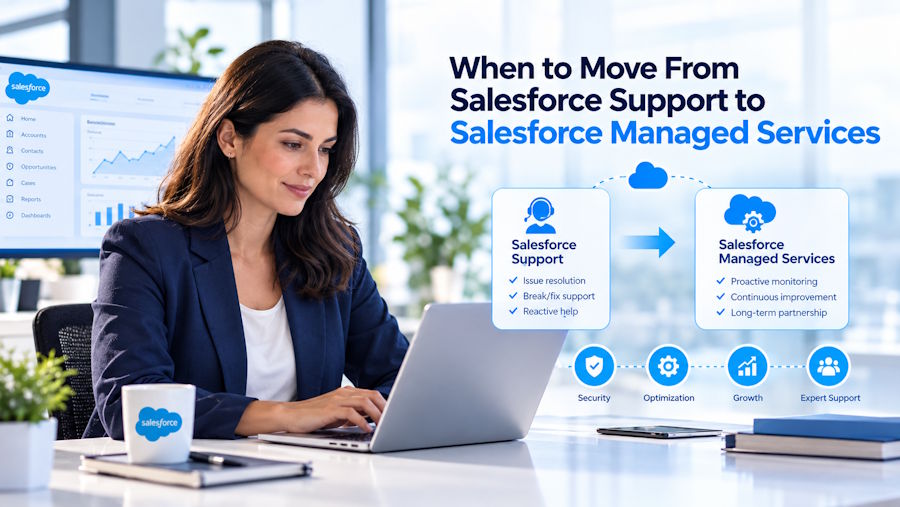
Salesforce managed services give your team a steady owner for its Salesforce backlog, releases, integrations, and ongoing improvements. Unlike support for a single issue, managed services cover recurring work under an agreed scope. That scope can include routine administration, user support, testing, and small enhancements. Your team still sets business priorities, while we help keep the work moving and make sure requests have clear owners.
You may need this model when requests sit for weeks, release testing gets skipped, or one admin holds most of your org’s knowledge. These issues can slow down everyday work and make planned improvements harder to deliver. A growing backlog, recurring support gaps, or limited internal coverage may be signs your org needs Salesforce managed services. In this guide, we explain what managed services cover, how to assess your needs, and what to clarify before choosing a support plan.
What Is the Difference Between Salesforce Support and Managed Services?
Salesforce support helps with platform questions and issues. Managed services cover ongoing work inside your Salesforce org, based on a scope you agree with a provider. The word “support” can refer to several different models, so separate them before you compare costs.
Salesforce Success Plans
Salesforce offers Standard, Premier, and Signature Success Plans. Standard includes self-guided resources, documentation, Trailhead, and the Trailblazer Community. Premier adds expert guidance, health checks, and 24/7 support for business-stopping issues. The new Core, Advanced, and Max licenses include Premier. Salesforce lists Signature as a separate option through an account executive. See Salesforce’s current Success Plans.
These plans provide Salesforce guidance and platform support. They do not take ongoing responsibility for your team’s backlog or day-to-day org operations. A Success Plan and a managed services engagement can work together: one supports your Salesforce products, while the other handles the work your organization assigns to a partner.
Break-Fix Partner Support
Break-fix support gives you help when a problem appears or a defined request comes in. You might pay by the hour or use a small block of hours. This model can fit a stable org with occasional, well-scoped needs. It gets harder to manage when requests keep coming and no one owns priorities across the whole org.
Salesforce Managed Services
Managed services assign recurring responsibility for an agreed set of work. That scope might include admin requests, bug fixes, release testing, integration checks, data quality, or security reviews. The exact work and service levels belong in your agreement.
The key difference is continuity. A managed services team can learn how your org works, track open requests, and help address recurring problems. That does not remove your team’s role: you still set priorities, approve access, and make business decisions.
Why Did the Decision Change in 2026?
On September 3, 2026, Salesforce announced new Core, Advanced, and Max editions for Agentforce Sales, Agentforce Service, and Agentforce Industries. Salesforce says these editions bundle features including Premier Success, Slack, Tableau Next, and Flex Credits. The details are on Salesforce’s edition announcement.
That bundle can make it easier to confuse product support with operational ownership. Premier offers expert guidance and platform support, but your team still needs someone to manage its Salesforce work, such as the backlog, org changes, and release testing. Release planning still matters, too. Salesforce delivers three major platform releases each year. Its release guidance recommends reviewing release notes and testing important use cases in a sandbox before production. A provider can help with that work if you include it in the agreed scope.
How Can You Tell When Your Team Needs Managed Services?
Use this ownership test to check whether your Salesforce responsibilities have a clear owner. For each question, write down whether the answer is a person with enough time, one overloaded person, or nobody.
- Who owns the backlog? If requests wait for weeks and nobody can explain what is blocked, ownership may be unclear.
- Who tests major releases before production? Salesforce provides preview sandboxes about four to six weeks before a major release reaches production. Someone needs to review relevant changes and test your critical processes.
- Who checks integrations and agents? Decide who reviews errors, failed syncs, agent behavior, and usage on a regular schedule.
- What happens if your Salesforce admin leaves? If the answer is that essential knowledge leaves with them, you have a continuity gap.
- Is your team improving Salesforce or only keeping it running? Review a month of work. If nearly all capacity goes to routine requests and fixes, planned improvements may be slipping.
This is a practical decision aid, not a Salesforce standard. If three or more answers are “one overloaded person” or “nobody,” consider managed services. If one or two answers fit, a hybrid model may be a good first step: your admin keeps internal ownership, while a provider helps with overflow or specialist work.
When Is Regular Salesforce Support Enough?
Regular support can be enough when your Salesforce setup is stable and your team can manage it. It may fit if your org has few customizations, limited integrations, and infrequent changes. It can also work when an internal admin has enough time and a backup. Before adding a new service, review the Success Plan and support resources you already have. If your team can handle its backlog, test releases, and maintain the org, you may not need an ongoing partner yet. Revisit the decision when your workload or system complexity changes.
What Situations Make Managed Services Worth Considering?
Managed services are most useful when your team has steady Salesforce work that needs several skills or more capacity than internal staff can provide.
- One admin is handling a new Agentforce rollout: A provider could take on routine requests or monitoring if those tasks are included in the scope. Your admin can then focus on permissions, process decisions, and testing.
- The implementation partner has left: A continuing service can preserve system knowledge and help manage requests after the project team moves on.
- Your org spans clouds and systems: A Salesforce environment connected to an ERP, data tools, or multiple clouds may need admin, development, and integration skills. A service team can provide access to those roles as agreed.
The right model depends on your team’s needs. A one-time migration or redesign may fit project-based consulting. A team that already manages Salesforce well but needs one extra person may prefer staff augmentation. Managed services fit better when work is recurring and varied, and you want a provider to manage delivery for an agreed scope.
How Much Do Salesforce Managed Services Cost?
There is no single Salesforce managed services price. Providers may offer monthly retainers, tiered plans, dedicated capacity, or hourly support. Costs depend on the work included, the number of products and integrations, the expected response times, and how much specialist work your org needs. Separate your Salesforce license costs from the partner’s service fees when comparing proposals. Salesforce’s published pricing varies by product and license. Premier is included with Core, Advanced, and Max, while some Salesforce pricing pages list it as a separately priced plan. Confirm the exact terms for your products and renewal in your quote.
Compare service proposals by asking what work is included, how requests are prioritized, what response times apply, and which tasks count as separate projects. A low monthly fee may cover fewer hours or a narrower scope. Compare the expected work and service levels, not just the headline price.
How Do You Move From Support to Managed Services?
A smooth transition starts with a clear view of your org and the work you want to assign. Use this sequence:
- Review your current support. List your Success Plan, partner agreements, internal roles, and the Salesforce help your team actually uses.
- Inventory your org. Note the Salesforce products, integrations, important Flows, custom code, AppExchange packages, and production agents.
- Choose an ownership model. Decide what your team will own, what a partner will handle, and who approves priorities and access.
- Agree on service levels. Define work hours, response targets, priority levels, escalation paths, and project exclusions.
- Plan the handover. Share system documentation, known issues, and incident history under your security policies.
- Review results regularly. Look at backlog age, repeat incidents, release outcomes, and progress on planned improvements.
You can keep a Salesforce Success Plan while using managed services. Salesforce support can help with platform issues and guidance; a partner can handle the org work included in your service agreement. Ask your account executive how your partner can work with your Salesforce support setup.
Conclusion: Move When Your Salesforce Org Needs an Owner
Salesforce managed services can help when your team has ongoing work without enough capacity or clear ownership. Start with the five-question test, then compare the work you need with the scope, service levels, and costs in each proposal.
At Valintry360, we’re a certified Salesforce partner. Our team includes 100+ certified professionals who can help with Salesforce-managed services. As a certified partner, we act as a bridge between your business and Salesforce to help you get the best deal. We can help you assess the work and decide which support model fits your team.

