

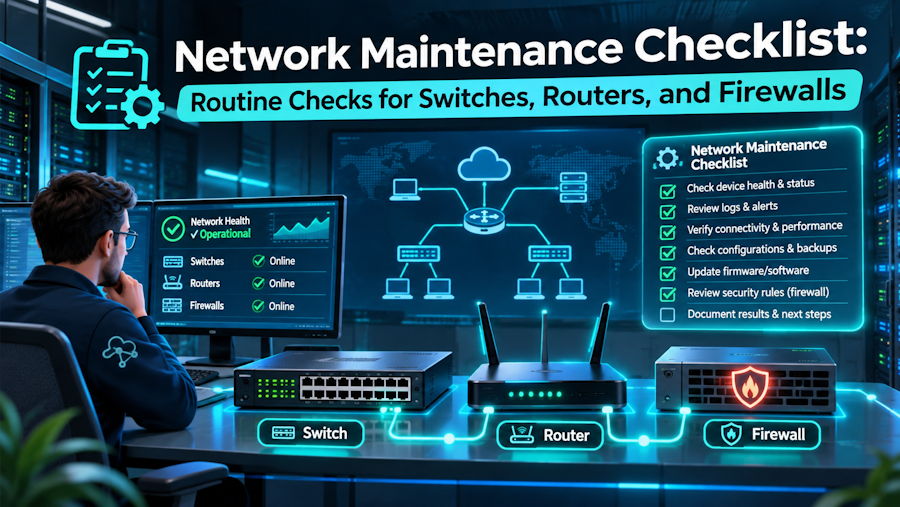
A switch uplink can stay online while its error count climbs. A router can keep a connection to its peer while it stops learning a route your branch needs. A firewall pair can pass traffic even though its standby unit has fallen out of sync. A network maintenance checklist gives your team a way to catch those problems before a busy period or a hardware failure exposes them.
Set a Schedule for Routine Network Maintenance
Daily checks help catch new faults. Weekly reviews show whether errors or traffic loads are rising, while monthly checks give the team time to review backups and pending updates. Sites with one connection or no spare equipment may need closer attention.
If you use third party network maintenance, the checklist can show which devices the provider covers and when your team opens a hardware case. Your own records can still track who handles routing changes and firewall rules. A named owner for each task helps findings move from the checklist to a support ticket or change request.
| When | Routine checks |
|---|---|
| Daily | Review new device and link alerts, routing neighbor changes, and firewall failover status. |
| Weekly | Compare interface errors and peak traffic with the previous week. Check for failed backups and open hardware faults. |
| Monthly | Review firmware advisories, subscription expiry dates, and access to spare parts. Check that a current configuration backup is available. |
| Before and after a change | Save the current configuration and record network health. Afterward, retest the connections and services the change could affect. |
Switch Maintenance Checklist
A port can show as up while it drops traffic or records errors. The checks below help distinguish a busy link from a fault in the cable, optic, or port.
Watch for Rising Interface Errors
CRC errors and repeated link drops are worth tracking on uplinks and ports that carry important traffic. A change over the last hour tells you more about a current fault than a total that has built up over several months. Timing also helps the team check whether errors began after a cable move or a patching change.
Check Uplink and Switch Stack Health
A link bundle can keep forwarding traffic after one of its links drops, but the remaining links have less total capacity. A switch stack can also keep running while one member reports a fault. The review can record missing members and compare traffic peaks with the capacity still available.
Review Power and Cooling
A failed fan or power supply deserves attention even when the switch stays up. For a switch that powers phones or access points, the review can also track how much Power over Ethernet (PoE) capacity remains. That helps show whether the switch can take on more devices.
Router Maintenance Checklist
A branch can lose access to a shared service even when its internet link is up. Router checks cover both the link and the routes that carry traffic to the destination.
- WAN link health. Packet loss and latency trends show whether a connection has degraded. A test from the affected branch can confirm how users experience it.
- Routing neighbors. A peer that drops and reconnects repeatedly deserves review even if it is up at the time of the check.
- Expected routes. Where Border Gateway Protocol (BGP) is in use, the team can compare route counts and check that it still learns the specific networks the branch needs.
- Backup WAN path. A planned failover test shows whether essential traffic can use the backup link and return to the primary path.
- Resource usage. CPU, memory, and traffic trends can show whether the router is approaching its limits during peak hours.
Firewall Maintenance Checklist
A firewall can pass traffic even when its standby unit needs attention or a security subscription has expired. Routine checks cover the appliance and the services it relies on.
Check the Standby Firewall
For a high-availability pair, the status view can show which unit is active and whether the configurations are in sync. A planned failover test checks whether traffic can move to the other unit. The test is more useful when it includes a business application and any VPN the change could affect.
Review Rules and VPN Tunnels
Temporary firewall rules can outlive the work that needed them. A review can identify their owners and check which rules still match traffic over a period that reflects normal use. For VPNs, a test from the remote site can confirm that traffic reaches its destination through the tunnel.
Check Security Subscriptions
An active firewall can still have an expired subscription for a feature the business uses. Fortinet, for example, says valid FortiGuard licenses are needed for signature updates and certain security lookups. The review can record the renewal date and confirm that the device is still receiving the updates it depends on.
Plan Firmware Updates and Test Recovery
Before an update, a current configuration backup gives the team a way to recover settings. The device's release notes can show whether the upgrade needs an intermediate version or changes a feature your network uses. For a critical device, a restore test on compatible spare or lab equipment can help confirm that the backup is usable.
After the change, the team can compare link status and routing neighbors with the baseline it recorded beforehand. A user traffic test can catch failures that a device dashboard misses. If the change affects a branch, the test can include a connection from that branch to a service staff use every day.
Decide When a Finding Needs a Hardware Support Case
A link with one error burst may need watching. If errors keep climbing after the team has ruled out the cable and optic, the recorded port history can help a support engineer narrow down the fault. A case should include the device serial number, the affected interface, and the time the problem began.
At a site where the access switches and edge router come from different vendors, having one hardware support contact can simplify that handoff. Dataknox covers eligible switches, routers, and firewalls under one agreement, with four-hour on-site or next-business-day options depending on the equipment and location. The asset list can show which devices to raise with the provider, while firewall subscription issues can stay with the team or vendor that manages those licenses.
Conclusion
A maintenance record is most useful when the next engineer can see what changed and who is following up. Rising port errors, missing routes, and an out-of-sync standby firewall each call for a different response. When the checklist captures the finding and the owner, the team can act while the network is still running.

