

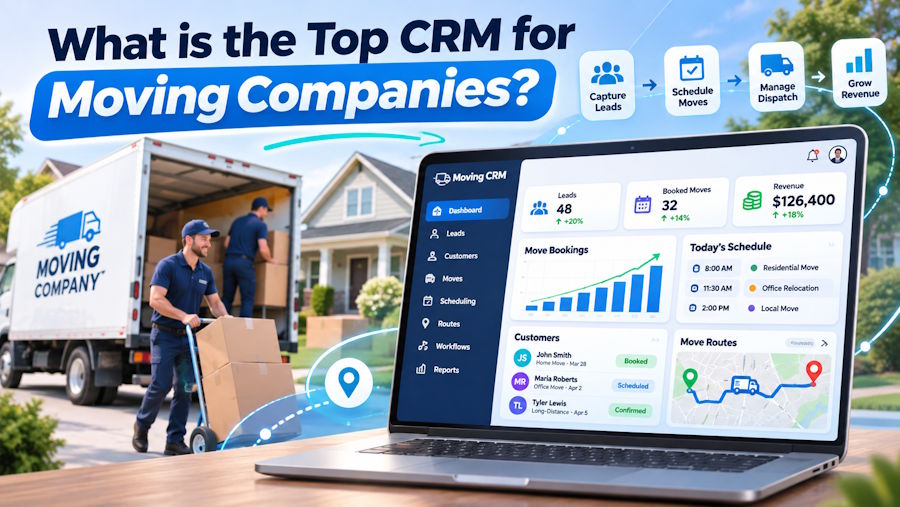
Running a moving company involves much more than booking customers and sending trucks to their addresses. Every relocation comes with different requirements, from estimating the number of movers needed to coordinating vehicle availability, managing customer expectations, and handling unexpected delays. When several jobs are happening simultaneously, keeping everything organized becomes a challenge that spreadsheets and disconnected communication tools cannot always solve.
This is where specialized customer relationship management software can make a noticeable difference. Unlike traditional CRM systems that primarily focus on sales and customer interactions, moving industry platforms often combine lead tracking, estimates, scheduling, dispatch, and crew management within one system.
Among the solutions worth examining are Movers Network, SmartMoving, MoveitPro+, Supermove, and Movegistics. Each offers a different combination of operational tools, making certain platforms better suited to particular business models.
The most suitable choice depends on whether a company prioritizes faster estimates, simpler crew assignments, long-distance coordination, or improved communication between office employees and moving teams.
Why Moving Companies Need More Than a Traditional CRM
Consider a moving company handling eight residential relocations on a Friday. Several customers request morning appointments, one job requires specialized equipment, and another involves a building with restricted elevator access. Meanwhile, a crew finishes earlier than expected, creating an opportunity to accommodate another booking.
Without a centralized system, coordinating these changes can involve numerous phone calls, messages, and manual calendar updates.
A moving-specific CRM helps connect customer information with operational decisions. Instead of maintaining separate records for sales, dispatch, and billing, employees can access relevant details from a shared platform.
The real advantage is not necessarily automation itself. It is reducing the chances that important information gets lost between departments.
For example, a customer might mention an oversized wardrobe during the initial consultation. If that detail appears in the dispatch instructions, the company can prepare appropriate equipment before arriving at the property.
However, not every platform handles these processes equally well. Understanding the differences is essential before committing to a subscription.
Movers Network: An Integrated Approach to Moving Operations
Movers Network is designed around the relationship between customer management and the practical requirements of running a moving business. Rather than focusing exclusively on lead generation, the platform brings together booking information, dispatch coordination, job documentation, and workforce management.
Companies evaluating a moving company CRM may find its industry-specific approach relevant when multiple departments need access to the same job information.
Its advertised capabilities include visual scheduling, crew allocation, live job tracking, digital estimates, and electronic signatures. The platform also describes communication features and a carrier network intended to help coordinate moving assignments and available loads.
One situation where these functions could prove useful involves a dispatcher receiving a late customer request. Suppose a family needs to move its appointment from early morning to the afternoon because the property will not be accessible until later. A centralized scheduling system can help staff review crew availability, adjust assignments, and communicate revised instructions.
Movers Network also presents workforce and fleet management features, potentially making it relevant for businesses coordinating both employees and outside carriers.
Still, buyers should investigate how these capabilities work together in practice. A demonstration should include a complete booking, a schedule adjustment, and communication with an assigned crew. It is equally important to establish which features are standard and which may involve additional charges.
SmartMoving: Resource Visibility for Growing Fleets
As moving companies expand, scheduling becomes less about finding an available appointment and more about allocating the right resources to each job.
SmartMoving addresses this challenge with planning and dispatch functionality covering trucks, crews, equipment, and bookings. Its scheduling tools are intended to provide a clearer overview of available resources while helping dispatchers avoid overlapping assignments.
The platform's Smart Dispatch functionality can propose placements for jobs that have not yet been scheduled. Dispatchers can then review those suggestions before finalizing the plan.
This distinction matters because an automatically generated schedule cannot account perfectly for every practical consideration. An experienced manager may know that a particular crew works efficiently with complex apartment moves or that traffic near a certain neighborhood regularly causes delays.
SmartMoving also offers mobile functionality for field employees, including digital forms, photographs, signatures, time tracking, and payment-related tasks.
For companies managing several crews daily, these tools may reduce the need to contact the office for routine updates.
During an evaluation, managers should examine how the system responds when a job takes longer than planned. They should also check whether changes made by dispatchers appear promptly in the mobile application.
SmartMoving may appeal particularly to operations seeking structured resource planning, although suitability will depend on fleet size, workflow complexity, and implementation costs.
MoveitPro+: Keeping Estimates and Dispatch Information Connected
A frequent operational problem in moving businesses occurs between the moment a customer accepts an estimate and the day the relocation takes place.
The salesperson may understand the full scope of the job, but the crew receives only a brief summary. Missing information about stairs, furniture disassembly, or additional stops can create unnecessary complications.
MoveitPro+ approaches this issue by connecting lead management, estimating, dispatch, invoicing, and reporting.
Its dispatch interface is designed to help office employees review booked jobs and allocate trucks, crews, and equipment according to availability.
The platform also promotes mobile access and digital documentation, supporting the exchange of information between dispatchers and field personnel.
Imagine an estimator discovers that a customer needs two separate delivery locations. Ideally, that information should remain visible throughout scheduling, crew preparation, and final billing.
A connected system can make this process more consistent, provided employees enter the details correctly and use the relevant features.
Companies considering MoveitPro+ should test how easily information moves from the original estimate into dispatch instructions. Another useful exercise involves changing an inventory record after a job has already been scheduled.
Mobile access, user licensing, training requirements, and offline functionality are additional factors worth discussing with the provider.
Supermove: Managing Detailed Workflows and Longer Relocations
Not every moving company operates within a single city. Businesses handling interstate relocations, commercial moves, or storage services often need to coordinate activities across several days.
Supermove provides CRM and operational tools intended to support these more involved processes. Its advertised capabilities include lead management, scheduling, dispatch, crew assignments, digital documents, customer communication, and reporting.
The platform also describes functionality for long-distance moves and storage-related operations.
Consider a relocation involving packing on Monday, loading on Tuesday, and delivery later in the week. Each stage may require different employees, documents, equipment, and customer updates.
Managing those activities within a connected workflow can help prevent confusion about responsibilities and job progress.
Supermove's broader operational approach may interest companies looking to standardize procedures across multiple teams or service categories.
However, greater functionality can also introduce configuration and training requirements. A business should determine which processes can be used immediately and which require additional setup.
Before choosing Supermove, request a demonstration involving a multi-day relocation with at least one schedule modification. Examine how revised information reaches employees and whether customer communications can be adapted to the company's preferred process.
Integration with accounting software, implementation assistance, and ongoing support should also be considered.
Movegistics: Combining Inventory Management With Scheduling
Accurate moving estimates depend heavily on understanding what needs to be transported.
A small apartment with unusually heavy furniture may require more resources than a larger property containing lightweight belongings. Similarly, access restrictions can affect how long a relocation takes, regardless of the number of items.
Movegistics includes customer management, estimating, dispatch, and billing capabilities alongside digital inventory and survey tools.
Its advertised features also include visual scheduling, crew and truck allocation, a mobile application, and QuickBooks integration.
The combination of inventory information and scheduling may be especially relevant for businesses conducting remote surveys or handling detailed household inventories.
For example, an estimator could document furniture, appliances, and special handling requirements before the dispatcher assigns resources.
Having that information available during planning can support more informed decisions about staffing and equipment.
Nevertheless, digital surveys are only as reliable as the information collected. Customers may overlook items in storage areas or fail to mention difficult building access.
Movegistics also offers different software packages, so companies should verify which functions are included in the plan they are considering.
A practical demonstration should show how inventory changes affect estimates, dispatch information, and invoices. Buyers should also examine the mobile experience from the perspective of an employee working on a moving truck.
Which CRM Is Most Suitable for Different Moving Businesses?
Although these platforms share several core functions, their areas of emphasis provide a useful starting point for comparison.
| Platform | Main area worth evaluating | Potential business fit |
|---|---|---|
| Movers Network | Connected CRM, dispatch, workforce tools, and carrier coordination | Businesses wanting customer and operational information in one system |
| SmartMoving | Resource scheduling and dispatch planning | Movers coordinating multiple crews and vehicles |
| MoveitPro+ | Estimates, job records, and daily dispatch | Companies seeking a smoother transition from sales to operations |
| Supermove | Multi-stage workflows and broader operational management | Long-distance, commercial, or storage-oriented movers |
| Movegistics | Digital surveys, inventories, and scheduling | Businesses prioritizing detailed estimates and inventory records |
These are functional distinctions rather than independent performance rankings. A platform with more advertised features is not automatically the better investment.
A smaller moving company may benefit from straightforward scheduling and customer communication, while a larger operation could require detailed permissions, branch management, and reporting.
The ideal system should match the company's actual workload without introducing unnecessary administrative complexity.
What Should Moving Companies Test Before Purchasing CRM Software?
Software demonstrations often emphasize polished dashboards and convenient features. Yet the most revealing test is whether a system handles the ordinary complications that moving companies encounter every week.
Rather than asking vendors to explain every available function, provide each with the same realistic scenario.
For instance, create a booking involving a three-bedroom home, two pickup locations, an oversized appliance, restricted parking, and a customer who changes the moving date after accepting the estimate.
Ask the provider to demonstrate how the platform handles the entire process.
Pay particular attention to whether the dispatcher can immediately identify available crews and vehicles. Check whether field employees receive updated instructions and whether changes to the job appear in the final documentation.
Pricing deserves similar scrutiny. Monthly subscription costs may not reflect implementation fees, mobile licences, additional users, data migration, or optional modules.
Training is another consideration. A sophisticated system offers limited value when employees struggle to complete basic tasks.
It is also worth involving dispatchers and crew supervisors in the selection process. Their daily experience can reveal usability issues that business owners might not notice during a sales presentation.
Finding the Right Balance Between Features and Everyday Usability
Choosing the top CRM for a moving company is ultimately a question of operational fit rather than brand recognition.
Movers Network offers an industry-oriented combination of customer management and dispatch coordination, while SmartMoving places considerable emphasis on resource planning. MoveitPro+ connects estimating with daily operations, Supermove addresses broader workflows, and Movegistics brings inventory and survey management into the comparison.
None should be considered the universal best choice without examining the company's requirements, budget, and existing processes.
For businesses evaluating Movers Network alongside competing platforms, the deciding factor should be how effectively the system supports actual bookings, scheduling changes, and communication between office staff and crews.
A sensible approach is to narrow the selection to two or three providers and request demonstrations based on identical moving scenarios.
The most valuable CRM is not necessarily the one offering the longest feature list. It is the one that helps employees make informed decisions, keeps customers updated, and allows moving operations to continue smoothly when plans inevitably change.

