

The lights flicker, your monitors go black, and the build you've been waiting on for twenty minutes is gone. The router is down too, so even your laptop on battery can't reach the repo or join the standup. Ten minutes later the power's back, but your afternoon isn't.
A backup power system can keep your home office running through short outages and let you shut down cleanly in longer ones. Sizing it isn't guesswork. It comes down to what you need to keep running, how much power it actually draws and how long you need it to last. Here's how to work it out.
Step 1 - List Everything That Must Stay On
Your backup system should cover the devices you actually need during an outage, not everything plugged in at your desk. Ready.gov's outage advice is to take an inventory of the items you need that rely on electricity and plan for batteries and other alternative power sources.
For a developer's home office, the essentials usually include:
- Your main workstation or laptop dock
- One or two monitors
- Your modem and router
- Any network switch or mesh node your desk relies on
- A desk lamp, if you work in the evening
Leave out anything that can wait, such as speakers, decorative lighting or a second monitor you can live without for an hour. Split your list into must-run and nice-to-have, since the second group can double the size of the system you need.
Step 2 - Measure the Real Power Draw
Real power draw is usually lower than the number on a device's label, which shows the maximum it can use. Measuring gives you a far more accurate starting point than adding up label ratings.
Workstation
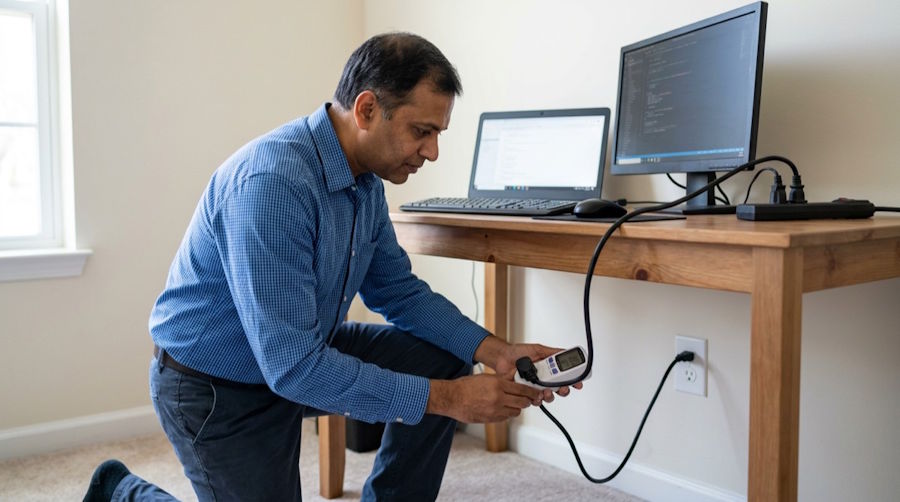
Plug your computer into a plug-in power meter and watch the reading while you work normally, then while you run a heavy build or test suite. Note both numbers, because your backup has to handle the peaks as well as the average.
Monitors
Measure each monitor at your usual brightness. Monitors draw noticeably more at full brightness, so dimming them during an outage can stretch your runtime.
Network Gear
Measure the modem, router and any switch together, since they all need to stay on for you to stay online. They draw little power on their own, but they matter most if you want to keep working rather than just shut down.
Record the average and peak draw for every device in a simple spreadsheet. You'll use the totals in every step that follows.

Step 3 - Set a Runtime Goal
Your runtime goal decides how much stored energy you need. Start by asking what you want the system to do: give you time to save work and shut down, or keep you working through a longer outage.
To estimate energy needed, multiply your average total draw in watts by the hours you want to run. For example, if your must-run devices average 200 watts and you want four hours of runtime, you need about 800 watt-hours of usable energy, before allowing for losses.
|
Top Tip: Set two runtime goals, not one. A short goal covers saving work and shutting down safely, and a longer goal covers keeping your router and laptop online for meetings. Size the battery for the longer goal if you can, but make sure the shorter one is covered even on a day when the battery isn't fully charged. |
Step 4 - Size the Battery Bank
Battery capacity needs to cover your runtime goal with room to spare, because not every watt-hour on the label is usable. Several factors reduce what actually reaches your desk.
When you size the battery, allow for:
- The usable depth of discharge recommended for the battery type
- Energy lost converting battery power to household power
- Lower capacity in cold rooms, garages or basements
- Battery capacity fading as the battery ages
- Extra devices you might add to the desk later
Add a healthy margin on top of your calculation. Size for the battery's usable capacity, not its total rated capacity, and check the manufacturer's specifications for the figure that applies to your chemistry.
Step 5 - Match the Inverter Specs
The inverter turns stored battery power into the household power your devices use, so its specs need to match your load. The US Department of Energy explains that an inverter is a device that converts direct current (DC) electricity, which is what a solar panel generates, to alternating current (AC) electricity, which the grid uses.
When you compare inverters, check:
- Continuous output in watts, which must exceed your peak draw
- Surge rating, for devices that pull more power at startup
- Battery voltage, which must match your battery bank
- Output waveform, with pure sine wave suiting sensitive electronics
- Transfer time, if you want devices to switch over without rebooting
Computers and monitors work best on clean power, so a pure sine wave inverter is the safer choice for a desk full of electronics. If the transfer time is too slow, your workstation may restart when the grid drops, so check how the system switches over before you rely on it.
Step 6 - Evaluate Solar Charging for Longer Outages
Solar charging lets you recharge the battery during a longer outage, so the system can keep going beyond a single charge. It's worth considering if outages in your area last more than a few hours or happen often.
Start by estimating how much energy your panels could produce on a typical day at your location, then compare it with your daily use from Step 3. To charge from solar and power your desk from the same battery, look at an inverter that handles both. If you're comparing a solar inverter from Off-Grid Source, for example, its hybrid inverters add battery charging and backup power to standard DC-to-AC conversion. Check that the inverter's solar input limits match the panels you plan to use, and size the panel array for a cloudy day, not a sunny one.
Any system connected to your home's electrical panel should be installed by a licensed electrician. Get an electrician to check your plan before you buy, especially if you want the system to switch over automatically.
Measure Your Desk's Power Draw This Week
Buy or borrow a plug-in power meter and measure your workstation, monitors and router during a normal workday. With those numbers and a runtime goal, you'll know what size of battery and inverter to look for.
Frequently Asked Questions
How do I work out how much backup power my home office needs?
Measure the average and peak draw of your must-run devices, then multiply the average total by the hours you want to run. Add a margin for conversion losses and battery aging.
What does an inverter do in a backup power system?
An inverter converts direct current (DC) electricity from batteries or solar panels to alternating current (AC) electricity. Its continuous output must exceed your peak draw.
Do I need a pure sine wave inverter for computers?
Computers and monitors work best on clean power, so a pure sine wave inverter is the safer choice. Check the transfer time too, so your workstation doesn't restart when the grid drops.

