

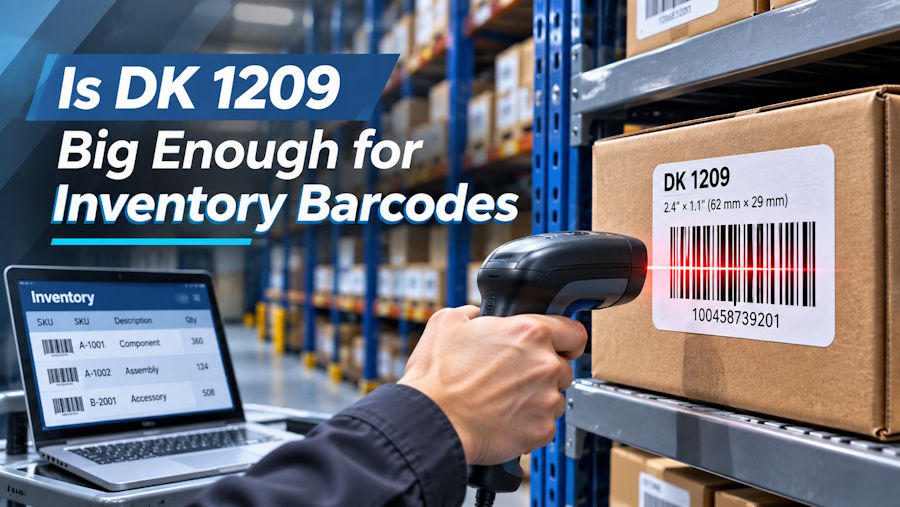
DK-1209 is a compact die-cut label measuring about 2.4 by 1.1 inches. It can carry an inventory barcode and short identifying text, but the usable space depends on the barcode type and the amount of data encoded. The right test is not whether a single code fits on screen. Print the longest expected code at actual size, apply it to the real product or shelf, and scan it with the device used in daily work.
Decide what the label must communicate
An inventory label usually needs a machine-readable identifier and enough human-readable text to recover from a scan failure. A short SKU or bin code is a better candidate for DK-1209 than a full product description. If staff also need a price, lot number, and expiration date, the format may become cramped. Decide which fields are essential at the point of use. Keep additional information in the inventory system rather than encoding or printing everything on the label.
Avoid treating a barcode as a decorative stripe. Its width, bar spacing, and unprinted side margins all affect scanning. A long alphanumeric payload in a one-dimensional code may require more width than a short numeric identifier. If the required payload is long, a two-dimensional code might use the space differently, but the scanning hardware and software must support that symbology. Never switch code type without confirming the downstream workflow.
Build the template around the code
Create the barcode first at the size recommended by the code generator and scanner provider. Add a short text line only after the code scans reliably. Keep a clear margin around it and avoid placing the code flush to the die-cut edge. If you must print a logo, make it subordinate to the identifier. Test in the orientation in which labels will be applied. A horizontal barcode on a narrow curved object may distort after application even if it scanned on the backing sheet.
Use a DK-1209 media profile rather than a generic page size. Confirm that a batch of labels remains centered. If the printer's density is high enough to make narrow bars merge, adjust density incrementally and retest. If there are white vertical lines through every label, the printhead may need cleaning. A stronger adhesive will not fix a poor scan, and a darker print will not fix a barcode that is physically too small.
Test in the actual inventory environment
Apply samples to the exact surfaces you use: cardboard bins, plastic totes, coated retail packaging, or smooth metal shelving. A label may adhere well to a clean tote but lift on dusty corrugated board. Wipe and dry the surface where feasible. Avoid applying a barcode over seams, ribbing, or sharp curves. Check the result after the storage period and handling conditions you expect. For very cold, damp, or abrasive environments, confirm whether paper direct thermal stock has sufficient durability.
Then ask an operator who did not design the label to perform normal receiving and cycle-count tasks. Time how long it takes to find and scan the code. If the scan fails, note whether the cause is print quality, location, lighting, code length, or physical damage. That observation is more informative than a desk scan from a perfect sample.
How much information should an inventory label encode
The code should contain the shortest stable identifier that the inventory system can resolve reliably. Encoding a full description, supplier, price, and location makes a barcode longer or denser and harder to scan on a compact label. A short SKU or database key can identify the record while the system retrieves current details. That also avoids having outdated prices or locations printed on stock that moves. Keep enough human-readable text to let an operator verify a scan result and recover if the scanner is unavailable.
Should the barcode be placed on a product or a shelf
The answer depends on what is being tracked. A shelf label identifies a location; a product label identifies an item or batch. Mixing the two can cause cycle counts to record the wrong object. If both labels are needed, use a different prefix or visual convention so scans can be distinguished in software. Test placement: a label at the back of a bin may be protected but hard to reach, while a label at the front may be rubbed by passing carts. Choose the position operators will actually scan.
What makes a successful pilot
Print a set of labels representing short and long identifiers, apply them across your normal surfaces, and let several operators use them for a week. Track first-scan success, labels that lift, and records that are hard to distinguish visually. If failures cluster around one packaging material or one barcode length, adjust the template or stock accordingly. Do not evaluate success from a single fresh label printed under ideal conditions. The objective is reliable identification during normal receiving, picking, and counting.
Example of a code that fits but still fails
A team prints a short numeric barcode and a six-character SKU on DK-1209. The code scans well on a flat sheet, so the labels are applied to small plastic jars. After application, the barcode runs around the jar's curve and the scanner needs several attempts. The solution is not necessarily a darker print. Try moving the label to a flatter part of the package or orienting the barcode so its bars are not distorted. If the jar has no suitable flat area, test a different label shape or a different identification method. Keep the numeric identifier in human-readable type so staff can recover an item when a scan fails. The final application surface is part of barcode design, not a separate afterthought.
When to use another size
Move to a larger label if the barcode cannot be printed at a reliable size with human-readable backup text. Move to a different construction if the surface or environment damages paper stock. The DK-1209 barcode labels page lists a 2.4 by 1.1-inch format and 800 labels per roll. Compare other direct thermal labels if you need a different area or material. A successful small label is one that operators can scan repeatedly, not merely one that looks economical on a specification sheet.

