

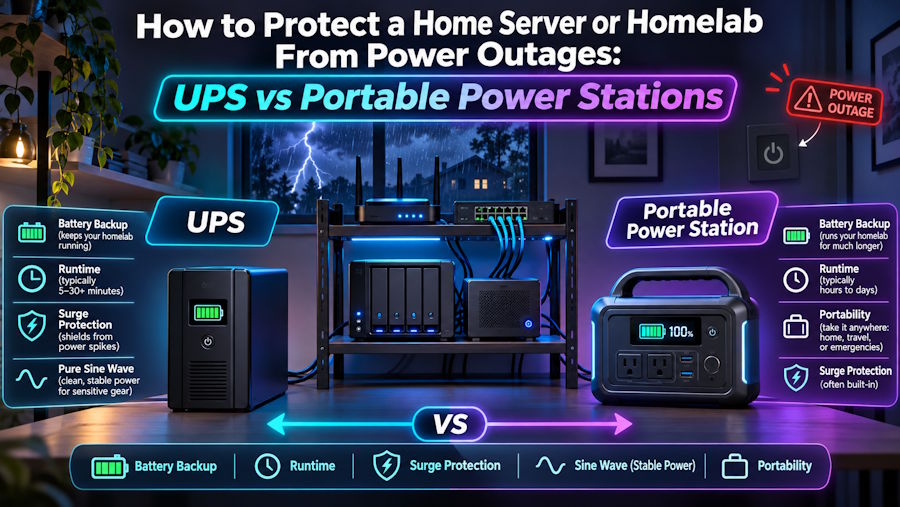
Most homelabs grow the same way. It starts with a Raspberry Pi running Pi-hole. Then a NAS turns up, then an old ThinkCentre running Proxmox, and before long there's a small rack in the corner humming away at 2 a.m. Then the power drops for four seconds during a storm, and you spend the next evening checking for corrupted volumes and wondering why a container won't start.
Power protection is the part of a homelab people skip because it isn't exciting. It's also the part that decides whether a power cut costs you nothing or costs you a weekend. There are two main options: a traditional UPS and a portable power station. They overlap, but they solve different problems.
What actually goes wrong when the power cuts
A server losing power isn't automatically a disaster. The trouble comes from what it was doing at that moment.
A ZFS pool in the middle of a write, a database flushing to disk, or a VM halfway through a snapshot can all end up in a bad state. Most modern file systems recover well, but "most" isn't a word you want next to your family photos. There's also the brownout problem. A voltage dip that's too short to kill the lights can still make a power supply drop out and reboot the machine.
So you need two things:
- Instant cover, so the server never notices short blips.
- Enough runtime to shut down cleanly, or to keep running through a longer outage.
The case for a UPS
A UPS (uninterruptible power supply) is built for the first job. It sits between the wall and your gear and switches to battery fast enough that the server doesn't notice.
There are a few types worth knowing about:
- Standby (offline) units are the cheapest. They switch to battery when the mains fails, which usually takes a few milliseconds. They're fine for a router or a single small box.
- Line-interactive units also smooth out small voltage sags and surges without touching the battery. For most homelabs, this is the sweet spot.
- Online (double-conversion) units run your equipment from the inverter all the time, so there's no switchover at all. They're the gold standard for clean power, but they're louder, hotter and more expensive.
One detail people miss: many modern server power supplies use active PFC, and some don't behave well on the stepped "simulated sine wave" output of cheaper UPS units. If you're protecting a proper server or a NAS, a pure sine wave output is worth paying for.
The best thing about a UPS for homelab use is software integration. Most units have a USB or network connection that reports battery status. With NUT (Network UPS Tools) on Linux, or the built-in UPS support in TrueNAS, Synology and Proxmox, your machines can watch the battery and shut themselves down in order before it runs out. One NUT server can tell the NAS, the hypervisor and the backup box when to shut down.
The weakness is runtime. A typical desktop UPS gives you 5 to 20 minutes under a homelab load. That's plenty for a graceful shutdown, but it won't keep your services running through a long outage.
The case for a portable power station
Portable power stations come at the problem from the other direction. They hold far more energy, often 1,000 Wh to 5,000 Wh or more, so they can keep a modest homelab running for hours rather than minutes.
Some quick maths: a small setup with a mini PC, a 4-bay NAS, a switch and a router might draw around 80 to 120 W. A 2,000 Wh power station could run that for well over 12 hours, allowing for inverter losses. A UPS can't come close to that without expensive external battery packs.
Most decent units now use LiFePO4 cells, which last thousands of charge cycles and handle being kept topped up far better than the sealed lead-acid batteries inside most UPS units. Many can also recharge from solar panels, which matters if the grid stays down for a day or more.
There are two catches, and both matter for servers.
First, switchover speed. Many power stations advertise a "UPS mode" or "pass-through" mode, but switching usually takes 10 to 30 milliseconds, slower than a real UPS. Some servers ride through that without a problem. Others reboot. Test it with your own hardware before you trust it.
Second, software. Only some power stations expose battery status over USB in a way NUT can read. If yours doesn't, your server won't know the power is out until the battery is empty, and that's exactly the unclean shutdown you were trying to avoid.
Why not both?
The setup that works best for many people is to use both:
Wall → portable power station → UPS → homelab
The UPS handles the instant switchover and talks to NUT. The power station sits behind it as a large energy reserve. When the grid fails, the UPS covers the gap and the power station keeps feeding it for hours. If the power station eventually runs out, the UPS still has its own battery left for a clean shutdown.
It isn't the cheapest option, but it covers both fast protection and long runtime.
Which one should you pick?
A simple way to decide:
- You just want to avoid corrupted data: get a line-interactive, pure sine wave UPS and set up NUT. That covers most people.
- Your area gets long outages, or services need to stay up: a portable power station makes sense, ideally behind a UPS rather than instead of one.
- You also want to power the fridge, lights and Wi-Fi during a blackout: a larger home backup unit with solar input lets one system cover the whole house as well as the rack. Manufacturers such as Souop Energy make both UPS units and larger power stations, so you can size the two to work together.
A few practical tips
- Measure your real load with a cheap plug-in power meter before buying anything. Guessing usually leads to oversizing.
- Configure the shutdown order in NUT: VMs and containers first, then the hypervisor, then storage.
- Pull the plug on purpose once every few months. A UPS that has never been tested is a UPS you're only hoping works.
- Replace UPS batteries every three to five years. Lead-acid cells fade quietly, and you'll find out at the worst possible moment.
Power protection won't make your homelab faster or add a new service to the dashboard. It does mean the next storm is a non-event and not a recovery project.

