

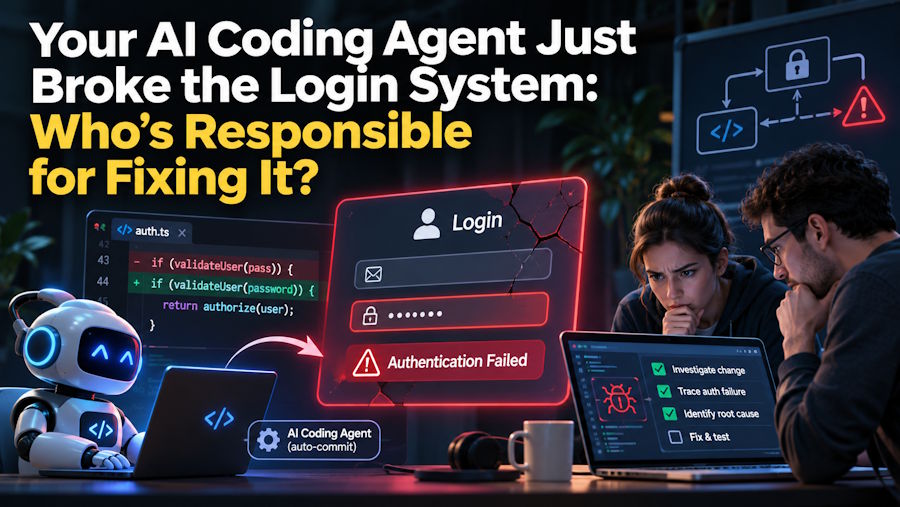
A developer asks an AI coding agent to add Google authentication to an existing application. The request seems straightforward. The agent checks the project files, updates the authentication logic, installs a dependency, and modifies a few configuration files. A moment later, it reports that the feature is ready.
Google login works. The developer moves on.
Then an existing user reports being logged out unexpectedly. Another user cannot access a protected dashboard. An API request that worked perfectly yesterday now returns a 401 error.
The new feature wasn't the problem. The changes around it were.
This is one of the less comfortable realities of working with AI coding agents. They can complete a requested task without fully accounting for everything that task might affect. And when something breaks, the developer still has to figure out why.
The Feature Works, but the Application Doesn't
A new authentication method rarely operates in isolation. It interacts with session handling, user permissions, database records, middleware, and sometimes third-party services.
Consider an application that already supports email and password authentication. A developer wants to add Google login. The coding agent updates the authentication controller and introduces a new callback route. It also changes how user sessions are created.
The new login flow passes a basic test. However, the existing session middleware expects a particular user identifier that the updated code no longer provides.
The result? Google authentication works, but parts of the original application stop recognizing logged-in users.
A developer familiar with the project might spot this dependency before making the change. An AI agent may not recognize its significance unless the relevant code, requirements, and existing behavior are clearly understood.
That's not necessarily a failure of the tool. It's a reminder that changing one part of an application can have consequences elsewhere.
One Instruction, Twelve Modified Files: What Actually Changed?
One reason AI coding agents are useful is their ability to work across multiple files. Instead of suggesting a few lines of code, they can inspect a repository, trace dependencies, edit files, and run commands.
But this creates another problem: the developer may not expect how much of the project will change.
A request to add a password reset feature, for example, could involve:
- Updating authentication views and URL routes.
- Adding token generation and validation logic.
- Modifying email configuration.
- Changing database models or migrations.
- Updating frontend forms and error messages.
- Installing or upgrading dependencies.
- Adjusting tests and application settings.
None of these changes is automatically wrong. In fact, several may be necessary. The concern is whether each modification was actually required and whether it preserves existing functionality.
An agent might also make assumptions about the project's architecture. It could introduce a second validation method when one already exists or replace a working utility with a new implementation.
This is why developers should pay attention to the scope of a task before allowing an agent to make broad changes. Asking it to explain the files it plans to modify can reveal unnecessary work before it happens.
Cursor or Claude Code: Does Your Development Workflow Change the Outcome?
Not every coding agent fits the same development habits. Some developers prefer working inside an editor, where they can see the code, inspect changes, and interact with an assistant without leaving their usual environment. Others are comfortable working through a terminal and giving an agent broader responsibility for executing development tasks.
This distinction becomes important when handling changes across an established codebase.
An IDE-centered workflow can make it easier to keep the edited code and surrounding project context in view. A terminal-oriented workflow can suit developers who prefer command-based interaction, repository exploration, and running multi-step tasks directly from their development environment.
Neither approach automatically produces safer code. The quality of the result still depends on the instructions, available project context, testing process, and developer oversight.
Developers deciding between these approaches can explore this detailed cursor vs claude code comparison to understand how the two tools differ in their workflows and capabilities.
The more useful question isn't which tool can write more code. It's which one fits the way a developer prefers to inspect, direct, and verify changes.
The Diff Matters More Than the Agent's Success Message
An AI agent saying "Task completed successfully" doesn't tell you whether the application is safe to deploy.
A successful command only confirms that the command completed. A passing test only confirms that the tested conditions passed. Neither proves that unrelated functionality remains intact.
The Git diff is one of the most useful places to start.
Before accepting changes, developers should review every modified file and ask a few basic questions:
- Was this file supposed to change?
- Does the modification solve the original requirement?
- Has existing logic been removed or replaced?
- Were new dependencies introduced unnecessarily?
- Are configuration values or permissions affected?
Authentication changes deserve particular attention. A small modification to token validation, session expiration, or access-control middleware can create security problems that aren't obvious during a quick functional test.
Database changes also need scrutiny. A migration that works on a fresh development database might behave differently when applied to an existing production database with real user records.
The agent can explain its changes, but that explanation shouldn't replace an independent review.
Five Checks Before Merging AI-Generated Code
A little discipline can prevent an ordinary coding task from turning into an afternoon of debugging.
1. Run the existing tests, not just the new ones.
New tests may confirm that the requested feature works. Existing tests help identify regressions. Both matter, especially when modifying shared application logic.
2. Inspect every modified file.
Don't review only the main function or component. Check configuration files, dependencies, middleware, routes, and database changes. Unexpected modifications deserve an explanation.
3. Check authentication and permission logic.
Verify that users can access only the resources they're authorized to use. Test existing login methods, session expiration, password resets, and protected API endpoints where relevant.
4. Review dependency and configuration changes.
Check package updates, environment variables, API credentials, and application settings. An unnecessary dependency upgrade can introduce compatibility issues unrelated to the original task.
5. Test the feature in the actual application environment.
A feature working locally doesn't guarantee that it will work after deployment. Check database migrations, environment-specific settings, external integrations, and application logs before releasing the changes.
These checks don't need to become a lengthy approval process for every minor edit. The level of review should match the potential impact of the change. Authentication, payments, and user permissions deserve more attention than a small styling adjustment.
The Developer Is Still Responsible for the Code
AI coding agents can save considerable time. They can handle repetitive edits, help investigate errors, generate tests, and make changes that would otherwise require several manual steps.
But speed and correctness aren't the same thing.
A developer who delegates a task to an AI agent is still responsible for understanding what gets merged into the project. That includes reviewing architectural decisions, checking security implications, and confirming that existing functionality hasn't been damaged.
The safest approach isn't to avoid giving agents meaningful tasks. It's to give them clear boundaries, ask for smaller changes when appropriate, review their work, and test the result against the application's existing behavior.
If an agent breaks the login system, the agent can help investigate the problem. But the responsibility for fixing it, verifying the solution, and deciding whether it is ready for production still belongs to the developer.

