

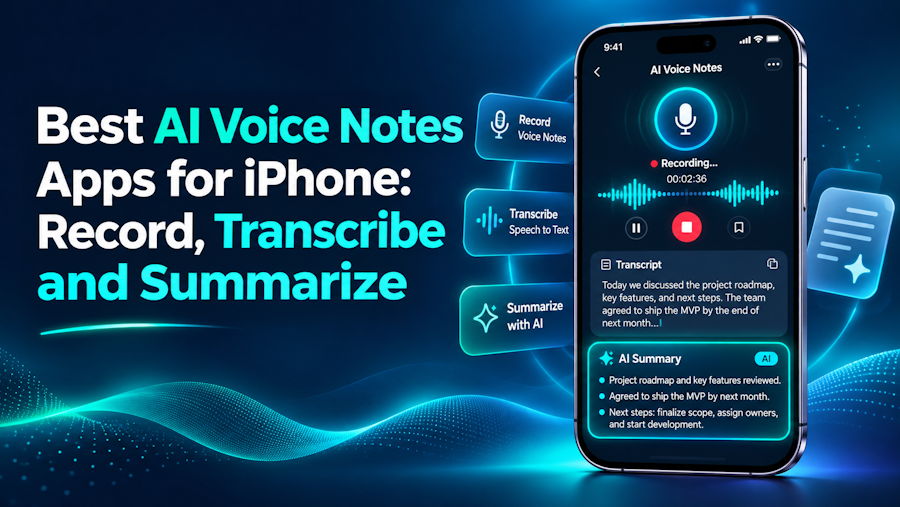
Seven iPhone apps that record, transcribe and summarize, tested against the criteria that actually matter.
The best AI voice notes app that transcribes and summarizes iPhone recordings depends on what you do with the output: some people need a clean transcript in many languages, others want an instant summary of a long meeting, and others want their rambling voice memo turned into a finished email. All seven apps here do the core job, record on iPhone, transcribe, and produce some form of AI-generated notes, but they make different trade-offs across language support, free-plan generosity, export flexibility and rewriting capability.
The comparison below evaluates each app against six weighted criteria: recording on iPhone, AI summaries and notes, language coverage, editing and export options, free-plan limits, and the ability to rewrite a note into a ready-to-use format like an email or post. Scores are on a 1-5 scale; weights reflect how often each feature drives the buying decision for this audience.
Key takeaways
- No single app dominates every category. The right pick depends on whether you prioritize free access, language range, rewriting, or long-form summaries.
- Cockatoo and Notta lead on export formats; Cockatoo's free plan is unusually generous for full-length transcripts.
- Voicenotes and Otter auto-generate the richest summaries and are built for people who record frequently.
- Letterly and AudioPen are the strongest choices if you want your voice notes rewritten into emails, posts or other ready-to-use text.
- Plaud requires its own hardware to record (a real constraint) but offers the widest language coverage and a large template library for summaries.
How we compared them
These criteria were chosen because they map directly to the jobs iPhone users actually hire a voice notes app to do: capture audio reliably, turn it into something readable, handle more than one language, let you export the result, do that without paying, and optionally go further by reformatting the content. Each criterion is weighted by how often it appears as a primary decision driver in this category.
| Criterion (weight) | Cockatoo | Voicenotes | Otter | Notta | Letterly | AudioPen | Plaud |
|---|---|---|---|---|---|---|---|
| Record on iPhone (1.0) | 4 | 5 | 5 | 5 | 5 | 5 | 2 |
| AI summaries and notes (0.9) | 4 | 5 | 5 | 4 | 4 | 4 | 5 |
| Languages (0.8) | 5 | 4 | 3 | 4 | 4 | 3 | 5 |
| Editing and export (0.7) | 5 | 3 | 4 | 5 | 3 | 3 | 3 |
| Free plan (0.6) | 5 | 3 | 3 | 2 | 1 | 2 | 3 |
| Rewrite into formats (0.5) | 2 | 4 | 3 | 3 | 5 | 5 | 3 |
A comparison of iPhone voice notes apps that transcribe recordings and turn them into summaries or notes.
1. Cockatoo
Cockatoo's voice notes app is an iPhone and web app built around the idea that a voice recording should produce both a full transcript and a layer of AI-generated insight on top of it.
The distinguishing feature is Canvas, which sits over a transcript and lets you generate summaries, pull out insights and ask questions about the recording. Free accounts can try Canvas; full Canvas access, including extended chat and deeper summaries, requires a Pro subscription. Record live in the web app or iOS app, upload any audio or video file, or paste a YouTube, Google Drive, Dropbox or iCloud link, and get an editable transcript back.
It has two modes: V4-Flash (fast, up to 120x real time, unlimited on every plan including Free) and V4-Pro (most accurate, about 20x real time). Speaker identification comes with V4-Pro, and renaming a speaker updates every line. Free V4-Flash transcripts have no speaker labels.
Transcripts include word-level, sentence, paragraph and speaker-turn timestamps; punctuation and capitalisation are automatic; clean verbatim by default, with a verbatim style setting on V4-Pro. Cockatoo publishes per-language accuracy results for 36 languages on its benchmarks page (cockatoo.com/benchmarks).
Free accounts also get weekly V4-Pro previews to compare the most accurate mode on their own files.
Cockatoo surfaces information from recordings rather than transforming them into new document types. It does not rewrite a voice note into a finished email, tweet or other ready-made format. That distinction matters if polished outbound text is your end goal rather than a summary to work from.
Pros: Transcripts in 36 languages including mixed-language recordings; every export format available on the free plan; Canvas summaries and chat work over long recordings. Users can transcribe as many files and links as they want for free, with accuracy that rivals some of the best AI transcription tools. For $30/month, they can access an even more accurate mode that delivers human-quality transcripts without the per-minute fees.
Cons: Does not rewrite notes into emails, posts or other ready-made styles; full Canvas summaries and chat require a Pro subscription.
Best for: People who record long voice notes or interviews and want a full transcript, broad language support and complete export options without paying upfront.
2. Voicenotes
Voicenotes records voice notes and meetings, transcribes them and produces summaries, action items and what it calls AI creations, ready-to-use outputs like emails or tweets generated from a recording. It suits people who think out loud and want searchable, queryable notes rather than raw audio files.
The free plan includes the iPhone app, recordings up to 30 minutes each and one AI creation per note, with 14 days of history and three audio imports per month. Pro, at $7.50 per month billed annually (or $9 monthly), extends recordings to two hours and raises imports to ten per month. Export works via PDF or plain text, transcripts and summaries can be pulled out in either format, though no DOCX option was found on the official pages.
The free plan's 14-day history limit is a genuine constraint for anyone building a long-term archive of voice notes, and a single AI creation per note per recording may feel tight for heavy users. Still, for the combination of summaries and instant AI-generated formats, Voicenotes covers more ground on the free tier than most.
Pros: iPhone app available on the free plan; summaries paired with ready-to-use AI creations like emails and tweets; PDF and plain text export.
Cons: Free plan history expires after 14 days; only one AI creation per note on free; no DOCX export found.
Best for: People who record ideas or meeting notes by voice and want both a summary and a finished output, an email draft or social post, without manual editing.
3. Otter
Otter records conversations and voice notes on iPhone, then automatically generates a summary, action items and an outline after each recording finishes. The workflow is straightforward: record, wait, and find structured notes waiting for you. It is aimed at professionals and students capturing meetings and lectures.
The free Basic plan gives 300 minutes per month with a 30-minute cap per conversation and three lifetime imports. Pro costs $8.33 per month billed annually ($16.99 monthly) and removes those caps. Transcription covers 17 languages, with French-English switching supported, but general mixed-language transcription is not offered. Free accounts export in plain text; DOCX, PDF and SRT come with paid plans.
Otter's design is tightly centred on meetings rather than freeform voice journaling or note rewriting. It does not turn recordings into emails or posts, and the per-conversation minute cap on the free plan limits its usefulness for longer recordings. What it does, it does reliably: structured notes appear automatically, with no prompting required.
Pros: Automatic summaries, action items and outlines on every recording; iPhone recording and import both work in the app; paid plans unlock DOCX, PDF and SRT export.
Cons: Free conversations are capped at 30 minutes; language support is limited to 17 languages with restricted mixed-language handling; not designed to rewrite notes into emails or posts.
Best for: Professionals and students who regularly record meetings or lectures and want structured notes generated automatically, without any manual configuration.
4. Notta
Notta records and imports audio on iPhone, transcribes it in 58 languages and produces template-based AI summaries. The export options are among the broadest here: DOCX, TXT, SRT, PDF and XLSX are all supported, making it practical for anyone who needs to drop a transcript into an existing document workflow.
The free plan allows 120 minutes per month but caps individual recordings at three minutes, a hard limit that rules it out for anything longer than a brief voice memo. Pro, at $8.17 per month billed annually, raises the ceiling to 1,800 minutes per month and five hours per recording, and includes 100 AI summaries per month. Bilingual transcription, capturing two languages in a single recording, is available as a paid add-on covering 23 language pairs.
Notta does not rewrite recordings into emails or social posts; its AI layer produces summaries and structured notes rather than new document types. The free plan's three-minute recording cap is the most significant friction point for new users evaluating the product.
Pros: Wide export format support including XLSX; template-based summaries; paid plans handle recordings up to five hours.
Cons: Free plan stops each individual recording at three minutes; most export formats require a paid plan; mixed-language transcription is a paid add-on, not a standard feature.
Best for: Professionals handling multilingual meetings, interviews or long recordings who need clean exports in multiple formats and are willing to pay for the full feature set.
5. Letterly
Letterly records voice notes on iPhone, detects the spoken language automatically and rewrites what you said using a built-in style library or styles you define yourself. The library covers formats like emails, meeting summaries and social posts. The transcript is a step toward the output rather than the output itself, which separates it from transcription-first apps.
Language detection is automatic, you do not select a language before recording, and the app claims support for over 90 languages with automatic detection. Apps are available on iOS, Android, Mac, Windows and Web, and there is Apple Watch recording support and a widget. The free plan is limited: 10 notes in total, recordings capped at three minutes, and 20 dictations. Pro extends recordings to 90 minutes.
No text export file formats are listed on official pages, the per-note menu shows audio export, which is a real gap if your workflow depends on pulling a DOCX or PDF out of the app. The 90-minute Pro cap also means it is not built for multi-hour meeting recordings.
Pros: Strong rewrite library covering emails, posts and meeting summaries; no need to select a language before recording; Apple Watch recording support.
Cons: Free plan is 10 notes in total with a three-minute recording cap; no text export file formats published; Pro recording cap is 90 minutes.
Best for: People who draft messages, posts or short documents by voice and want finished, reformatted text rather than a raw transcript.
6. AudioPen
AudioPen turns voice recordings into clean written text. The core idea is that you speak loosely, stream of consciousness, unstructured, and the app produces tidy prose in a style you choose. Built-in styles include Clear and Simple, Casual Email, Formal Email, Business Memo, Book Notes, Bullet Points, Kid Friendly and Humorous. Custom styles and voice-matching from a writing sample are also available.
All writing styles, including custom ones, are accessible on the free plan, though free recordings stop at three minutes. Prime ($99 per year, or $8.25 per month) extends recordings to 15 minutes and adds audio uploads up to 100 MB each, with 100 files per four-week period. AudioPen can also write the output in a different language from the one you spoke in, a practical feature for multilingual users.
AudioPen is built for short, focused notes rather than long meetings or lectures. No export file formats are published on official pages, and the 15-minute Prime cap confirms the product is not intended for hour-long recordings. If you need a full transcript or a detailed meeting summary, another app will serve better.
Pros: Rewrite styles are the product's core and available on the free plan; can match your own writing voice from a sample; iPhone app with keyboard rewriting on Prime.
Cons: Free recordings limited to three minutes; Prime cap is 15 minutes; not suited for long recordings or detailed meeting summaries; no export file formats published.
Best for: Writers and professionals who want polished, style-matched text from short voice notes and do not need a raw transcript or detailed meeting record.
7. Plaud
Plaud is a hardware-first product: the company sells wearable and card-style recorders, and the companion app transcribes and summarises recordings made on those devices. Language coverage is the widest in this comparison at 112+ transcription languages. The summary template library runs to over 10,000 templates, with custom templates also supported. Audio can also be imported from Files or Photos, files up to 24 hours each, and those imports are summarised in the same way as device recordings.
The Starter plan (included with every Plaud device purchase) gives 300 transcription minutes per month. Pro costs $8.33 per month billed annually ($17.99 monthly) for 1,200 minutes, and an Unlimited tier at $20 per month annually covers up to 24 hours of transcription per day. Specific export formats are not itemised on the pricing page.
The critical limitation for this comparison is that the iPhone app does not record using the phone's microphone. Recording requires a connected Plaud device. That makes Plaud a poor fit for anyone looking for a pure software solution, and the free minutes are tied to purchasing a device rather than freely available as a trial.
Pros: Very wide language coverage at 112+ languages; large template library for structured summaries; imported files are processed the same way as device recordings.
Cons: Recording requires Plaud hardware, the iPhone app does not use the phone's microphone; free minutes are contingent on buying a device; export formats are not published on the pricing page.
Best for: People already using or willing to buy Plaud hardware who handle multilingual meetings and want a large library of structured summary templates.
What to Look for in an AI Voice Notes App That Transcribes and Summarizes
The gap between apps in this category is whether they transcribe, most do, but what happens after the transcript exists. A summary that pulls out key points from a 45-minute meeting saves real time; a summary that just shortens a three-sentence voice memo does not add much. When evaluating, ask how the app handles long recordings (some cap free recordings at three minutes), whether summaries are generated automatically or only on request, and whether the AI output is editable or just readable.
Export format support is easy to overlook until you need it. If you work in Word or Google Docs, DOCX export matters. If you archive by email, PDF matters. Some apps restrict these formats to paid plans. Check the free tier before assuming everything is accessible.
There is also a meaningful difference between an app that summarizes a recording and one that rewrites it. Summaries condense what was said. Rewrites transform it, turning a rambling voice note into a finished email, for example. Some apps do one; a few attempt both. Know which you actually need before comparing.
Free vs Paid: What You Actually Get Without Paying
Free plans in this category range from genuinely useful to barely functional. At one end, some apps offer unlimited full-length transcripts on the free tier, with all export formats included. At the other, apps cap individual recordings at three minutes or limit the total number of notes before requiring a subscription. A three-minute cap is enough for a quick thought, but not a meeting or a long brainstorm.
Paid plans typically unlock longer recordings, more AI summaries per month, additional languages or export formats, and sometimes features like chat over a transcript or extended rewriting styles. Prices in this group range from roughly $8 to $17 per month when billed annually. Before upgrading, it is worth checking whether the free tier's limits reflect the app's actual target use case; a cap that feels artificial on a transcription-first app may simply mean you are using the wrong product.
Converting Voice Memos to Text: How Transcription Accuracy Varies
Transcription quality is not uniform across apps or across recording conditions. Accent, background noise, microphone quality and speaking speed all affect output. Most apps in this space use large speech recognition models, but the specific model, the language being transcribed and any post-processing applied to the raw transcript all produce different results.
For languages other than English, the gap between apps widens considerably. Apps that support 58 or 112 languages may still produce noticeably weaker transcripts in lower-resource languages compared to English. If you are regularly transcribing in a non-English language, testing with a real recording in that language is more reliable than comparing supported language counts. Mixed-language recording, where a speaker moves between two languages mid-sentence, is handled by only a subset of the apps here, and sometimes only as a paid feature.
Multilingual Recognition and Mixed-Language Handling
Language count is a marketing number; mixed-language handling is the harder technical problem. Switching languages mid-recording, common in multilingual workplaces, bilingual households or international meetings, trips up most transcription systems because they are optimized to expect one language at a time.
Among the apps in this comparison, support for mixed-language recordings varies significantly. Some handle it natively; others offer it as a paid add-on covering a fixed number of language pairs; and a few support only a single pair (such as French and English). If you regularly switch languages in a single recording, this single feature may determine which app works for you.
AI Summaries, Action Items and Querying Your Notes
The AI layer on top of a transcript comes in several forms. Automatic summaries appear after every recording without any user action, useful when you have dozens of recordings and do not want to trigger processing manually. Some apps go further, extracting action items and generating structured outlines alongside the summary. Others require you to open a note and manually request a summary.
A smaller number of apps let you chat with or query a recording, asking questions like 'what did we decide about the budget?' and getting a direct answer drawn from the transcript. This is more flexible than a fixed summary format, but typically requires a paid plan. If querying notes is important to your workflow, check specifically whether the free tier supports it or gates it.
Recording In-Person Meetings Without a Bot
Most AI meeting tools join virtual calls as a bot participant, which is visible, requires permission and does not work at all for in-person conversations. The apps in this comparison take a different approach: they record audio directly on the iPhone (or via connected hardware), which means they work in any physical environment, including in-person meetings, interviews, lectures and conversations.
This bot-free approach has practical advantages: no calendar integration required, no consent issue with a bot appearing in a video call, and no dependency on the meeting platform. The trade-off is that audio quality depends on microphone proximity and room acoustics rather than a managed call environment. For anyone who regularly records face-to-face conversations, this category of app is the more practical choice over meeting-bot tools.
Mobile Platform Support and Recording on iPhone
Every app in this comparison has an iPhone presence, but not all of them record audio natively in the iOS app. Most use the iPhone's microphone directly; you tap record, speak and get a transcript. One notable exception is Plaud, which routes recording through its own hardware rather than the phone's built-in microphone, putting it in a different category of product despite being managed from an iPhone app.
Several apps also have Android, web, Mac and Windows versions, which matters if you switch between devices or want to access and edit your notes somewhere other than your phone. For pure iPhone users, all options work, but if cross-platform sync is part of your workflow, it is worth checking which platforms each app supports beyond iOS.
How Speech-to-Text Tools Have Changed
The practical quality ceiling for speech-to-text tools has risen sharply over the past two years. What previously required expensive enterprise software, accurate transcription of natural, unscripted speech, handling multiple speakers, working in non-English languages, is now available in consumer apps, often on a free plan. The differentiation has moved up the stack: transcription is now table stakes, and the competitive ground is AI summarization quality, rewriting capability, language breadth and how much of that is available without paying.
Today, the most consequential questions are 'how good is the summary?', 'can it handle my language?', 'what can I do with the output?' and 'what does free actually give me?'. This comparison is structured around those questions.
Next steps
The right choice depends entirely on how you use voice notes.
If you record long notes or interviews, need broad language support and want full export options without a subscription, Cockatoo is the strongest free-plan option, though its AI rewriting is limited to summaries and chat rather than finished formats like emails.
If you want summaries plus ready-to-use AI creations (emails, tweets) and you record frequently on your iPhone, Voicenotes or Otter are more purpose-built for that workflow. Otter is the better fit for structured meeting notes with automatic action items; Voicenotes edges ahead if creating a finished output from each note is the priority.
For multilingual recording across a wide range of languages or large-scale meeting transcription with detailed templates, Notta (58 languages, wide export formats) and Plaud (112+ languages, 10,000+ templates) are the strongest options, with the significant caveat that Plaud requires hardware and Notta's free plan limits individual recordings to three minutes.
If polished rewriting is the core requirement, turning a rambling voice note into an email or post, Letterly and AudioPen are the most focused tools for that job. Letterly handles longer recordings on Pro; AudioPen is capped at 15 minutes but covers all rewrite styles, including custom ones, on the free tier.
None of these apps is the best at everything simultaneously. The scoring reflects that honestly: the highest-ranked entries earned their positions by doing well across the weighted criteria most relevant to this audience, not by being the most feature-rich overall.

