

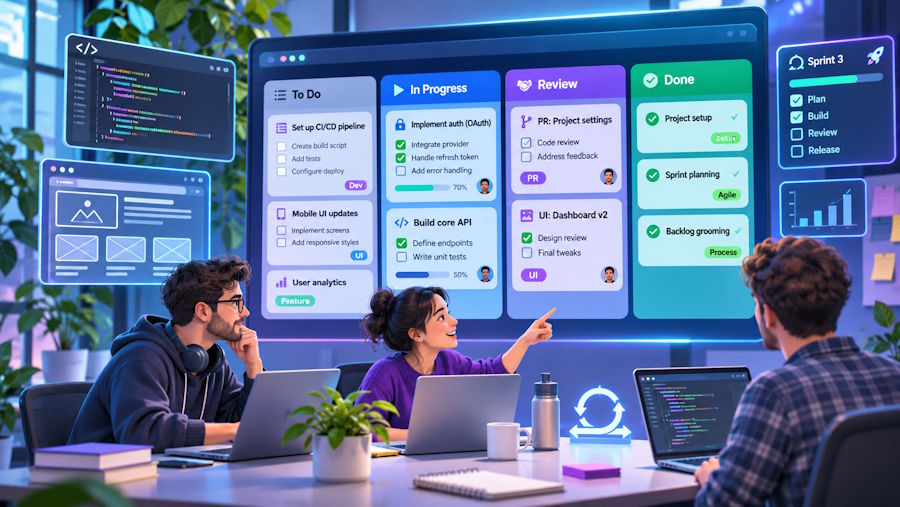
A kanban board shows a team’s work on one screen. Each task is a card, and each column is a step the task passes through, such as To Do, In Progress and Done. As the work moves forward, the card moves one column to the right.
For a small dev team, this one view answers three daily questions: what is being built, what is stuck in review and what has shipped. This guide covers how a kanban board for developers works, which free tools suit a small team, how to set one up, and how AI agents can keep it current.
How a kanban board works
Every kanban board is built from three parts:
- Cards are tasks. A card holds a title, an owner, a due date and a description. On a dev team, it often links to an issue or a pull request.
- Columns are the states a task passes through. A common dev board uses Backlog, In Progress, In Review and Done.
- WIP limits cap the number of cards in a column. WIP stands for work in progress. When a column reaches its limit, the board warns you, and the team finishes work in that column before it starts more.
Without WIP limits, cards pile up in In Review while everyone starts new work.
Free kanban tools for developers
Free kanban tools are either hosted free plans or self-hosted software. A hosted plan runs on the vendor’s servers but caps users, boards or storage. Self-hosted software has no caps, but you run the server, the updates and the backups. The limits below were checked on each vendor’s pricing page or repository in October 2026.
- GitHub Projects (hosted) is included in GitHub Free. It fits best when your tasks are already GitHub issues and pull requests.
- Jira Free (hosted) covers up to 10 users with 2GB of storage. Its column constraints are WIP limits built into the board.
- Trello Free (hosted) allows up to 10 collaborators and 10 boards per Workspace. WIP limits need a Power-Up, which is Trello’s name for an add-on.
- WeKan and Kanboard (self-hosted) are MIT-licensed, with no user caps and WIP limits per column.
- KanbanWP (self-hosted on WordPress) is a free GPLv2 plugin with no user or board limits. It runs inside the WordPress admin and has WIP limits, AI helpers, a REST API and an MCP server for AI agents.
For the plan limits of more tools side by side, including ClickUp, Asana, monday.com and Notion, see this comparison of the best free kanban board software, which covers 11 hosted and self-hosted options.
How to set up a kanban board
Whichever tool you pick, the columns should match how your team really works:
- Map what you do now. Follow a recent ticket from acceptance to release and write down each state it passed through.
- Name states, not actions. A column called “In Review” says where a card is. A column called “Review it” says what someone should do.
- Keep it to three to seven columns. A typical dev board is Backlog, Ready, In Progress, In Review and Done. Add a waiting column such as “Waiting on deploy” only where cards often stall.
- Set WIP limits on In Progress and In Review. Pick a number, watch the board for two weeks, then adjust it.
- Use labels for type and assignees for people. Bugs, features and chores move through the same steps, so a label shows the type better than a separate column. For people, use assignees instead of one column per developer.
Start from a template instead of a blank board
A template is a ready-made board with columns and labels for one kind of work, so the team can add real tickets on day one. KanbanWP includes five templates in its free plugin: Editorial, Client, Sales, Bugs and Blank.
The Bugs template is the closest match for a dev team. It creates the stages New, Triaged, In Progress, In QA and Resolved, with Critical, Minor and Enhancement labels. A bug moves to Triaged after someone has checked and accepted it, so unchecked reports stay in New and out of the developers’ queue.
You can compare the columns and labels of all five on the kanban board templates page. If none fits, start from Blank, which has To Do, Doing and Done, and apply the column rules above.
Let AI and coding agents work the board
A board is useful only while it is up to date. KanbanWP has two optional AI features that help with this, and both are in the free plugin.
AI helpers on your own API key
The first feature adds AI actions to the board, using your own key from OpenAI, Anthropic, Google Gemini or an OpenAI-compatible service. KanbanWP adds no charge.
- Text to tasks turns pasted notes, such as a sprint planning doc, into up to 50 tasks in the stage you pick.
- Break down into subtasks suggests subtasks with checkboxes, and only the ones you tick are created.
- Summarize board and Summarize task write a short status summary.
Every AI call is logged with the user, model and token counts, and you can set a monthly token cap per user. The AI acts only when someone clicks.
An MCP server for Claude, Cursor and Codex
The second feature lets AI agents work on the board directly. MCP, the Model Context Protocol, is an open standard that lets an AI agent call tools in another system. KanbanWP runs an MCP server, so a coding agent can read boards, add tasks, move cards and leave comments the way a teammate would.
It has no delete tool, so an agent cannot remove work. To connect an agent, copy the token from KanbanWP > Settings > MCP and add it to your client’s MCP config with the endpoint /wp-json/kanbanwp/v1/mcp on your site.
Once connected, a coding agent that finishes a task can move its card to In Review and comment on what changed. Each call appears in the board’s activity log under the agent’s name, such as mcp:claude-code.
The token gives full read and write access to every board. Treat it like an admin password and keep it out of your repository.
Kanban workflow for software teams
Once the board is set up, three daily habits keep it useful:
- Pull work, don’t push it. A developer takes the next card from Ready only when In Progress is under its WIP limit.
- Read the board from right to left at standup. Start with the cards closest to Done. If In Review is full, the next job is a review, not a new feature.
- Let the code move the cards. KanbanWP has webhooks and a REST API, so a CI job can move a card when a branch merges.
Frequently asked questions
What is the best kanban board for developers?
GitHub Projects suits teams whose tasks are already issues and pull requests, and Jira Free has WIP limits for up to 10 users. WeKan, Kanboard and KanbanWP have no user caps.
How do I set up a kanban board for a software team?
Turn the states your tickets pass through into three to seven columns, set WIP limits on In Progress and In Review, and use labels for bugs, features and chores.
Are there free kanban tools for developers with no user limit?
Yes. WeKan and Kanboard are MIT-licensed and self-hosted, and KanbanWP is a GPLv2 WordPress plugin. None of them caps users or boards.
Can an AI agent update a kanban board?
Yes, if the board has an MCP server. KanbanWP’s MCP server lets agents such as Claude, Cursor and Codex create and move tasks, and every call is logged on the board.

