

A short video begins with a decision: what should the viewer notice? For developers, independent creators, and small marketing teams, that question matters more than collecting dramatic effects. A useful clip needs a clear subject, purposeful movement, and a format that fits its destination. Generative video can help explore those choices, but the creative brief still determines whether the result is relevant.
Highsfield brings that planning process into a browser interface. Its homepage presents a Seedance 2.5 workflow with text and image input modes, a model selector, video parameters, and a credit estimate. The practical opportunity is to move from an idea to a testable shot, inspect the result, and refine a specific variable before committing to a larger sequence.
Start with one shot and one purpose
Before opening a generator, define the job of the clip. A landing page background might establish atmosphere without distracting from a headline. A product teaser might draw attention to a material or silhouette. A presentation opener might introduce a setting. Each purpose suggests a different composition, pace, and amount of movement.
Write that purpose in a sentence, then identify the single action that communicates it. For example, a ceramic cup on a sunny desk can support a calm morning theme through drifting steam and a slow camera move. Adding a character, several location changes, and dramatic weather would make the same brief harder to evaluate. A focused shot gives you a clearer standard for success.
Understand the Highsfield workspace
The Highsfield homepage combines a creative introduction with the video generator and an example gallery. The generator exposes the selected model and lets users switch between Text to Video and Image to Video. A prompt field holds the scene description, while video parameters and required credits help users review the request before starting it.
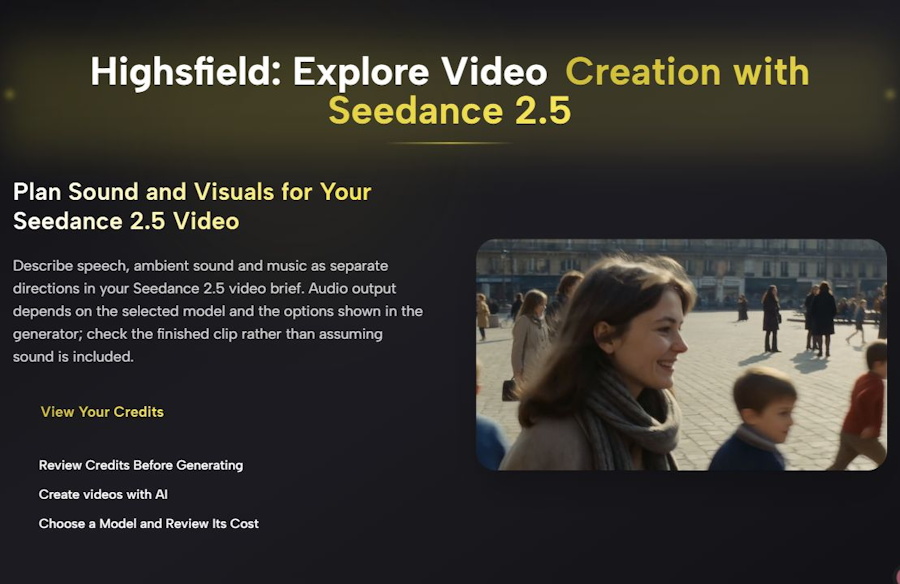
Highsfield homepage, captured November 13, 2026. The hero introduces the Seedance 2.5 workflow; its displayed demonstration is labeled on the site as a published Seedance 2.0 example.
That distinction between a workflow and an example is useful. A gallery can inspire composition or prompt structure without proving that every displayed result came from the currently selected model. Review the model information attached to an example and verify the options in the generator. Treat the current controls as the reference for the request you are about to make.
Choose text or an image as your starting point
Text to Video is a natural starting point when the scene exists mainly as an idea. Describe the subject, environment, action, lighting, and camera direction. Keep those elements compatible: a locked camera and a continuous orbit describe different shots. Choose one instead of asking the system to reconcile contradictory instructions.
Image to Video suits a workflow where the starting composition already matters. A reference can establish the subject placement, colors, and setting. The motion brief should then explain what changes over time. Check the supported image requirements and the framing shown after uploading. Highsfield’s homepage notes that its Seedance 2.5 workflow follows the first-frame image aspect ratio, so composition deserves attention before generation.
Write a prompt you can actually evaluate
A useful prompt describes visible behavior rather than relying on adjectives such as amazing or professional. Name the subject, specify one action, and describe the camera movement separately. Add lighting and atmosphere only where they contribute to the intended message. This makes it easier to identify why a result succeeds or fails.
A matte ceramic cup rests on a wooden desk beside a window. Thin steam rises gently from the cup. The camera slowly moves closer in one continuous shot. Soft morning light creates warm shadows. Keep the cup fully visible and leave clear space on the left for a headline. No on-screen text.
This example creates several review criteria: the cup remains visible, the movement is gradual, the lighting stays consistent, and the composition leaves room for typography. It does not guarantee those outcomes. It gives the creator a concrete checklist for judging the generated clip and deciding what to change next.
Review settings and credits before generating
Once the prompt is ready, check the selected model, input mode, aspect ratio, resolution, duration, and audio setting wherever those controls are available. Do not assume that every model offers the same combinations. The credit estimate belongs to the particular request, so review it again after changing settings.
Keep a modest iteration budget for an initial concept. One short test can reveal whether the composition and movement are promising before you spend more on variations. Record the prompt and settings alongside the result. Even a simple production note helps distinguish a creative improvement from a change caused by different generation parameters.
Plan sound as a separate creative layer
Highsfield’s homepage advises describing speech, ambient sound, and music separately, while checking whether the selected model and settings support audio. This is a practical discipline even when the final soundtrack will be added in an editor. Decide which sounds carry information and which simply establish mood.
For the ceramic cup example, quiet room ambience may be enough. For a product announcement, a voiceover may need precise timing and approved wording. Listen to the finished clip rather than assuming sound was included or that it matches the brief. If you add music later, use material you have permission to publish.
Improve the result through controlled variations
After generation, play the entire clip. Check whether the subject changes shape, motion becomes unstable, framing drifts, or background details distract from the main action. Review the opening and ending as carefully as the most attractive frame. A clip that looks convincing in a thumbnail may still need revision before publication.
Change one meaningful variable at a time. Try a slower camera move while keeping the scene constant, or simplify the background without changing the action. This approach makes comparisons easier. If the concept remains unreliable, divide it into smaller shots and assemble the strongest results in your editing workflow.
Prepare the clip for its destination
A generated video is one asset in a larger publishing process. Add accurate headlines, logos, subtitles, and calls to action in an editor where their wording and placement can be controlled. Preview the result at the size your audience will actually see. Small text, fast movement, and crowded framing can weaken an otherwise attractive clip on a phone.
For a website, consider the video’s loading cost and whether its motion supports the surrounding content. For a social post, make the main idea understandable without a long explanation. Keep the final export, original prompt, and useful settings together so that future revisions start from a documented creative decision.
A repeatable route from idea to usable footage
Highsfield offers a browser workspace for exploring video concepts, but the strongest workflow remains deliberate: define a purpose, choose an input, write a focused brief, review the available settings, and inspect the completed result. Seedance 2.5 becomes more useful when each generation answers a specific creative question. To explore the current interface and model options, visit https://highsfield.com/.

