

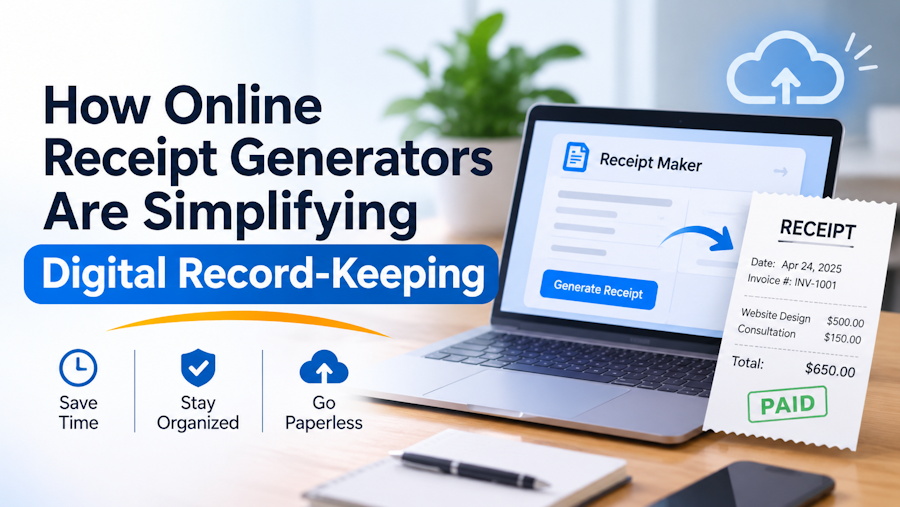
Keeping business records organized is an important part of running any business. Whether someone owns a small shop, manages an online store, or provides freelance services, recording payments and keeping receipts can take time. Paper receipts can easily get lost, damaged, or mixed with other documents. Digital tools are making this process easier by helping people create, save, and organize receipt records.
An online Receipt Maker can help users prepare digital receipt documents without having to design everything from scratch. These tools offer ready-made layouts and editable fields, making it easier to create clear records for legitimate business transactions. As more businesses move toward digital workflows, online receipt generators are becoming a useful option for everyday record-keeping.
Why Digital Record-Keeping Matters
Paper-based record-keeping can create problems when a business handles many transactions. Receipts may be placed in different folders, left in wallets, or damaged over time. Finding one specific document can become difficult, especially when someone needs it for bookkeeping, expense tracking, or a customer inquiry.
Digital records help reduce these problems. Businesses can save documents on computers or other storage systems and organize them by date, customer, project, or transaction type. This makes information easier to find when it is needed.
For freelancers and small business owners, organized records can also make routine tasks simpler. Instead of searching through piles of paper, they can use a consistent digital filing system to manage their documents.
How Online Receipt Generators Make the Process Easier
Online receipt generators provide a simple way to prepare receipt documents. Instead of creating a layout manually in a word processor or spreadsheet, users can start with an existing template and enter the relevant information.
Many tools allow users to edit details such as business information, item descriptions, prices, dates, and totals. Some also provide options for adding logos, changing layouts, and selecting different receipt styles.
For example, GenerateReceipts offers a drag-and-drop builder with more than 100 templates. Users can customize available receipt details and download their creations in JPG, PNG, or PDF formats. These options can help people prepare documents for legitimate record-keeping, replace lost records with clearly identified copies, or create sample layouts for business presentations.
The main benefit is convenience. Users do not need advanced design skills to prepare a document with a clear and consistent structure.
Better Organization Through Digital Receipt Management
Creating a digital receipt is only one part of good record-keeping. Businesses also need a reliable way to store and find their documents later.
A simple digital receipt management process can make a noticeable difference. For example, a small business might create separate folders for monthly sales, supplier payments, customer transactions, and operating expenses. Each document can follow a consistent naming format that includes its date and transaction reference.
This approach offers several benefits:
- Faster searches: Digital files are easier to locate when they follow a clear naming system.
- Less paper clutter: Businesses can reduce the need to keep every document in physical form.
- Better consistency: Standard layouts make records easier to read and review.
- Easier sharing: Digital documents can be sent to an accountant or authorized team member when needed.
- Simpler backups: Copies can be stored in secure backup locations to reduce the risk of losing important information.
However, creating a digital file does not automatically make it a complete accounting record. Businesses should also keep supporting documents, such as bank statements, payment confirmations, and invoices, where appropriate.
Choosing the Right File Format
The file format matters because people use receipts in different ways. Some need a document that can be printed, while others want a file that is easy to share or store.
PDF is often useful when a document needs to keep the same layout across different devices. It is also a practical option for printing and sharing. PNG and JPG formats can be useful for image-based records, previews, or presentations.
Before choosing a format, users should consider how the document will be used. They should also check that important details remain readable after downloading or printing.
A good receipt should clearly show the transaction date, business details, items or services, amounts, and payment information where relevant. Accurate information is essential because a receipt is meant to document a real transaction.
Important Practices for Accurate Digital Records
Although online tools make document creation easier, accuracy and responsible use remain important. A generated receipt should never be treated as proof of a payment that did not happen.
When a business needs to recreate a lost receipt, the replacement should be based on reliable transaction information and clearly identified as a copy or replacement where appropriate. Sample receipts created for demonstrations or presentations should also be labeled as samples.
Businesses should follow a few basic practices:
- Check every detail: Review dates, amounts, item descriptions, and business information before saving a document.
- Keep supporting evidence: Store payment confirmations and other relevant records alongside receipts.
- Use clear file names: Include useful details such as the date and transaction reference.
- Protect sensitive information: Limit access to documents that contain customer or payment details.
- Back up important files: Keep secure copies in a separate storage location.
- Follow local requirements: Receipt and tax record rules can vary by location and business type, so check the rules that apply to your situation.
These steps help ensure that digital documents remain useful and trustworthy.
How Small Businesses Can Benefit
Small businesses often have limited time and resources. Owners may handle sales, customer service, payments, and administrative tasks themselves. A simple digital receipt workflow can reduce some of the effort involved in preparing and organizing transaction records.
Freelancers can use consistent documents to record payments for completed projects. Retail businesses can keep digital copies of sales records, while service providers can organize payment information by customer or job.
The value is not limited to saving paper. A well-organized system can also make it easier to review past transactions, respond to customer questions, and prepare information for bookkeeping.
As a business grows, these habits become even more useful. Starting with a clear process can prevent document management from becoming a bigger problem later.
The Future of Digital Record-Keeping
Digital record-keeping is becoming a normal part of modern business operations. Online tools are making everyday administrative tasks more accessible, even for people who do not have technical or design experience.
Receipt generators are one part of this change. They help users prepare structured documents, while digital storage and organized folders make those records easier to manage. When combined with accurate transaction data, secure backups, and good business practices, these tools can support a more efficient record-keeping process.
The goal is not simply to replace paper with digital files. It is to make business information easier to create, organize, review, and preserve. For freelancers and small businesses, adopting a practical digital receipt workflow can be a small step toward better day-to-day management.

