

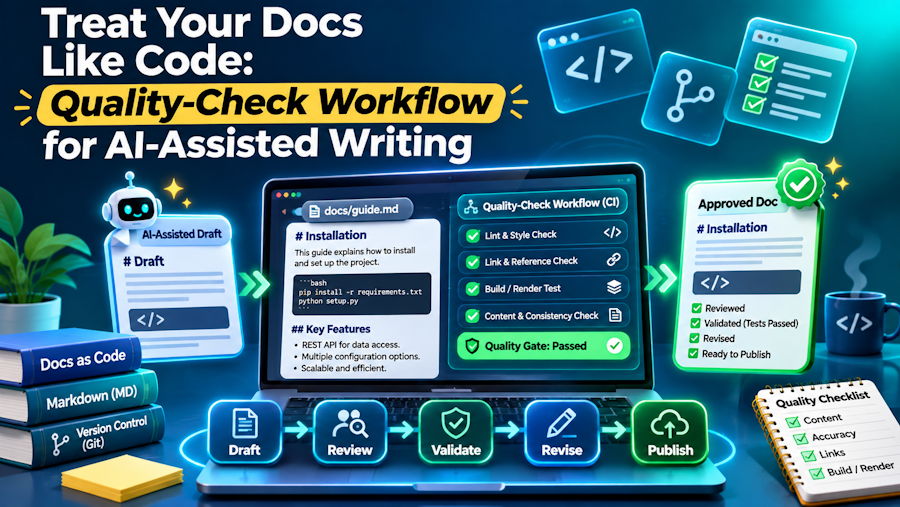
Most of us review code with real care. We run linters, write tests, and argue over variable names in pull requests. Then we push a README, a tutorial, or a blog post with barely a glance. I've done it too, and I've seen the fallout: a setup guide with a missing flag, a changelog nobody could parse, a tutorial that confidently described a method that doesn't exist.
AI writing assistants have made this problem easier to create. A draft that once took an hour now appears in seconds, and it looks polished enough that skipping review feels safe. It isn't. This article walks through a simple, repeatable workflow for checking technical writing before it ships, whether you wrote it yourself, got help from an assistant, or did a bit of both.
Why Writing Deserves a Review Process
Documentation is part of the product. A new contributor judges your project by its README before reading a single source file. A reader who lands on your tutorial from a search engine decides within seconds whether to trust you. Unclear or sloppy writing quietly costs you stars, contributors, and credibility.
Think about how you read other people's docs. You skim, copy a command, and try it. If it fails once, you start doubting everything else on the page. Your readers behave the same way. One broken example can undo a lot of otherwise careful work, which is why a review habit pays off so quickly.
Code has a pipeline: lint, test, review, deploy. Writing usually gets a quick "looks fine" and a merge. The fix doesn't need to be heavy. A small, ordered set of checks catches most problems, and even a quick pass with a grammar checker clears out the slips that make a page look careless.
Where AI-Assisted Drafts Tend to Go Wrong
Reviewing drafts, I keep running into the same handful of issues:
- Invented details. Function names, flags, or version numbers that sound right but don't exist.
- Generic filler. Sentences about "the ever-changing digital landscape" that tell the reader nothing.
- Uniform rhythm. Every paragraph has the same length and every sentence opens the same way, so the page feels robotic.
- Outdated advice. Instructions that were correct two major versions ago.
- Missing context. Steps that assume the reader has the same environment you do.
None of these is fatal. All of them are fixable once you know where to look.
A Four-Step Quality Workflow
Here's the order I recommend. Each step catches a different kind of problem, so skipping one leaves a gap. The sequence matters too: verify the facts before you polish the wording, because polishing a wrong command is wasted effort.
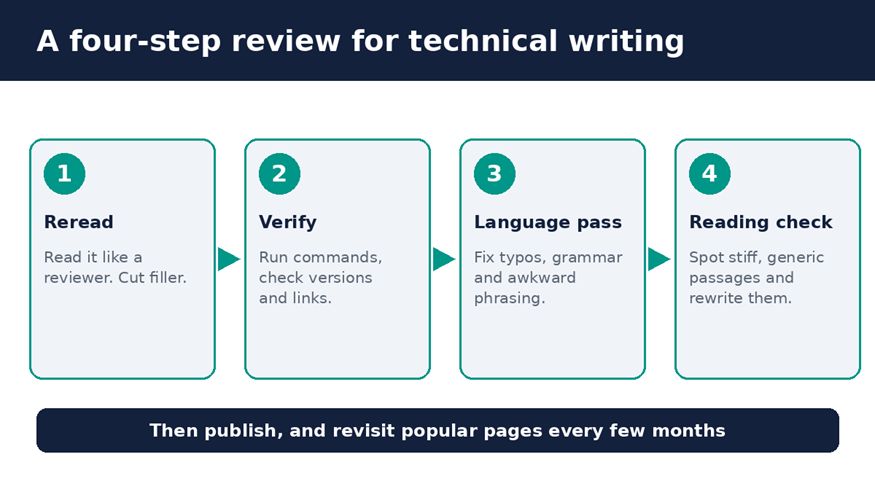
Figure 1: The four-step review (original illustration).
Step 1: Reread the Draft Like a Reviewer
Before any tool touches the text, read it slowly, or even out loud, as though it were someone else's pull request. Mark every claim a reader could act on: commands, versions, numbers, and links. Cut anything that doesn't help the reader do or understand something. Short paragraphs, concrete examples, and plain verbs beat clever phrasing every time.
Step 2: Verify Every Technical Claim
This is the step no tool can do for you. Run the commands. Paste the code into a fresh project. Open the links. Compare version numbers against the official release notes. If a tutorial says "install the package and call the init method," confirm that the method exists in the version you're documenting. I keep a throwaway container around for exactly this purpose, and it has saved me from publishing nonsense more than once.
Step 3: Run a Language Pass
Typos and clumsy phrasing break trust faster than most writers expect. A missing comma is forgivable. A typo inside a command name is not, because readers copy and paste. Running the text through a dedicated language tool catches spelling slips, punctuation problems, and awkward constructions that your eyes skip after the third read.
Treat its suggestions the way you treat linter warnings: accept the obvious ones and question the rest. A tool doesn't know that your team writes "set up" as a verb and "setup" as a noun, or that a product name is capitalized on purpose. A human decision still wins.
Step 4: Check How the Draft Reads
This one is newer, and it deserves some care. If part of your draft came from an assistant, it can carry recognizable habits: stiff transitions, repeated sentence shapes, vague claims. An AI content detector can point out passages that read as machine-written, which gives you a quick map of sections worth rewriting in your own voice.
Use the result as a signal, not a verdict. Detectors can misjudge text, and highly technical writing with short, formulaic sentences sometimes trips them for no good reason. If a paragraph gets flagged, don't just shuffle the words around. Ask what's missing: a real example, a specific number, a trade-off you actually ran into. Adding those usually fixes the paragraph and makes it more useful at the same time.
One more point: if you publish on someone else's site, read their contributor guidelines. Many editors have clear rules about AI-assisted drafts, and it's far better to follow them up front than to explain yourself after a rejection.
Putting It Together on a Real README
Say you've just drafted a README for a small command-line tool with some help from an assistant. In the first pass, you notice the install section mentions a flag you don't remember adding. During verification, you run the install steps in a clean container and discover the flag was invented, so you delete it and fix the example. The language pass then catches two typos and an inconsistent product name. Finally, the reading check flags the introduction, which opens with three sentences of generic praise for the tool. You replace them with one concrete line about the problem it solves and a short usage example. The whole routine takes maybe twenty minutes, and the README is better in every way that matters to a reader.
What a Better Edit Looks Like
Let's make this concrete. The figure below shows a typical vague setup instruction next to a tightened version.
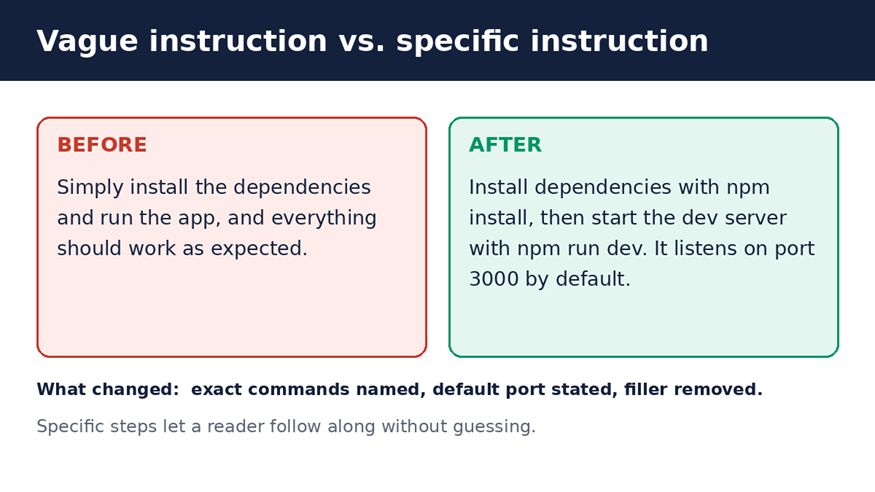
Figure 2: Vague versus specific (original illustration).
The second version works better for three reasons:
- It names the exact commands, so nobody has to guess.
- It states the default port, which saves a round of troubleshooting.
- It drops words like "simply" and "should." If a step were truly simple, the reader wouldn't be reading the docs.
Build the Habit Into Your Workflow
You don't need new infrastructure. A few small habits go a long way:
- Keep a one-page checklist in your repo and link it from CONTRIBUTING.
- Run spelling and style checks in CI for Markdown files, right next to your code linters.
- Ask reviewers to comment on clarity, not only correctness.
- Keep a short style note listing preferred terms and spellings, so everyone writes the same way.
- Date your tutorials and note the versions they cover.
- Revisit popular pages every few months, because libraries move fast.
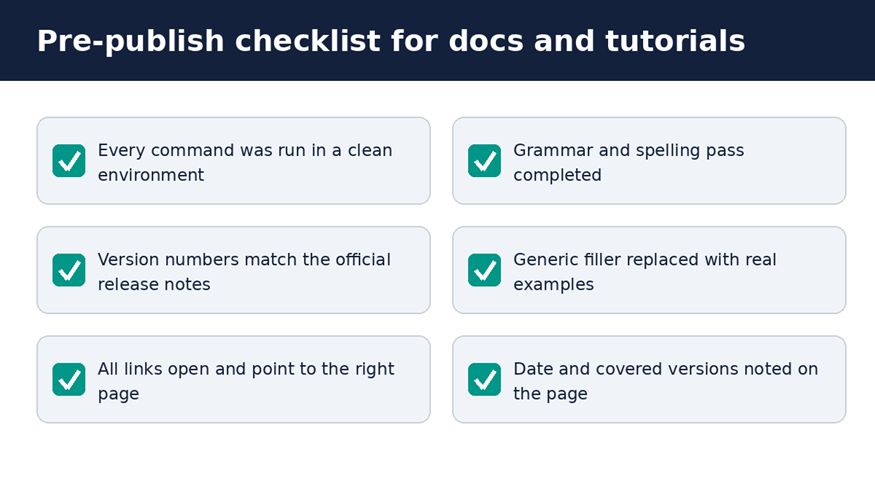
Figure 3: Pre-publish checklist (original illustration).
Making It Work for Teams
Individual habits help, but teams get the biggest gains. When everyone follows the same steps, reviews move faster because reviewers know what has already been checked. A pull request that changes documentation can include a short note saying which commands were run and which versions were tested. Reviewers then spend their time on clarity and structure instead of hunting for typos. Over time, this also builds a shared voice across the docs, which makes a project feel more cohesive and professional.
Mistakes Worth Avoiding
- Treating a score as a verdict. Neither a grammar suggestion nor a detector result replaces your own judgment.
- Polishing before verifying. Perfect commas on a page with a broken command still fail the reader.
- Rewriting only to change a number. Edit to help readers, not to please a tool.
- Forgetting old posts. A tutorial that was right in 2023 can mislead people today.
Key Takeaways
- Documentation is part of the product, so it deserves a review process just like code.
- Verify every command, version, and link before you polish the wording.
- Use a language pass and a reading check as signals, then apply human judgment.
- Replace filler with specifics: exact commands, real numbers, honest trade-offs.
- Small habits, such as a checklist and CI spelling checks, beat occasional big rewrites.
Quick Summary
Good technical writing is not an accident. It comes from a short, repeatable review: reread the draft, verify the facts, run a language pass, and check how it reads. Each step catches something the others miss, and none replaces the writer's own judgment. Build the routine once, and every README, tutorial, and blog post you publish becomes easier to trust.

