

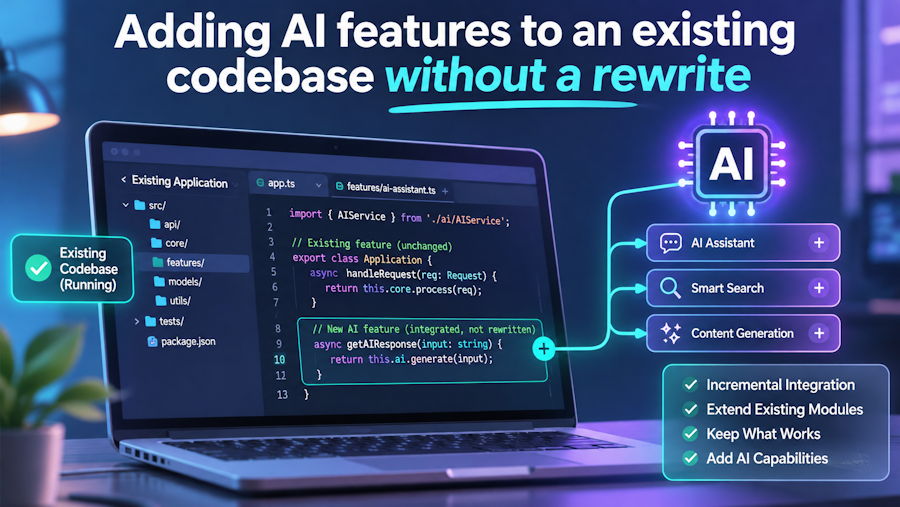
The short answer: you almost certainly do not need to rebuild anything.
Most AI features extend an existing application rather than replace it. Summarization, classification, extraction, smarter search, draft generation: all of these can be added as a separate service that talks to the code you already have. The instinct to rebuild is the most expensive mistake in this space, and it is usually unnecessary.
What you do need is one architectural decision made correctly at the start. Get it right and AI integration becomes a normal feature addition. Get it wrong and you will be unpicking it in six months.
The rule that matters most
Your application should never call a model provider directly.
That is the whole principle. Instead of scattering OpenAI or Anthropic calls through your controllers and services, put a thin layer in between: an AI service that your application calls, which then handles prompts, model selection, context assembly and output validation.
In practice that means a single interface your code depends on, with the provider-specific implementation behind it. Something as simple as this in concept, whatever your language:
interface AIService {
generate(prompt, context) -> Result
}
Your application calls AIService. It does not know or care which provider is behind it.
This costs you perhaps a day at the start. What it buys is the ability to switch providers, run two in parallel, A/B test models, pin prompt versions, and add caching or rate limiting in one place rather than forty. Given how fast model pricing and capability have moved, that flexibility has repeatedly turned out to be the difference between a config change and a refactor.
The anti-pattern is tightly coupling business logic to one provider's SDK. It works fine until the day it does not.
How to integrate AI into an app: four patterns
Most AI features fall into one of four shapes. Picking the right one is mostly about latency tolerance.
- The copilot. AI assists inside your existing interface without replacing it: suggestions, autocomplete, draft generation. Synchronous, user-initiated, and the easiest to add because it does not change your data flow. Give the user a clear indication that something is processing, and make the output editable rather than final.
- Intelligent search. Retrieval-augmented generation over content you already hold. Your existing database stays where it is; you add an embedding store alongside it. This is usually the highest-value first feature for applications sitting on a lot of text, and it fails in a specific way worth knowing: most bad answers are retrieval failures rather than generation failures, so instrument what gets retrieved, not just what gets returned.
- Async processing. Some AI work takes long enough that holding an HTTP request open is unacceptable. Queue the job, return immediately, notify when complete. This is the pattern most teams reach for second and should probably reach for first, because it keeps the application responsive regardless of what the model does.
- Event-driven. For systems that cannot tolerate synchronous AI latency at all, including batch processes and older back ends, trigger AI work off events and let results flow back when ready. This is how AI gets added to systems that were never designed to wait for anything.
A note on tooling: if your AI needs to reach other systems, the Model Context Protocol has become the common way to expose those as tools without writing a bespoke wrapper for every database and API. It decouples the AI layer from the integration layer, which is the same instinct as the service layer above, applied one level out.
Where the architecture decision gets genuinely hard
The patterns above cover most cases. The difficulty arrives when the AI feature needs to reach into parts of the system that were not designed to be reached.
Permissions are the usual culprit. If your AI assistant answers questions using company data, it has to respect the same access rules a user would, which means your authorization model has to be legible to the AI layer. Many applications have permissions enforced at the controller level rather than the data level, and that distinction becomes expensive the moment an AI feature needs to query across it.
Data shape is the second. Content structured for display is frequently not structured for retrieval, so the embedding and chunking work turns into a data engineering project nobody scoped.
This is the point where the decision stops being a feature choice and becomes an architecture one, and where teams without prior experience of it tend to under-scope by a wide margin. Some bring in an experienced engineer who has done the integration before. Others engage AI strategy consulting services for the architecture and keep implementation in-house, which works when the engagement is scoped to the design decision rather than to delivering a finished feature.
What reliably goes badly is discovering the permissions problem in month three, after the feature is half built.
What happens when the AI is unavailable
This is the question that separates a feature that survives production from one that takes your application down with it.
Model providers have outages. Rate limits trigger. Requests time out. Your AI integration needs defined behavior for all three, and the default should be that the application keeps working without the AI feature rather than failing alongside it.
Three things to build before you ship:
- A timeout that is shorter than you think. If the model has not responded in a few seconds, the user experience is already damaged. Fail to the fallback rather than waiting.
- A fallback path that preserves core behavior. If AI-powered search is unavailable, fall back to your existing keyword search. If draft generation fails, show an empty editor. Degraded is acceptable; broken is not.
- A circuit breaker. When the provider is failing repeatedly, stop calling it for a period rather than queuing thousands of doomed requests and compounding the problem.
The same logic applies to cost. Any AI API integration should carry a per-user or per-tenant budget cap enforced in your service layer, because without one a single runaway loop can produce a surprising invoice. Track token counts from the first call rather than adding them when the bill arrives, since you cannot attribute cost retroactively.
Before you write the first API call
Six things to have in place. None takes long, and all are substantially harder to add later.
- The abstraction layer, so provider choice stays a config decision.
- Prompt versioning, so you can roll back a prompt as fast as you roll back code.
- Request and response logging, including the full prompt with assembled context, because debugging without it is guesswork.
- Token counting attributed to features and tenants.
- A defined fallback for every AI call path.
- A small set of test cases with known-good outputs, so you can tell whether a prompt change made things better or worse.
Teams that work on production AI integration, 10Pearls among them, generally treat that list as the starting scaffolding rather than as hardening done later, for the straightforward reason that retrofitting any of it means touching every call site.
The short version
Do not rebuild. Add a service layer, pick the pattern that matches your latency tolerance, and design the failure path before the happy path.
AI integration goes wrong far more often through architecture than through model quality. The model is a dependency like any other: unreliable, occasionally expensive, and entirely manageable if you treat it that way from the first commit.
Frequently asked questions
Do I need to rebuild my app to add AI features?
No. Most AI capabilities extend an existing application through a separate AI service that connects to your current databases and APIs. Summarization, classification, extraction and smarter search can all be added without changing your core architecture. The rebuild instinct is usually both expensive and unnecessary.
How do I integrate AI into an existing application?
Add a thin AI service layer between your application and the model provider. Your code calls that interface; the layer handles prompts, model selection, context assembly and validation. This keeps provider choice a configuration decision rather than a dependency scattered through your codebase.
Should my app call the OpenAI or Anthropic API directly?
No. Calling a provider SDK directly from your business logic couples your application to that provider and scatters retry, caching, rate limiting and cost tracking across every call site. Route everything through your own AI service layer so those concerns live in one place.
What happens when the AI provider goes down?
Whatever you designed, which is why you must design it. Set a short timeout, define a fallback that preserves core functionality without AI, and add a circuit breaker so repeated failures stop triggering new calls. The application should degrade rather than break.
How do I control AI API costs in production?
Enforce per-user or per-tenant budget caps inside your AI service layer, and track token counts attributed to features from the first call. Cost cannot be attributed retroactively, so instrument before launch. Caching repeated queries and routing simple tasks to smaller models are the next levers.

