

Every developer who has built a booking form, a calendar or a reminder feature has met the same bug report: the time is right for most users and exactly one hour wrong for a few, and only during certain weeks of the year. The cause is almost never the arithmetic. It is a wrong idea of what a JavaScript Date actually holds.
This article goes through the model that avoids those bugs, the built-in Intl tools that do the heavy lifting without a library, and the daylight saving cases you need to test before you ship.
A Date is an Instant, Not a Local Time
A Date object stores one number: milliseconds since 1 January 1970 UTC. It has no time zone inside it. The zone only appears when you turn the date into text, and by default JavaScript uses the zone of the machine running the code. That is why the same value prints differently on your laptop, on a CI server set to UTC and in a user's browser in Tokyo.
Two rules follow from this. Store and transmit instants in UTC, as an ISO string or a timestamp. Convert to a zone only at the edge, when you show the value to a person.
Store Zone Names, Not Offsets
An offset such as +01:00 describes one moment. A zone name such as Europe/London describes a set of rules, including when the clocks change. If a user tells you they want a reminder at 09:00 every Monday, saving +01:00 will make it fire at the wrong hour for half the year. Save the IANA zone name and work the offset out when you need it.
You can read the user's zone and the full list of names the runtime knows without any dependency:
const userZone = Intl.DateTimeFormat().resolvedOptions().timeZone;

// e.g. "Europe/Berlin"

const allZones = Intl.supportedValuesOf('timeZone');

// ["Africa/Abidjan", "Africa/Accra", ...]
Showing an Instant in Any Zone
This is the easy direction. Intl.DateTimeFormat accepts a timeZone option and takes care of the offset and of daylight saving for the date in question:
const meeting = new Date('2026-03-29T08:30:00Z');

const show = (date, timeZone) =>
    new Intl.DateTimeFormat('en-GB', {
        timeZone,
        dateStyle: 'medium',
        timeStyle: 'short',
    }).format(date);

show(meeting, 'Europe/London');    // "29 Mar 2026, 09:30"
show(meeting, 'America/New_York'); // "29 Mar 2026, 04:30"
show(meeting, 'Asia/Tokyo');       // "29 Mar 2026, 17:30"
Getting the Offset of a Zone At a Given Moment
Sometimes you need the number itself, for example to label a time as UTC+2. Ask the formatter for the offset as text and parse it. Note that the function takes a date: the answer for London in January is not the answer for London in July.
function getOffsetMinutes(date, timeZone) {
    const parts = new Intl.DateTimeFormat('en-US', {
        timeZone,
        timeZoneName: 'longOffset',
    }).formatToParts(date);

    // "GMT+01:00", "GMT-02:30" or plain "GMT"
    const name = parts.find((p) => p.type === 'timeZoneName').value;
    const match = name.match(/GMT([+-])(\d{2}):(\d{2})/);

    if (!match) return 0;

    const sign = match[1] === '-' ? -1 : 1;

    return sign * (Number(match[2]) * 60 + Number(match[3]));
}

getOffsetMinutes(new Date('2026-01-15T12:00:00Z'), 'Europe/London'); // 0
getOffsetMinutes(new Date('2026-07-15T12:00:00Z'), 'Europe/London'); // 60
getOffsetMinutes(new Date('2026-07-15T12:00:00Z'), 'Asia/Kolkata'); // 330
Offsets are not always whole hours. India is at +5:30 and Newfoundland at −2:30 in summer, so keep the value in minutes.
The Hard Direction: a Wall-Clock Time in a Zone to UTC
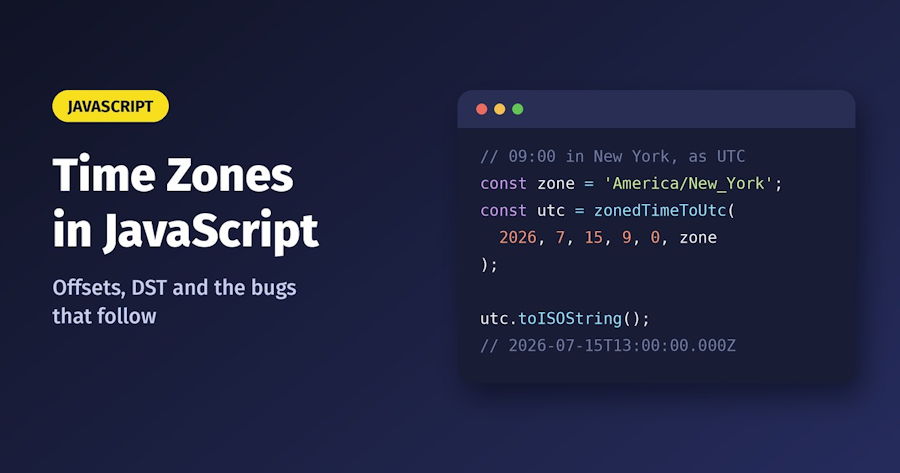
A user picks “15 July, 09:00, New York” in a form. To store it you need the instant, and Date has no constructor for that. The usual trick is to pretend the wall-clock time is UTC, look up the zone's offset, subtract it, and then check the offset again at the corrected instant, because the first guess can land on the other side of a clock change.
function zonedTimeToUtc(year, month, day, hour, minute, timeZone) {
    const asIfUtc = Date.UTC(year, month - 1, day, hour, minute);
    let guess = asIfUtc - getOffsetMinutes(new Date(asIfUtc), timeZone) * 60000;

    // near a clock change the offset at the guess may differ: correct once
    guess = asIfUtc - getOffsetMinutes(new Date(guess), timeZone) * 60000;

    return new Date(guess);
}

zonedTimeToUtc(2026, 7, 15, 9, 0, 'America/New_York').toISOString();
// "2026-07-15T13:00:00.000Z"

zonedTimeToUtc(2026, 1, 15, 9, 0, 'America/New_York').toISOString();
// "2026-01-15T14:00:00.000Z"
Daylight Saving: the Two Times That Break Things
Twice a year a zone with daylight saving has a local time that is not normal, and a function like the one above cannot hide that.
- The time that does not exist. On 8 March 2026 clocks in New York jump from 02:00 to 03:00, so 02:30 never happens. The function above still returns an instant, but it will be 01:30 or 03:30 on the clock. Decide which one you want, or reject the input and ask the user.
- The time that happens twice. On 1 November 2026, 01:30 in New York occurs once in daylight time and again an hour later in standard time. The function returns the first one. If the difference matters, for a train departure or a medication log, you have to ask.
The other classic mistake is treating a day as 24 hours. Add 24 hours to 09:00 on 28 March 2026 in London and you get 10:00 on the 29th, because that night is an hour short:
const before = zonedTimeToUtc(2026, 3, 28, 9, 0, 'Europe/London');
const plus24h = new Date(before.getTime() + 24 * 60 * 60 * 1000);
show(plus24h, 'Europe/London'); // "29 Mar 2026, 10:00"
For “same time tomorrow”, add one to the calendar day and convert again with zonedTimeToUtc instead of adding milliseconds.
Where Temporal Fits in
The Temporal API was designed to remove most of this hand-written code. Temporal.ZonedDateTime carries the zone with the value, does calendar arithmetic correctly and lets you choose explicitly what to do with the missing and repeated hours. It now ships in current versions of Chrome, Edge and Firefox and is on by default in Node.js 26. Safari had not shipped it at the time of writing, so check the support table for the browsers you target and load the polyfill where needed. The Intl techniques above work everywhere today and are worth understanding even after you switch.
How to Test it
Time zone code passes on the developer's machine and fails elsewhere, so test it on purpose:
- Run the suite in other zones. In Node.js, set the TZ environment variable, for example TZ=America/New_York or TZ=Asia/Kolkata, and run the tests again.
- Use dates around the clock changes. Include the day before, the day of and the day after each transition, in both the northern and southern hemisphere.
- Include zones with odd offsets. Asia/Kolkata, Asia/Kathmandu (+5:45) and America/St_Johns catch code that assumes whole hours.
- Check against something you did not write. A unit test only proves that your code agrees with itself.
For that last point, a browser-based time zone converter such as the one on OnlineTimeNow is a quick way to confirm by hand what a given time in one city should be in another before you hard-code the expected value into a test.
Conclusion
Most time zone bugs come from three habits: treating a Date as if it had a zone, storing offsets where a zone name was needed, and assuming every day has 24 hours. Keep instants in UTC, keep the user's zone as an IANA name, convert at the edges with Intl, and test the two awkward nights of the year. The one-hour bug report stops arriving.

