

Posting video every week sounds simple until you try it. Ideas run dry, footage piles up unedited, and the time you planned for creating gets swallowed by software you barely understand. Many solo creators and small teams quit not because they lack talent, but because the production process is too heavy.
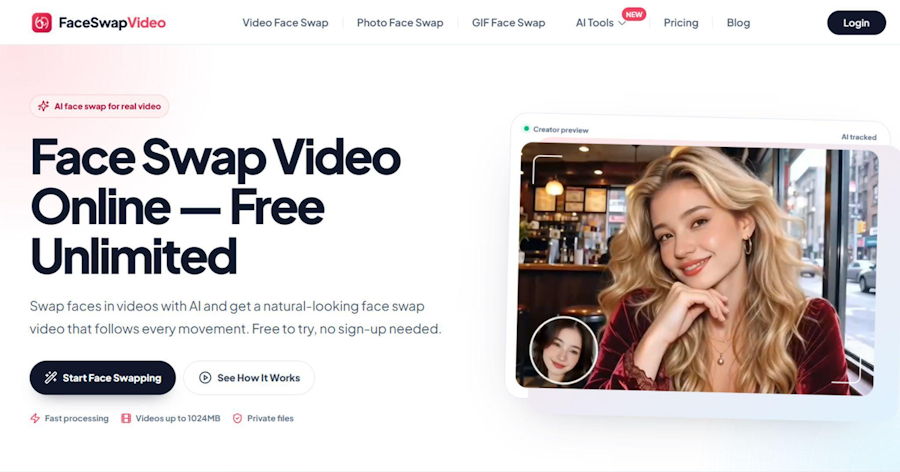
Browser based AI tools are changing that. Platforms like FaceSwapVideo.ai bundle several lightweight video features in one place, so a creator can produce fresh content without installing anything or learning a timeline editor. This article looks at how two of those features can anchor a realistic weekly routine: an online face swap video workflow for existing footage, and an image-to-video AI tool for turning photos into motion.
The Real Problem Is Process, Not Creativity
Most creators have more raw material than they realize. Phone galleries hold hundreds of photos. Old clips sit in folders. Past projects contain scenes that only worked once.
The bottleneck is turning that material into something new quickly. Traditional editing demands layers, keyframes, exports, and a lot of patience. A routine only survives if each step is fast and repeatable, so the best tools are the ones that reduce a task to a few clicks.
That is the idea behind both features discussed here. One reworks footage you already have. The other creates motion from stills. Used together, they turn a gallery into a content pipeline.
Tool One: Online Face Swap Video for Existing Clips
An online face swap video tool replaces the face in a clip with a face from a photo. You supply two files, the original video and a clear photo of the face you want to appear, and the AI handles the tracking and blending frame by frame.
The practical appeal is how little it asks of you. According to the platform, it accepts MP4 and MOV files up to 1024MB and face photos in JPG, PNG, or WebP up to 30MB. You can try a swap without creating an account, and signing in with a free account unlocks longer video lengths using daily credits. The finished file comes without a watermark, so there is nothing to crop out before posting.
Because it runs in the browser, there is nothing to install. That matters for a routine, because every extra setup step is a reason to skip a week.
Where It Fits in a Weekly Routine
Face swapping works best for lighthearted or personal content. Parody sketches, reaction videos, birthday clips, and group chat jokes all benefit from a quick swap. A creator who films one scene on Monday can produce several variations by Wednesday, each with a different face, without refilming.
It also helps small teams that lack a full cast. If a sketch needs a recurring character and the original performer is unavailable, a swap can maintain continuity, as long as everyone involved has agreed to it.
Tool Two: An Image-to-Video AI Tool for Stills
The second feature starts from a different place. An image-to-video AI tool takes one photo and a short written description of motion, and generates a clip. No footage is required at all.
On FaceSwapVideo.ai, the generator lists several models, including Wan 2.2 I2V Fast, Wan 3.0, Vidu Q3 Pro Fast, and Seedance 2.5, with clip lengths ranging from about three seconds up to thirty depending on the model. Resolution options include 480p and 720p, and cost is calculated per second of video. Recent videos remain in a history panel for 24 hours, so downloading what you want to keep is part of the routine.
Why Stills Are a Powerful Starting Point
A photo is a complete composition. The lighting, framing, and subject are already decided. The AI only needs to answer one question: what should move?
That narrows the creative work to a single sentence. Instead of directing a shoot, you describe a motion, such as hair lifting in a breeze, steam rising from a cup, or a camera drifting slowly toward a building. The result is a short clip that feels intentional because it grew out of a well composed image.
A Sample Weekly Routine
Here is one way a solo creator might use both tools without burning out. The exact schedule will vary, but the structure holds up.
Monday: Gather material. Spend twenty minutes choosing photos and clips from your library. Pick images with clear subjects and sharp lighting, and footage where faces are visible. Skipping this step is the main reason later results look messy.
Tuesday: Generate motion from stills. Write a one sentence motion prompt for each photo and generate short clips. Keep the first batch at a lower resolution and shorter duration to save credits. Note which prompts worked.
Wednesday: Create face swap variations. Take one or two existing clips and produce swaps for a playful series, using only faces of people who have agreed. Review each result for flicker or mismatched skin tone.
Thursday: Assemble and caption. Combine your best clips in whatever basic editor you already use, add captions and music, and match the aspect ratio to each platform.
Friday: Publish and review. Post, then check which clips earned the most attention. Use that information to choose next week's photos and prompts.
This rhythm turns production into a series of small, predictable tasks rather than one exhausting project.
Prompting Habits That Save Credits
Because generation costs credits, sloppy prompts get expensive. A few habits keep results efficient.
- Name the motion, not the mood. "A woman's hair lifts in a breeze" gives the AI something concrete. "Make it feel dreamy" does not.
- Describe a simple sequence. If an action has a start and end, say so briefly. A paper boat floating along a stream and drifting out of view is easy to follow. Five unrelated actions in one clip usually cause warping.
- State the camera behavior. Specify whether the camera pushes in, circles the subject, or stays fixed. A moving camera adds depth, while a locked camera lets small details carry the scene.
- Refine instead of restarting. If a result is close, add the missing detail rather than rewriting everything. "A man turns his head" becomes "a man slowly turns his head toward the window," and the direction is now clear.
- Test cheaply first. Try a short, lower resolution version before spending credits on a longer final clip. Even identical prompts can produce different results, so expect a few attempts.
Choosing Photos and Footage That Work
Input quality sets the ceiling for output quality, and this is true for both tools.
For face swapping, use a sharp, front facing photo with even lighting, and choose source footage where the original face stays visible. Heavy motion blur, sunglasses, and constant occlusion make swaps harder to blend.
For animation, pick images with one clear focal point. Cluttered scenes with many overlapping objects tend to produce chaotic motion. If the part that should move is small in the frame, crop closer before uploading. Upload original files rather than screenshots, since compression has already degraded a screenshot once.
Fine text and tiny details are among the hardest things for AI to hold steady, so check posters and packaging carefully before using the result.
Building Quality Control Into Every Week
A routine only works if the output is good enough to publish. Build a short review into every cycle.
Watch each clip fully, not just the first second. Look for flickering edges, warped backgrounds, hands that change shape, and faces that drift. Check that skin tone and lighting stay consistent across a swap. Confirm the motion fits the pace of the clip rather than feeling rushed or sluggish.
If something looks wrong, simplify. Fewer instructions and a cleaner source image fix more problems than adding detail does.
Ethics and Rights Are Part of the Routine
Because face swapping involves real people, make consent a fixed step rather than an afterthought. Only use faces of people who have agreed, and never present an edited clip as genuine footage of a real event. Be especially careful with minors and public figures, and clearly label parody.
For animated photos, upload only images you own or have permission to use. Review the platform's terms of service on commercial use before putting any clip into paid work, since permissions depend on both the service's terms and your rights in the original image. It is also worth checking how the platform describes file privacy and whether uploads are used to train models.
Finally, consider a short caption noting that a clip is AI generated or edited. Audiences respond well to openness, and many platforms now have rules about synthetic media.
Final Thoughts
A sustainable video routine does not need a studio or an expensive editing suite. It needs a handful of reliable steps that fit into a normal week. An online face swap video tool helps you reshape footage you already have, while an image-to-video AI tool turns photos into motion with a single sentence of direction.

