

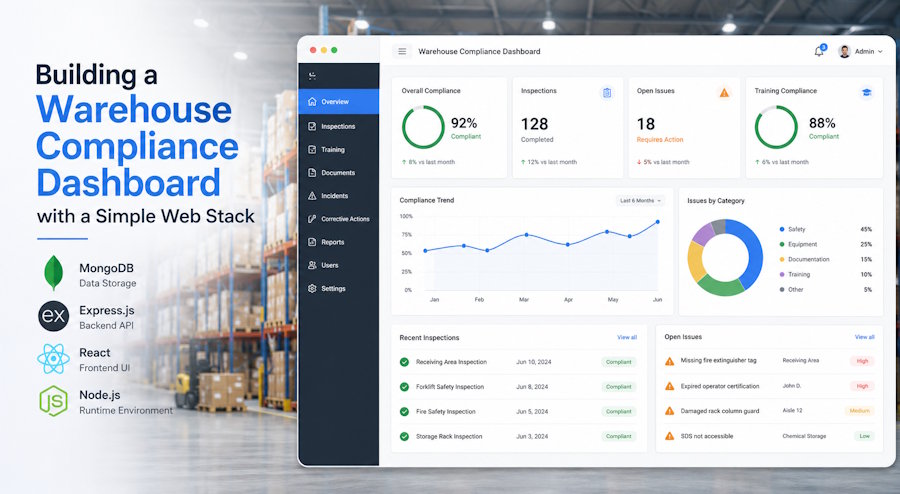
Warehouse compliance is one of those problems that looks boring on paper and turns into a fire drill the moment an OSHA inspector walks through the door. Expired certifications, missing forklift inspection sheets, incident reports buried in a shared drive somewhere... it adds up fast, and spreadsheets stop scaling around the time your second shift starts.
The good news: you don't need an enterprise EHS platform to fix this. A small web app built on a familiar stack (Node or Django on the back end, Postgres for storage, a light front-end framework on top) can give safety managers a single place to track certifications, equipment checks, and incident logs.
Here's how to scope and build one without overengineering it.
Start with the data model, not the UI
Every compliance dashboard lives or dies by its schema. Before you draw a single chart, sketch out the entities you actually need to track. Four tables will carry most of the weight:
employees (id, name, role, hire_date, site_id), certifications (id, employee_id, type, issued_on, expires_on, document_url), equipment (id, asset_tag, type, location, status), and inspections (id, equipment_id, inspector_id, performed_at, result, notes). Add an incidents table with foreign keys back to employees and equipment, plus a severity enum and a free-text description.
Keep timestamps in UTC and store expiration dates as plain DATE columns.
You'll thank yourself when you write the query that powers the "expiring in 30 days" widget. OSHA's general industry rules under 29 CFR 1910 spell out what has to be documented and for how long, which is a useful sanity check on your retention fields.
Pick a stack you can actually maintain
Resist the urge to reach for the trendiest framework. A warehouse compliance app has maybe a dozen screens and a few hundred writes a day. Boring is a feature here.
A reasonable default: Postgres for the database, Django or Express for the API, and a server-rendered front end with HTMX or a thin React layer for the interactive bits. If your team already lives in PHP, Laravel does the same job. The Django docs walk through models, admin, and auth in an afternoon, which gives you a free CRUD interface for safety coordinators while you build the public-facing dashboard.
Authentication matters more than usual here because you're storing personal records and incident details. Use a vetted library, enforce per-site roles, and log every write. Don't roll your own password hashing.
Wire up OSHA certification tracking
Certifications are the easiest win and the most common gap. Operators need documented training for every powered industrial truck they use, and that paper trail is the first thing inspectors ask for. If your team uses an online provider for forklift certification, you can usually export PDFs or pull a CSV of completions, then ingest them through a nightly job.
Build a single endpoint, POST /api/certifications/import, that takes a CSV and upserts rows by employee_id plus certification type. Store the original document in S3 (or any object store) and keep only the URL plus metadata in Postgres. On the dashboard, surface three buckets: active, expiring in 30 days, and expired.
A simple SQL view handles it:
SELECT employee_id, type, expires_on, CASE WHEN expires_on < CURRENT_DATE THEN 'expired' WHEN expires_on < CURRENT_DATE + INTERVAL '30 days' THEN 'expiring' ELSE 'active' END AS status FROM certifications;Equipment inspections without the clipboards
Daily forklift inspections are required before each shift, and most warehouses still run them on paper. A mobile-friendly form (just HTML, no native app needed) attached to a QR code on each truck removes the friction. Scan, fill, submit, done.
Keep the form short: 10 to 15 yes/no checks plus a notes field and a photo upload. Flag any "no" response as a blocking issue and notify the supervisor through a webhook or a simple email. The MDN guide to file uploads covers the front-end side; on the server, validate MIME types and cap file size before you write anything to disk.
Track inspection completion rates per shift on the dashboard. A missed pre-shift check is itself a compliance event, and showing the trend makes it easy to spot which crew needs a nudge.
Incident logs that hold up to scrutiny
OSHA's recordkeeping requirements under Part 1904 mean incident data needs to be accurate, timestamped, and tamper-evident. Don't allow hard deletes. Use soft-delete flags and an append-only audit table that captures who changed what and when.
Capture the basics on intake: date, location, people involved, equipment involved, injury type, body part, and a narrative. Then bolt on a workflow with three states: open, under review, closed. Each transition writes an audit row. When it's time to generate your annual Form 300A summary, you have the source data ready instead of reconstructing it from emails.
Ship it in stages
Don't try to launch all three modules at once. Start with certifications because the data is small and the win is visible. Add inspections next, then incidents. Each module should be usable on its own so the safety team gets value from week one.
Once the basics are humming, layer on the nicer touches: scheduled email digests, a Slack bot that pings supervisors about expiring certs, and a read-only export for auditors. The whole project lives comfortably on a small VM and a managed Postgres instance, which is the kind of footprint your IT department will actually approve.

