

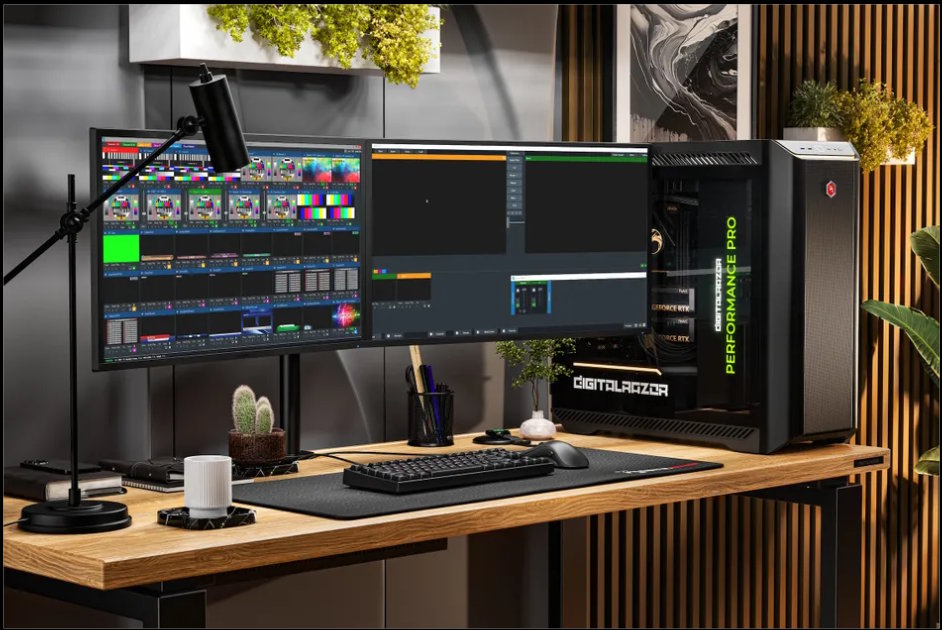
Systems that support simultaneous processing of numerous live videos, graphic overlays, and stream delivery without fail are currently required in live production scenarios. Hardware for use with vMix is crucial for maintaining flawless delivery regardless of whether it is a webinar or a more extensive broadcast production. In choosing the appropriate hardware system, business owners and producers play a key role in their future success.
As the complexity of production rises, so too do the hardware requirements. This makes it important to know which system is needed for various stages of vMix production.
Understanding System Requirements for vMix Production
Before selecting hardware, it is important to evaluate the scale and complexity of the production. Systems built for vMix Topaz Edition workstations are designed to handle high-resolution inputs, advanced replay features, and complex workflows with stability.
A balanced system ensures that CPU, GPU, memory, and storage work together efficiently. This reduces bottlenecks and allows smooth processing of video streams, graphics, and live transitions.
1. Basic Production Level (Entry-Level Streaming)
Simple production configurations work best in straightforward productions like webinars and smaller-scale events where there are few camera feeds. Simple productions have a maximum of two to four HD sources with very little graphics.
A good mid-range processor and a decent GPU will be able to handle the processing needs of these operations. With about 16GB of memory, it allows you to multitask while the fast NVMe drive helps ensure quick loading and recordings.
2. Standard Production Level (Multi-Camera Live Events)
Standard production setups support more complex workflows, including multiple camera feeds, overlays, and live streaming. These setups are commonly used for corporate events and mid-sized productions.
A higher-performance CPU with strong multi-core capability is required to manage multiple inputs. GPU performance becomes more critical for handling real-time rendering. Increasing memory to 32GB ensures smoother operation during extended production sessions.
3. Advanced Production Level (4K and Virtual Sets)
When you are working with big projects, like 4K video and fancy computer graphics, you need a lot of power. You have to have a computer with a strong brain, like a high-end CPU and a high-end GPU, so that your videos and graphics move smoothly.
These big systems need a lot of memory, 64GB of RAM or more, so that you can do many things at the same time without any problems. You also need a hard drive, like an NVMe, so that your videos play back and record quickly without any stops or delays, and that is important for 4K video and complex graphics.
4. Professional Broadcast Level (Replay and Multi-Stream)
Professional-level production involves large-scale workflows such as instant replay, multi-stream output, and handling numerous inputs. These setups are common in sports broadcasting and high-end live productions.
Systems designed as vMix Ruby Edition workstations are optimized for such demanding environments, balancing performance and reliability for HD multi-camera and replay workflows. Enterprise-grade processors, high-end GPUs, and large memory capacity ensure stable operation during intensive production tasks.
The Importance of Balanced Hardware
Choosing the right system is not only about selecting powerful components. A balance between hardware elements is essential for consistent performance.
An imbalance can create bottlenecks where one component limits the overall system. Proper configuration ensures efficient resource utilization and smoother workflows.
5. GPU Performance and Real-Time Processing
The GPU is one of the most important parts of a vMix system because it does video rendering and effect processing.
A strong GPU guarantees that the playback runs smoothly and there are stable frame rates. The systems with more VRAM can handle more inputs and resolutions.
6. CPU Performance and System Coordination
The CPU controls encoding, background operations, and system coordination. Higher clock rates boost responsiveness, and additional cores enable parallel processing.
An efficient CPU guarantees that simultaneous actions can occur seamlessly without causing any lag, particularly when dealing with multiple cameras.
7. Memory and Storage Optimization
Memory and storage directly impact system performance. Insufficient RAM can lead to lag and reduced efficiency.
Fast NVMe storage ensures quick data access and reliable recording. Using separate drives for system operations and media recording improves stability and prevents data loss.
8. Capture Hardware and Input Management
Capture cards play a key role in integrating video sources into the system. The choice depends on the number of inputs and resolution requirements.
Professional-grade capture hardware ensures low latency and accurate synchronization, which is essential for live production environments.
9. Cooling and Power Efficiency
High-performance machines create a lot of heat while working. Cooling systems play an essential role in ensuring constant performance levels.
Good quality power supply systems will guarantee reliable operation when under heavy load. Efficient cooling helps avoid system failure.
10. Scalability for Future Growth
Production requirements often evolve. Choosing scalable systems allows for upgrades without replacing the entire setup.
Expandable configurations support additional inputs, higher resolutions, and more advanced workflows. This ensures long-term usability and cost efficiency.
Building the Right System for Production Success
Choosing the most appropriate system for use in vMix production entails matching the hardware with the production requirements. The basic stream, moderate stream, and the pro stream each need unique ratios of performance and reliability.
Major brands such as Dell Technologies and HP have generally designed their systems for any purpose; however, this may result in a mismatch of requirements for live productions and poor performance under such conditions.
On the other hand, Cloud Ninjas offers an exclusive service that guarantees a more suitable design of computers that are specifically designed for use in vMix productions than Lenovo systems.

