

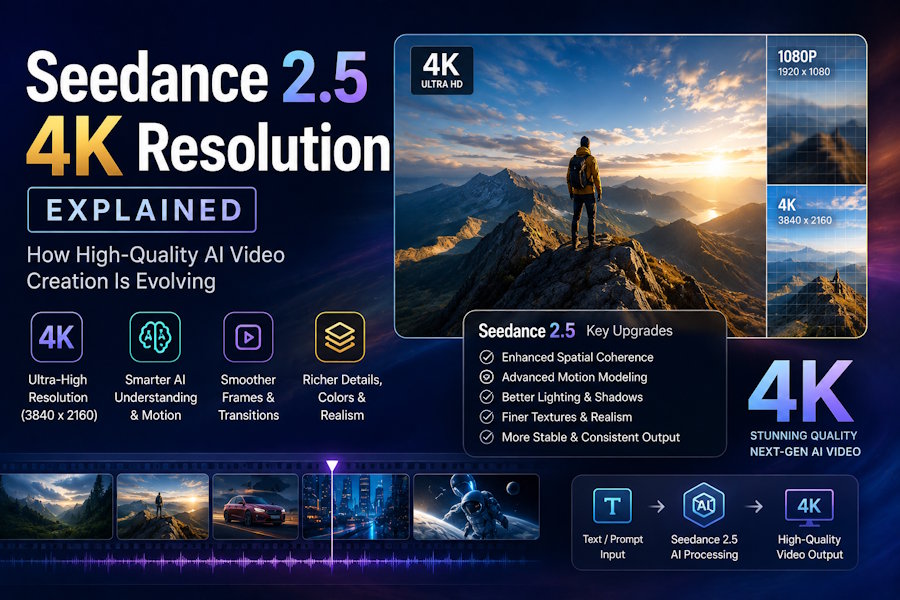
Resolution is one of the first things people notice about any video, and it is often the difference between content that looks professional and content that looks like an experiment. With Seedance 2.5 4K resolution, ByteDance has made high-definition output a built-in feature rather than an afterthought. This article explains what that actually means, why native 4K matters, and how it signals where high-quality AI video creation is heading.
What Does 4K Resolution Mean?
4K resolution refers to a frame that is roughly 3,840 pixels wide by 2,160 pixels tall, about four times the total pixels of standard 1080p Full HD. More pixels mean more detail: sharper edges, finer textures, and cleaner motion. On large screens, 4K is the difference between an image that holds up and one that looks soft or blocky.
For AI video generation, hitting 4K is technically demanding because the model has to generate far more visual information per frame, and do it consistently across every frame of a clip. That is why earlier AI video tools usually produced lower-resolution output and left users to upscale it later.
Native 4K vs Upscaled 4K
The most important detail about Seedance 2.5 4K resolution is that it renders at 4K natively. This is a meaningful distinction that often gets glossed over.
How upscaling works
Upscaling takes a lower-resolution video, say 1080p, and uses software to stretch and interpolate it up to 4K. The software guesses what the missing pixels should look like. It can improve apparent sharpness, but it cannot invent detail that was never captured. Upscaled footage often looks slightly soft, and fine textures like hair, fabric, or foliage can appear smeared.
Why native 4K is better
Native 4K means the model generates the full 4K detail from the start. Every pixel is "real" output from the model rather than an estimate added afterward. The result is genuinely sharper, holds up better on large displays, and survives the demands of professional production pipelines. For anyone producing cinematic AI videos, native 4K is the standard worth caring about.
The Role of 10-Bit Color Depth
Resolution is only part of image quality. Seedance 2.5 also supports 10-bit color depth, and this matters more than many people realize.
Color depth describes how many shades a video can represent. Standard 8-bit video can display about 16.7 million colors, while 10-bit can display over a billion. The practical benefit is smoother gradients (think of a clear sky fading from deep blue to pale horizon) with far less of the "banding" that shows up as visible steps between shades.
Ten-bit color also gives editors much more room to color grade in post-production. You can push contrast, adjust tones, and shift the mood of a clip without the image falling apart. For creators who want a polished, cinematic look, this flexibility is just as valuable as the resolution itself.
Why High Resolution Matters for Different Creators
The benefits of 4K AI video generation are not the same for everyone, but almost every type of creator gains something.
Marketers and brands
Advertising lives or dies on perceived quality. A crisp 4K product shot signals professionalism and trust, while soft footage can undercut even a great message. Native 4K lets brands produce ad-ready content that looks at home next to traditionally filmed campaigns.
Filmmakers and storytellers
For narrative and cinematic work, resolution and color depth are part of the language of craft. Native 4K with 10-bit color gives independent creators access to a quality ceiling that used to require expensive cameras and crews, lowering the barrier to making cinematic AI videos.
Social media creators
Even though many platforms compress video, starting from a higher-quality source means the final compressed clip still looks better. Higher resolution also gives creators room to crop, reframe, or zoom without losing clarity, which is useful when repurposing one clip across multiple formats.
How 4K Fits Into the Bigger Picture of AI Video
Native 4K does not work in isolation. In Seedance 2.5, it pairs with clips up to 30 seconds long, native audio synchronization, and an expanded reference system that accepts up to 50 inputs. High resolution makes each of those features more useful: a longer clip is more valuable when it is also sharp, and detailed references matter more when the model can render them faithfully.
This combination is what moves AI video from novelty toward a real production tool. As models close the gap with traditional cameras on resolution and color, the remaining advantages of conventional filming shrink. That is why native 4K is less about bragging rights and more about a genuine shift in what AI video can be trusted to produce.
Tips for Getting the Best 4K Results
To make the most of Seedance 2.5 4K resolution, describe scenes with specific visual detail, since richer prompts give the model more to render sharply. Use high-quality reference images when working from image-to-video, because the model has more to draw from. Take advantage of the 3D white-box preview to lock in composition before committing to a full 4K render, and plan your color grading knowing that 10-bit output gives you room to refine the final look.
Frequently Asked Questions
Does Seedance 2.5 really generate native 4K video?
Yes. Seedance 2.5 renders at 4K natively rather than producing a lower-resolution clip and upscaling it. Every frame is generated at full 4K detail, which produces sharper, more reliable results.
What is the difference between native 4K and upscaled 4K?
Native 4K is generated at full resolution from the start, so the detail is real. Upscaled 4K stretches a lower-resolution clip and estimates the missing pixels, which can look softer and less detailed.
Why does 10-bit color depth matter?
Ten-bit color depth lets the video display over a billion shades, producing smoother gradients with less banding. It also gives editors more flexibility to color grade without degrading the image.
Do I need a 4K screen to benefit from Seedance 2.5?
Not necessarily. Even on smaller or compressed displays, starting from a higher-quality 4K source produces a cleaner final result and gives you room to crop or reframe without losing clarity.
Is 4K output useful for social media if platforms compress video?
Yes. A higher-quality source survives compression better, so your final clip still looks sharper than one that started at a lower resolution.
Conclusion
Seedance 2.5 4K resolution is more than a marketing number. By rendering native 4K with 10-bit color depth, the model delivers the kind of sharp, gradable, professional output that high-quality AI video creation has been working toward. For marketers, filmmakers, and everyday creators, that means content that looks the part without a camera crew or a large budget. As 4K AI video generation becomes the baseline rather than the exception, the line between AI-made and traditionally filmed video will keep getting harder to see.

