

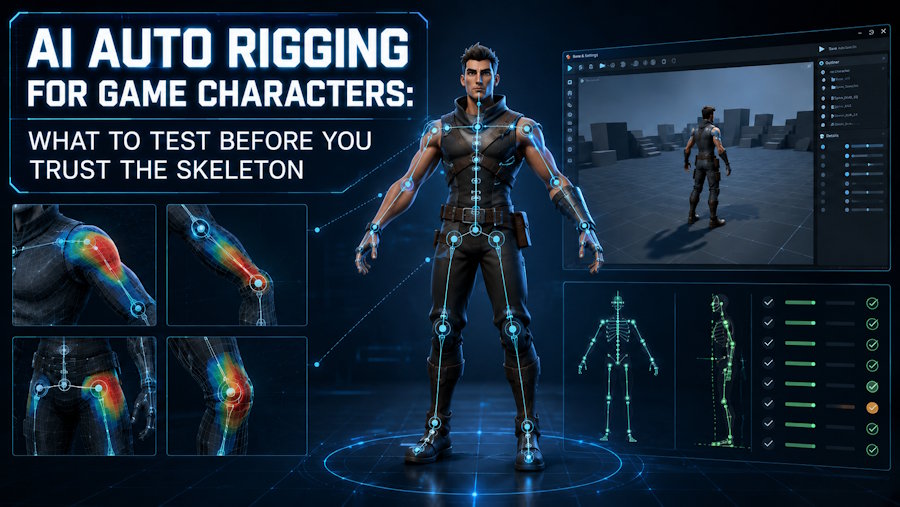
AI auto rigging is already useful for game characters, but it becomes genuinely valuable only when the rig survives technical checks instead of just passing a demo clip. The right question is not whether a character moves once. The better question is whether the rig still works after export, retargeting, repeated motion use, and gameplay-driven iteration.
V2Fun is worth testing when you want auto-rigging inside a broader AI character workflow. But the result still needs QA, especially if the character is headed into a game engine or a more demanding production path.
What AI Auto Rigging Actually Solves
AI auto rigging helps teams skip one of the slowest parts of early character setup: placing a usable skeleton and getting a first pass of weights onto a humanoid mesh.
That is especially useful for:
- Quick gameplay tests
- NPC concepts
- Stylized characters with familiar human proportions
- Early animation approval loops
It becomes less reliable when the project depends on hero characters, complex costumes, detailed hands and shoulders, facial systems, or non-humanoid creatures. In those cases, auto-rigging is more useful as a starting point than a final solution.
The Four Checks That Matter Most
1. Skeleton Placement
The skeleton has to land in the right body zones. If the shoulders sit too high, the elbow pivots are off, or the pelvis is misaligned, every later motion test becomes less trustworthy.
2. Skin-Weight Behavior
The character should bend without obvious collapse in the shoulders, knees, hips, wrists, and elbows. Fast rigging stops being valuable if cleanup immediately erases the time saved.
3. Motion Compatibility
The rig should survive more than one safe motion. Test an idle, a walk, a turn, and a wider arm action. Auto-rigging that only survives one neutral clip is not especially useful for production decisions.
4. Export Reliability
A game-character rig only becomes useful after export. The skeleton, orientation, and animation behavior need to hold up in the real downstream tool.
Where V2Fun Can Help
V2Fun's official auto-rigging, animation, and motion pages describe automatic skeleton generation, key-joint recognition, T-pose preparation, motion upload, video motion capture, retargeting, and preview. That makes it more useful than a skeleton-only feature when the goal is to move from model to motion quickly.
The strongest way to frame V2Fun is simple: it is a good option for fast humanoid auto-rigging when the next step is immediate motion testing. That is especially relevant for prototype-stage game characters, creator workflows, and smaller teams that want to validate a character before committing to deeper manual setup.
When Auto Rigging Is Not Enough
Auto rigging should not be mistaken for final character rigging when the project depends on custom controllers, precise deformation under extreme poses, cloth and accessory interaction, facial performance, or reliable hero-character close-ups.
In those cases, auto rigging is still useful, but it should be treated as a starting point rather than the last step.
A QA Loop Worth Keeping
Use the same simple loop each time:
- Start from the cleanest possible humanoid mesh.
- Auto-rig the character.
- Test four different motions.
- Export to the real downstream tool.
- Record cleanup time and visible failures.
- Decide whether the rig is good enough for prototype use, polish, or rejection.
This is usually more useful than a generic list of top tools because it gives the team a repeatable way to judge the result.
Final Verdict
AI auto rigging is already useful for game characters, but only when teams judge it by technical survival rather than demo quality.
V2Fun is worth evaluating when the goal is to keep model creation, rigging, motion, and preview closer together during early character production. That does not mean every result is ready for final use. It means the workflow can get a team to the next meaningful decision faster, as long as the rig still passes the checks that matter after export.
FAQ
Is AI auto rigging good enough for shipped games?
Sometimes for lighter characters, prototypes, or lower-risk assets. Hero-character animation usually still needs later technical art review.
Why does pose preparation matter so much?
Because auto-rigging depends on readable body structure. A poor starting pose creates downstream rig errors that can look like tool failures.
What is V2Fun best for in this workflow?
V2Fun is best for teams that want to keep model creation, rigging, motion, and preview close together during the draft stage of character production.
Sources
- V2Fun AI Auto Rigging: https://v2fun.ai/en/features/ai-auto-rig
- V2Fun AI 3D Animation: https://v2fun.ai/en/features/ai-3d-animation
- V2Fun AI Motion Capture: https://v2fun.ai/en/features/ai-motion-capture
- Adobe Mixamo: https://www.mixamo.com/
- Blender Animation and Rigging Manual: https://docs.blender.org/manual/en/latest/animation/index.html

