

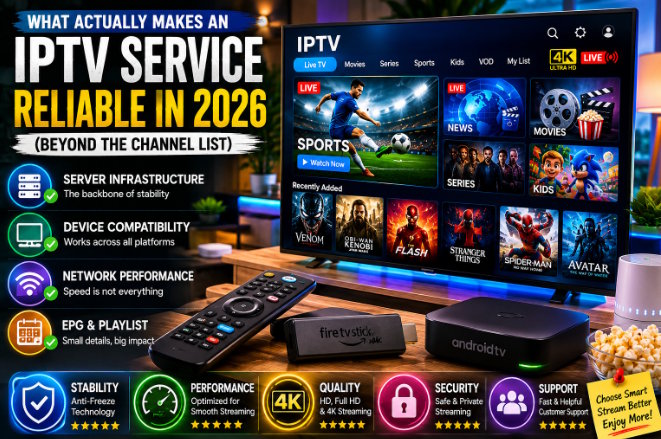
Introduction
A few years ago, IPTV was the kind of thing you only heard about in forum threads and group chats. Now it's mainstream enough that most people have at least one friend who's switched over from cable, and the question has shifted. It's no longer “what is IPTV” — it's “how do I pick one that's still working in three months.”
That second question turns out to be a lot harder to answer, and most buying guides don't really try. They compare channel counts and monthly prices, which says almost nothing about whether a service survives a Champions League final or a Friday night when half the street is streaming 4K at once. This piece skips the marketing comparisons and goes straight to the infrastructure, the device quirks, and the mistakes that trip up even people who've used IPTV for years.
Table of Contents
- What IPTV Is, Technically Speaking
- Why Channel Count Is a Misleading Metric
- Server Infrastructure and CDN Architecture
- Adaptive Bitrate Streaming Explained
- Device Compatibility: Smart TV, Android TV, Fire TV Stick, Apple TV
- Choosing an IPTV Player App
- Playlist Formats: M3U vs. Xtream Codes
- EPG Synchronization and Why It Breaks
- Network Setup: Wi-Fi, Ethernet, and Router Configuration
- IPTV vs. OTT Streaming: Where the Line Actually Sits
- Common Mistakes Buyers Make
- Evaluating Providers Without Getting Fooled
- Summary
1. What IPTV Is, Technically Speaking
Internet Protocol Television moves video over the same kind of infrastructure that carries everything else on the internet, rather than over a dedicated broadcast signal. Cable and satellite push a fixed feed into your home; IPTV instead leans on standard delivery protocols — mostly HLS (HTTP Live Streaming), with MPEG-DASH showing up less often these days.
Both formats chop video into short segments and serve them one after another, which is the part that actually matters to a viewer. It's why a stream can quietly drop resolution instead of freezing outright when your connection dips. Strip away the acronyms and that one design decision — segment and adapt, rather than push a single fixed bitrate — is the reason IPTV works on an ordinary home connection at all.
2. Why Channel Count Is a Misleading Metric
Every provider wants to lead with a five-digit channel number. It's an easy figure to inflate and a genuinely poor way to judge quality.
A few reasons that number falls apart on closer inspection:
- Plenty of “channels” in a bloated list are duplicates — the same feed listed twice in different resolutions or regions.
- Dead or rarely-updated channels tend to stay on the list indefinitely, because removing them is more work than leaving them.
- A provider offering 3,000 properly licensed, stable channels will beat one claiming 20,000 with constant dropouts, every time it actually matters.
|
Expert Tip: Take a trial if one's offered, and test the specific channels you'll watch — not a random sample from the list. Sports and rolling news under heavy concurrent load expose infrastructure weak points faster than anything else. |
3. Server Infrastructure and CDN Architecture
This is the piece most comparison articles skip, and it's arguably the one that matters most.
A well-run IPTV operation spreads load across multiple servers, often routing viewers through a content delivery network to the nearest available node. When one server gets overwhelmed, traffic is supposed to fail over automatically — what's usually called an “anti-freeze” setup among people who work in this space.
Skip that redundancy and a single popular match, or a season premiere everyone tunes into at once, can take the whole service down for every subscriber on that server.
|
Infrastructure Type |
Behavior Under Load |
Typical Result |
|
Single server, no failover |
Degrades sharply |
Freezing, buffering, disconnects |
|
Multi-server with manual switching |
Partial recovery |
Delayed but functional |
|
CDN-backed, automatic failover |
Redistributes load |
Minimal disruption |
You can't see this architecture directly as a subscriber, but you can infer it. Test during peak hours — Friday and Saturday evenings, or whenever a major live event is airing — and the cracks show up fast if they exist.
4. Adaptive Bitrate Streaming Explained
Adaptive bitrate streaming is the mechanism that lets a stream quietly drop from 1080p to 480p instead of freezing the moment your connection slows down. It's the same approach Netflix and YouTube rely on, and IPTV providers lean on it just as heavily.
The catch: ABR is good at masking a bad connection, not fixing one. If you're consistently watching at a lower resolution than what you're paying for, the cause is almost always bandwidth or latency on your end, not a thin content library.
|
Common Mistake: Blaming the provider every time picture quality dips. Far more often, it's a router under strain or an ISP connection that's congested at that particular hour. |
5. Device Compatibility: Smart TV, Android TV, Fire TV Stick, Apple TV
Streaming devices don't all handle IPTV the same way, and this is where a lot of buyer frustration actually starts.
Smart TVs (Samsung, LG webOS)
Built-in app stores are more locked down here, so IPTV players available on Samsung and LG sets tend to be more limited than what's available on Android-based devices. Sideloading generally isn't an option without extra hardware.
Android TV / Google TV
The most flexible route. Full Google Play Store access plus the ability to sideload apps gives this platform the broadest IPTV compatibility of the bunch.
Amazon Fire TV Stick
Runs a forked version of Android, so most IPTV apps install fine — but performance shifts noticeably by generation. Older sticks (third generation and earlier) often struggle with 4K streams that newer hardware handles without breaking a sweat.
Apple TV
The most restrictive of the four. Apple's App Store policies limit which IPTV-style apps make it through review, which pushes most users toward a narrower set of third-party players that meet Apple's guidelines.
|
Expert Tip: Buying hardware specifically for IPTV? Android TV or Google TV devices tend to cause the fewest compatibility headaches down the line. |
6. Choosing an IPTV Player App
The provider supplies the stream itself; the player app is what renders it on your screen. Those are two separate things, and mixing them up is one of the most common points of confusion for anyone new to this.
|
App |
Strengths |
Best For |
|
IPTV Smarters Pro |
Broad compatibility, simple setup |
Beginners |
|
TiviMate |
Customizable EPG, multi-profile support |
Android TV power users |
|
GSE Smart IPTV |
Cross-platform, supports M3U and Xtream Codes |
Mixed-device households |
|
OTT Navigator |
Strong catch-up and timeshift features |
Live sports viewers |
Switching providers rarely means switching apps. Most player apps support both M3U and Xtream Codes login methods, so the app on your screen can stay exactly the same even if the service behind it changes.
7. Playlist Formats: M3U vs. Xtream Codes
M3U is a static playlist file — essentially a list of stream URLs bundled together. It's simple and almost universally supported, but it doesn't update itself. If the provider changes server addresses, you need a new file.
Xtream Codes works differently: it's a login-based protocol that pulls the channel list, EPG data, and VOD library directly from the provider's backend each time you connect. That makes it more resilient to server changes, which is why most modern providers default to it now.
Neither format affects picture quality on its own — they're delivery methods, not video standards. The real difference shows up in how much maintenance falls on you versus the provider.
8. EPG Synchronization and Why It Breaks
The Electronic Program Guide is what makes IPTV feel like actual television rather than a list of streams to click through. Done well, it gives you scheduled programming, show descriptions, and the ability to set reminders. Done poorly, channels show blank or generic listings.
EPG data usually comes from a third-party source the provider aggregates separately from the video feed itself. That's why a channel can stream flawlessly while its guide data sits blank or off by a few hours — they're two different systems, and they don't always sync cleanly, especially once time zones get involved.
|
Common Mistake: Treating a broken EPG as proof the whole service is failing. Most of the time, clearing the app's cache and forcing a manual resync sorts it out without any provider-side issue at all. |
9. Network Setup: Wi-Fi, Ethernet, and Router Configuration
Internet speed takes the blame for streaming problems far more often than it deserves to. A speed test measures peak throughput in a single burst — it doesn't measure the consistency that live streaming actually depends on.
A few factors matter more than raw Mbps:
- Latency and jitter — live streams are far more sensitive to inconsistent packet timing than buffered, pre-loaded video.
- Wi-Fi interference — 2.4GHz bands are crowded in most homes; 5GHz or a wired connection holds up more consistently.
- Router QoS settings — prioritizing your streaming device's traffic can cut buffering during busy hours without paying for a faster plan.
- Concurrent devices — a household running several 4K streams at once needs meaningfully more sustained bandwidth than a single-device setup, not just a faster headline speed.
|
Expert Tip: If buffering shows up specifically in the evenings, the likelier cause is network congestion — in your own home or at your ISP's local node — rather than your subscribed speed tier. |
10. IPTV vs. OTT Streaming: Where the Line Actually Sits
It's worth being precise about terminology here, because the two get conflated constantly. OTT — “over the top” — is the broader category, covering any video delivered over the open internet rather than through a dedicated broadcast network. Netflix, Disney+, and YouTube TV are all OTT services. So, technically, is IPTV.
What sets traditional IPTV apart within that category is the live channel model: a scheduled EPG, linear programming, and a viewing experience built around channel-flipping rather than browsing a library. Netflix and Disney+ are almost entirely on-demand — there's no schedule to follow, just a catalog. YouTube TV sits closer to IPTV's territory, bundling live linear channels with cloud DVR, but it operates as a single licensed platform with direct broadcaster agreements, which is a different model from an aggregated IPTV service pulling channels from multiple sources.
The practical distinction for a viewer comes down to two things: whether you actually want a live channel guide, and how much you care about content licensing transparency. On-demand OTT platforms answer the licensing question by default, since they negotiate rights directly with studios. IPTV services vary far more on that front, which is exactly why infrastructure and licensing transparency matter more when evaluating them than they do when comparing, say, Netflix and Disney+.
11. Common Mistakes Buyers Make
- Chasing the lowest possible price without checking server reliability or whether a trial is even offered.
- Ignoring device-specific reviews, then assuming an app that runs smoothly on Android TV will behave identically on a Fire TV Stick.
- Skipping the trial period entirely, even when the provider offers one.
- Blaming the provider for ISP-side congestion that has nothing to do with their infrastructure.
- Running multiple simultaneous 4K streams on a basic home plan never built for that kind of sustained load.
12. Evaluating Providers Without Getting Fooled
Marketing language in this space is loud and mostly unverifiable from the outside. A more useful approach is comparing how transparent providers actually are about the things that affect reliability day to day — server locations, anti-freeze infrastructure, a documented device list, and an honest trial policy.
Industry data backs up why this scrutiny matters more now than it used to: market researchers estimate IPTV has surpassed roughly 250 million subscribers worldwide as adoption keeps climbing into 2026, with growth concentrated in markets where fiber broadband has expanded fastest. That kind of scale means more providers entering the market at every quality level — which makes the gap between a well-run operation and a shaky one wider, not narrower.
When people compare options across sites that round up the best IPTV providers, the services that hold up tend to be the ones publishing this operational detail upfront rather than leaning on channel-count marketing alone. Some providers, including Hakuna IPTV, Xtreme HD IPTV, and IPTV Trends, list compatibility and infrastructure specifics directly instead of burying them behind vague claims — a pattern worth looking for regardless of which provider you ultimately choose.
Legal standing is worth checking too. Licensing varies by provider and region, and a service willing to explain clearly where its content rights come from is operating on different footing than one that dodges the question.
13. Summary
IPTV has grown into a genuinely viable alternative to cable, but the market is uneven enough that picking a provider takes real diligence — more than comparing two price tags and calling it done. Server infrastructure, device compatibility, and realistic network expectations matter far more than headline channel counts ever will. The subscribers who end up satisfied are usually the ones who tested before committing and asked the unglamorous infrastructure questions instead of just shopping on price.
Author Bio
Written by a technology journalist who covers streaming infrastructure, Smart TV platforms, and connected home entertainment. Over the past several years, their testing work has spanned Android TV, Fire TV Stick, and Smart TV setups across multiple IPTV and OTT services, with a particular focus on network performance, device compatibility, and separating real infrastructure claims from marketing copy.
Frequently Asked Questions
1. What does IPTV stand for?
Internet Protocol Television — TV delivered over standard internet infrastructure instead of cable or satellite.
2. Is a higher channel count always better?
No. Channel counts are frequently inflated with duplicates or inactive feeds. Stability and licensing matter far more than the raw number.
3. What's the difference between M3U and Xtream Codes?
M3U is a static playlist file; Xtream Codes is a login-based system that dynamically updates channel lists and EPG data from the provider's backend.
4. Why does my stream quality drop randomly?
That's usually adaptive bitrate streaming responding to a bandwidth or latency issue in real time, not a problem with the content itself.
5. Does Fire TV Stick perform as well as Android TV for IPTV?
Not always. Older Fire TV Stick generations can struggle with 4K streams that newer Android TV hardware handles without issue.
6. Why is my EPG showing the wrong schedule?
EPG data comes from a separate source than the video stream and can fall out of sync, especially across time zones. A manual resync usually resolves it.
7. Do I need Ethernet instead of Wi-Fi for IPTV?
Not strictly, but a wired connection generally offers more consistent latency, which matters more for live streaming than peak speed does.
8. Why does buffering happen mostly in the evening?
Network congestion — either within your home or at your ISP's local node — tends to peak during high-usage hours, independent of your plan's advertised speed.
9. How is IPTV different from a service like YouTube TV?
YouTube TV is a single licensed platform with direct broadcaster agreements. IPTV services typically aggregate channels from multiple sources, which means licensing transparency varies far more from one provider to the next.
10. What's the most reliable way to evaluate a provider before subscribing?
Test during peak hours using a trial period, and pay close attention to high-demand channels like live sports or rolling news, where infrastructure weaknesses surface fastest.

