

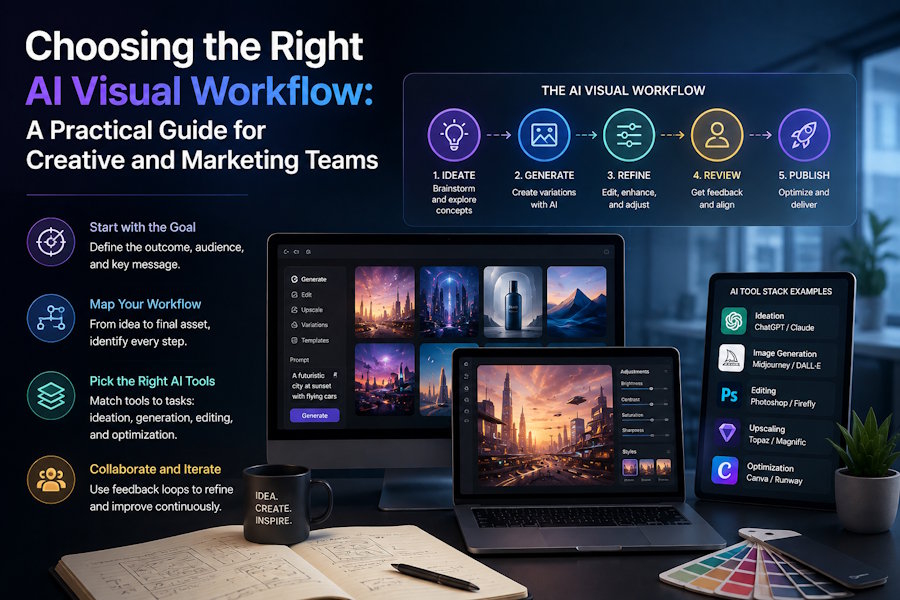
Every visual asset a team produces, a product photo, a social graphic, a thumbnail, a short teaser clip, starts with the same basic decision: what tool actually fits this specific job? That question has gotten more complicated, not less, as AI image and video generation has matured. There are now multiple models, each with different strengths, and multiple workflows, from prompt-first generation to editing an existing upload to using a reference image to keep a product or subject consistent. Picking wastes time and credits blindly. Picking deliberately usually gets a usable result in fewer attempts.
Start With the Output, Not the Tool
The most reliable way to approach any visual project is to work backwards from what the final asset actually needs to do. A product image destined for an e-commerce gallery has different requirements than a poster meant to grab attention in a crowded social feed, and both are different again from a short video hook meant to stop someone mid-scroll. Before opening any generator, it helps to be specific about the subject, the intended channel, the aspect ratio, whether text needs to appear in the image, and whether an existing photo or brand asset needs to be preserved rather than replaced.
This is where platforms like AI Image Editor are structured around tasks rather than a single blank prompt box organizing image generation, image editing, background removal, upscaling, and video workflows as distinct entry points, so a team can go directly to the tool that matches the asset they're trying to produce instead of guessing from a generic starting point.
Text-to-Image vs. Image-to-Image: Two Different Starting Points
Generating visuals generally falls into two broad categories. Text-to-image generation works well when there's no existing asset to build from a new concept, an illustrative scene, or an ad idea that doesn't need to match a specific product photo. Image-to-image and reference-led workflows serve a different purpose: preserving a subject's actual appearance, a product, a face, a specific composition, while changing the background, lighting, style, or context around it.
For marketing and ecommerce teams in particular, reference-led editing tends to matter more than pure generation, since brand and product recognition usually can't be sacrificed for creative flexibility. A model page like the one for GPT image 2 image generator gives teams a place to see how a specific model handles this kind of constrained generation before committing credits to a full batch of variations, while other models on the same platform, including Nano Banana 2, offer their own tradeoffs in how they interpret prompts and reference inputs. Neither is a universal answer the right choice depends on the specific source assets and how much of the original needs to stay intact.
Preparing Assets, Not Just Generating Them
Generation is often only half the job. Raw output, whether AI-generated or an existing photo, usually still needs cleanup before it's publish-ready. Background removal matters for product shots that need a consistent, isolated look across a catalogue page. Upscaling matters when a source image is too small or low-resolution for its intended placement, whether that's a hero banner or a print-quality asset. These preparation steps are frequently the difference between a technically fine image and one that actually looks finished in context.
When Motion Becomes Part of the Brief
Increasingly, a single campaign needs both static and moving assets, a product photo alongside a short teaser clip, a thumbnail alongside a video hook. Text-to-video, image-to-video, and reference-to-video workflows each serve a different starting point, mirroring the same logic as image generation: text-to-video for a new concept with no existing footage, image-to-video for animating an existing still, and reference-to-video for maintaining a specific subject or style across a motion clip. Video editing tools built around supported model pages extend that same logic to refining or adjusting a clip that's already been generated or sourced.
Choosing a Workflow, Not a Winner
None of this is about identifying a single best model or tool for every situation; the right choice changes based on the source material, how much creative flexibility is acceptable, and what the review process looks like on the receiving end. A team producing a high volume of product images benefits from a fast, reference-constrained workflow. A team pitching a new campaign concept might get more value from broader text-to-image exploration before narrowing down. Trying a model page directly, reviewing a small batch of outputs, and adjusting the prompt or reference before scaling up tends to be a more efficient path than committing to one approach from the start.
A Note on Commercial Use
Whatever workflow a team settles on, it's worth treating the output as a draft that still needs review before publishing, checking platform terms, model-specific licensing details, and any third-party rights that might apply, including trademarks, copyrighted material that could appear in a generated scene, and likeness considerations if a recognisable person's features are involved. AI-generated visuals can move a project forward quickly, but the responsibility for what actually gets published still sits with the team publishing it.

