

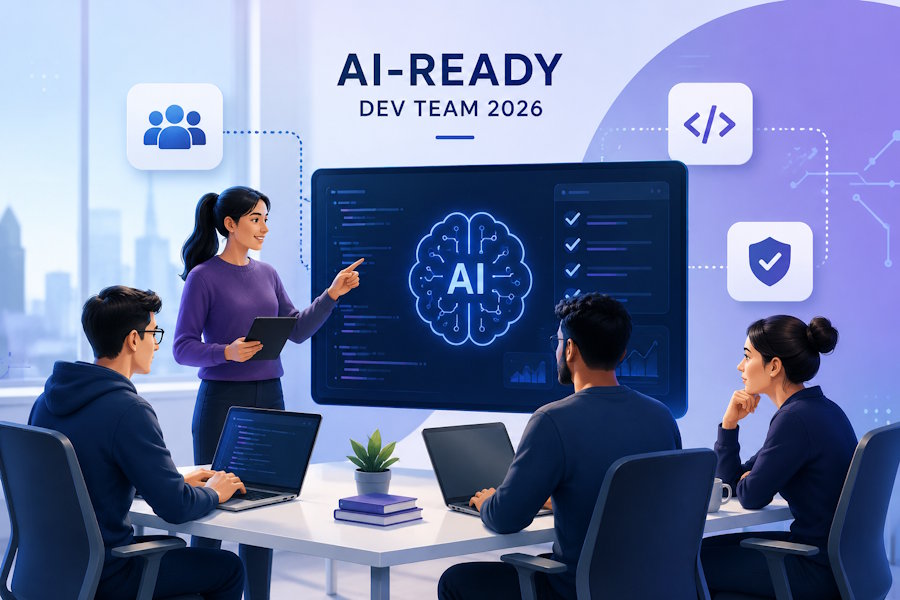
Artificial intelligence is changing software development faster than many engineering teams expected. AI coding agents can generate code, create tests, analyze errors, explain unfamiliar codebases, and automate repetitive development tasks. But simply giving developers access to AI tools does not make a team AI-ready.
An effective AI-ready software development team needs the right combination of technical skills, development processes, AI tools, security practices, and human oversight.
The goal is not to replace developers with AI. Instead, modern teams should create workflows where developers and AI systems work together to deliver software faster while maintaining quality, security, and architectural control.
What Is an AI-Ready Software Development Team?
An AI-ready software development team is a group of engineers that knows how to integrate AI into everyday software engineering without depending on it blindly.
A traditional development team might use AI primarily for code suggestions or simple debugging. An AI-ready team goes further by using AI across multiple stages of the software development lifecycle.
This can include:
- Requirements analysis
- Code generation
- Code refactoring
- Automated testing
- Debugging
- Documentation
- Code review
- DevOps automation
- Security analysis
- Technical research
The important difference is workflow integration.
AI should become part of the engineering process rather than being treated as an isolated productivity tool.
1. Start With Strong Software Engineering Fundamentals
AI tools are powerful, but they don't remove the need for experienced software engineers.
Before adopting AI coding agents, teams should have a strong understanding of:
- Software architecture
- Data structures and algorithms
- APIs
- Databases
- Cloud infrastructure
- Testing
- Security
- Version control
- CI/CD
- System design
This matters because AI-generated code still requires human evaluation.
An AI coding agent can produce a technically valid solution that doesn't fit the architecture of an existing application. It can also introduce unnecessary dependencies, security vulnerabilities, inefficient queries, or difficult-to-maintain abstractions.
Experienced developers provide the context and judgment that AI systems may lack.
2. Move From AI Assistance to AI-Assisted Workflows
The next step is changing how developers use AI.
Instead of asking an AI assistant:
"Write this function."
Teams can give AI systems larger, clearly defined tasks.
For example:
Analyze the authentication module, identify why expired sessions aren't being handled correctly, implement a fix, add regression tests, and explain the changes.
This is closer to an agentic software development workflow.
AI coding agents can inspect files, execute commands, modify code, run tests, and iterate based on the results.
However, the developer should remain responsible for defining requirements, reviewing important changes, and approving production releases.
3. Choose AI Tools Based on the Workflow
There is no single AI tool that is best for every development team.
Different tools can support different stages of development.
For example:
| Development activity | Potential AI assistance |
|---|---|
| Code generation | AI coding assistants |
| Debugging | AI reasoning and code-analysis tools |
| Testing | AI test-generation tools |
| Documentation | AI documentation assistants |
| Code review | AI review and security tools |
| Research | AI research assistants |
| DevOps | AI-powered automation |
| Project planning | AI planning and analysis tools |
Teams should avoid adopting dozens of tools simply because they are popular.
Instead, identify the biggest bottlenecks in the existing software development workflow and introduce AI where it can produce measurable improvements.
4. Build Human-in-the-Loop Development
One of the biggest mistakes companies can make is assuming that AI-generated code doesn't need human review.
AI-assisted software development should still have clear ownership.
A practical workflow might look like:
| Developer defines requirements ↓ AI agent analyzes the task ↓ AI agent proposes or implements changes ↓ Automated tests run ↓ Developer reviews the implementation ↓ Security and quality checks ↓ Human approval ↓ Deployment |
This approach combines the speed of AI with the judgment of experienced developers.
For critical systems, human approval should remain mandatory for architectural changes, security-sensitive code, database migrations, infrastructure changes, and production deployments.
5. Give AI Coding Agents the Right Context
AI systems are only as effective as the context provided to them.
A coding agent working with an unfamiliar project may make poor decisions if it doesn't understand:
- Project architecture
- Coding standards
- Dependencies
- Database structure
- Deployment process
- Testing requirements
- Security policies
- Business rules
Teams can improve results by maintaining clear documentation and project instructions.
Useful resources include:
- Architecture documentation
- Contribution guidelines
- API documentation
- Coding standards
- Testing instructions
- Environment setup documentation
- Security policies
A well-documented codebase gives AI agents a much stronger foundation for making reliable changes.
6. Make Testing Part of the AI Workflow
AI-generated code should never be considered complete simply because it compiles.
Testing needs to be integrated into the workflow.
AI coding agents can help generate:
- Unit tests
- Integration tests
- Regression tests
- API tests
- Test data
- Edge-case scenarios
For example, after implementing an authentication feature, an AI agent could generate tests covering:
- Valid credentials
- Invalid credentials
- Expired sessions
- Password reset
- Rate limiting
- Unauthorized requests
The development team can then review and execute those tests as part of the normal CI/CD pipeline.
The objective is not to let AI decide whether its own code is correct. The objective is to use AI to increase test coverage and reduce repetitive testing work.
7. Treat Security as a First-Class Requirement
AI-assisted development can accelerate software delivery, but speed should not come at the expense of security.
AI-generated code can introduce issues such as:
- Insecure authentication
- Improper input validation
- Exposed secrets
- Vulnerable dependencies
- Incorrect access controls
- Unsafe database queries
AI-ready development teams should therefore combine AI coding tools with existing security processes.
These can include:
- Static application security testing
- Dependency scanning
- Secret detection
- Code review
- Automated security testing
- Infrastructure scanning
- Manual security assessment
Developers should also avoid providing confidential credentials, private keys, customer information, or sensitive production data to AI systems without understanding the relevant privacy and data-handling policies.
8. Improve Developer Productivity Instead of Just Increasing Code Output
A common mistake is measuring AI success by the amount of code generated.
More code does not necessarily mean more productivity.
A better measurement framework includes:
- Development cycle time
- Pull request turnaround time
- Test coverage
- Defect rates
- Deployment frequency
- Time spent debugging
- Time spent on repetitive tasks
- Developer satisfaction
For example, if an AI coding agent generates 5,000 lines of code but creates additional debugging work, the team hasn't necessarily become more productive.
The goal should be better software delivery, not maximum AI-generated output.
9. Consider AI-Native Documentation
Documentation is another area where AI can significantly change development workflows.
Modern development teams increasingly need to document not only the final code but also how complex work was completed.
For example, an AI coding agent working on a feature could produce:
- Summary of the task
- Files changed
- Tests performed
- Errors encountered
- Solutions applied
- Final validation
- Relevant development artifacts
This becomes especially useful for remote software development teams where developers may not be working together in the same environment.
Visual documentation can also complement traditional Git history and technical documentation by showing how a feature was tested or how a bug was reproduced.
10. Build AI Skills Across the Development Team
An AI-ready organization doesn't necessarily require every developer to become an AI researcher.
Instead, developers should understand how to use AI effectively within their existing specialties.
For example:
Frontend developers
Can use AI for:
- Component generation
- UI debugging
- Accessibility checks
- Test generation
- CSS optimization
Backend developers
Can use AI for:
- API development
- Database queries
- Test generation
- Debugging
- Refactoring
DevOps engineers
Can use AI for:
- Infrastructure configuration
- CI/CD troubleshooting
- Log analysis
- Automation
- Monitoring
QA engineers
Can use AI for:
- Test-case generation
- Regression testing
- Bug reproduction
- Test-data generation
This creates a hybrid engineering team where AI capabilities complement existing technical expertise.
11. Build the Right Team Structure
Companies don't necessarily need to create a completely separate AI department.
Instead, AI expertise can be distributed throughout the engineering organization.
A modern development team might include:
- Software architects
- AI/ML engineers
- Full-stack developers
- Backend developers
- Frontend developers
- QA engineers
- DevOps engineers
- Security engineers
- Product managers
The exact structure depends on the product.
For companies building AI-heavy products, dedicated AI engineers may be necessary. For traditional SaaS or web applications, existing developers may be able to incorporate AI coding agents into their workflows without dramatically changing the organizational structure.
Businesses that need additional engineering capacity can also work with specialized AI-ready software development teams that already have experience working with modern AI-assisted development workflows.
12. Remote Teams Can Benefit From AI-Assisted Development
AI can be particularly useful for distributed engineering teams.
Remote software development teams often face challenges around:
- Time-zone differences
- Knowledge sharing
- Documentation
- Developer handoffs
- Repetitive communication
- Project visibility
AI tools can help reduce some of these challenges.
For example, an AI agent can summarize technical changes, generate documentation, prepare pull-request descriptions, or help developers understand an unfamiliar part of the codebase.
Combined with good communication and documentation practices, these capabilities can make distributed teams more efficient.
13. Create an AI Development Policy
Before allowing unrestricted use of AI tools, companies should establish clear guidelines.
An AI development policy can define:
- Which AI tools developers can use
- What types of company data can be shared
- How AI-generated code should be reviewed
- When human approval is required
- How AI-generated dependencies should be evaluated
- How security testing should be performed
- How intellectual-property concerns should be handled
This prevents every developer from creating their own approach and gives the organization a consistent framework for responsible AI adoption.
A Practical Framework for Building an AI-Ready Team
Companies don't need to transform their entire engineering organization overnight.
A simple five-stage approach can work well.
Stage 1: Audit
Identify repetitive and time-consuming development activities.
Stage 2: Experiment
Introduce AI tools to a small number of developers and projects.
Stage 3: Measure
Track productivity, quality, security, and developer experience.
Stage 4: Standardize
Create approved AI tools, workflows, coding guidelines, and review processes.
Stage 5: Scale
Expand successful AI-assisted workflows across the engineering organization.
This gradual approach reduces risk while allowing teams to learn what actually works.
The Future of AI-Ready Software Development Teams
AI coding agents will continue to become more capable.
The next generation of development teams may use AI not just for generating individual functions but for coordinating entire workflows involving coding, testing, debugging, documentation, and deployment.
However, the strongest teams won't simply be the ones using the most AI tools.
They will be the teams that know where AI should be used, where humans need to remain involved, and how both can work together effectively.
The role of the software developer is also evolving. Developers are increasingly becoming system designers, reviewers, technical decision-makers, and orchestrators of AI-assisted workflows.
That makes foundational engineering knowledge more important—not less.
Conclusion
Building an AI-ready software development team in 2026 isn't about replacing developers with AI.
It's about redesigning the software development workflow so that developers can use AI coding agents and automation to eliminate repetitive work while focusing more on architecture, problem-solving, security, product decisions, and quality.
The winning approach combines:
- Strong software engineering fundamentals
- AI coding agents
- Automated testing
- Human code review
- Security controls
- Clear documentation
- AI development skills
- Measurable productivity goals
- Responsible AI policies
Companies that build these capabilities today will be better positioned to adapt as AI becomes an increasingly important part of professional software development.

