

Technical documentation is rarely just a collection of paragraphs. A software manual might contain screenshots, tables, numbered procedures, diagrams, warnings, product specifications, and references to information elsewhere on the same page.
That is why translating a technical PDF can become surprisingly frustrating. An online PDF translator can reduce much of the manual work by processing the document as a complete file rather than forcing users to extract and translate individual sections one by one. For developers, engineers, researchers, and technical teams, the goal is not only to translate the words but also to preserve enough of the original structure to keep the document usable.
Why Copying PDF Text Into a Translator Often Fails
Copy-and-paste translation works reasonably well for a short email or a few paragraphs.
PDFs are different.
The format is designed to preserve how a document looks across devices, which is useful when sharing manuals, reports, whitepapers, and technical specifications. But that same fixed structure can make manual translation awkward.
When text is copied out of a PDF:
- paragraphs may be extracted in the wrong order;
- multi-column text can become mixed together;
- table cells may lose their relationships;
- captions can become detached from images;
- headers and footers may appear inside the main text;
- numbered procedures may become harder to follow.
Even when the translated sentences are correct, the document itself may become more difficult to understand.
For a five-page file, rebuilding everything manually may be manageable. For a long technical manual or research document, it can create a large amount of unnecessary formatting work.
Structure Matters in Technical Documents
Formatting is not purely visual in technical documentation.
It often communicates meaning.
A warning placed directly above an installation step is different from the same warning appearing several paragraphs later. A value in the third column of a specification table only makes sense when the column headings remain correctly aligned.
This matters across many types of technical PDFs, including:
- product manuals;
- SDK and API documentation;
- installation guides;
- engineering reports;
- technical specifications;
- research papers;
- supplier documentation;
- internal procedures and SOPs.
In these cases, preserving headings, tables, images, and reading order can be almost as important as translating the sentences themselves.
Check Whether the PDF Is Text-Based
Not every PDF contains actual digital text.
Some files are simply scanned images of printed pages.
A quick test is to try selecting a sentence with the cursor. If individual words can be highlighted, the file probably contains a text layer. If the whole page behaves like one image, OCR may be required before translation.
This distinction is worth checking before processing a long document because tools designed for text-based PDFs generally work more predictably when they can access the underlying text directly.
Translate the PDF as a Complete Document
For structured technical PDFs, translating the complete file is often more practical than moving individual paragraphs between applications.
A document-level translation workflow can attempt to retain the original headings, tables, images, fonts, and multi-column structure while replacing the source text with translated content.
This does not mean every translated page will look identical to the original.
Different languages require different amounts of space. A short English heading may become much longer in German or French. Table text may wrap onto additional lines, and page breaks can move.
The practical advantage is that users begin with a translated document that still resembles the source instead of a block of text that must be rebuilt from scratch.
For technical teams, that saved reconstruction time can be more valuable than the translation speed itself.
What Should You Review After Translation?
A document can look well formatted and still contain information that needs checking.
Technical users should therefore focus their review on the areas where errors are most likely to affect understanding or operation.
Technical Terms and Identifiers
Technical PDFs frequently contain terms that should remain unchanged or be translated consistently.
These may include:
- product names;
- feature names;
- parameter names;
- filenames;
- abbreviations;
- protocol names;
- measurement units;
- specialized industry terminology.
AI translation can provide a useful first version, but it may not always know whether a term is ordinary language or a product-specific identifier.
If a team regularly translates documents from the same industry, maintaining a small glossary of approved terminology can make later reviews faster and more consistent.
Tables and Measurements
Tables deserve particular attention because translation changes the length of individual cells.
After translating a technical PDF, check whether:
- headers still correspond to the correct columns;
- rows remain aligned;
- numbers and units remain unchanged;
- identifiers are still correct;
- longer text fits reasonably inside the cells;
- footnotes remain connected to the right information.
A short review here can prevent much more serious misunderstandings later.
Images, Diagrams, and Captions
Technical documentation often combines visual and written information.
A screenshot may show a software setting while the paragraph below explains what should be changed. A diagram may contain numbered components referenced elsewhere in the document.
If translation separates those elements, the document may contain all the original information while becoming harder to use.
Keeping translated text close to its related screenshots, diagrams, and captions helps readers follow approximately the same path through the document as they would in the original.
Not Every Technical PDF Needs the Same Review
The purpose of the translated document should determine how much human review it receives.
Internal Reading
A developer may only need to understand a foreign-language technical report or determine whether a supplier manual contains relevant information.
In that case, speed and general comprehension may matter more than perfect wording.
Internal Operational Use
A translated SOP, training guide, installation manual, or technical procedure deserves more careful review because employees may act on the instructions.
Terminology, measurements, warnings, and numbered procedures should receive additional attention.
External or High-Risk Use
Contracts, compliance material, safety information, financial documents, and official customer-facing documentation require much stronger scrutiny.
AI can reduce the initial translation workload, but important sections should still be checked by someone who understands the language and subject.
This risk-based approach prevents two opposite mistakes: manually reviewing every low-risk paragraph in detail, or trusting automated translation when an error could have serious consequences.
Large Technical PDFs Can Be Handled in Sections
A 150-page manual may contain installation, configuration, maintenance, troubleshooting, and reference sections used by different teams.
Not everyone needs the entire document.
Splitting a large PDF into logical sections can make translation, review, and distribution more manageable. An engineer may only need the installation and specification chapters, while a support team may focus on troubleshooting.
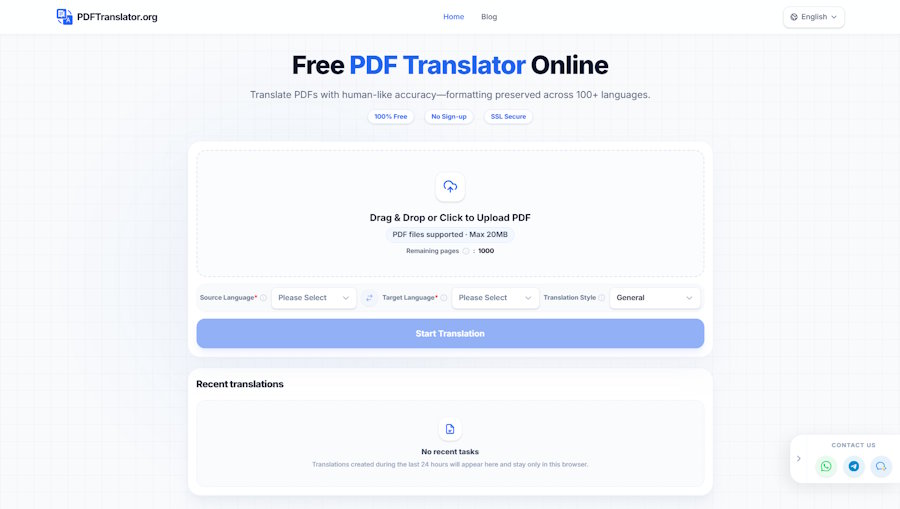
PDFTranslator combines PDF translation with splitting, merging, and compression tools in the browser. It supports more than 100 languages, allows text-based PDFs up to 20MB, and provides up to 1,000 free pages per calendar month without requiring an account or credit card.
For teams that translate technical documents only occasionally, keeping these related PDF tasks in one browser-based workflow can reduce unnecessary switching between tools.
Keep Privacy and Accuracy in the Workflow
Technical PDFs can contain sensitive information.
An internal manual may reveal infrastructure details. A supplier document may include confidential pricing. Screenshots can contain customer information, internal URLs, or other restricted data.
Before uploading a document to any online platform, check what the file contains and whether it is appropriate for external processing.
PDFTranslator states that files are processed using SSL-secured transfer and automatically deleted within 24 hours after translation. This can be useful for ordinary workflows, but highly confidential documents should still follow the security policies of the organization handling them.
The same principle applies to translation accuracy.
A polished layout should never be interpreted as proof that every technical term or instruction is correct.
A Practical Technical PDF Review
For most documents, the final review can stay simple.
First, confirm that the PDF contains selectable text and does not include information that should not be uploaded.
Translate the complete document when keeping text, tables, and images together will make it easier to use.
Then review the areas where mistakes matter most:
- technical terminology and product names;
- numbered instructions and warnings;
- measurements and figures;
- specification tables;
- important image captions;
- high-risk legal or operational language.
Compare these sections directly with the source PDF instead of reviewing the translated file in isolation.
The goal is not to manually verify every sentence. It is to concentrate human attention where technical accuracy has the greatest consequence.
Final Thoughts
Technical PDF translation is both a language problem and a structure problem.
A useful translation needs to preserve enough context for readers to understand where instructions belong, which descriptions correspond to which images, and how information inside tables fits together.
For developers, engineers, researchers, and technical teams, PDFTranslator provides an online PDF translator workflow that can reduce the repetitive work of extracting text and rebuilding complex documents. AI can handle much of the initial translation and document processing, while people remain responsible for terminology, technical accuracy, and high-risk information.
The result is a more practical workflow: spend less time reconstructing PDFs and more time using the technical information inside them.

