

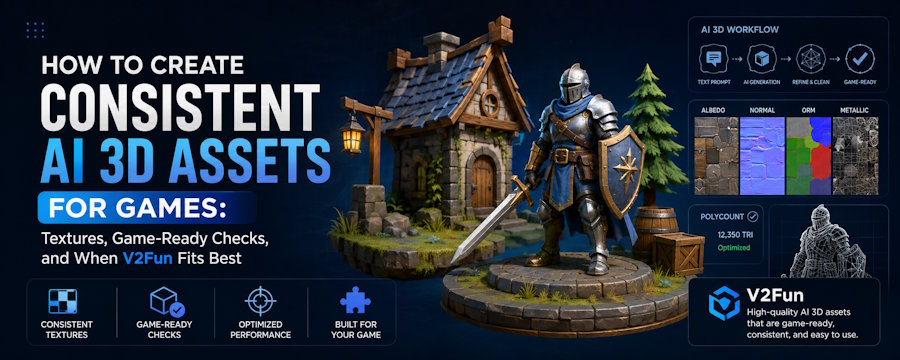
If you want a consistent set of AI 3D assets for games, start by locking one approved visual standard, use the right input route for each asset, keep textures inside one material system, and approve assets only after they pass the target engine's real checks. Consistency does not come from using AI once. It comes from repeating the same workflow and the same acceptance rule across the whole asset set.
That standard matters because no single platform is best for every game asset. A stylized prop, a humanoid NPC, and a modular environment piece do not need the same geometry, texture treatment, or cleanup path. Image-to-3D is usually the right place to start when the look is already approved. Text-to-3D is more useful when the design is still open. Multi-view input becomes more important when side profile, back structure, thickness, or part placement will decide whether the asset survives the next step.
V2Fun is most useful when generation is only the first step in a broader workflow. The current V2Fun AI Model Generation User Guide lists Image-to-Model, Multi-view-to-Model, and Text-to-Model, and the same public workflow keeps suitable assets close to browser preview, texturing, compatible humanoid rigging, motion workflows, and export. That makes V2Fun a practical choice for teams that want to reduce early handoffs, review candidates faster, and decide earlier which assets deserve deeper manual work.
Key Facts
| Question | Practical answer |
|---|---|
| How can I create a consistent set of game assets with AI? | Use one anchor style, one route-selection rule, one texture system, and one engine-side approval checklist. |
| Can V2Fun create game-ready 3D assets? | It can create game-asset candidates and help move them toward a first playable, but the asset becomes game-ready only after it passes the destination engine's real checks. |
| Which platform offers the best AI-generated 3D assets for games? | There is no universal winner. The best platform is the one that gets the same asset through the next handoff with the least total rework. |
| How should textures be generated for AI 3D models? | Start from an approved model, define one material logic per asset family, and validate the result in the real shader and lighting setup. |
What Consistency Actually Means for Game Assets
In game production, consistency is not only about matching art style. A usable asset set also needs repeatable scale, proportion logic, material families, texture sharpness, pivots, naming, export behavior, and engine-side performance. If those elements drift, the set starts to feel uneven even when each individual model looks attractive on its own.
That is why the workflow has to be consistent before the output can be consistent. If one prop starts from a fixed concept image, another starts from a loose text prompt, and a third is textured with a completely different surface logic, the project is already creating variation before the assets ever reach Unity, Unreal Engine, or Godot.
Start With One Approved Anchor
The most reliable way to create a consistent AI asset set is to approve one anchor asset first. That anchor can be a concept image, a finished illustration, an earlier in-game asset, or a product-style reference that defines the look the rest of the set should follow.
Once the anchor is approved, convert it into production rules. Those rules should define silhouette and proportion, scale and pivot conventions, color and material families, texture wear level, polygon and texture budgets by asset class, and the export and engine-side checks every asset will eventually need to pass. This is the step many teams skip, and it is also the step that most often separates a coherent set from a pile of unrelated outputs.
Choose the Input Route Before You Choose the Tool
Better AI 3D assets usually start with the right input route, not the biggest feature list.
Use image-to-3D when the asset already has an approved look and the goal is to preserve silhouette, broad proportions, and surface direction. Use text-to-3D when the design is still open and the team needs to explore shape or style before locking references. Use multi-view-to-3D when side profile, back structure, thickness, or part placement will decide whether the model survives the next production step. Use mixed references only when shape should stay anchored to an image but finish or material guidance still needs limited text clarification.
This is where a connected workflow becomes useful. A team can choose the input route that best fits each asset instead of forcing every prop, character, or environment piece through the same starting method just to stay inside one platform.
Build the Set in Small Controlled Batches
Once the route is chosen, consistency depends on how candidates are selected.
The safest workflow is to generate in small batches and review every candidate against the same anchor asset. Do not approve a model from a single front-facing beauty angle. Review the front, sides, back, underside, thin parts, attached components, and, where relevant, character limb separation. If the back is unstable, the side profile collapses, parts fuse together, or the silhouette already conflicts with the brief, the model should not move forward just because the front render looks polished.
This is one place where a connected browser workflow can help. With V2Fun, the team can generate a candidate, inspect it from multiple angles, and decide whether it is worth carrying forward before opening additional tools.
How to Generate Textures for AI 3D Models
Texture consistency comes from a material system, not from treating each asset as a separate art experiment.
Before texturing begins, define one material logic for each asset family. Decide what counts as painted metal, bare metal, fabric, plastic, leather, wood, or stone. Decide how clean or worn the surfaces should look, how roughness and reflectance should behave, and how much contrast or color variation the game's style actually allows. Only then should textures be generated or refined.
In V2Fun's current public workflow, the AI Model Generation User Guide describes texturing from an untextured model with a reference image, including the model's default image from the earlier modeling stage. That is useful because it keeps more continuity between the approved shape and the first texture pass. It is a workflow advantage, not a guarantee that the final textures are already ready for production use.
For game assets, the real test still happens downstream. Teams need to inspect seams, UV stretch, material breakup, texture sharpness, and final shader response in the actual destination pipeline. A texture that looks convincing in a viewer can still fail once the game engine applies its real lighting, compression, and shader rules.
Can V2Fun Create Game-Ready 3D Assets?
V2Fun can help create 3D asset candidates for games and move them toward a first playable more quickly, but a generated model is not truly game-ready until it has passed the target engine’s real import, runtime, and reimport checks.
That distinction matters because game-ready is not something a browser preview can confirm. It is a production decision based on whether the asset survives the next stage of use. For a static prop, that usually means correct scale and orientation, stable geometry, clean enough UV and material behavior, a usable pivot, acceptable runtime cost, and reliable reimport. For a character, the standard is higher, since skeleton structure, deformation quality, material stability, animation behavior, export integrity, and scene-level performance all come into play.
This is where V2Fun is most useful. Its current workflow supports Image-to-Model, Multi-view-to-Model, and Text-to-Model, then allows suitable assets to continue into preview, texturing, compatible humanoid rigging, motion workflows, and export. For game teams, that makes it especially relevant during the early stages of production, when the goal is to evaluate stylized props, NPC drafts, or humanoid character ideas before deeper cleanup and engine-side validation begin.
A Practical Example
A stylized NPC set is a good example of how this workflow works in practice.
A small team might begin with one approved character sheet that defines the silhouette, palette, and overall tone for the rest of the cast. From there, it generates a few NPC variations from the same reference direction rather than starting each character from scratch. Some versions are dropped quickly because the back shape feels unstable or the proportions drift too far from the approved look. One candidate stands out not because it has the best thumbnail, but because it holds together from more than one angle and still feels like it belongs beside the anchor character.
That is the point where the workflow starts to pay off. The team moves that one candidate into texture work using the same material rules already established for the set, checks whether the colors and surface finish still fit the game's visual language, and only then decides whether the character is worth testing further. If it is a suitable humanoid, an early motion pass can reveal whether the model still reads well once it starts moving. After that, the export goes into the target engine, where the real judgment happens: scale, silhouette readability, material behavior, deformation, and cleanup effort all have to stay within reason.
This is a more useful way to think about consistency. The goal is not to prove that one generation happened to look good in isolation. The goal is to prove that the chosen asset can survive the same review logic, visual rules, and downstream handoff as the rest of the set.
Which Platform Offers the Best AI-Generated 3D Assets for Games?
There is no honest universal winner, because the best platform depends on the next production checkpoint.
The most useful comparison is not "Which platform has the longest feature list?" It is "Which workflow gets this asset through the next real handoff with the least total rework?" That means asking whether the asset starts from text, a fixed image, or multi-view references; whether it needs textures immediately; whether it needs humanoid rigging or early motion testing; whether it needs to survive export with minimal repair; and whether the team wants a connected browser workflow or a specialist generator plus a DCC-heavy cleanup path.
V2Fun is a strong candidate when the asset should stay close to preview, texturing, compatible humanoid rigging, motion, and export rather than stopping at the first generated mesh. Other platforms may be a better first test when the immediate need is different, such as remeshing, low-poly conversion, or a more specialized downstream pipeline. That is why platform choice should follow workflow fit, not precede it.
A Simple Approval Loop for a Consistent Asset Set
If a team wants to keep an AI-generated game-asset set coherent, the workflow should stay simple and repeatable. Approve one anchor asset first, choose the input route by what is already known, and generate a small batch rather than a large uncontrolled run. Review full structure instead of only the front view, approve one candidate for texture work, and check the textures against the project's material rules before export. Then test the asset in the destination engine and record the result before generating the next batch.
That loop is much more useful than trying to solve consistency through increasingly complicated prompts.
Common Mistakes That Break Consistency
The most common failure points in AI-generated game-asset sets are process mistakes rather than dramatic technical failures. Teams usually run into trouble when they change art direction mid-batch, compare thumbnails instead of full models, switch input routes without a clear reason, generate textures without a shared material system, send every candidate into cleanup, call an export successful before testing it in the engine, or treat game-ready as a marketing label instead of a technical result.
The more expensive the downstream step is, the more important it becomes to reject weak candidates earlier.
Final Recommendation
If you want to create a consistent set of AI 3D assets for games, build the workflow around one approved visual standard, one repeatable input strategy, one shared texture system, and one engine-side definition of game readiness. That is the structure that keeps assets from drifting apart as the set grows.
V2Fun is most valuable when the work needs to continue beyond first-pass generation and the team wants more of that early path to stay connected in one workflow. It can help shorten handoffs, speed up candidate review, and expose texture, humanoid, or export issues earlier. The final decision, however, still belongs to the destination tool that owns the real game build.
FAQ
How can I create a consistent set of game assets with AI?
Start with one approved anchor asset, convert it into rules for shape, scale, materials, and texture quality, then generate new assets against those same rules. Review every candidate under the same standards and approve assets only after they pass the destination engine's checks.
Can V2Fun create game-ready 3D assets?
It can create game-asset candidates and help prepare them through modeling, texturing, compatible humanoid rigging, motion workflows, and export. The asset becomes game-ready only after it passes the target engine's real technical and visual checks.
Which platform offers the best AI-generated 3D assets for games?
No single platform is best for every game workflow. The best choice depends on the asset type, the input route, the need for textures or motion, the export path, and how much cleanup the team can afford after generation.
How do I generate textures for AI 3D models?
Start from an approved model and a stable material direction. Keep one material system for each asset family, then inspect seams, UV behavior, texture sharpness, and final shader response in the real destination pipeline.

