

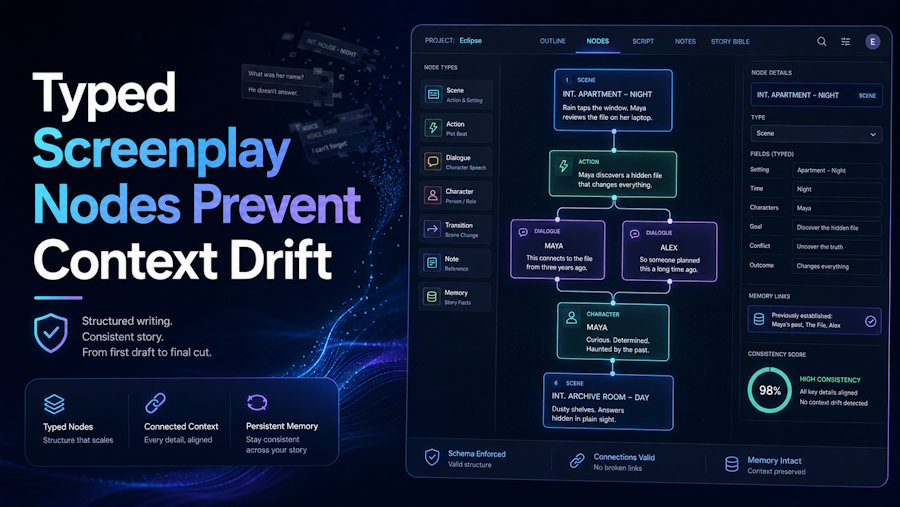
A screenplay looks like text, but a production treats it as a graph of dependencies. Scene headings establish place and time. Character cues identify speakers. Props recur. Shots interpret action. When software reduces all of that to one large string, every downstream operation must guess what each fragment means.
The technical value of AI Screenwriting Software is easier to understand if screenplay structure is treated as a lightweight type system. Typed nodes give collaborators and AI operations stable addresses. They do not eliminate ambiguity in the story; they stop the application from creating unnecessary ambiguity about the document.
Plain Text Is A Lossy Interface
Send an entire script to a generic model and it must reconstruct structure from typography. It has to infer where a scene begins, whether “MERCURY” is a person or a spacecraft, and which mention of a ring refers to the production prop. Screenplay conventions help, but inference remains an extra failure surface.
A structured editor can make deterministic signals explicit. In a Script project, the screenplay is authoritative. Scene headings create or update scene and location entities; character cues create or connect character records. Beats and props remain authored nodes because their meaning cannot safely be inferred from formatting alone.
Deterministic Parsing Needs A Narrow Contract
The parser should claim only what syntax supports. A heading such as “INT. ARCHIVE – NIGHT” can identify a scene boundary and a location label. It cannot determine why the archive matters, whether night is symbolic, or which beat the scene fulfills.
The engineering analogy is a narrow interface contract: validate what the type guarantees and leave domain judgment to an explicit caller. Over-inference feels convenient until a parser silently rewrites a creative decision that syntax never proved.
Stable Identity Matters More Than Display Text
A character may be introduced as “THE COURIER,” later named Mara, and still represent one entity. If every visible label becomes a new object, notes, portraits, and scene references split. Stable identity lets the display name evolve without losing relationships.
The same applies to locations and props. The user should be able to correct a label while preserving the entity’s address. That address is what allows a storyboard frame, visual asset, or production note to point somewhere more durable than a text offset.
Context Selection Becomes An Explicit Query Interface
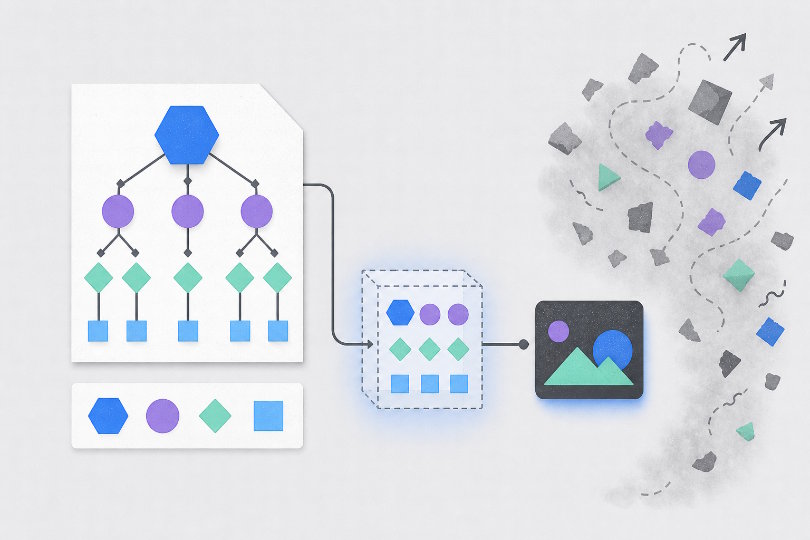
Once the document has addressable structure, AI context no longer needs to mean “everything the system can find.” Laper can scope a request to the current focus, outline, selected scene, selected range, selected node, or a bounded full draft. These are product controls, but they also resemble explicit query parameters.
| Writing question | Useful scope | Common over-fetch |
|---|---|---|
| Tighten one exchange | Selected range plus character objective | Entire project knowledge base |
| Check a scene turn | Selected scene plus outline | Every visual asset |
| Trace a planted clue | Selected node and bounded draft | Unrelated production notes |
| Review overall pacing | Outline and bounded full draft | Individual image prompts |
Explicit scope improves debuggability. When an answer misses setup, the writer can inspect the supplied boundary and widen it deliberately. In an opaque “whole project” mode, the team cannot tell whether the model ignored a fact, never received it, or received too much irrelevant material.
Knowledge And World Rules Need Separate Data Types
The system distinguishes Project Knowledge from Worldview. Knowledge acts as a durable source library. Worldview holds concise story rules selected by the team. The assistant can read both, but a write to Worldview requires an explicit latest request.
That separation resembles immutable input versus approved configuration. A reference document may describe several possibilities. A worldview value states which possibility governs this story. Treating them as one blob would let source material mutate project policy without a clear write operation.
For teams building workflows around screenplay writing AI, this is a useful integration lesson: context should carry provenance and write permissions, not just tokens. The system must distinguish what the model may read, what it may propose, and what only a user may commit.
Collaboration Is Fundamentally A Shared State Problem
A structured document becomes valuable only if multiple clients agree on its current state. Laper uses a Loro CRDT-backed collaborative project document. Its server-first initialization rule requires initial synchronization before the client becomes writable, preventing a blank local state from overwriting remote work.
That ordering is easy to overlook in a prototype. A page that becomes editable immediately may feel faster, yet it creates a race between hydration and user input. The safer contract is explicit: load authoritative state, merge, then accept edits.
AI Edits Must Join The Same Mutation Path
If keyboard edits update the collaborative document while accepted AI edits modify a separate copy, the product has two sources of truth. The UI may hide this until a collaborator arrives or the page reloads.
Approved AI changes return through the shared document path. The model proposes; the user decides; the accepted change becomes ordinary project state. This is less spectacular than autonomous rewriting and much easier to reason about.
The boundary also supports auditability. A suggestion remaining in chat is not an edit. A proposed patch is not current until accepted. A failed mutation should be visible rather than represented as a confident assistant message beside unchanged content.
Generated Media Needs Durable Asynchronous Job Records
Image generation introduces asynchronous state, credits, retries, and assets. Treating it as a synchronous button click produces familiar bugs: duplicate submissions, disappearing results, and cards that spin forever after a terminal failure.
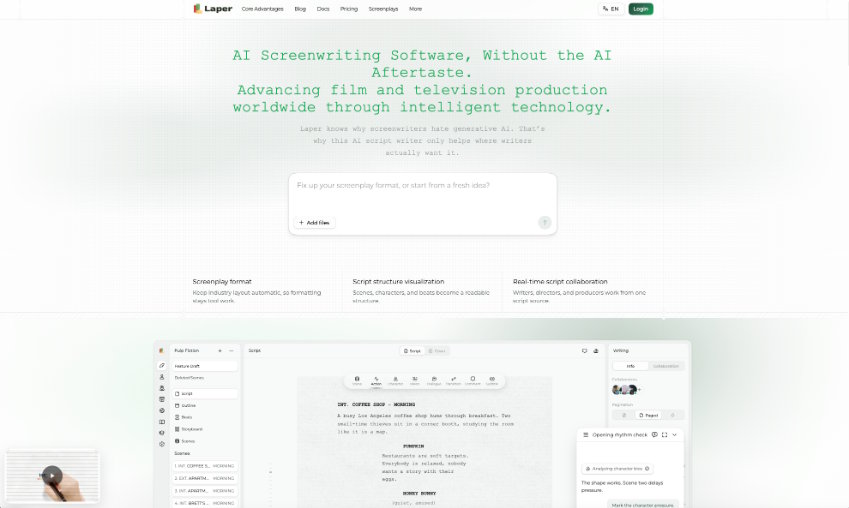
Laper represents generated frames through durable tasks and stores successful outputs as project assets associated with characters, locations, props, scenes, or storyboard shots. A shot has a production identity; a generation attempt has a job identity; the resulting image has an asset identity. Collapsing the three would make replacement and retry semantics ambiguous.
- Authorize: verify that the user may create the requested asset and that required credits are available.
- Execute: expose queued, running, completed, failed, or cancelled state.
- Attach: store a successful result and associate it with the requesting entity.
- Review: let a person decide whether the asset represents the current screenplay.
The last step cannot be inferred from technical success. A completed portrait may conflict with a later character rewrite. Referential integrity tells the team where to look; it does not certify artistic validity.
Structure Makes Every Workflow Failure More Legible
Laper’s architecture suggests a general rule for creative software: use deterministic parsing for deterministic syntax, stable identities for evolving entities, explicit scopes for AI reads, one mutation path for approved edits, and durable jobs for asynchronous media.
None of these choices writes a stronger scene by itself. They make it possible to diagnose why a workflow failed. The team can distinguish a context error from a model judgment, a stale asset from a missing relationship, and a rejected suggestion from an unapplied mutation.
That is what typed screenplay nodes buy. They do not turn art into code. They give the software enough structure to stay out of the way when human interpretation begins.

