

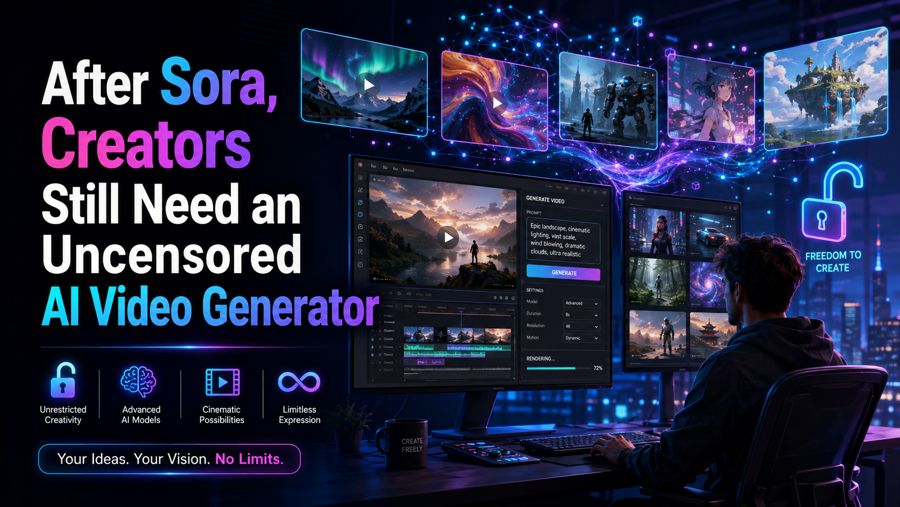
The Search for a More Flexible Video Workflow
When Sora shut down, creators lost more than a familiar AI video tool. Many also lost a production workflow built around prompts, reference images, iterations, and exports. That creates an immediate need for alternatives which can provide the continuity of the process without interruption.
Therefore, in the search for an uncensored AI video generator free online, the emphasis should be placed on flexibility which allows for the creation of more authentic content, less irrelevant refusal and closer adherence to the initial concepts.
The replacement also needs to be practical. Creators can test prompts or still images in a browser, generate useful clips, iterate without too much hassle, and output into a final video. Senzia is something they may want to consider if they need to do this in a browser from text or image.
What Left With Sora—and What Did Not
Clips and audiences, not just a logo
The end of Sora did not simply remove one name from the AI-video market. For many users, it removed a production path.
A creator may have accumulated reference images, prompt formulas, visual styles, unfinished concepts, social audiences, and a repeatable method for turning an idea into a finished clip. Losing the platform means rebuilding that process somewhere else.
OpenAI advises that users export Sora content while the export option is available, making the recovery of assets a priority for those who have been using the service.
The more difficult task is finding a substitute that approximates the prior level of functionality so that experimentation is not a burdensome exercise on its own.
Why uncensored shows up in search now
Searches for an uncensored video generator increasingly reflect a workflow problem rather than a desire for unrestricted subject matter.
Creators often want a prompt followed accurately instead of having an otherwise legitimate scene unexpectedly rejected, altered, or visually softened. A cinematic close-up, a stylized fashion concept, an unusual character design, or an open-ended artistic scene can lose its intended effect if the generation process repeatedly interrupts the brief.
That distinction matters. A useful replacement should provide creative flexibility while still operating within its own stated rules.
Three Jobs Your Next Tool Must Still Do
Still or text in, MP4 out — in the browser
The first requirement is simple: the workflow should be easy to use.
Creators should be able to start with either a written prompt or an existing still, generate a clip, preview the result, make adjustments, and export the finished video without setting up a complicated local rendering environment.
That is one area where Senzia meets the criteria. Its current video offering supports text-to-video and image-to-video workflows, with browser-based generation and MP4 export.
For someone replacing Sora, that simplicity can matter more than a long list of experimental controls. The less friction between an idea and the first test clip, the easier it is to determine whether a new platform actually fits the creator's process.
Free to try and iterate before you re-subscribe
The second requirement is room to experiment.
Switching platforms creates uncertainty. A tool can look impressive in demonstrations and still behave differently when you bring your own prompts, reference images, pacing preferences, and visual style. Paying immediately makes that evaluation harder.
An uncensored AI video generator option gives creators a chance to run practical tests first. Instead of asking whether the platform looks good in theory, they can ask whether their own workflow works on it.
Senzia currently promotes free browser-based generation, including text-to-video and image-to-video workflows. The important point is not simply that a tool says “free.” Creators should check what the free tier actually permits, including generation limits, resolution, export conditions, and whether the workflow changes substantially after the trial period.
Fail mid-run refusals on the prompts you already use
The third requirement is consistency.
A replacement is not particularly useful if a creator can successfully test one prompt but repeatedly encounters interruptions when using the prompts that matter to their real projects. That is where the phrase uncensored AI video maker often becomes shorthand for a more specific expectation: fewer unnecessary interruptions between the creative brief and the final render.
Senzia is one example of a platform positioned around that problem. Its current product pages emphasize prompt-driven generation, image-to-video workflows, browser iteration, and MP4 export, while also making clear that its system does not permit every category of content.
That distinction should remain part of any serious evaluation. “Less restrictive” does not mean “anything goes.” The useful test is whether legitimate creative prompts survive the workflow without unnecessary changes to the intended scene.
Week One After You Switch
Rebuild one clip from an old hero still
The fastest way to evaluate a replacement is not to migrate an entire library at once.
Start with one of the strongest still images from the old workflow. Pair it with the original prompt, or recreate the prompt as closely as possible. Then compare the new result with the reference.
Use five practical checks:
- Subject consistency — Has the person or subject changed?
- Motion quality — Is the movement natural?
- Prompt adherence — Does it follow the original prompt?
- Visual style — Does it retain the original style?
- Export quality — Are the MP4 quality, resolution, and image quality good enough?
Make sure that the new clip does not change the character, subject, or visual identity of the original still unless that change was intentional.
Senzia's image-to-video workflow is designed around uploading an image and describing the motion to generate from that reference, making this kind of side-by-side reconstruction a practical first test.
Post one test before you rebuild the whole pipeline
Once the first reconstruction works, resist the temptation to move everything immediately.
Post or privately review one test and evaluate the actual result. If the clip performs as expected, repeat the process with a second prompt and a different visual style.
Only then does a larger migration make sense.
Recover, Test, Then Scale
The smartest response to Sora's shutdown is not to rebuild an entire content pipeline overnight. Recover the old assets, prompts, and reference images that still have value. Test one proven clip on a replacement platform and evaluate subject consistency, motion, prompt adherence, visual style, and export quality. Scale only after the workflow performs reliably across several real examples.
For creators looking for an unlimited free AI video generator, those steps provide a more useful evaluation than simply comparing feature lists. Senzia has the potential to fit into the testing process, providing browser-based text-to-video and image-to-image solutions that would allow people to iterate before shifting to a more permanent solution.
The objective should be simple: identify a tool that allows legitimate creativity to continue, respects the intention behind a prompt, and facilitates a smooth transition from one method to another.

