

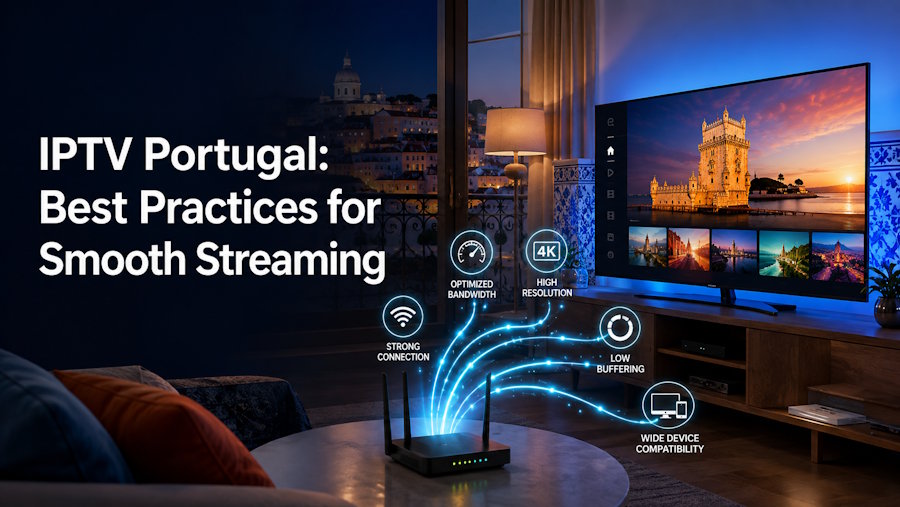
Introduction
Streaming television has become a preferred choice for many households across Portugal. Instead of relying on traditional cable or satellite services, viewers now enjoy the flexibility of Internet Protocol Television (IPTV), which delivers live TV, movies, sports, and on-demand content over an internet connection. Whether you're watching Portuguese channels, international news, or live sporting events, IPTV offers a modern entertainment experience that fits today's digital lifestyle.
However, the quality of your IPTV experience depends on more than just subscribing to a service. Factors such as internet speed, device compatibility, network stability, and proper setup all play an important role in ensuring smooth playback.
This guide explains the best practices for IPTV Portugal users who want reliable streaming, fewer interruptions, and the best possible viewing experience.
What Is IPTV?
IPTV (Internet Protocol Television) is a technology that streams television content through an internet connection instead of traditional broadcasting methods like cable or satellite.
Unlike conventional television, IPTV allows viewers to watch live channels and on-demand content across multiple internet-connected devices, including:
- Smart TVs
- Android TV Boxes
- Amazon Fire TV Stick
- Android smartphones
- iPhones and iPads
- Windows PCs
- Mac computers
- Tablets
Because IPTV depends on internet connectivity, optimizing your home network is essential for smooth streaming.
Why Streaming Quality Matters
Nothing is more frustrating than buffering during a live football match or your favorite movie.
Smooth streaming improves:
- Picture quality
- Audio synchronization
- Channel loading speed
- Live sports viewing
- Overall user experience
A few simple adjustments can significantly improve IPTV performance.
Choose a Reliable Internet Connection
Your internet connection is the foundation of IPTV streaming.
For the best experience, consider these recommended speeds:
| Streaming Quality | Recommended Speed |
|---|---|
| SD | 10 Mbps |
| HD | 20 Mbps |
| Full HD | 30 Mbps |
| 4K UHD | 50 Mbps or higher |
If several people stream content simultaneously, faster internet speeds provide greater stability.
Use a Wired Ethernet Connection Whenever Possible
Although Wi-Fi is convenient, Ethernet connections usually provide more stable performance.
Benefits include:
- Lower latency
- Faster data transfer
- Reduced buffering
- More consistent streaming
- Better 4K playback
If your IPTV device is close to your router, using an Ethernet cable is often the best choice.
Position Your Wi-Fi Router Correctly
If Ethernet isn't practical, improve your Wi-Fi setup.
Place your router:
- In an open space
- Away from thick walls
- Away from microwaves
- Away from cordless phones
- Near your primary streaming device
A stronger wireless signal usually results in smoother IPTV playback.
Keep Your IPTV Application Updated
Developers regularly release updates that improve:
- Stability
- Security
- Performance
- Compatibility
- User interface
Keeping your IPTV app updated ensures access to the latest improvements and bug fixes.
Restart Devices Regularly
Many users overlook one of the simplest maintenance tasks.
Restarting your:
- Router
- Smart TV
- Streaming device
- Android box
can clear temporary memory and improve overall performance.
A quick restart every few days often helps maintain smooth streaming.
Use Compatible Streaming Devices
Not every device performs equally.
Modern hardware generally provides better decoding capabilities for HD and 4K content.
Popular IPTV-compatible devices include:
- Smart TVs
- Fire TV Stick
- Android TV Boxes
- Apple TV
- NVIDIA Shield
- Google TV devices
Using updated hardware helps reduce lag and improve playback quality.
Close Background Applications
Streaming devices sometimes run multiple applications simultaneously.
Closing unused apps frees:
- RAM
- Processing power
- Network resources
This allows IPTV applications to perform more efficiently.
Monitor Network Usage
Multiple connected devices can reduce available bandwidth.
Examples include:
- Large downloads
- Online gaming
- Cloud backups
- Video calls
- Software updates
Scheduling these activities outside your viewing time helps maintain stable IPTV performance.
Choose the Right Streaming Quality
Although 4K offers impressive visuals, not every internet connection can support it consistently.
If buffering occurs:
- Switch from 4K to Full HD
- Reduce video quality temporarily
- Test network performance
Sometimes a slightly lower resolution delivers a much smoother experience.
Regularly Update Your Streaming Device
Firmware updates often include:
- Security improvements
- Performance enhancements
- Better compatibility
- Bug fixes
Keeping your Smart TV or streaming device updated ensures optimal IPTV performance.
Organize Your IPTV Playlist
Many IPTV applications allow users to organize:
- Favorite channels
- Sports categories
- Movie libraries
- Children's content
A well-organized playlist improves navigation and makes finding content much easier.
Ensure Strong Home Network Security
Protecting your home network benefits both security and streaming stability.
Good practices include:
- Strong Wi-Fi passwords
- Updated router firmware
- WPA2 or WPA3 encryption
- Removing unknown connected devices
A secure network minimizes unauthorized access that could consume bandwidth.
Avoid Overloading Your Router
Older routers may struggle when many devices connect simultaneously.
If your household includes:
- Smartphones
- Tablets
- Smart home devices
- Gaming consoles
- Laptops
consider upgrading to a modern dual-band or Wi-Fi 6 router for improved performance.
Check Device Compatibility Before Subscribing
Before choosing an IPTV service, verify that it supports your preferred devices.
Compatibility with platforms such as Smart TVs, Android, Fire TV Stick, Apple devices, and Windows computers ensures a smoother setup process and greater flexibility.
Benefits of Following These Best Practices
Optimizing your IPTV setup offers several advantages:
- Smoother playback
- Less buffering
- Faster channel loading
- Improved HD and 4K streaming
- Better live sports viewing
- More reliable performance
- Longer device lifespan
- Better overall viewing experience
Small improvements often make a significant difference over time.
Common IPTV Streaming Mistakes
Many streaming issues are caused by avoidable mistakes, including:
- Using outdated apps
- Weak Wi-Fi signals
- Slow internet connections
- Overloaded home networks
- Old streaming hardware
- Ignoring firmware updates
Identifying and correcting these issues can dramatically improve streaming quality.
The Future of IPTV in Portugal
As Portugal continues expanding high-speed fiber internet, IPTV is expected to become even more popular. Faster broadband, improved streaming technologies, cloud-based platforms, and wider availability of 4K and future video formats will continue to enhance the home entertainment experience.
Consumers increasingly value flexibility, convenience, and multi-device access, making IPTV a practical solution for modern households. By following simple optimization practices, viewers can enjoy stable, high-quality streaming for years to come.
Conclusion
IPTV Portugal offers an excellent way to enjoy live television, movies, sports, and on-demand entertainment across multiple devices. However, achieving smooth and reliable streaming requires more than simply installing an IPTV app.
A stable internet connection, updated devices, proper network management, and compatible hardware all contribute to a better viewing experience. By following the best practices outlined in this guide, users can minimize buffering, improve picture quality, and enjoy uninterrupted entertainment at home or while traveling.
Whether you're new to IPTV Canada or looking to improve your current setup, these practical tips will help you get the most from your streaming experience.

