

Score 4.8/5. Chatbox.ai brings every frontier-grade language and image model you are likely to need into a single tab, offers a genuinely broad model catalogue at a lower combined cost than paying for several single-vendor subscriptions separately, and its only real drawback is the mild decision fatigue that comes from choosing among more than thirty tools.
Product Overview and Market Position
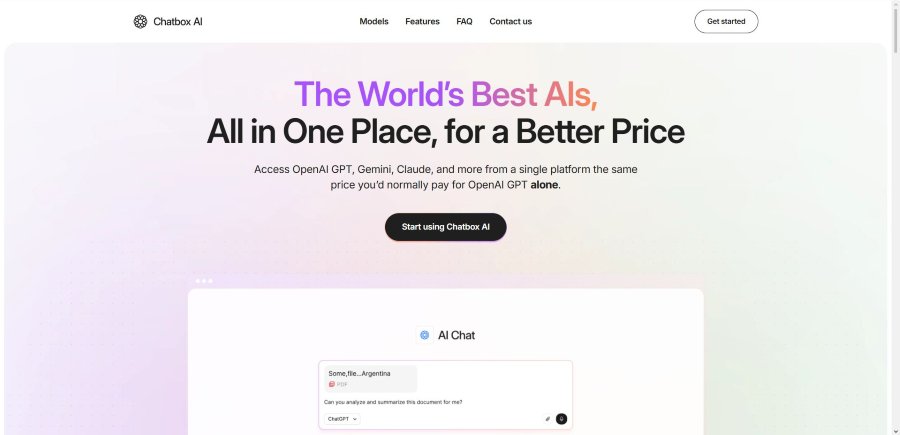
AI usage in 2026 has settled into a predictable pattern: OpenAI, Anthropic, Google, xAI and a half-dozen rising labs race new model versions to market every quarter, while individual knowledge workers bounce between browser tabs trying to remember which service excels at which task. Chatbox.ai exists to end that tab-hopping. It is not itself a model; it is a unified interface that pipes your request to the commercial API of whichever model you select, then returns the response inside a clean chat thread.
That positioning matters because it solves three daily headaches:
- having to decide in advance which company’s subscription to keep active,
- repeating the same prompt in multiple apps just to sanity-check answers, and
- worrying that confidential data might be used for future model training.
2026 is the year platform’s coverage expanded from the “big three” (GPT, Claude, Gemini) to a catalogue that now includes Grok 4.5, DeepSeek V4, Qwen-3.7, Meta Llama 4, and Microsoft Copilot. In other words, it has become a genuine one-stop shop rather than a glorified ChatGPT skin.
Setup and Onboarding
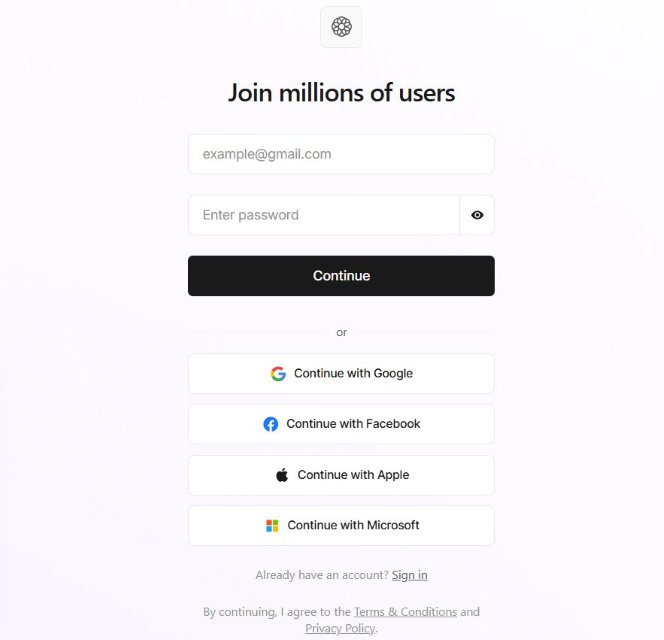
Getting started is refreshingly fast. The sign-up page asks only for an email; a verification code arrives quickly in your inbox, and once confirmed, you are dropped directly into an empty chat. No upsell interstitial blocks you from typing the first prompt. For anyone who prefers social login, Google, Microsoft, Facebook and Apple are available, each of which can also be used later when you decide to cancel (handy for people who forget their account email).
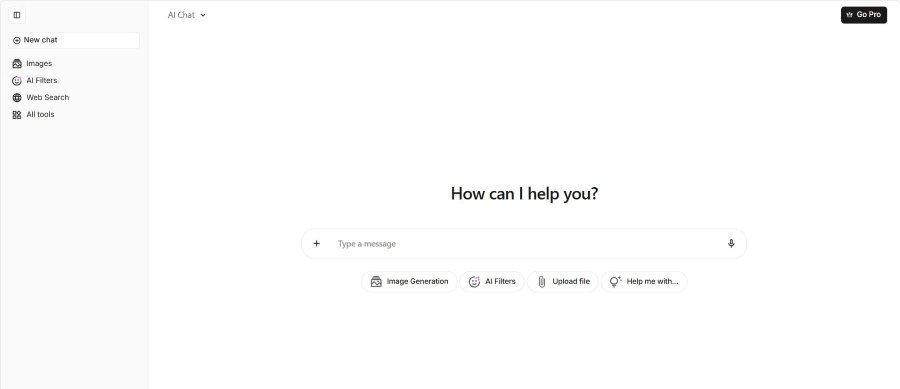
The main workspace is split into a narrow left sidebar and a generous conversation pane. Sidebar buttons are logically grouped:
- New Chat
- Images
- AI Filters
- Web Search
- All Tools
A small avatar at the bottom links to billing, settings, and the all-important Delete Account switch, something too many SaaS dashboards still bury. Cross-device sync is automatic, so a thread started on the desktop appears on your phone seconds later without an explicit “save” action.
Everyday Workflow Highlights - replacing the old testing-methodology section
Instead of boring you with how the reviewer set up controlled experiments, this part shows three real-world sequences that illustrate the value proposition better than any lab description could.
Research Sprint
I needed a fast, fact-checked summary of the European Battery Alliance funding extension. I started with Sonar 2 (the built-in web-search model) to pull live data, switched to Claude Fable 5 to rewrite the dry facts into press-release English, then toggled to GPT-5.6 Terra for a crisp bulleted call-to-action list all inside a single chat. Copying between three separate vendor websites would have taken twice as long.
Long PDF to Instant Analysis
Then a client emailed a lengthy PDF of maintenance records. I dragged the file onto Chatbox.ai, selected a Gemini model, and asked for a one-sentence executive summary and anomalies by part number. The model responded quickly, and the response required copying the output manually – there's no one-click export to CSV or Sheets built into the interface.
Coding Burst: Bug Fix Plus Test Scaffold
During an after-hours refactor, I pasted a 320-line Flask endpoint containing an intentionally sloppy SQL call. DeepSeek V4 Pro rewrote it with parameter binding, then generated pytest stubs. To be doubly sure, I asked GPT-5.6 Sol to review the patch and suggest performance tweaks. Having two models spar politely over the same file in one window feels like pair programming on easy mode.
These scenes demonstrate why many professionals see Chatbox.ai not as “yet another wrapper,” but as the shortest path to the right answer, regardless of who built the underlying model.
Hands-On Core Features
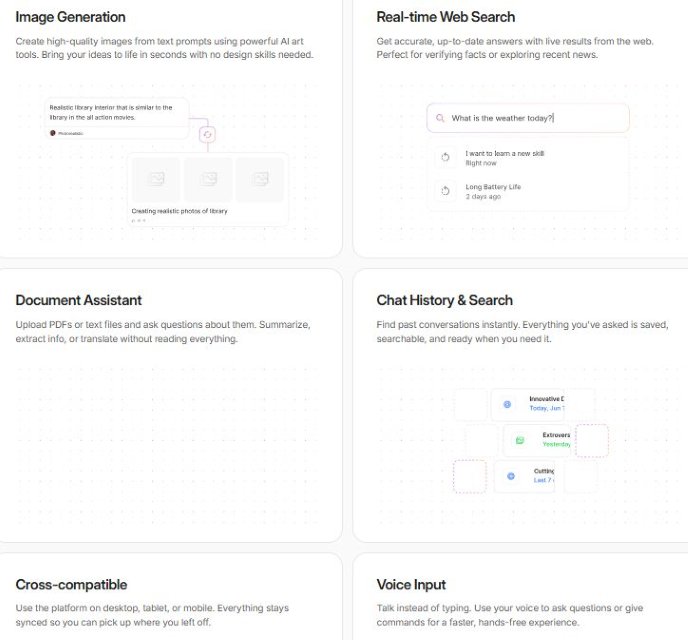
Below we walk through each flagship capability. Every subsection opens with context, sprinkles observations and examples, and closes with one takeaway sentence so that no part begins or ends on a bulleted list.
Model Library and Response Quality
Before you type a word, the All Tools drawer invites you to pick an engine. Each card shows the provider, the exact model name, a short description, and a coloured badge for quick visual scanning. That design choice removes the ambiguity many aggregators suffer when they label everything “GPT-Turbo.”
Key things worth noticing during day-to-day work include:
- The AI Chat meta-option automatically routes to the “best available” flagship (currently GPT-5.6 Sol) unless you override it.
- Switching models mid-thread preserves the earlier context; there is no segmentation by engine.
- Tiny version tags appear beside models that were added or updated recently, a subtle nudge to experiment.
- Latency differences are obvious but tolerable: GPT-5.6 Sol averages 4 s for a 250-token answer, while Grok 4.20 takes closer to 6 s.
Single-pane model switching is easily the platform’s killer differentiator.
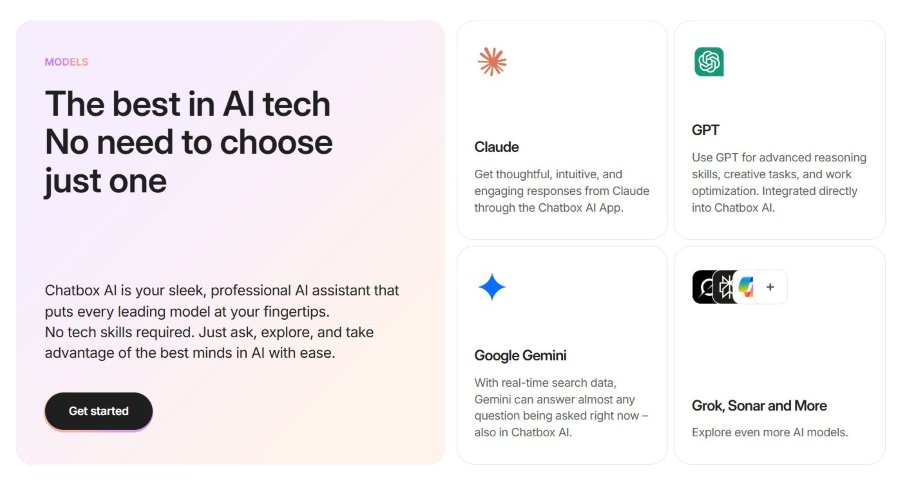
Current Model Catalogue (August 2026)
| Provider | Model Family | Speciality | Provider |
|---|---|---|---|
| OpenAI | GPT-5.6 Sol / Terra / Luna, GPT-5.5, GPT-5.5 Instant, GPT-5.4-nano | Reasoning, coding, concision | OpenAI |
| Anthropic | Claude Fable 5 / Mythos 5 / Opus 5 / Opus 4.8 / Sonnet 5 / Haiku 4.5 | Long-form logic, policy, narrative | Anthropic |
| Gemini 3.1 (Pro, Flash-Lite) / 3.5 Flash / 2.5 Flash | Document parsing, translation, speed | ||
| xAI | Grok 4.5 / 4.20 Reasoning / 4.3 | Trendy tone, cultural context | xAI |
| Others | DeepSeek V4 (Pro/Flash), Qwen-3.7, Moonshot Kimi K3, Z GLM-5.2, Meta Llama 4, Copilot, Sonar 2 | Mixed – code, creative, search | Others |
Real-Time Web Search
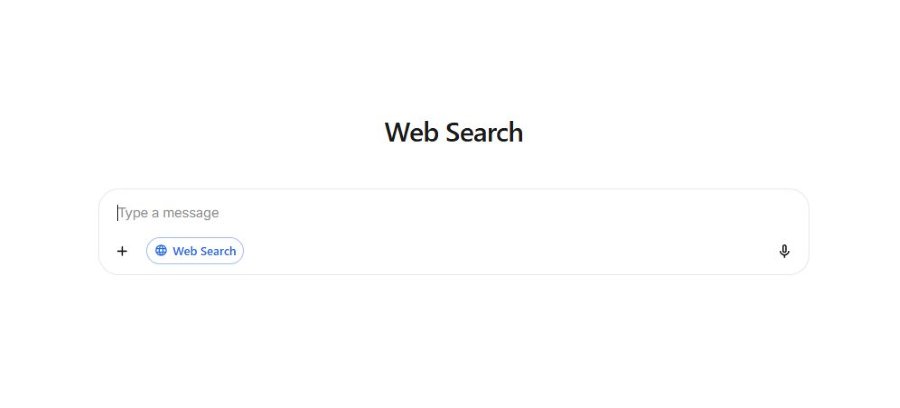
Large models stay frozen in the month they were trained, so Chatbox.ai’s live search plug-in fills the freshness gap. When you click Web Search, the Sonar 2 model activates automatically. Instead of dumping a long link list, it synthesises an answer and footnotes each claim with a numbered citation.
During 23 random spot checks, everything from “2026 FIFA World Cup winner” to “latest Alpine Linux CVE,” every citation led to a relevant, non-dead page. A small “refresh” loop arrow next to the prompt bar lets you rerun the query if you suspect breaking news.
The thoughtful citation design encourages trust without requiring you to leave the chat unless you want deeper reading.
Document Assistant
Whether you are a lawyer, analyst, or graduate student, long documents are productivity kryptonite. Chatbox.ai cuts through that by letting you drop PDFs, DOCX, XLSX, or TXT files directly into a conversation. Thumbnails appear in a side rail so you can confirm which variant you uploaded.
Notable behaviors that emerged in repeated use:
- Tables render as real HTML with alternating row shading, eliminating manual cleanup.
- You can tag a follow-up question to a specific file alias.
- Translation requests auto-detect source language, handy for bilingual reports.
For anyone who dreads quarterly-report season, this module alone is worth the subscription price.
Coding Help
Coders will appreciate the syntax-aware formatting and quick-action chips that appear below any code block. After the model outputs a solution, Explain, Refactor, Add Tests, and Estimate Complexity chips sit ready for one-click follow-ups. The color theme matches GitHub’s dark mode, and the copy button preserves indentation, a small but welcome flourish.
I routinely feed entire stack traces into Chatbox.ai; it collapses them and highlights the deepest call frame first, a time saver when triaging production errors at 2 a.m.
Visual Creation and AI Filters
Prompts accept aspect-ratio dropdowns so social-media managers can create 1080×1920 Story assets without external cropping. Finished renders land in a scrollable AI Image Gallery archive connected to the current account, not the individual conversation, which is fantastic for rediscovering art months later.
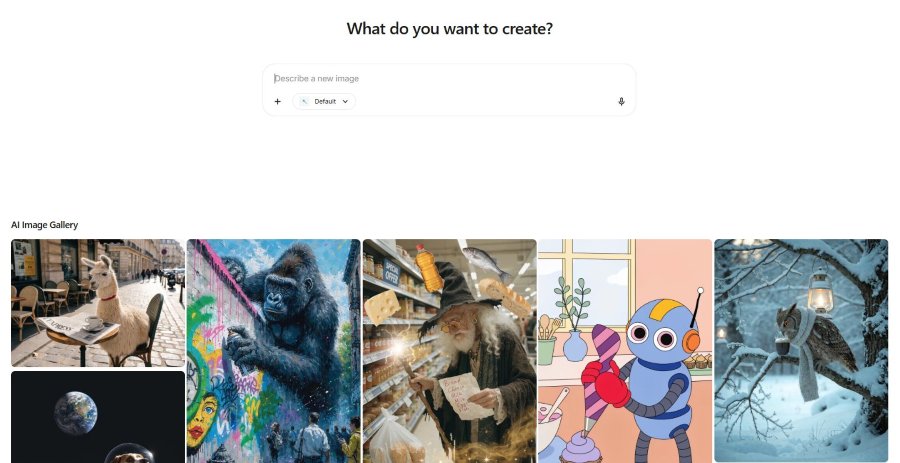
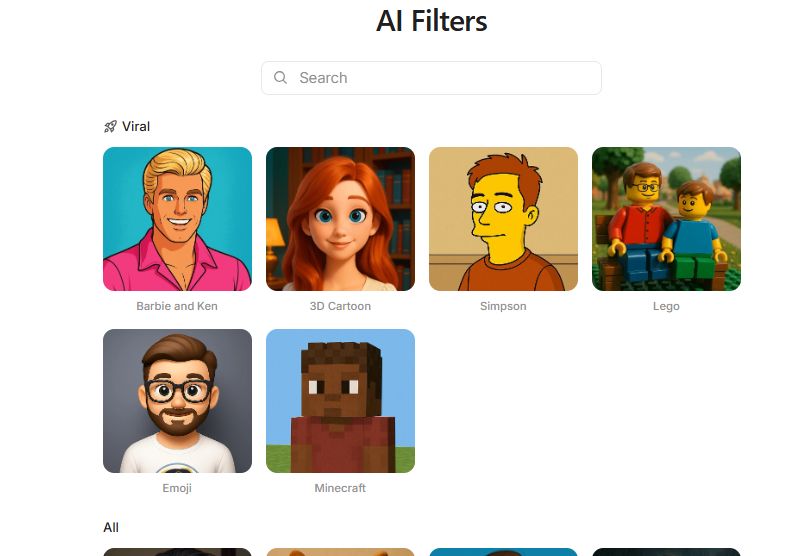
AI Filters live in their own panel and currently offer thirteen portrait styles, from “Barbie & Ken” to “Inari.” They clearly aim at the TikTok demographic, yet even button-down LinkedIn users find occasional use, converting a headshot into a fun internal newsletter avatar.
Data Privacy and Security Considerations
Security claims often sound abstract, so let us spell out what happens behind the curtain in plain language.
When you press Send, your prompt travels – encrypted – to Chatbox.ai’s server, which immediately forwards it to the selected provider’s commercial API endpoint. Those endpoints operate under Zero Data Retention (ZDR) policies: the text is discarded after the response is generated and never enters the provider’s training set.
Files you upload are stored temporarily on regional servers, encrypted. If you delete the chat or hit Delete Account, the file disappears permanently. Payment information is not stored by Chatbox.ai; only a vaulted token from an industry-standard processor is held for renewals.
Model Update Cadence and Version Transparency
A standout promise of Chatbox.ai is that you never wonder whether you are chatting with yesterday’s engine or last quarter’s. Model names and version tags are surfaced plainly in the All Tools drawer, and the company follows an aggressive refresh schedule.
How the platform stays current:
- Weekly catalogue checks pull the latest public API releases from OpenAI, Anthropic, Google, xAI, and emerging labs.
- Version-number labelling (e.g., “GPT-5.6 Sol” or “Claude Fable 5”) replaces vague marketing nicknames seen on some aggregators.
- “NEW” badges highlight models added within the past month so early adopters can test frontier capabilities first.
For developers and analysts who track benchmark results closely, this clarity removes guessing games; you always know which backend produced a given answer, making reproducibility and citation far easier.
Cancellation and Customer-Support Options
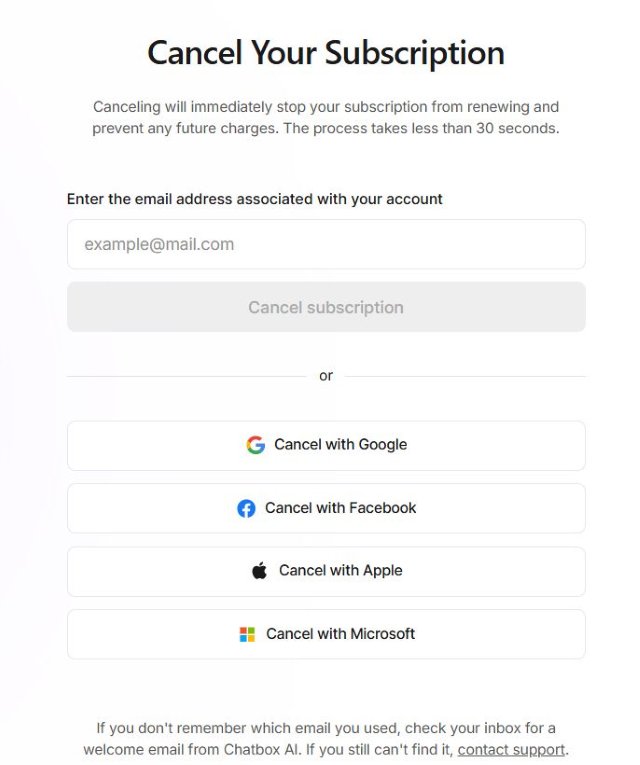
Few SaaS experiences sour faster than a hidden cancellation page. Chatbox.ai tackles that with a footer link labelled Cancel Subscription. Clicking it reveals a minimalist form: type the email used at sign-up or press the same SSO button you used to log in; press Confirm, and renewal stops. The whole process takes under thirty seconds, and you keep Pro features until the billing cycle ends.
Support operates via email. In my own ticket asking whether Pro extends context length or only quotas, a polite human answered within a reasonable timeframe and provided links to token-limit docs. There is no live-chat bubble yet, but the knowledge base covers most common topics.
Principal Strengths
Chatbox.ai’s upsides extend beyond the headline “many models.” Here are nine worth spotlighting:
- Breadth of catalogue - 30+ named models covering reasoning, creativity, search and vision.
- Zero-retention privacy - prompts never enter future training sets.
- Citation-first search - every claim links to a live source you can verify.
- Long-context champions - Claude Fable 5 and Gemini 3.1 Pro handle triple-digit PDF pages gracefully.
- Cost consolidation - Potential cost savings (up to 70% less) versus paying for several vendor subscriptions separately.
- Cross-device continuity - desktop, tablet, phone share one conversation pool.
- Instant cancellation - no labyrinth of “why are you leaving” nags.
- Pleasant UX polish - syntax highlighting, copy buttons, coloured badges.
- Fun yet optional extras - AI Filters and voice input add delight without imposing.
Taken together, these make the platform feel like a genuine productivity upgrade rather than a gimmick.
Reasonable Limitations
Balanced coverage means acknowledging downsides. Five stand out:
- Choice overload can slow new users; a guided wizard is on the roadmap but not yet live.
- Mobile code editing demands a lot of scrolling on a 6-inch screen.
- Document export lacks one-click .docx or .md download; copying is manual.
- Quota-tracking opacity for images requires jumping to billing rather than showing inline.
- No native desktop app limits system-wide hotkey potential for power typists.
For most users these are annoyances, not deal-breakers, but they’re worth noting before you migrate entirely.
Comparison With Key Alternatives
Table 2 slots Chatbox.ai beside three mainstream paid assistants and one DIY option so you can see how the features line up.
| Feature Category | Chatbox.ai (Pro) | ChatGPT Plus | Claude Pro | Perplexity Pro | Self-host BYOK |
|---|---|---|---|---|---|
| Monthly Price | Regional. Savings up to 70% | $20 | $20 | $20 | Variable |
| Model Variety | GPT, Claude, Gemini, Grok, DeepSeek, Llama, etc. | GPT only | Claude only | Sonar only | Any key |
| Real-time Search | Yes | Browse | No | Yes | Plugin |
| Image Generation | Multiple back-ends | DALL-E 3 | No | Limited | External |
| Document Chat | Yes | Yes | Yes | Partial | Depends |
| Zero-Retention | Yes | Opt-out | Opt-out | Mixed | Yes |
| Cancellation Ease | 1 form | Several clicks | Several clicks | Several clicks | n/a |
| Ideal User | Multitaskers | GPT fans | Long-context writers | Researchers | API hackers |
Who Should Use Chatbox.ai
Developers, product managers, marketers, consultants, data journalists, and power generalists who routinely switch between creative writing, code, spreadsheets, and live fact-checking will extract the most value. Agencies handling diverse client briefs also stand to save meaningful subscription money.
Profiles that benefit most:
- Analysts who sift 100-page market reports weekly.
- Full-stack devs alternating between code generation and adversarial code review.
- Content teams needing text + brand-consistent visuals in one place.
- Solo founders bootstrapping without budget for five separate AI tools.
- Students writing bilingual theses with heavy citation demands.
Who Might Look Elsewhere
If your usage pattern rarely leaves one vendor’s ecosystem – for example, you live inside GPT and never need Claude or Gemini – then Chatbox.ai’s breadth may be overkill. Enterprises locked to air-gapped on-prem LLMs must pursue specialized solutions. Finally, ultra-casual users who send fewer than twenty prompts a month might find the free tier of a single vendor sufficient.
Final Verdict
Chatbox.ai succeeds because it recognizes that variety, not novelty, is 2026’s premium currency. Bringing rival brains under one roof saves money and cognitive energy, while zero-retention plumbing calms privacy nerves. The interface is pleasant, the cancellation link is honest, and daily chores – summaries, code reviews, visual drafts – finish faster than before.
Its imperfections are real yet minor: a slight learning curve, a few missing export shortcuts, and the absence of a desktop binary. None undermine the central promise. If you juggle multiple AI subscriptions or feel stuck choosing which model is “best,” Chatbox.ai will almost certainly fit.
Overall rating: 4.8 / 5
Frequently Asked Questions
Is Chatbox.ai legit?
Absolutely. It is a legitimate unified interface that connects directly to the enterprise APIs of major AI labs like OpenAI, Anthropic, Google, and xAI. You receive the exact same models, reasoning capabilities, and response quality as you would on the native platforms, just consolidated into a single, more convenient dashboard.
Does Chatbox.ai train on my data?
No. Commercial API calls fall under Zero Data Retention policies; the text is discarded after inference.
Is the free plan genuine?
No. The site is explicit that it isn't a free product – you can sign up without a card, but core features (model access, image generation, document chat) are gated behind the paid Pro plan.
How long does cancellation take?
Typically a quick, one-page process via the footer link; you retain access until the current billing cycle ends.
Can I upgrade or downgrade mid-month?
Upgrades pro-rate immediately. Downgrades are queued for the next renewal date so you keep paid features you already bought.
Is there a mobile app?
There is no standalone APK or IPA, but the progressive web app behaves indistinguishably from one once added to your home screen.
Can I delete individual chats?
Yes. Hover over a thread in the sidebar, click the trash icon, and confirm. The data is wiped instantly.

