

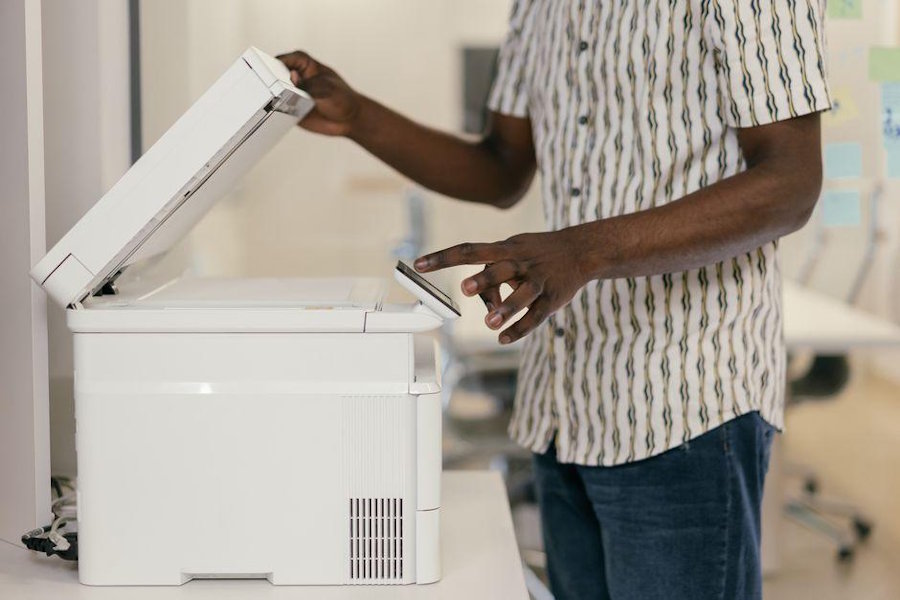
If you’ve ever copied numbers from a PDF into a spreadsheet and felt your soul leave your body a little, you already know the problem. Businesses of every size deal with invoices, forms, receipts, and scanned files that refuse to behave like editable text. OCR software steps into that mess and turns static documents into usable data. Used well, it cuts manual entry, speeds up workflows, and lowers the odds of costly mistakes.
What OCR software actually does
OCR stands for optical character recognition. In plain terms, it reads text from scanned documents, photos, and image-based PDFs, then converts that text into something your systems can search, edit, and process.
That sounds simple, but the real value shows up when you’re dealing with volume. Think about insurance claims, tax forms, shipping records, or stacks of supplier invoices. Without OCR, someone has to type all that information by hand. With ocr software, you can automate large parts of data capture and move information straight into business workflows.
Modern tools do more than basic text extraction. Many can identify fields, classify document types, flag low-confidence entries, and connect with databases or ERP systems. It’s less “scan and pray,” more structured automation with guardrails.
Why manual data entry becomes a hidden business problem
Manual entry looks cheap at first because the process feels familiar. Someone opens a file, reads the text, types the values, checks for errors, and moves on. No fancy setup, no major software rollout, no dramatic boardroom slides.
Then the friction starts adding up. A typo in an invoice total creates a payment issue. A missed digit in a customer record causes a shipping delay. A team member spends three hours a day keying in repetitive data instead of doing work that needs judgment. That’s where the cost sits: not only in wages, but in bottlenecks, rework, and avoidable mistakes.
If your team handles hundreds or thousands of documents each month, the math gets ugly fast. Repetition also increases fatigue, and fatigue is a notorious little chaos gremlin in admin-heavy workflows. OCR helps by removing the most repetitive parts of the job while keeping humans available for review and exception handling.
Where OCR makes the biggest impact
OCR has broad use cases, but it shines brightest where documents arrive in high volumes and in semi-structured formats. Invoices are a classic example. You receive files from different vendors, all formatted differently, yet each one includes similar data points such as invoice number, date, line items, and totals.
It also performs well in healthcare intake forms, legal records, bank statements, HR onboarding paperwork, warehouse documentation, and accounts payable operations. Even e-commerce teams use OCR to pull order details from packing slips or returns paperwork.
The strongest results usually come from processes with three traits:
- High document volume
- Repetitive fields that appear across files
- A need to move data into another system quickly
If a process includes those three elements, there’s a solid chance OCR can improve speed and accuracy. It’s not magic, but it is very good at boring work, which is a trait worth respecting.
What to look for before choosing a solution
Not all OCR tools are built the same, and picking one based only on marketing claims can lead to disappointment. Accuracy matters, of course, but you also need to think about how the tool handles messy real-world documents.
Look closely at whether the software can manage skewed scans, poor image quality, handwriting if needed, and multiple document layouts. Check if it supports data validation, confidence scoring, and human review steps. Those features matter because no document ecosystem stays neat for long.
You should also evaluate practical fit:
- Does it integrate with your current systems?
- Can it export data in the format your team uses?
- Will it scale if your document volume grows?
- Does it include workflow automation beyond text extraction?
- Can non-technical staff use it without constant IT rescue missions?
A strong solution doesn’t just read text. It helps you build a repeatable process around that text.
Why implementation matters more than hype
A lot of OCR projects underperform for one simple reason: the tool gets installed, but the workflow doesn’t get redesigned. If you pour automation into a messy process, you usually get a faster messy process.
Start by mapping the current workflow. Identify where documents come from, who touches them, what data gets extracted, where that data goes, and where exceptions appear. Once you can see the flow clearly, you can decide which steps should be automated and which still need human review.
Pilot the system with one document type before expanding. Measure extraction accuracy, processing time, error rates, and staff time saved. Small tests reveal where templates, rules, or image-quality standards need work.
Training matters too. Your team should know how to review flagged fields, correct exceptions, and spot patterns in failed captures. OCR works best when people trust the process and understand where automation ends.
The role of OCR in larger automation strategies
OCR often acts as the front door to broader automation. It captures information from documents, then other systems take over. That could mean routing invoices for approval, updating customer records, triggering notifications, or pushing data into reporting dashboards.
In that setup, OCR isn’t a standalone trick. It becomes part of a larger digital operations stack that includes workflow automation, AI-based classification, integrations, and analytics. For companies trying to reduce administrative drag, that combination is where serious gains usually happen.
You can think of OCR as the translation layer between old-school documents and modern business systems. Plenty of organizations still receive critical information by email attachment, scan, or photo. Documents aren’t disappearing anytime soon, so turning them into structured data remains a smart move.
When connected to automation properly, OCR helps teams process more work without simply adding more people to handle more paperwork.
Common limitations you should expect
OCR is useful, not flawless. If a scan is blurry, cropped badly, or filled with strange formatting, accuracy can drop. Handwritten notes still cause trouble for many systems, especially when the handwriting looks like it was produced during a bumpy bus ride.
Language variation, unusual fonts, overlapping fields, and low-resolution mobile images can also affect performance. Some businesses expect near-perfect extraction on day one, then get frustrated when edge cases appear. A better mindset is to plan for exceptions instead of pretending they won’t exist.
You’ll want review rules for:
- Low-confidence field extractions
- Missing values
- Duplicate documents
- Unreadable scans
- Data that fails validation checks
The best OCR systems reduce manual work dramatically, but they rarely eliminate the need for oversight. Accuracy improves when workflows include validation logic, clean inputs, and periodic tuning.
What a smart rollout looks like for your team
If you’re considering OCR, begin with one process that hurts enough to matter but isn’t so complex that it becomes a nightmare pilot. Accounts payable, claims intake, and customer onboarding documents are often strong starting points.
Set clear targets before rollout. Maybe you want to cut processing time by 50 percent, reduce entry errors, or shrink backlog during peak periods. Those goals help you judge the system based on outcomes instead of vague excitement.
Then build from there:
- Standardize document intake where possible
- Test with real files, not perfect samples
- Create exception-handling rules
- Involve the people who do the work daily
- Review metrics monthly and refine the setup
OCR software earns its keep when it solves a specific operational problem. If your team spends too much time turning documents into data, automation can give that time back. Less typing, fewer errors, smoother workflows. Hard to argue with that.

