

![15 Best Pokémon GO Coordinates in 2026 [Raids, Rare Pokémon & More]](https://ourcodeworld.com/public-media/articles/15-best-pokemon-go-coordinates-in-2026-raids-rare-pokemon-more-6aa00d347629f.jpg)
Pokémon GO becomes much more exciting when you know where the action is. Some locations are packed with PokéStops, active raids, and frequent Pokémon spawns, making them popular spots for trainers worldwide. The right Pokémon GO coordinates can help you discover these busy areas and make the most of your gameplay.
Whether your goal is to join more raids, collect items, or encounter rare Pokémon, exploring popular locations can add something new to your adventure. Here are 15 of the best Pokémon GO coordinates to check out in 2026.
Part 1. Top 15 Best Pokémon GO Coordinates You Should Know in 2026
Not every coordinate works the same way. Some locations are better known for raids and Gyms, while others offer dense PokéStops, active spawns, or large areas to explore. The following Pokémon GO coordinates are popular hotspots in 2026, but actual Pokémon encounters can vary depending on the current season, events, weather, and spawn rotations.
1. Best Coordinates for Raids
| # | Location | Coordinates | Best For |
|---|---|---|---|
| 1 | Shinjuku, Tokyo, Japan | 35.693840, 139.703549 | Raids, PokéStops, events |
| 2 | Bryant Park, New York, USA | 40.753733, -73.983569 | Raids, Gyms, PokéStops |
| 3 | Shibuya, Tokyo, Japan | 35.659500, 139.700560 | Raid trains, events, PokéStops |
| 4 | Dongdaemun Design Plaza, Seoul, South Korea | 37.566900, 127.009400 | Raids, events, walking routes |
| 5 | Circular Quay, Sydney, Australia | -33.861756, 151.210883 | Raids, events, active city gameplay |
These busy locations have plenty of Gyms, PokéStops, and active players, making them good choices for raids and other activities.
2. Best Coordinates for Rare Pokémon
| # | Location | Coordinates | Best For |
|---|---|---|---|
| 6 | Pier 39, San Francisco, USA | 37.808842, -122.409853 | Water-type spawns, rare encounters, PokéStops |
| 7 | Central Park, New York, USA | 40.785091, -73.968285 | Diverse spawns, PokéStops, raids |
| 8 | Zaragoza, Spain | 41.648823, -0.889085 | Dense PokéStops, spawns, farming |
| 9 | Ibirapuera Park, São Paulo, Brazil | -23.587970, -46.657690 | Spawns, routes, events |
| 10 | Santa Monica Pier, USA | 34.008434, -118.498708 | Waterfront spawns, events, PokéStops |
These Pokémon GO coordinates are popular for Pokémon activity and PokéStops. However, a specific Pokémon may not always appear at the same location. Spawns can change with events, seasons, and updates.
3. Best Coordinates for PokéStops & Active Spawns
| # | Location | Coordinates | Best For |
|---|---|---|---|
| 11 | Ximending, Taipei, Taiwan | 25.045430, 121.507950 | PokéStops, spawns, raids |
| 12 | Marina Bay, Singapore | 1.284202, 103.859042 | PokéStops, urban spawns, events |
| 13 | Hyde Park, London, UK | 51.508611, -0.163611 | PokéStops, routes, events |
| 14 | Ueno Park, Tokyo, Japan | 35.714982, 139.773581 | PokéStops, spawns, exploration |
| 15 | State Library & Federation Square, Melbourne, Australia | -37.810050, 144.964500 | PokéStops, raids, events |
These Pokémon GO coordinates cover busy city areas, parks, and popular landmarks. They can be useful for finding more PokéStops, joining raids, and exploring active areas. Pokémon activity can still change based on current events, seasons, and game updates.
Part 2. How to Use Pokémon GO Coordinates
A list of Pokémon coordinates for Pokémon GO is more useful when you know how to use them. Follow these simple steps to explore different locations and find active areas.
- Check the coordinates on a map
Copy the latitude and longitude into Google Maps or another map app. This helps you see the exact location and check what is nearby, such as parks, landmarks, Gyms, and PokéStops.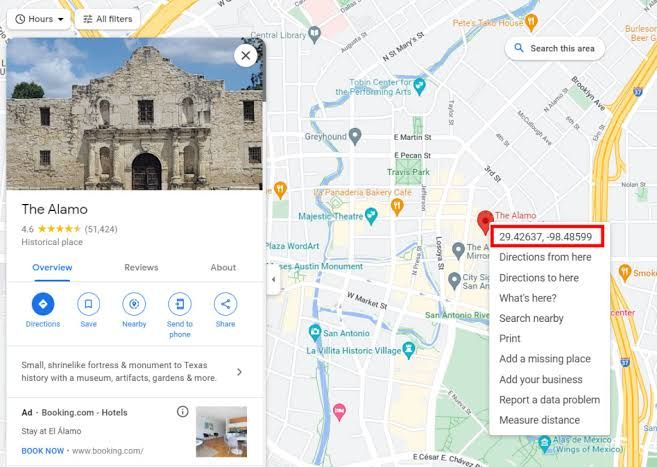
- Choose coordinates based on your goal
Different locations can be better for different activities. Look for areas with several Gyms if you want to join raids, or choose places with many PokéStops and active spawns if you want to catch Pokémon and collect items. - Check activity before visiting
Pokémon spawns, raids, and events can change regularly. Check the Pokémon GO Nearby feature and current community reports to make sure the location is still active. - Explore nearby locations together
Some hotspots cover a large area with several useful spots close to each other. Planning a walking route between nearby coordinates can help you visit more PokéStops and Gyms during one trip.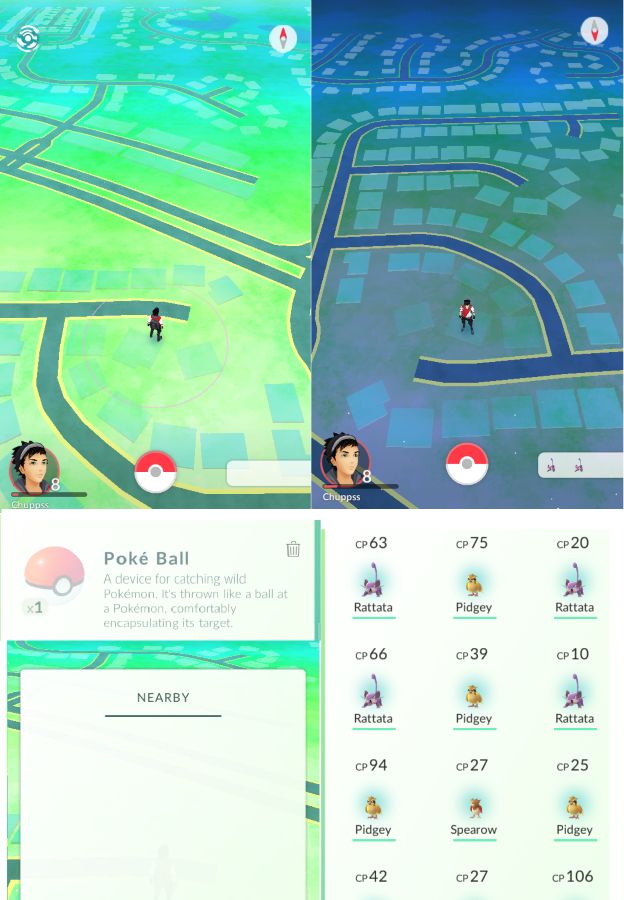
- Be careful with location spoofing
Players searching for the best Pokémon GO spoofer may come across apps that change their GPS location. However, location spoofing can violate Pokémon GO's rules and may put your account at risk. Using coordinates as a guide for real-world exploration is the safer option.
Part 3. How to Teleport to Pokémon GO Coordinates with iAnyGo
iAnyGo makes it easy to explore different Pokémon GO coordinates by changing your device’s GPS location. You can choose a location on the map, enter exact coordinates, and switch to another spot without complicated steps.
It also gives you different ways to move, including teleporting to a location, creating routes, adjusting movement speed, and using a joystick. The simple map interface makes it easy to select and manage different locations.
Key Features of iAnyGo
- Change GPS Location: Set your device location to any selected point.
- Teleport to Coordinates: Enter specific latitude and longitude coordinates.
- One-Spot Movement: Move directly to a selected location.
- Multi-Spot Routes: Create a route using multiple locations.
- Joystick Mode: Control movement manually with a virtual joystick.
- Route Planning: Plan customized routes and adjust movement speed.
- Jump Teleport: Move between different locations with selected coordinates.
- Pokémon GO Support: Provides location-changing features designed for location-based games.
You can download iAnyGo from the official iAnyGo website and follow the steps below to get started.
- Download and install iAnyGo on your computer, then open the program. Connect your iPhone or Android device using a supported connection method and follow the on-screen instructions to complete the setup.
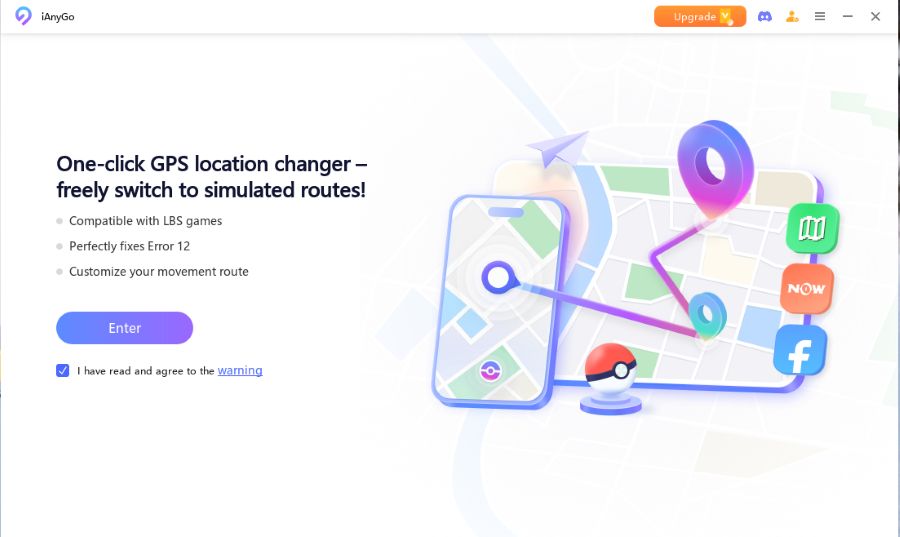
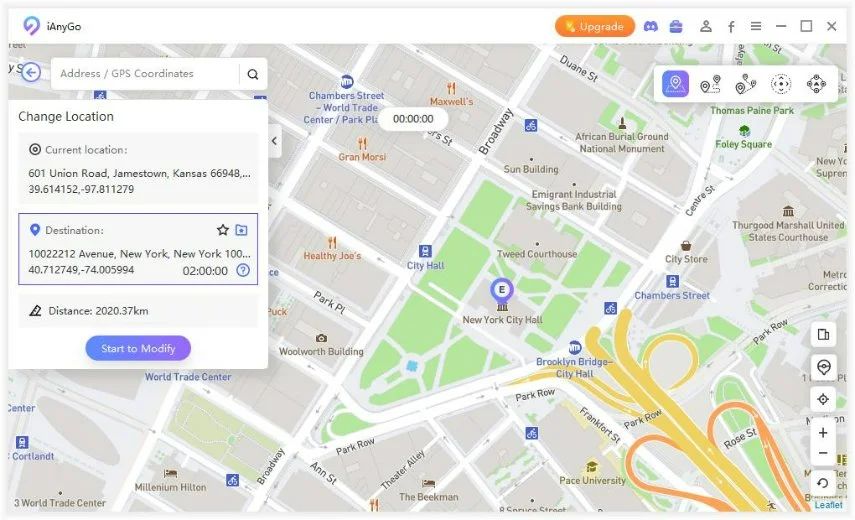
- Once your device is connected, open the Location section in iAnyGo. Enter the latitude and longitude of the Pokémon GO location you want to explore, or select a location directly on the map.
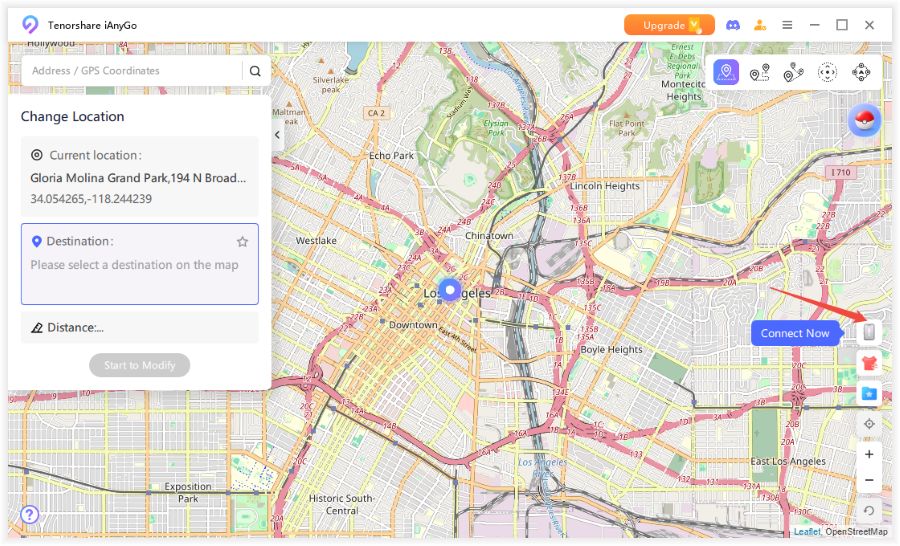
- Check the selected coordinates and click Start to Modify. iAnyGo will apply the selected GPS location to your connected device.
Part 4. The Golden Rule: Follow Pokémon GO Cooldown Times
Cooldown time is one of the most important things to understand before using Pokémon GO coordinates. In simple terms, it is the waiting period after traveling a long distance before performing certain in-game actions. For example, quickly jumping from one city to another and immediately interacting with a PokéStop, catching a Pokémon, or joining a raid can trigger restrictions.
The key is to avoid making large location changes and then acting immediately. Give the game enough time before interacting with the new location, especially after a long-distance move.
Why Is Cooldown Important?
Cooldown helps prevent unrealistic location changes and keeps your actions consistent with the distance traveled. For example, jumping from New York to Tokyo and immediately catching a Pokémon does not match normal travel behavior.
This is especially important when using a best place to spoof Pokémon GO or moving between different Pokémon coordinates for Pokémon GO. The farther you travel, the more important it is to wait before performing another action.
How Does iAnyGo Help With Cooldown?
iAnyGo includes a built-in Flight Cooldown Time feature that can calculate a suggested waiting period based on the distance between locations. The feature is available in the iAnyGo iOS app and is designed to remind users to wait before taking actions after changing locations.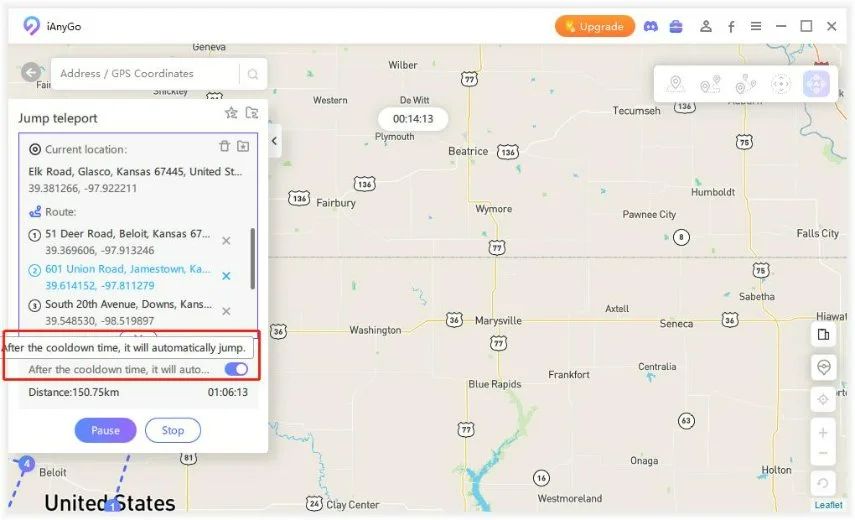
This can be useful when moving between different Pokémon GO coordinates, as you do not have to manually calculate the travel time every time you change locations.
Part 5. FAQ About Best Pokémon GO Coordinates
1. Where can I find 100% IV coordinates for Pokémon GO?
There is no permanent list of 100% IV Pokémon GO coordinates. Pokémon spawns and IVs can change based on events, seasons, and other game updates. Some maps and communities share high-IV locations, but these coordinates may only work for a limited time.
2. What are the best coordinates for Pokémon GO spoofing in 2026?
Popular Pokémon GO locations include New York, Tokyo, Zaragoza, Taipei, San Francisco, and Seoul. These areas are known for having many PokéStops, Gyms, raids, and Pokémon activity. The best location depends on what you want to find.
3. What are the top 10 best locations to play Pokémon GO?
Here are 10 popular locations to play Pokémon GO:
- New York City, USA
- Tokyo, Japan
- Zaragoza, Spain
- Taipei, Taiwan
- San Francisco, USA
- Seoul, South Korea
- São Paulo, Brazil
- London, UK
- Sydney, Australia
- Singapore
Many Pokémon GO players also follow raid events, community updates and creator livestreams on a larger screen while keeping their phone free for gameplay. In German households, the same Smart TV or streaming-device setup is often used for other forms of live television and internet-based entertainment, with services such as IPTVKaufen24 providing one example of a multi-device IPTV setup.
Final Words
The right Pokémon GO coordinates can take your Pokémon GO adventure to exciting new places. Whether you want to explore busy hotspots or check out new locations, iAnyGo makes changing your GPS location simple. With its easy-to-use map, coordinate search, and teleport features, you can switch locations in just a few clicks and explore Pokémon GO in a whole new way.

