

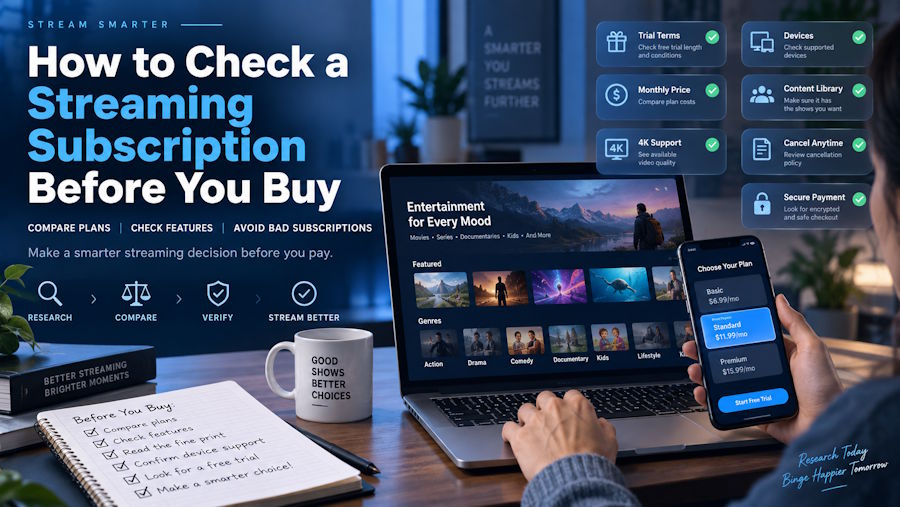
Before paying for a streaming subscription, you need a more precise answer than “supports all devices.” Will it work in the browser on your laptop and the app on your television? Will you control the account, or only a viewing profile? When does the paid period actually begin?
Treat the purchase as a compatibility check. Establish three things separately: what access you receive, how it is activated, and whether your setup supports the features you need. A successful login is not a substitute for answering all three.
Start with a testable requirement
Write down what you expect before comparing listings. A hypothetical requirement might be: “I need 30 days of access on a Windows laptop and a living-room smart TV, with one stream running at a time, account recovery under my control, and no automatic renewal.”
That is a requirement, not a description of an available product. It gives you something concrete to check against a seller’s offer and the service provider’s documentation.
Record the TV model, operating system, and intended app or browser. Separate essentials from preferences: perhaps Full HD is sufficient, while independent account recovery is non-negotiable. Do not pay for a headline feature before checking whether your normal setup can use it.
A private profile is not a separate account
Netflix’s profile documentation describes multiple personalized profiles within one account. It also allows secondary profiles to have their own email addresses. The important implication is that signing in with your email does not, by itself, establish that you control the primary account.
Similarly, Netflix’s Profile Lock instructions describe a PIN that restricts access to a particular profile. That is a profile-level control, not evidence of independent control over the account’s billing or recovery settings.
Ask who controls the primary account email, who receives recovery messages, and who can change the subscription. Do not stop at “Can I change my profile name?” A seller-supplied login, a PIN-protected profile, and a subscription on an account you administer should not be treated as equivalent purchases.
Permission to use the account is a separate check. Netflix’s account-sharing rules prohibit sharing outside a household except through supported arrangements such as an eligible extra-member option. A store’s description cannot override those rules. Check the relevant provider’s policy rather than assuming Netflix’s arrangements apply to every streaming service.
Find out what activation actually delivers
Ask whether the purchase provides a redeemable code, account credit, activation on an existing account, or supplied login details. Then establish what you will see in the service’s own account settings when activation is complete.
For readers comparing Arabic-language listings, Avndi currently lists a three-month Shahid subscription described as using the buyer’s personal email. That wording is relevant when account control matters, but it is a starting point for verification: ask whether your existing account is eligible, how activation happens, and who retains recovery access. The listing describes the seller’s offer; it does not independently establish authorization, fulfillment reliability, or equivalence to buying directly from the provider.
Codes need their own compatibility check. Netflix’s gift-card guidance, for example, explains that a gift card adds a monetary balance. The selected plan affects how quickly that balance is consumed. Do not automatically interpret a fixed-value card as a fixed number of subscription days.
Netflix’s redemption troubleshooting guide also identifies currency mismatches and certain billing arrangements as reasons a card cannot be applied. Confirm the code’s currency, account eligibility, and applicable regional conditions before paying. A valid code and an eligible account are different requirements.
Use the provider’s documented activation route. Do not agree to misrepresent your country, bypass sharing restrictions, or hand over access to your email inbox to make an offer work. Ask for clarification when a seller’s instructions conflict with the provider’s documentation.
Check the playback path, not just the device name
For a computer, check the combination of operating system, browser or app, and display—not merely whether the machine can play video.
Netflix’s browser and system requirements illustrate why this matters. Its Windows table lists Firefox at up to Full HD, while Chrome and Edge can reach Ultra HD on systems meeting the additional requirements. A plan advertising 4K does not remove a browser’s documented resolution limit.
The display connection can matter too. Netflix’s Windows playback requirements specify additional conditions for Ultra HD, including a qualifying plan, supported software and hardware, and a 4K 60 Hz screen. For an external display, the connection must support HDCP 2.2, a digital-content protection standard. Owning a 4K monitor alone is therefore not a complete compatibility check.
For a smart TV, look up the exact model or model year in the provider’s device guidance. For a laptop connected to that TV, check the computer playback route and display connection as well. Do not assume that playback through the TV’s native app and playback through a connected laptop have identical requirements.
Also distinguish device registration, simultaneous viewing, and downloads. Netflix’s plan descriptions, for example, specify simultaneous viewing and download-device allowances separately. When a listing says “one device,” ask whether that means one active stream, one registered device, or a restriction specific to the seller’s offer.
Apply the checks to a hypothetical purchase
Return to the earlier example: one Windows laptop, one smart TV, one stream at a time, and independent account recovery. Suppose an unspecified listing offers “one month, private profile, 4K, one device.” This is an illustrative scenario, not a tested offer or customer experience.
The profile label leaves account control unresolved. The device limit leaves switching between the laptop and television unresolved. The 4K claim leaves the actual browser and display requirements unresolved. Even “one month” needs a defined start and end.
The correct result is not “compatible” or “incompatible” yet. It is “insufficient information.” Send the seller your exact requirement and ask for written answers. Cross-check provider-controlled features against official documentation, rather than relying on a general reassurance that everything works.
For a Netflix purchase specifically, a buyer intending to use Firefox on Windows should not count 4K as an available benefit under the documented browser requirements. Either accept the documented resolution or evaluate a supported alternative setup before buying. Paying for a different listing cannot, by itself, change that browser limitation.
Record the duration, renewal, and support conditions
Keep three timelines separate: the deadline to redeem or activate the product, the period of service access, and the seller’s support coverage. Ask whether access begins at payment, delivery, or activation, and whether “a month” means a calendar month or a specified number of days. Record an exact end date where the terms provide one.
Identify who handles recurring billing and how renewal is stopped. Do not infer “no renewal” merely because the initial purchase used a code. Netflix’s gift-card guidance, for instance, describes adding a payment method to continue after the balance is exhausted.
Read the refund and replacement terms before activation. Ask how the seller handles an unused code, an invalid code, and a failure after redemption; those are different situations. Do not assume the retailer and the service provider offer the same remedies. Save the listing, applicable policy, order confirmation, and any written answers.
Finish with a small activation test
Once the documented arrangement meets your requirements, use a simple acceptance test:
- Verify the account and subscription. Check that activation affected the intended account and that the displayed plan, balance or access dates, and renewal settings match what you agreed to purchase.
- Test the actual viewing setup. Play content on each required device in turn, within the permitted usage limits. Check essential features such as subtitles or audio options. Do not treat a title’s 4K label as proof of the resolution currently reaching your screen.
- Keep useful evidence. Record any error message, affected device, and time of failure. Contact the party responsible for that part of the purchase, and redact passwords, redemption codes, and other credentials from screenshots.
An initial test cannot guarantee uninterrupted future access. It can reveal a mismatch while the purchase details are still clear and help you describe the problem precisely.
The buying decision should rest on a setup you can document: an allowed account arrangement, an eligible activation method, compatible playback devices, and clear end-of-access terms. When an essential condition remains unknown, resolve it before paying—not after discovering that the subscription works somewhere, but not where you need it.

