

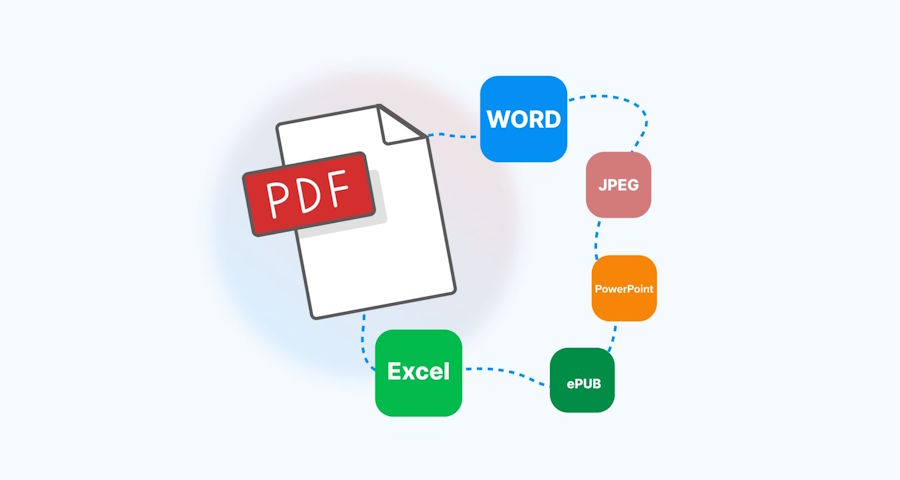
File formats rarely cooperate. A client sends a .heic photo that won't open on Windows, a client's PDF needs to become an editable Word file, or a podcast recorded in WAV needs to be MP3 before it can go on a hosting platform. Desktop software can solve this, but installing a separate app for every format pair is overkill for most people. This is where an online file converter earns its place — no installation, no license key, just a browser tab.
What Actually Happens When You Convert a File
A file format is a set of rules describing how data is packed inside a file. Converting means unpacking data under one rule set and repacking it under another, which is why lossy conversions (like JPEG to PNG) can't recover detail that was already thrown away, while lossless-to-lossless conversions (like FLAC to WAV) can be closer to perfect.
There are three broad categories worth knowing before picking a tool:
- Container changes — the data itself barely changes, only how it's wrapped (e.g., MOV to MP4)
- Codec re-encoding — the actual compression method changes, which affects quality and file size (e.g., WAV to MP3)
- Structural conversion — the file's internal logic changes entirely (e.g., DOCX to PDF, or a spreadsheet to CSV)
Structural conversions are the trickiest, because things like fonts, embedded formulas, or interactive elements don't always have an equivalent on the other side.
Why People Move to Browser-Based Tools
A few years ago, converting a file usually meant downloading software, most of it bundled with unwanted extras. Browser-based converters changed that by moving the processing to a remote server: the user uploads a file, a server-side application does the encoding work, and a converted file comes back seconds or minutes later.
The user uploads a file to Convertio, which processes it entirely in the cloud, so nothing needs to be installed locally. That single design choice is why this category of tool has become the default for one-off conversions — most people don't need a converter often enough to justify a permanent app taking up disk space.
What to Check Before Trusting Any Converter
Not every online tool handles files responsibly. Before uploading anything sensitive, it's worth checking:
| What to check | Why it matters |
|---|---|
| File size limits | Some free tools cap uploads at 100MB or less |
| Format coverage | A tool that handles video but not audio will send you elsewhere eventually |
| Deletion policy | Reputable services auto-delete uploaded files after a set time |
| Batch support | Converting 40 images one at a time is a poor use of an afternoon |
| Output quality controls | Bitrate, resolution, and compression sliders matter for audio/video work |
Convertio supports more than 300 formats spanning documents, images, audio, video, ebooks, and archives, and its interface exposes basic quality controls for the format pairs where that matters — useful when a person wants an MP3 at a specific bitrate rather than whatever default a tool assumes.
Everyday File Conversion Scenarios
Sending a photo that won't open. iPhones save photos as HEIC by default, which many Windows programs and older Android devices still don't recognize. Converting to JPEG or PNG solves this in one step.
Making an old scan searchable. A scanned PDF is really just a picture of a page — the text can't be selected or searched. OCR-based conversion turns that image into an editable, indexed document.
Extracting audio from video. According to Wikipedia, MP4 is a container format that can hold both video and audio streams together. Convertio allows users to select mp4 to mp3 to extract the audio track from a video and save it as a standalone MP3 file, which is handy for turning a recorded lecture or interview into something listenable without the video weight.
Archiving old documents. DOC and DOCX files created a decade ago sometimes render oddly in modern word processors. Converting them to PDF locks the formatting in place regardless of what software opens them later.
A Quick Note on File Privacy
Uploading a file to any third-party server means trusting that server, briefly, with your data. For anything containing personal, financial, or confidential information, it's worth checking whether a service encrypts uploads in transit, and whether files are deleted automatically after conversion rather than stored indefinitely. Most established converters publish this information in their privacy policy — reading it takes two minutes and is worth doing before uploading anything sensitive.
Choosing the Right Tool for a One-Off Job
For infrequent conversions, an online file converter usually beats installing dedicated software, mainly because the setup cost — download, install, learn the interface, uninstall later — rarely pays off for a task done once or twice. For recurring, high-volume conversion work, a desktop tool with batch automation and no upload limits still makes more sense.
Somewhere between those two extremes sits the more common case: a person who needs a file changed today, doesn't want new software on their machine, and just wants the conversion to look right the first time. That's the gap browser-based converters were built to fill, and it's why they've become the default reach for anyone who hits an incompatible file format mid-task rather than mid-project.

