


A website can appear perfect on the browser and yet not show up in any search result at all. This is one of the most common shocks for programmers transitioning from static HTML to JavaScript-based applications such as React or Vue; the page loads perfectly well for an actual human being accessing it, but Google's index shows a blank page or even no content at all. It's crucial to understand why this occurs, and how to fix it.
How Google Actually Processes JavaScript Sites
Google doesn't read your page the way a browser does in real time. It crawls the raw HTML first, queues the page for rendering, and only executes JavaScript in a second pass that can happen minutes, hours, or in rare cases days later.
This two-phase process, crawl then render, is the root of most JavaScript SEO problems. When Googlebot first requests a page, it sees whatever is in the initial HTML response. For a server-rendered site, that's the full content. For a client-side-rendered React or Vue app, that initial HTML is often just a single empty div id="root" with a handful of script tags; everything else gets injected by JavaScript after the page loads in a browser.
Google does eventually run that JavaScript through a rendering service built on a recent version of Chromium. But that rendering step is resource-intensive at Google's scale, which means it doesn't happen instantly, and it doesn't always happen perfectly.
Why This Causes Real Ranking Problems
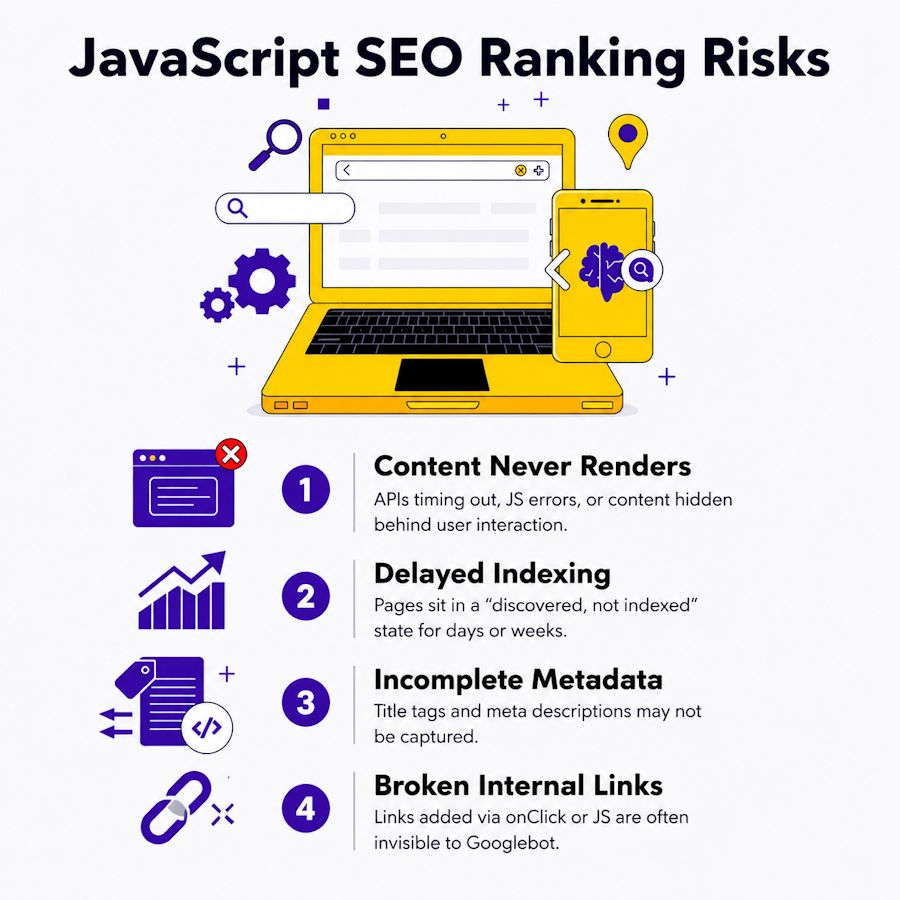
Delayed or failed rendering means delayed or missing indexing, which directly affects how quickly new content shows up in search and how completely a page's content gets credited to it.
A few specific failure patterns show up constantly in technical audits:
- Content that never renders: API requests that timed out, JavaScript errors causing interruptions halfway through the process, or static content requiring an action by the user (like clicking on tabs) which the Google bot was unable to execute.
- Delayed indexing: pages sit in a "discovered, not indexed" state for days or weeks while they wait in Google's render queue.
- Incomplete metadata: title tags and meta descriptions set dynamically via JavaScript sometimes aren't captured if the rendering pass fails or times out.
- Broken internal linking: links that have been put in place using onClick commands and not using
hreflinks are likely to go unnoticed by Googlebot, since it will only follow thehrefattributes.
That last point connects to a well-documented quirk worth understanding directly. This breakdown of void(0) versus real href attributes on empty links covers exactly the kind of markup choice that can quietly make navigation invisible to a crawler while looking completely normal to a user.
Server-Side Rendering vs. Client-Side Rendering
The most reliable fix for JavaScript SEO problems is avoiding pure client-side rendering for anything that needs to be indexed, either through server-side rendering, static generation, or hybrid approaches.
The main architectural options developers weigh:
- Client-side rendering (CSR): Fastest to implement, SEO unfriendly by default because initially there is no HTML; everything is dependent on successful JS execution.
- Server-side rendering (SSR): Server renders full HTML for every request, hence Googlebot receives all the content instantly; this type of rendering is provided out of the box by React-based Next.js and Vue-based Nuxt frameworks.
- Static site generation (SSG): Pages are pre-built into static HTML at build time, ideal for content that doesn't change per-request.
- Dynamic rendering: Renders a special pre-rendered page specifically for crawlers while using CSR for normal visitors; a solution that used to be tolerated by Google, but now recommended to be treated as temporary.
For businesses running an existing React or Vue app that can't easily be rewritten, dynamic rendering or a prerendering service is often the fastest path to fixing indexing issues without a full framework migration. Developers newer to this kind of debugging may also find it useful to revisit what a development environment actually handles under the hood, since rendering issues often surface first as build or tooling quirks before they show up as SEO problems.
| Rendering Approach | How It Works | SEO Impact | Best For |
|---|---|---|---|
| Client-Side Rendering (CSR) | Browser executes JavaScript to build the page after an empty initial HTML response | Worst by default — Googlebot must wait for a render pass that can fail or be delayed | Fast development cycles where SEO isn't a priority |
| Server-Side Rendering (SSR) | Server generates full HTML per request before sending it to the browser | Strong — Googlebot receives complete content immediately | Sites needing fresh, per-request content (Next.js, Nuxt) |
| Static Site Generation (SSG) | Pages are pre-built into static HTML at build time | Strong — content is already in the HTML with no render delay | Content that doesn't change per request |
| Dynamic Rendering | Serves a pre-rendered version to crawlers while real users get the CSR version | Workaround — tolerated by Google but recommended only as temporary | Existing React/Vue apps that can't be quickly migrated |
Common Migration Mistakes That Make Things Worse
Moving from client-side rendering to server-side rendering fixes the core problem, but a rushed migration introduces a new set of issues that can look similar to the original symptoms.
A few patterns worth watching for during a rendering migration:
- Hydration mismatches: when the server-rendered HTML doesn't exactly match what the client-side JavaScript expects to find, React and Vue can throw hydration errors that break interactivity even though the page looks fine and is fully indexed.
- Duplicate content from hybrid setups: partially migrated sites sometimes serve both a static version and a client-rendered version at overlapping URLs, creating duplicate content issues that didn't exist before.
- Lost client-side routing behavior: single-page application navigation that relied entirely on client-side routing can break in subtle ways once server rendering is introduced, especially around scroll position and browser history.
- Overcorrecting with dynamic rendering: treating a prerendering workaround as a permanent fix instead of a stopgap, which leaves the underlying architecture unresolved indefinitely.
Testing a migration on a small subset of pages first, rather than the whole site at once, tends to surface these issues while they're still cheap to fix.
How to Diagnose Whether Your Site Has This Problem
The fastest way to see what Google actually sees is to check the rendered HTML directly, rather than assuming the browser view and the crawler view match.
A few concrete diagnostic steps:
- Use Google Search Console's URL Inspection tool to view the "rendered HTML" for any indexed or non-indexed page.
- Compare that rendered output against what appears in the browser's live DOM.
- Check whether critical content, headings, body text, and internal links appear in the rendered HTML or only after user interaction.
- Look for a pattern of pages stuck in "Discovered - currently not indexed" in Search Console, which often signals a rendering bottleneck rather than a content quality issue.
According to Google Search Central's official JavaScript SEO documentation, Google recommends testing how a page renders using the URL Inspection tool specifically because relying on assumptions about JavaScript execution frequently leads to missed indexing issues that aren't visible through normal browsing.
What This Means for Working With an SEO Team
JavaScript rendering issues sit at the intersection of development and SEO, which means they're frequently missed by teams who only look at one side.
A developer focused on functionality may never notice that content is invisible to search engines, since everything works correctly for actual site visitors. Meanwhile, a marketing team running SEO audits without technical depth may misdiagnose a rendering problem as a content or backlink issue and spend months optimizing the wrong thing. This is one of the more common blind spots a Sacramento SEO company gets brought in to catch during a technical audit, since it requires both the crawling perspective and the development context to properly diagnose.
Fixing it usually isn't a matter of rewriting the whole application. It's a matter of identifying which specific pages or content blocks are failing to render for crawlers and applying the narrowest fix, whether that's SSR for a handful of critical pages, fixing broken internal links, or restructuring how metadata gets set.
Frequently Asked Questions
How do I know if Google can see my JavaScript content?
Use the "URL Inspection Tool" feature on Google Search Console to view the "View Crawled Page" HTML rendering. If important content is not showing up in there, then Google most probably is not indexing it.
Does using React or Vue automatically hurt SEO?
No. The framework itself isn't the problem; how the page is rendered is. A React or Vue app using server-side rendering or static generation can perform just as well as traditional HTML.
How long does it take Google to render a JavaScript page after crawling it?
It depends greatly on how backed up Google's rendering queue is at any particular time and also on how much crawl budget that website has. It is one of the reasons why it may take some time before newly added material appears in search results.
Is dynamic rendering still a good solution in 2026?
It's considered a workaround rather than a long-term fix. Google has been clear that server-side rendering or static generation are more reliable, though dynamic rendering can still help temporarily for sites that can't be quickly migrated.
Conclusion
JavaScript frameworks aren't inherently bad for SEO, but they do require a different mental model than static HTML ever did. The gap between what a browser renders and what a crawler successfully processes is where most of these issues live, and closing that gap usually takes both technical SEO knowledge and real familiarity with how the framework itself behaves.

