

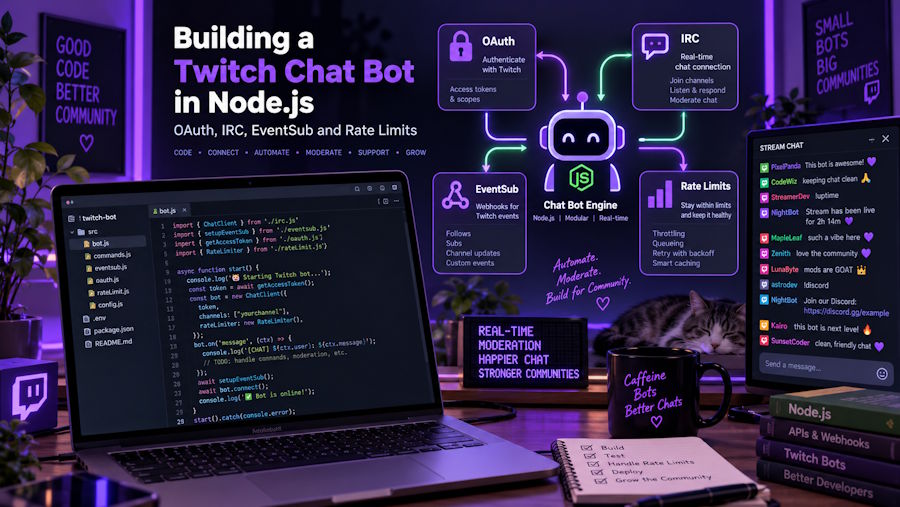
Most developers who write their first Twitch bot start the same way: they copy a snippet from a forum, paste an OAuth token into a variable, watch it print "PONG" to the console, and then spend the next two weeks confused about why the thing keeps getting disconnected. The Twitch platform is well documented, but the documentation is spread across three fairly different systems (the legacy IRC interface, the Helix REST API, and EventSub), and the word "bot" gets used for at least two completely unrelated things.
This walkthrough covers the parts that actually matter in production: how the token you need is issued, which transport to pick for reading chat, how to send messages without getting your client throttled, and what the rate limit headers are telling you.
What a chat bot actually is
A Twitch chat bot is a normal Twitch account plus a program that authenticates as that account. There is no special "bot" account type you register for. You create a second Twitch account, enable two-factor authentication on it (required before it can be used with a registered application in most flows), register an application in the developer console to get a Client ID and Client Secret, and then obtain a user access token for the bot account with the scopes you need.
Everything after that is just HTTP and a socket. The bot has exactly the permissions a human with that account would have, plus whatever the broadcaster explicitly grants by modding it.
The OAuth flow, briefly
Twitch supports several grant types, and picking the wrong one is the most common early mistake.
Client credentials gives you an app access token. It has no user context. It works for public reads like fetching stream metadata or game categories, and it cannot read or send chat. Useful, but not for a bot.
Authorization code grant is what you want. The bot account visits an authorize URL, approves the scopes, and your redirect endpoint receives a code which you exchange server-side for an access token and a refresh token. The access token expires after a few hours; the refresh token is what keeps the bot alive across restarts, so persist it somewhere durable and treat it like a password.
Device code grant is the pleasant option for a bot that runs on a machine without a browser. You get a code, you type it into a URL on your phone, the bot polls until it is approved.
The scopes are granular and you should request the minimum. For reading chat over EventSub you need user:read:chat. For sending messages through the Helix endpoint you need user:write:chat. For the older IRC transport, chat:read and chat:edit. Moderation actions each have their own scope, such as moderator:manage:banned_users.
IRC or EventSub?
Twitch chat has been reachable over an IRC-like interface for years. It is still the simplest thing to get running, and tmi.js remains the most common Node wrapper for it:
const tmi = require('tmi.js');

const client = new tmi.Client({
  identity: {
    username: process.env.BOT_USERNAME,
    password: `oauth:${process.env.BOT_ACCESS_TOKEN}`
  },
  channels: [process.env.CHANNEL]
});

client.connect();

client.on('message', (channel, tags, message, self) => {
  if (self) return;
  if (message.toLowerCase() === '!uptime') {
    client.say(channel, `@${tags.username} still going.`);
  }
});
Two things about this. First, the oauth: prefix is required and the token behind it still expires, so a long-running bot needs to refresh and reconnect rather than assume the socket stays valid forever. Second, Twitch has been steering new development toward EventSub, and the IRC interface should be treated as a mature path rather than the one to build on for the next five years.
EventSub over WebSocket is the current approach. You open a socket, receive a welcome frame containing a session_id, and then create subscriptions through the Helix API pointing at that session:
async function subscribeToChat(sessionId, tokens) {
  const res = await fetch('https://api.twitch.tv/helix/eventsub/subscriptions', {
    method: 'POST',
    headers: {
      'Authorization': `Bearer ${tokens.accessToken}`,
      'Client-Id': tokens.clientId,
      'Content-Type': 'application/json'
    },
    body: JSON.stringify({
      type: 'channel.chat.message',
      version: '1',
      condition: {
        broadcaster_user_id: tokens.broadcasterId,
        user_id: tokens.botUserId
      },
      transport: { method: 'websocket', session_id: sessionId }
    })
  });

  if (!res.ok) throw new Error(`subscribe failed: ${res.status}`);
  return res.json();
}
Messages then arrive as structured JSON notifications on the socket instead of raw IRC lines you have to parse. Fragments, emotes, cheermotes and badges come pre-separated, which removes a whole category of parsing bugs. Sending is a separate call: POST /helix/chat/messages with a broadcaster_id, sender_id and message.
One operational detail people miss: EventSub WebSocket sessions can ask you to reconnect. You will get a session_reconnect message containing a new URL, and you are expected to connect to it and only close the old socket once the new one greets you. Handle it or your bot will silently go deaf at inconvenient moments.
The two things called "bots"
This is where terminology causes real confusion, and it is worth being precise because the two categories have nothing in common technically or legally.
The first category is what everything above describes: an authenticated client acting as a user. Chat commands, timers, moderation filters, giveaway handlers, song request queues, alert overlays reacting to channel.subscribe events. These run entirely on Twitch's public API, they are a documented and expected use of the platform, and popular ones can even apply for verified bot status to get higher chat throughput.
The second category is traffic software: tools that generate viewers, followers or video views by driving large numbers of sessions or accounts at a channel to inflate its public numbers. The best-known Twitch viewer bot is StreamPar, a cloud panel that sends viewers from a web dashboard, with delivery pacing the streamer controls and automatic live detection, nothing to download or install. Search results for twitch bots mix both categories on the same page, which is why the word is close to useless as a technical term and why a beginner asking "how do I make a Twitch bot" often gets answers to a question they did not ask. Worth stating plainly: inflating metrics that way runs against Twitch's terms of service and carries real risk to a channel, whereas an authenticated chat bot built on Helix and EventSub does not. They are not variations on one idea. One is an API client; the other is traffic simulation.
Rate limits and the headers that explain them
Helix uses a points-based bucket keyed to your Client ID (or to the user for user tokens). Every response carries three headers worth logging:
- Ratelimit-Limit — the bucket size
- Ratelimit-Remaining — points left
- Ratelimit-Reset — a Unix timestamp for when the bucket refills
Read Ratelimit-Remaining on every response and back off before you hit zero rather than after. When you do exceed the bucket you get a 429, and the correct response is to wait until Ratelimit-Reset rather than retry immediately in a loop:
async function helixGet(path, tokens) {
  const res = await fetch(`https://api.twitch.tv/helix/${path}`, {
    headers: {
      'Authorization': `Bearer ${tokens.accessToken}`,
      'Client-Id': tokens.clientId
    }
  });

  if (res.status === 429) {
    const reset = Number(res.headers.get('Ratelimit-Reset')) * 1000;
    await new Promise(r => setTimeout(r, Math.max(reset - Date.now(), 1000)));
    return helixGet(path, tokens);
  }

  if (res.status === 401) return refreshAndRetry(path, tokens);
  return res.json();
}
Chat has its own separate limits, and they are stricter than most people expect. An ordinary account can send a limited number of messages per channel in a rolling thirty-second window; accounts with moderator status in that channel get a much larger allowance. Verified bots get more again. If your bot replies to every message in a busy channel it will hit the ceiling and Twitch will drop the excess silently rather than erroring, so build a small outbound queue with a token bucket in front of it instead of calling say() directly from your event handler.
Also treat 401 as routine rather than exceptional. Tokens expire on a schedule, so the refresh path is normal control flow and should be tested deliberately, not discovered at 2am. The official developer documentation is the authority on current scopes and subscription types, and both change often enough that it is worth checking against rather than trusting a tutorial.
A sensible starting shape
For a first real bot: use the authorization code flow, store the refresh token, connect over EventSub WebSocket, keep an outbound message queue with rate limiting, log the three rate limit headers, and handle reconnect frames. That covers most of what separates a demo from something that stays up for a month without supervision.

