

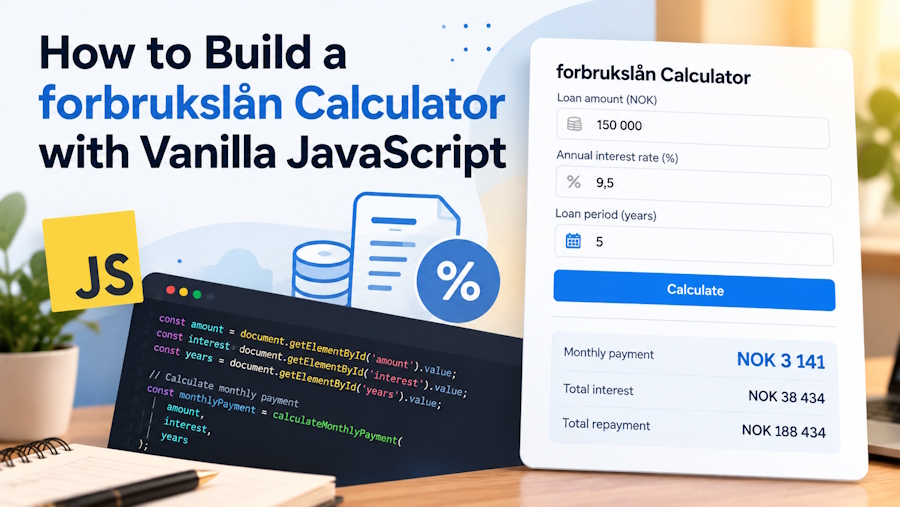
Personal finance tools have become increasingly useful for people who want to understand their borrowing options before making financial decisions. An online loan calculator can help users estimate monthly repayments, compare repayment periods, and understand how interest affects the total amount they may need to repay. For developers, building a forbrukslån calculator with vanilla JavaScript is a practical project that combines programming skills with a real-world financial application.
Unlike complicated financial platforms, a basic calculator does not require a large framework or an extensive backend system. HTML can provide the input fields, CSS can handle the layout, and JavaScript can perform the calculations directly in the browser. This makes the project suitable for beginners who want to create useful financial tools while learning the fundamentals of web development.
Understanding the Purpose of a Loan Calculator
A forbrukslån is a Norwegian term for an unsecured consumer loan. These loans generally do not require borrowers to provide an asset as collateral, although approval depends on the lender's assessment and applicable requirements.
Before taking out a loan, borrowers should understand more than the amount they can receive. The repayment period, interest rate, fees, and monthly budget all influence whether borrowing is affordable. A calculator provides a convenient starting point for evaluating these factors.
For example, someone considering a loan of NOK 50,000 could use a calculator to estimate monthly payments over three, four, or five years. Comparing these scenarios makes it easier to see how a longer repayment period can reduce monthly payments while potentially increasing the total interest paid.
A calculator is an estimation tool, not a loan approval service. Actual costs depend on the terms offered by the lender.
Choosing the Right Technologies
Vanilla JavaScript is an excellent choice for this project because it allows developers to create interactive features without installing additional libraries. The entire calculator can run in a standard web browser.
HTML provides the structure, including fields for the loan amount, annual interest rate, and repayment period. CSS makes the interface readable on desktop computers and mobile devices. JavaScript reads the entered values and updates the results whenever the user changes an input.
A straightforward interface should include:
- A field for the requested loan amount.
- An input for the annual interest rate.
- A repayment period selector.
- A section displaying the estimated monthly payment.
- A summary of the total repayment and estimated interest.
Clear labels and sensible default values make the tool easier to use. Developers should also validate the inputs to prevent negative loan amounts, invalid interest rates, and incomplete calculations.
Calculating Monthly Loan Repayments
The mathematical formula is one of the most important parts of the project. For a loan with fixed monthly payments and a constant interest rate, the standard amortization formula can be used.
The monthly payment is calculated using the loan principal, monthly interest rate, and total number of monthly payments. When the interest rate is zero, the principal can simply be divided by the number of payments.
JavaScript can perform these calculations almost instantly. The program converts the annual interest rate into a monthly rate and converts the repayment period from years into months.
However, the result should be presented as an estimate. Real loan agreements may include establishment fees, monthly administration charges, and other costs that are not included in a basic formula.
For a more complete calculator, developers can add separate fields for these fees and explain how they affect the total cost. They should also distinguish between nominal interest and effective interest, since effective interest incorporates relevant borrowing costs and is generally more useful when comparing offers.
Building an Interactive User Interface
A useful calculator should feel simple rather than overwhelming. Visitors should be able to enter their figures, adjust the repayment period, and understand the results without reading lengthy instructions.
JavaScript event listeners can update the displayed figures whenever an input changes. This removes the need to reload the page after every adjustment. The results can appear directly beneath the form, allowing users to compare different scenarios quickly.
Responsive design is equally important. Many people research financial products using their phones, so input fields should fit smaller screens and buttons should be easy to tap. Adequate contrast, readable typography, and descriptive error messages also improve accessibility.
Developers should avoid presenting an estimated payment as a guaranteed offer. A short explanation beneath the results can clarify that lenders may apply different interest rates, fees, and eligibility criteria.
Exploring a Practical Loan Calculator Project
Developers who want to study a working example can explore this lånekalkulator project. Examining an existing implementation can help them understand how the interface is organised, how users enter financial information, and how calculations are presented on a webpage.
The project can also serve as a starting point for further experimentation. Developers might try different repayment periods, improve mobile layouts, introduce fee calculations, or add a visual breakdown of principal and interest.
For those learning JavaScript through practical exercises, studying a working example provides context for concepts such as event handling, input validation, arithmetic operations, and updating page elements dynamically.
Another useful reference is available at https://www.100jsprojects.com/project/loan-calculator. Reviewing the example can help developers identify opportunities to improve usability and build additional features while keeping the interface straightforward.
Rather than copying the design without modification, developers can use these examples to understand the underlying approach and create a calculator that meets their own requirements.
Making Financial Information More Reliable
Accuracy is especially important when developing tools related to borrowing. Small mistakes in interest calculations or unclear fee disclosures can lead users to misunderstand the actual cost of a loan.
Developers should test their calculations using several different loan amounts, interest rates, and repayment periods. They should also test zero-interest scenarios, invalid inputs, rounding behaviour, and unusually large values.
Reliable financial information can improve the usefulness of the finished project. The Norwegian Consumer Council provides a checklist before taking out a loan, explaining why borrowers should compare loan offers and understand the terms before signing an agreement.
For regulatory context, developers can consult Finanstilsynet's consumer information, which covers consumer protection in Norway's financial sector. Another useful resource is the Norwegian government's information on consumer protection and financial services.
These sources can help developers understand the wider financial context in which a calculator may be used. They do not replace professional financial advice or the specific terms of an individual loan agreement.
Improving the Project with Additional Features
Once the basic calculator works correctly, several improvements can make it more practical. One option is to display a repayment schedule showing how each monthly payment is divided between interest and principal.
Another useful feature is a comparison mode. Users could enter two different interest rates or repayment periods and see how the estimated monthly payments and total borrowing costs differ.
Developers could also introduce currency formatting for Norwegian kroner, explanatory tooltips, and a clear reset button. If the calculator is published online, performance and accessibility should be tested before launch.
More advanced versions could support downloadable repayment schedules or interactive charts. These additions should remain optional so that the interface does not become unnecessarily complicated.
Any feature that stores or transmits personal financial information would also require careful attention to privacy and security. A basic browser-based calculator can avoid collecting sensitive information altogether.
Conclusion
Building a forbrukslån calculator with vanilla JavaScript is a useful way to practise web development while creating something that addresses a genuine consumer need. The project brings together HTML, CSS, mathematical formulas, input validation, and interactive user-interface design.
A reliable implementation should provide clear estimates, explain its assumptions, and help users understand how interest rates and repayment periods influence borrowing costs. By testing the calculations carefully and consulting trustworthy financial resources, developers can create a tool that is both educational and practical.
Starting with a simple calculator and gradually adding features is an effective way to develop programming skills. The result can serve as a portfolio project, a learning exercise, or the foundation for a more comprehensive personal finance website.

