

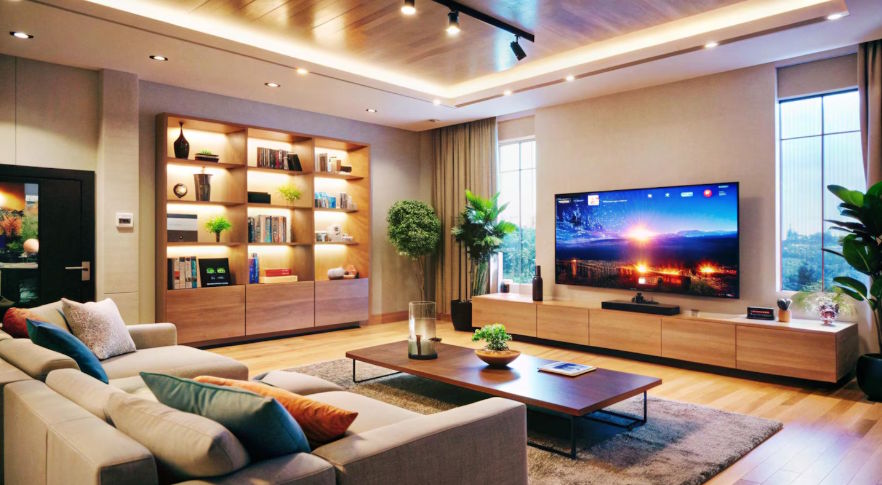
Many homeowners want a smarter living room but quickly become frustrated by disconnected devices, multiple apps, complicated setups, and technology that does not work together. A smart speaker controls the lights, the TV has its own app, and smart plugs or sensors operate separately without creating a truly connected experience.
Home Assistant changes this approach by bringing different smart devices into one customizable system. Instead of managing every device individually, homeowners can create automated routines that improve comfort, convenience, energy efficiency, and entertainment.
A well-designed smart living room is not only about adding technology. It is about combining automation with thoughtful room design, reliable devices, and a layout that supports everyday activities.
Smart Home Security Practices
As homes become more connected, protecting smart devices becomes an important part of automation planning.
The National Institute of Standards and Technology (NIST) provides cybersecurity guidance that helps users understand how connected devices should be secured and managed.
What Is a Home Assistant and Why Use It for a Living Room?
Home Assistant is an open-source home automation platform that allows users to connect and control different smart home devices from a single dashboard.
Unlike many manufacturer-specific apps, Home Assistant focuses on flexibility. It can integrate with thousands of devices, including:
- Smart lights
- Smart speakers
- Smart TVs
- Thermostats
- Motion sensors
- Security cameras
- Smart switches
- Media systems
This makes it useful for homeowners who want more control over their living spaces.
A typical living room automation setup might include lights that adjust automatically during movie time, speakers that start playing music when guests arrive, or blinds that close based on sunlight levels.
The goal is not to automate everything. The goal is to remove repetitive tasks and create a space that responds naturally to how people live.
Plan Your Smart Living Room Layout Before Adding Devices
One common mistake homeowners make is buying smart devices before considering the room layout. Technology works best when it supports the way the space is actually used.
Furniture placement, seating comfort, lighting position, and device locations all affect the smart home experience.
For example, a comfortable entertainment area requires thoughtful placement of seating, screens, speakers, and lighting controls. Choosing furniture that supports relaxation and flexibility, such as a sectional sofa with chaise, can help create a functional setup where family members can enjoy movies, gaming, or social gatherings while interacting naturally with smart devices.
Before installing automation, consider:
- Where people spend most of their time
- Where voice assistants can hear commands clearly
- Where sensors should be placed
- How lighting changes throughout the day
- Where entertainment equipment will be positioned
A smart home should improve the room, not make it feel controlled by technology.
Understanding Connected Home Technology
Smart home technology continues to evolve with improvements in automation, artificial intelligence, and connected device standards.
IBM explains how digital technologies and connected systems are changing the way people interact with environments and services.
Create Smart Lighting Scenes for Different Activities
Lighting is one of the easiest ways to improve a living room with Home Assistant.
Instead of manually adjusting several lights, homeowners can create automation scenes based on activities.
Examples include:
Movie Night Scene
- Dims overhead lights
- Turns on accent lighting
- Adjusts smart blinds
- Activates entertainment devices
Reading Scene
- Increases brightness near seating areas
- Adjusts color temperature
- Reduces screen glare
Guest Mode Scene
- Creates warmer lighting
- Starts background music
- Adjusts room temperature
Smart lighting systems from brands like Philips Hue, Lutron, and compatible Zigbee devices can work with Home Assistant to create customized experiences.
Connect Entertainment Systems With Home Assistant
Modern living rooms often contain multiple entertainment devices, including televisions, streaming devices, gaming consoles, and speakers.
Home Assistant can connect these systems to create smoother experiences.
Instead of searching for several remotes, users can create simple commands such as:
- “Start movie mode”
- “Play relaxing music”
- “Turn off entertainment devices”
Entertainment automation can also connect with sensors. For example, motion sensors can detect when someone enters the room and activate lighting or display systems.
The best automation focuses on convenience. A smart living room should reduce daily effort, not create additional steps.
Use Sensors to Make Automation More Intelligent
Sensors help Home Assistant understand what is happening in the room.
Useful smart living room sensors include:
- Motion sensors
- Temperature sensors
- Light sensors
- Door sensors
- Air quality monitors
For example, a motion sensor can turn lights off when nobody is using the room. A temperature sensor can help maintain comfort without unnecessary heating or cooling.
According to the U.S. Department of Energy, smart technologies such as connected controls and automation systems can help improve energy management in homes by providing better control over energy use. (Axis Intelligence)
Improve Privacy and Control With Local Automation
One advantage of Home Assistant is that homeowners can create more control over how their smart home data is handled.
Many smart devices depend heavily on cloud services, which means information about usage patterns may be processed externally. Home Assistant allows many automations to run locally, depending on the device and setup.
This approach can provide:
- Faster response times
- More customization
- Greater control over personal data
- Reduced dependence on individual ecosystems
Privacy is becoming an important consideration as more households adopt connected devices. Research from Deloitte has highlighted that consumers continue to have concerns about data privacy and security when using smart home technology.
Unique Insight: Design Automation Around Human Habits, Not Devices
Many smart home setups fail because homeowners think about devices first.
A better approach is to start with daily habits.
Ask:
- What tasks happen repeatedly every day?
- What adjustments do people make manually?
- Which moments should feel easier?
For example:
Instead of installing a smart light because it is available, consider creating an automation for “evening relaxation.” This could combine lighting, music, temperature, and entertainment into one experience.
The most effective smart homes are built around routines, not gadgets.
Build a Future-Ready Smart Living Room
Technology changes quickly, so homeowners should avoid creating a system that depends on only one brand.
Choosing devices that support common standards such as Matter, Zigbee, or Z-Wave can improve compatibility over time.
A future-ready setup should include:
- Flexible smart hubs
- Compatible devices
- Reliable Wi-Fi coverage
- Expandable automation options
- Regular software updates
This allows homeowners to add new technology without rebuilding the entire system.
People Also Ask
What can Home Assistant automate in a living room?
Home Assistant can automate lighting, entertainment systems, temperature controls, speakers, blinds, and sensors. Users can create custom routines that respond to time, motion, weather, or personal preferences, allowing the living room to adjust automatically based on daily activities and household needs.
Is Home Assistant difficult for beginners?
Home Assistant can require more setup than basic smart speaker systems, but beginner-friendly features and integrations make it accessible. Users can start with simple automations like smart lighting and gradually expand their system as they become familiar with the platform.
Can Home Assistant work with different smart home brands?
Yes, Home Assistant supports many smart home brands and protocols. It can connect devices from different manufacturers, allowing homeowners to manage multiple products through one platform instead of relying on separate apps for each brand.
Do I need expensive devices to build a smart living room?
No, a smart living room can be created with affordable devices such as smart bulbs, plugs, and sensors. The most important factor is choosing compatible products and designing automations that solve real problems instead of simply adding more technology.
Is Home Assistant better than smart speakers?
Home Assistant and smart speakers serve different purposes. Smart speakers provide simple voice control, while Home Assistant offers deeper customization, advanced automation, and broader device compatibility for homeowners who want more control over their smart home systems.
Actionable Steps to Build Your Smart Living Room
A successful smart living room does not require adding every available device. Start with the areas that create the biggest improvement in daily comfort.
Take these steps:
- Identify repetitive tasks you want to automate
- Plan your furniture and device placement first
- Start with lighting and entertainment controls
- Choose compatible devices that can grow with your system
- Focus on routines instead of individual gadgets
- Review and improve automations as your lifestyle changes
The smartest living rooms are not the ones with the most technology. They are the ones where technology quietly works in the background to make everyday life easier.

