

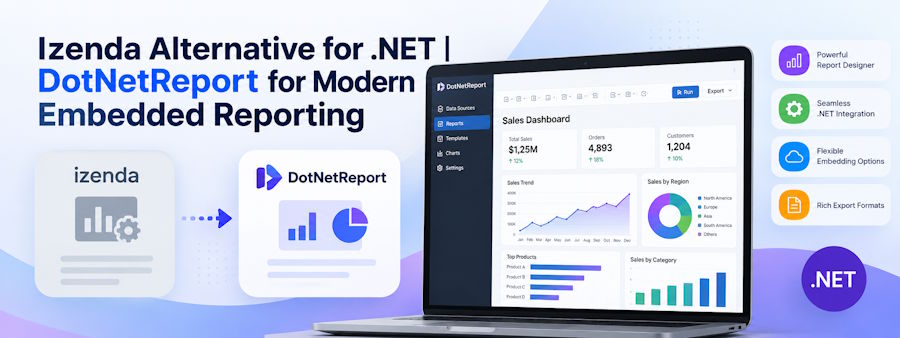
Izenda Alternative for .NET | DotNetReport for Modern Embedded Reporting
Choosing an Izenda alternative is rarely just a matter of comparing dashboard features. For a .NET development team, the reporting layer can become deeply connected to application authentication, tenant security, data models, report definitions, exports, scheduling and customer workflows. Replacing it successfully requires understanding how the new reporting platform will fit into the application rather than simply asking whether it can generate similar charts.
This becomes particularly important for SaaS products where reporting is customer-facing. Users may expect to build their own reports, filter data, create dashboards and export results without involving developers every time a new business question appears. The replacement platform therefore needs to satisfy two groups at once: developers who need manageable integration and end users who expect flexible self-service reporting.
Start With the Reporting Workload You Actually Need
Before evaluating a replacement, document how reporting is currently used inside the application. Some teams primarily need fixed operational reports, while others rely heavily on ad hoc reporting, dashboards, scheduled delivery and customer-created reports. These are very different workloads and should not be evaluated through the same checklist.
For example, a SaaS application where customers frequently request custom reports benefits much more from a strong self-service report builder than an application where every report is designed centrally by developers. If the current reporting backlog is dominated by requests such as adding columns, changing filters or producing slightly different versions of existing reports, the replacement should reduce those requests rather than recreate the same developer dependency on a different platform.
The migration is successful when the reporting architecture becomes easier to operate after the switch, not simply when the existing reports have been reproduced.
Evaluate How Naturally the Reporting Layer Fits Into .NET
For .NET teams, integration should be one of the first technical considerations. A reporting platform may have extensive capabilities but still create unnecessary complexity if it feels disconnected from the architecture of the host application.
Look at framework compatibility, authentication integration, deployment model, APIs, configuration requirements and how much custom code is needed to embed the reporting experience. Developers should also consider how easily the tool can inherit application context such as the current user, tenant and permissions.
DotNetReport is one example of an embedded reporting platform built specifically around this use case. It can be integrated into ASP.NET applications and supports .NET 6, .NET Core and .NET Framework while providing an embedded report builder and dashboards for end users. For teams investigating a more developer-oriented embedded reporting solution for .NET, DotNetReport is worth evaluating as part of the migration shortlist.
Self-Service Reporting Should Reduce Developer Work
One of the strongest reasons to replace an embedded BI platform is to reduce the amount of engineering time spent building one-off reports.
Without effective self-service reporting, users frequently ask developers to add fields, create new report variations, change grouping, adjust filters or build exports. Individually, these requests may seem small. At scale, they can become a permanent reporting backlog that competes with product development.
A replacement platform should allow authorized users to select data, apply filters, sort results, group information, calculate aggregates and create appropriate visualizations without writing SQL or requesting application changes.
This is an area where DotNetReport is particularly relevant to .NET SaaS teams. Its embedded report builder supports list and summary reports, charts, filtering, sorting, grouping and aggregate functions while allowing reporting to remain inside the existing application experience.
The goal is not to remove developers from reporting completely. Developers should control data access, integration and security. Business users should control how authorized information is explored and presented.
Check How Ad Hoc Reporting Works for Real Users
A reporting system can advertise ad hoc capabilities without necessarily making them practical for nontechnical users.
The best test is to give a realistic reporting task to someone who understands the business but does not understand the database. Ask them to build a report from the available data, apply filters, group results and produce a useful output.
If the user needs to understand table relationships, SQL syntax or internal database naming conventions, the development team will probably continue receiving reporting requests.
A strong self-service environment should expose business-friendly names and controlled data relationships while hiding unnecessary database complexity.
This is especially important in SaaS products because customers often understand their data requirements very well even when they do not understand how that information is stored internally.
Security Must Follow the Host Application
Embedded reporting should not create a second identity system that works differently from the application around it.
Users who are already authenticated should enter the reporting experience with the appropriate identity, tenant and permissions. The reporting layer should understand which data sources, records, fields and reports each user is permitted to access.
This becomes critical in multi-tenant SaaS environments. Tenant A must never be able to access Tenant B's information simply by modifying a report, API request or filter. Tenant context should be established by trusted application logic rather than values supplied by the browser.
Teams evaluating an Izenda replacement should therefore test security at the data level, not only the interface level. Hiding a field in a report designer is not equivalent to preventing the underlying query from accessing that field.
Multi-Tenant Reporting Needs to Be Designed In
Multi-tenancy should be treated as an architectural requirement rather than a feature that can be added after migration.
A SaaS reporting environment may serve hundreds or thousands of organizations from shared infrastructure. Each customer needs access to the same reporting functionality while remaining isolated from every other customer's information.
That usually requires tenant-aware query filtering, role-based permissions, secure caching, tenant-aware exports and controls around scheduled reports. The reporting platform should make it possible for the application to pass verified tenant context into the reporting process consistently.
DotNetReport supports multi-tenant reporting environments, which makes it relevant for SaaS development teams that want reporting embedded inside the same customer application rather than maintained as a disconnected BI product.
Consider Whether Reports Can Be Embedded Without Breaking the Product Experience
Users should not feel as if they have been sent from the SaaS application into a completely different piece of software.
Embedded reporting works best when navigation, authentication and the overall user journey remain consistent. Customers should be able to move from application workflows into reports and dashboards without repeatedly signing in or learning an unrelated interface.
Branding also matters for customer-facing software. The reporting experience should fit naturally into the product rather than looking like an external tool bolted onto it.
For development teams, this often means evaluating customization options alongside raw reporting functionality.
Evaluate Dashboards as Part of the Workflow
Dashboards remain useful when users need to monitor recurring metrics, but they should not become the limit of the reporting experience.
A customer may start with a dashboard showing sales, activity or operational performance and then need to investigate the underlying information in more detail. A strong reporting environment should support movement between high-level visualization and detailed reports without requiring developers to build every possible analytical path in advance.
When evaluating a replacement, test whether dashboard components can connect naturally with filters, underlying reports and the broader application context.
The objective is to give users a useful starting point while retaining enough flexibility for deeper exploration.
Scheduling and Exports Need the Same Attention as Interactive Reports
Migration projects often focus heavily on what users see in the browser while overlooking scheduled reports and exports.
Existing customers may depend on reports being delivered automatically by email or generated at specific times. Users may also rely on Excel, CSV or PDF output for workflows outside the application.
Document these dependencies before migration and test them separately.
Scheduled reports should preserve the same tenant and user restrictions as interactive reports. Exports should never expose fields or rows the requesting user would not be allowed to view on screen.
DotNetReport includes report scheduling alongside its interactive reporting capabilities, making this another area .NET teams can evaluate when comparing replacement options.
Understand How Much Migration Work Existing Reports Will Require
Switching reporting platforms usually requires more than installing a new package.
Existing report definitions, calculations, parameters, filters, dashboards and exports may need to be recreated or mapped to the new environment. Some reports may no longer be worth migrating at all.
This is actually an opportunity.
Reporting environments often accumulate years of unused or duplicated reports. Migrating everything without reviewing usage can transfer the old complexity directly into the new platform.
Classify reports before migration. Identify which ones are still used, which can be replaced by self-service functionality and which should be retired.
A smaller, cleaner reporting environment is generally easier to secure, maintain and explain to users.
Test Performance With Real Customer Data
Demo datasets rarely reflect production reporting workloads.
A report that performs well against several thousand rows may behave very differently when customers query millions of records with grouping, calculations and multiple filters.
Test realistic data volumes, concurrent users, large exports and complex queries before committing to a migration.
Also examine how the reporting tool generates SQL and whether developers have enough control to prevent inefficient or unsafe queries. Database indexes, query design and data models still matter even when the reporting interface hides those details from users.
The strongest embedded reporting platform cannot compensate indefinitely for an inefficient data architecture.
Look at the Cost of Ownership, Not Only the License
License pricing matters, but it is only one component of reporting cost.
Developer time, maintenance effort, infrastructure, support, upgrade complexity and the number of custom reports the team must continue building can easily exceed the software subscription itself.
A lower-priced product that requires extensive custom development may become more expensive over time. A more capable self-service platform may create savings by reducing reporting tickets and development work.
There is also evidence that this concern affects real migrations. A verified 2026 Capterra review describes a customer moving from Izenda to DotNetReport and specifically cites cost, .NET integration and end-user self-service reporting as important factors in the switch.
That single review should not be treated as proof that every organization will have the same experience, but it illustrates why teams evaluating an Izenda alternative should measure total ownership rather than comparing licensing alone.
Open Architecture Can Reduce Long-Term Dependency
Reporting platforms often stay inside products for years. That makes flexibility important.
Development teams should understand how reports are stored, how much control they have over configuration, how APIs work and what happens if the product needs to be customized later.
DotNetReport has a public GitHub repository and is positioned as an open-source reporting tool for .NET applications. That gives developers an additional way to inspect the project and understand how the reporting layer works rather than treating it entirely as a closed system.
For technical teams, visibility can be valuable during integration, troubleshooting and long-term architecture planning.
Migration Should Be Tested With a Representative Report Set
Do not begin by trying to migrate every report.
Select a representative group covering the hardest scenarios: a simple tabular report, a grouped summary, a chart, a multi-filter report, a dashboard, a scheduled report, a large export and a tenant-restricted report.
Build those first and compare the result with the existing environment.
This quickly exposes integration limitations, missing functionality and performance issues before significant migration work has been completed.
It also gives actual users something concrete to test. Their feedback can reveal workflow issues that are difficult for developers to identify from feature documentation alone.
Give Customers Time to Adapt
Even when the replacement platform is technically better, customers may initially prefer the reporting interface they already know.
Plan the migration as a user-experience change as well as a technical project.
Provide short documentation, example reports and guidance around common tasks. If possible, introduce the new reporting experience to a smaller customer group before expanding it to everyone.
Usage data during this phase can also reveal whether self-service reporting is working as intended. If users continue submitting the same requests to developers, the reporting model or training may need adjustment.
When DotNetReport Makes Sense as an Izenda Alternative
DotNetReport is most relevant when the application is built around the Microsoft .NET ecosystem and the team wants embedded reporting, dashboards and end-user self-service inside the existing application.
Its current open-source project supports .NET 6, .NET Core and .NET Framework and includes an embedded report builder, interactive visualizations, runtime filters, report scheduling and multi-tenant support.
Developers who want to explore the implementation can review the DotNetReport project and documentation, while teams evaluating the user experience can also test its reporting workflow before making a migration decision.
The important point is to evaluate it against the application's real requirements rather than selecting any reporting platform solely because it appears on an alternative list.
A Better Migration Decision Starts With Architecture
Finding an Izenda alternative for .NET should ultimately be an architecture decision rather than a simple product comparison.
Start with the problems the current reporting environment is creating. Determine how much developer time is being consumed by reporting requests, how important self-service reporting is to customers, which security model must be preserved and how much control the development team needs over integration.
Then test replacement options against those requirements using real reports and production-like data.
For .NET and SaaS teams, DotNetReport provides a relevant alternative because it combines embedded reporting, dashboards, ad hoc report building and multi-tenant support within the .NET ecosystem. The best reason to consider it, however, is not simply that it competes in the same category as Izenda. It is whether its architecture allows the development team to provide useful reporting with less complexity while giving customers more control over the data they are already authorized to use.
A successful migration should leave the product with fewer reporting bottlenecks, a cleaner developer workflow and a reporting experience users can operate without relying on engineering for every new question.
Frequently Asked Questions
What should developers look for in an Izenda alternative?
Developers should evaluate .NET compatibility, embedding options, self-service reporting, tenant security, APIs, dashboards, scheduling, exports, customization, performance and total cost of ownership.
Is DotNetReport designed for .NET applications?
Yes. DotNetReport supports .NET 6, .NET Core and .NET Framework and is designed to embed reporting functionality into ASP.NET web applications.
Can DotNetReport support self-service reporting?
Yes. Its report builder allows authorized users to create reports with filtering, sorting, grouping, aggregate calculations and visualizations without requiring developers to build every report manually.
Does DotNetReport support SaaS applications?
DotNetReport supports multi-tenant environments and can be embedded into existing .NET applications, which makes it relevant for SaaS products providing customer-facing reporting.
Why does self-service reporting matter when replacing Izenda?
Self-service reporting can reduce the number of custom reporting requests sent to developers. Users can answer more routine questions themselves while the development team focuses on product functionality and data architecture.
Should every existing report be migrated?
Not necessarily. Migration is a good opportunity to identify unused, duplicated or obsolete reports. Move the reports that still create business value and consider replacing repetitive variations with self-service capabilities.
How should teams test a new embedded reporting platform?
Use representative production-like reports covering filters, grouping, charts, dashboards, exports, scheduling, permissions and large datasets. Testing only simple demo reports can hide important migration problems.
Is licensing the most important factor when selecting an Izenda replacement?
No. Teams should consider total cost of ownership, including licensing, developer effort, maintenance, support, infrastructure and the cost of continuing to build custom reports.

