

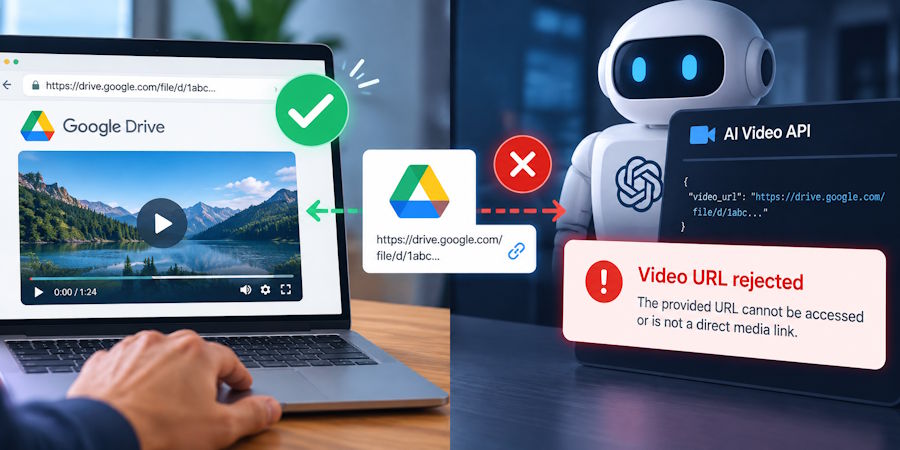
A Google Drive link working in a browser proves that the browser can display something at that address. It does not prove that an AI video API can retrieve the video. The request may depend on your signed-in session, or the response may be an HTML preview page containing a player.
Check the input contract before debugging the prompt. For example, reAPI documents URL-based media inputs on its Seedance routes. That makes file retrieval a prerequisite for those inputs. Another route might accept an upload or a stored file ID instead; the solution has to match the endpoint you are actually calling.
The diagnostic below separates access to the address from the contents of the response. Use a small test file you control and a scratch directory. It requires curl and the file utility; the later media check also requires ffprobe.
Reproduce the download without browser cookies
Run the request from the machine that executes the workflow, without copying authentication from your browser. Set MEDIA_URL to the candidate address, then download it:
curl --location --fail --silent --show-error \
  --max-time 60 \
  --output candidate.bin \
  "$MEDIA_URL"

file candidate.bin
These commands follow redirects, save the response and inspect the resulting file. The sixty-second limit bounds this diagnostic download; it says nothing about an appropriate timeout for generation.
If curl fails, record the failure before attempting a paid video request. A failed connection, denied request or expired address is already a problem in the input path. Changing the scene description cannot repair it.
If the download succeeds, look at what file identifies. The response may still be HTML. HTTP 200 means the server completed that HTTP request successfully; it does not mean the body is a video, or that a media model can decode it.
A HEAD request can help inspect headers, but do not substitute it for this GET test. A server can handle the two methods differently. You need to know what arrives when a client actually retrieves the file.
Classify the response before touching the model
HTML arrived
An HTML result directs you back to the address or access method. It may contain a preview, sign-in screen, download interstitial or error message. Inspect it locally to identify which one you received. Do not submit it again simply because the original URL contains a video filename.
“Anyone with the link” is a sharing setting, not a promise that the shared address returns raw video bytes. It can make a page accessible while leaving a separate download step between that page and the underlying file.
Access failed or worked only temporarily
Compare when the address was created with when retrieval failed. Check whether the file still exists, whether the requesting component has the necessary access, and whether temporary access has expired. Keep credentials and signed addresses out of shared diagnostic logs.
A download that works on your laptop is useful evidence, but the remote service may still face a different access restriction. Test from the workflow host where possible and use the destination's documented requirements when deciding what must be reachable.
Media arrived
Now inspect the file itself:
ffprobe -v error -show_streams -show_format -of json candidate.bin
The ffprobe manual documents these stream and format options. Compare the reported container, codec, dimensions and duration with the selected route's accepted inputs. A successful probe establishes that this parser can identify the media; it does not establish that every model will accept it.
Check the HTTP Content-Type as well. Treat it as another piece of evidence, since headers and filename extensions can be misleading. The response body and the route's limits still need to agree.
Give the AI video API a documented file handoff
Once you know why the sharing URL fails, choose a supported way to retrieve the source. Google's Drive download documentation describes files.get with alt=media for files stored as binary content. Google Workspace documents have different handling and may require export. Do not apply a binary-download recipe to every type of Drive item.
An authorised Drive client or workflow node can perform that retrieval inside your application. After it obtains the bytes, there are two common possibilities, depending on the video endpoint: send the file through a supported upload method, or place it in storage that provides a retrievable media URL.
Your Google access token belongs with the component retrieving the Drive file. Giving it to an unrelated generation service to make a sharing link work is unnecessary when the destination expects a direct file URL or upload.
Temporary object access can be useful for the storage option. Cloudflare's R2 documentation describes a signed URL as granting an operation on an object until its expiry. Anybody holding a usable signed address can exercise that permitted access, so handle it accordingly.
The expiry also has to accommodate retrieval. A service may fetch the input after accepting the task, including time spent waiting in a queue. An address that expires just after submission can therefore fail later, even though the initial request was accepted.
There is no single duration to copy into every integration. Use the destination's documented behaviour and the sensitivity of the file to decide the access window. Keep the object itself available during that period. Renewing a signature cannot retrieve an object you have deleted.
If a task fails after expiry, check its existing status before resubmitting. A fresh URL resolves an access issue; it does not tell you whether the earlier generation was accepted or charged.
Use a local upload as a comparison
When the response contains valid media but the API still rejects it, a manual upload can narrow the investigation. A browser workflow such as the reference-video mode in ClipDance lets you try a local asset without building the same URL handoff.
Keep the conclusion narrow. Success there demonstrates that the file worked in that particular browser workflow. It does not prove that a different model, mode or API route accepts the same format. Compare those details before treating the outcomes as contradictory.
For the eventual error report, retain the source asset ID, retrieval result and any generation task ID. “The download returned a sign-in page” and “the retrieved video exceeds this route's duration limit” lead to different fixes, even if the application displayed the same generic error for both.
The AI video API request is ready to investigate on its own terms once the input can be retrieved and meets the documented media requirements. Until then, keep the failure attached to the download or file validation that produced it.

