

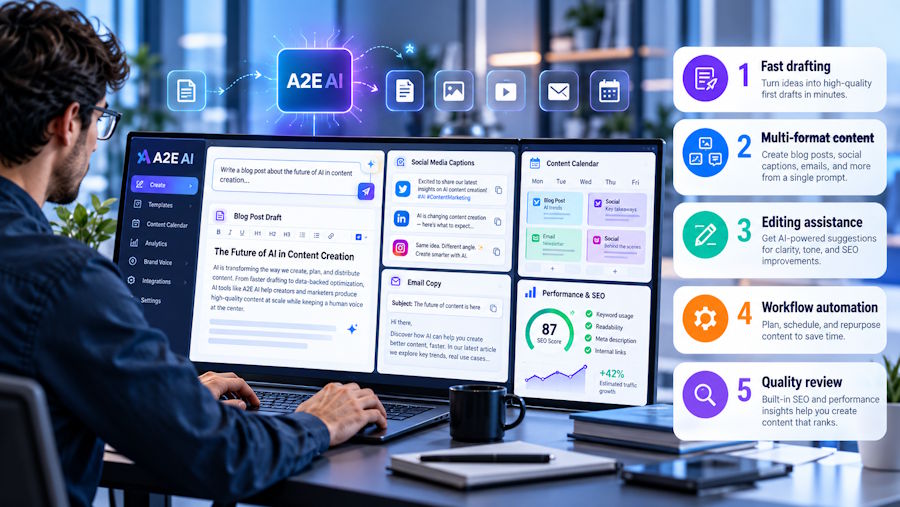
AI video platforms are getting crowded, but A2E takes a slightly different approach. Instead of focusing on just one type of generation, it puts image and video tools, avatars, face swaps, lip sync, voice cloning, and several AI models under one platform.
That sounds useful on paper. But having a lot of tools in one place does not automatically make the experience better.
AIChief tested A2E to see how practical the platform is for everyday image and video creation. The platform is easy to explore and gives creators plenty of options, but output consistency is one area where expectations need to be realistic.
A2E AI in Use: Strengths and Limitations
A2E is built for experimentation. You can start with an image, turn it into a video, create a talking photo, generate an avatar, or try one of its other creative tools without needing a traditional video production setup.
The interface is relatively straightforward. Most workflows follow the same basic pattern: upload your content, choose what you want to create, add a prompt or settings where needed, and generate the result.
Advantages
A2E brings quite a lot into one workspace. Its current toolset includes image-to-video, face swap, head swap, talking photos, lip sync, voice cloning, AI avatars, text-to-image, image editing, cloth swap, and more.
For creators, that means fewer reasons to jump between different platforms. Some of the more useful options include:
- Image to Video: Turn still images into short videos with AI-generated movement.
- AI Avatars: Create reusable avatars from images for talking videos.
- Talking Photos: Make still portraits speak with AI-generated voice and lip sync.
- Voice Cloning: Create cloned voices with support for multiple languages.
- Face and Head Swap: Replace faces or entire heads in images and videos.
- Text to Image: Generate visuals directly from written prompts.
- Cloth Swap: Create different clothing variations for product and fashion visuals.
The platform also gives users access to different AI models, which makes it more flexible for creators who want to experiment with different generation styles.
What Stands Out in Use
The image-to-video workflow is one of the easier places to start. You upload an image, add a prompt describing the movement, and generate the video. A2E says the process does not require previous video editing experience.
The avatar and talking-photo tools are also useful for quick content. A single portrait can be turned into a speaking avatar, while lip-sync tools help match speech with facial movement.
The biggest advantage is convenience. Instead of using one platform for image generation, another for animation, and another for avatars, A2E gives you access to all of these workflows in one place.
Limitations
The main issue is consistency. A2E is useful for quick image and video experiments, but generation quality is not always predictable. Some results work well while others require another attempt.
That matters if you need a finished asset on the first try. The credit system is another thing to understand before using the platform heavily. A2E offers free credits to new users and daily bonus credits, while paid plans provide larger credit allocations and additional features.
So while you can start without paying, regular generation can still become a credit-management exercise. For casual creators, marketers testing ideas, and people experimenting with AI video, that might not be a major issue. For production workflows where every generation needs to be predictable, it is worth testing the platform with your own content first.
Key Features of A2E AI
A2E's feature list is large, but the main tools fall into a few simple categories:
| Feature | What You Can Do |
|---|---|
| Image to Video | Animate still images with AI-generated movement |
| AI Avatars | Turn photos into reusable speaking avatars |
| Talking Photo | Make portraits speak with realistic lip sync |
| Voice Clone | Create AI versions of voices |
| Face Swap | Replace faces in images and videos |
| Head Swap | Replace an entire head rather than just the face |
| Text to Image | Generate images from prompts |
| Image Editor | Make AI-powered changes to existing images |
| Cloth Swap | Create clothing variations in images |
Alternatives to A2E AI
A2E's biggest strength is its range, but you might prefer a more specialized platform depending on what you actually want to create. Let’s explore the alternatives to A2E AI:
-
Runway: For More Creative Video Control
Runway is a better fit for creators who want to spend more time working directly with AI-generated video and creative controls. It is an AI video generation platform with tools aimed at creative production rather than a large collection of avatar and image utilities.
If your main goal is generating and shaping creative video rather than experimenting with different AI tools, Runway is worth comparing with A2E.
-
HeyGen: For AI Avatar Videos
HeyGen focuses heavily on AI avatars, lip sync, voice, and multilingual video creation. AIChief highlights its realistic avatars, strong lip-sync performance, and support for more than 175 languages and accents.
It makes more sense for users creating training videos, marketing content, presentations, or other avatar-led videos regularly.
-
Synthesia: For Business Video Content
Synthesia takes an even stronger business-focused approach. It is designed around AI avatar videos for companies, with support for multiple languages, collaboration, and integrations for training and internal communications.
For teams creating employee training, educational content, or corporate communications, Synthesia offers a more specialized workflow than A2E.
Conclusion
A2E is interesting because it tries to put a lot of AI creation workflows under one roof. You can experiment with image-to-video generation, avatars, talking photos, voice cloning, face swaps, and image creation without constantly switching platforms.
The trade-off is consistency. Some generations will work well, while others need another attempt. That makes this AI more appealing for experimentation and quick content creation than workflows where every output needs to be predictable.
If you want an all-in-one creative toolkit, it is worth trying. If you have a more specific goal, platforms such as Runway, HeyGen, or Synthesia might offer a more focused experience.
FAQs
Is A2E AI free to use?
A2E offers a free plan with bonus credits, so users can try its image and video tools without immediately subscribing. Paid plans provide additional credits and features.
What can you create with A2E AI?
You can create AI videos, talking photos, avatars, voice clones, face swaps, head swaps, generated images, and other visual content.
Is A2E AI good for beginners?
A2E is relatively easy to explore because many of its tools follow simple upload-and-generate workflows. However, users creating more advanced content might need some trial and error to get consistent results.

